Establishing secure connection…Loading editor…Preparing document…

Client Feedback Survey

This template is fully customizable. Edit the text, fill out the fields, and send it for signature. Give it a try!
Client Feedback Survey

What the Client Feedback Survey Is and when it’s used

A Client Feedback Survey is a structured questionnaire used to collect clients’ opinions about services, deliverables, or interactions. It records measurable responses (ratings, multiple choice) and qualitative comments to identify satisfaction drivers, service gaps, and improvement opportunities. Organizations use the survey to monitor client experience over time, validate project completion, and produce aggregated reports for stakeholder review. When distributed electronically, the survey captures metadata (time, respondent ID, device) that supports auditability and follow-up while reducing manual data entry and transcription errors.

Why a Client Feedback Survey matters to your operations

Collecting structured client feedback helps you detect issues early, prioritize improvements, and measure service quality trends. Surveys produce actionable data for operations, client success, and compliance reviews while reducing anecdotal decision-making and supporting documented customer research.

Why a Client Feedback Survey matters to your operations

Who typically creates and completes these surveys

Organizations of all sizes ask clients to complete feedback surveys after service milestones, renewals, or product deliveries.

  • Customer success teams and account managers who need structured client input for retention and upsell decisions.
  • Project managers who require sign-off and post-delivery evaluations to close project checklists.
  • Clients and end users who can report satisfaction, defects, or suggestions directly after interactions.

Responses are used by operations, legal (for dispute records), and product teams to guide continuous improvement and document outcomes.

Core parts of a professional Client Feedback Survey

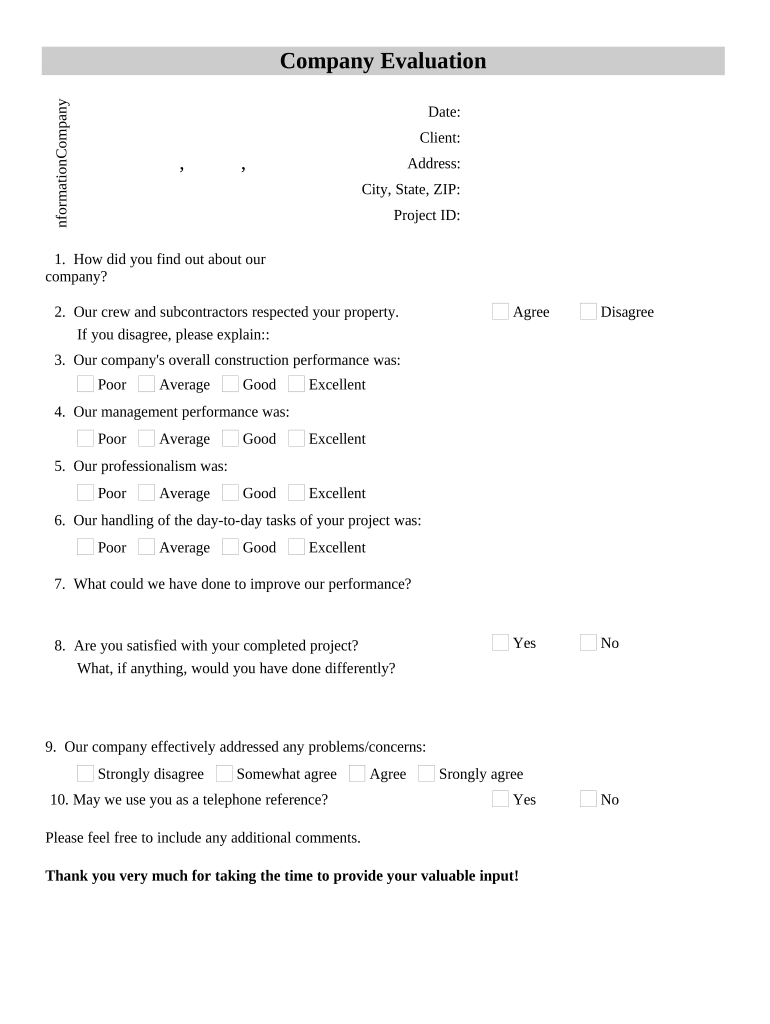
A well-constructed survey balances structured metrics and open responses, captures respondent identity and consent, and records distribution metadata for traceability.

Survey Header

Title, purpose statement, and survey scope. Explains why responses are collected and how results will be used and stored in plain language.
Respondent Details

Fields for client name, contact email, account or project ID, and role. These enable follow-up and tie feedback to billing or service records.

Rating Scales

Consistent numeric or Likert scales for service quality, timeliness, and communication allow trend analysis and benchmarking across clients.

Open Comments

Free-text fields let respondents explain ratings, report defects, or suggest improvements; include character limits and optional anonymity flags.

Consent & Privacy

Optional checkboxes for publishing testimonials and required language for regulated data. Include consumer disclosure when collecting sensitive information.

Distribution Metadata

Capture timestamp, IP or link token, responder authentication method, and completion certificate for auditability and record retention.

Step-by-step: preparing and issuing the survey

Follow these sequential steps to configure, authenticate, and distribute the Client Feedback Survey for reliable responses.

  • 01
    Draft Questions: Create clear, concise items and standardize rating scales.
  • 02
    Add Respondent Fields: Include client identifiers and required contact data.
  • 03
    Set Authentication: Choose email link or token-based verification to attribute responses.
  • 04
    Distribute and Track: Send via chosen channel, monitor opens, and send reminders as needed.

Where completed surveys should be sent and stored

Define destination systems and archival locations up front so completed responses feed reporting and compliance workflows automatically.

  • CRM / Account Record: Attach responses to the client’s CRM profile for account history.
  • Project Folder: Store a copy with project files and deliverables for auditability.
  • Reporting Database: Ingest quantitative data for dashboards and trend analysis.
  • Compliance Archive: Retain sensitive responses in restricted storage per retention policy.

Digital setup checklist for online distribution

Configure authentication, fields, reminders, and data destinations before sending to ensure secure collection and automated processing.

Field Configuration
Authentication Email link (default) | Optional SMS or token-based MFA
Reminders Set one or two automatic reminders spaced 5–7 days apart
Data Export Enable CSV/JSON export to reporting tools or CRM
Retention Rule Apply archival retention policy and access controls

Technical considerations and integrations

Choose a platform that supports secure forms, field logic, and integrations so responses flow into existing systems.

  • Integrations: CRM, ERP, and cloud storage connectors
  • Supported Formats: PDF, DOCX, HTML export
  • Authentication: Email, SMS, SSO options

Verify the platform provides audit trails, data export, and the specific connectors your organization uses (for example, Salesforce, Microsoft 365, or NetSuite) before deployment.

Timelines for issuing and processing responses

Set clear issuance and follow-up deadlines to maximize response rates and ensure timely analysis.

Issue Window:

Send within 30 days of service completion to capture timely feedback.

Reminder Cadence:

Send first reminder after 7 days, second after 14 days if unanswered.

Response Collection:

Close the survey 30–60 days after initial send unless extended.

Analysis Turnaround:

Aggregate and report results within 14 days of survey close.

Retention Start:

Archive signed responses per record retention policy immediately after analysis.

Key milestones in the survey lifecycle

Track milestones from instrument design through archival to maintain auditability and continuous improvement.

01

Design Completion

Finalize questions and field logic before distribution.

02

Distribution

Send to targeted respondents and record metadata.

03

Response Period

Allow scheduled window for completions and send reminders.

04

Reporting & Archive

Produce reports, store signed records, and apply retention rules.

Common mistakes to avoid when preparing surveys

  • Using inconsistent rating scales across questions which makes comparative analysis invalid and complicates reporting.
  • Failing to capture a reliable client identifier; responses then cannot be matched to accounts or contracts for remediation.
  • Collecting regulated health or student data without appropriate disclosures and agreements, increasing privacy and compliance risk.
  • Neglecting to preserve metadata and audit logs, which weakens evidentiary value and complicates dispute resolution.

Risks and potential consequences of mishandled surveys

Privacy Breach: Exposure of personal data can trigger HIPAA or state privacy obligations.
Regulatory Noncompliance: Improper consent or handling can violate consumer disclosure rules.
Data Integrity: Lost metadata undermines attribution and auditability.
Contract Disputes: Unverified feedback may be inadmissible in disagreements.
Reputational Harm: Published negative comments without consent can lead to liability.
Financial Exposure: Penalties and remediation costs when regulated data protections fail.

Security and compliance essentials to include

Encryption: TLS 1.2/1.3 in transit; AES-256 at rest.
Access Controls: Role-based access and audit logging.
HIPAA BAA: Execute a BAA when collecting protected health information.
Audit Trail: Record timestamps, IP, and signer identity.
Standards: SOC 2 Type II and ISO 27001 support required controls.
Authentication: Support email links, SMS codes, and SSO for stronger attribution.

How a Client Feedback Survey differs from other customer questionnaires

Compare typical attributes to distinguish purpose, legal needs, and data collection scope for similar customer-facing forms.

Criteria Client Feedback Survey Customer Satisfaction Survey
Use case post-service evaluation broad brand perception
Signature required usually no
Typical fields client id, ratings, comments ratings, demographic items
Regulatory concerns privacy, hipaa potential mostly privacy

eSignature vendor comparison for distributing and signing surveys

Select a provider that matches your security, integration, and volume needs. The table compares core pricing and capability markers across common vendors.

signNow DocuSign Adobe Sign PandaDoc HelloSign
Starting Price $8/user/mo $15/user/mo $14/user/mo $19/user/mo $15/user/mo
Free Trial 7-day trial, no card Varies by plan Varies by plan Varies by plan Varies by plan
Bulk Send Yes Yes Yes Yes No
Audit Trail Yes Yes Yes Yes Yes
HIPAA Compliant Yes Yes Yes No No
Envelope Cap No envelope cap 100 envelopes/user/year Varies by plan Varies by plan Varies by plan

FAQs: common questions about Client Feedback Surveys

Practical answers to frequent questions on e-signing, privacy, authentication, and recordkeeping when collecting client feedback.


Need help? Contact support

be ready to get more
Join over 28 million airSlate SignNow users