Establishing secure connection…Loading editor…Preparing document…

Credit Card Authorization Form

This template is fully customizable. Edit the text, fill out the fields, and send it for signature. Give it a try!
Credit Card Authorization Form

What the Credit Card Authorization Form Is and When it’s Used

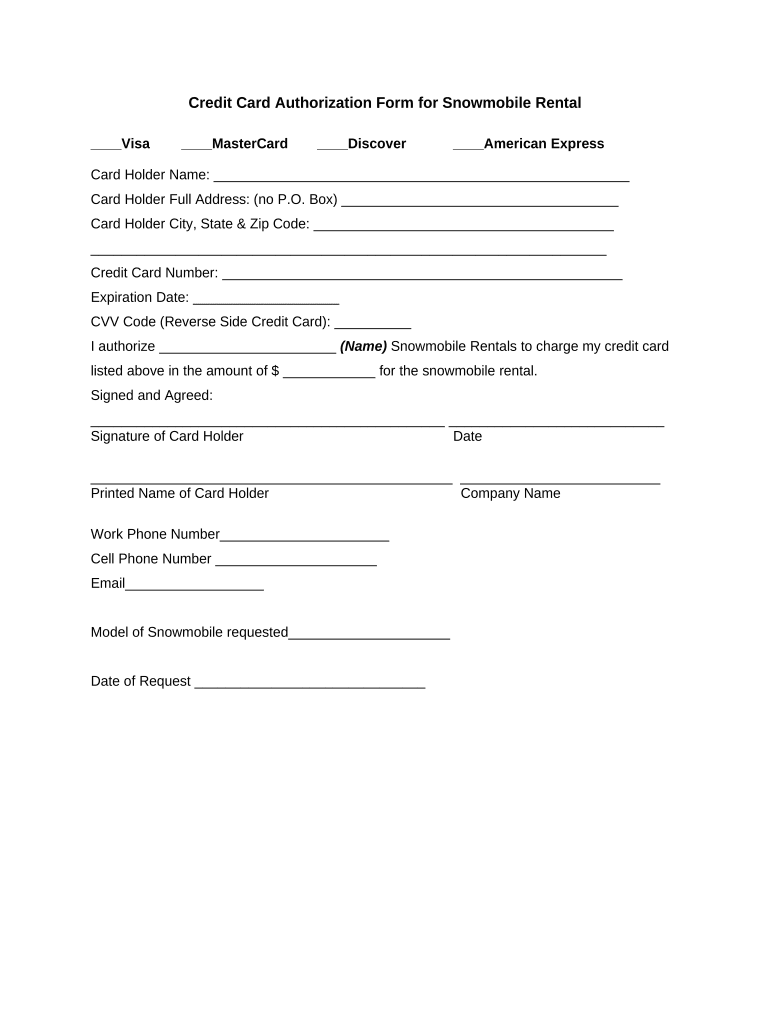
A Credit Card Authorization Form documents a cardholder’s consent for a merchant, service provider, or third party to charge a specified card for a stated amount or for recurring payments. It collects card details, cardholder identity, transaction limits, and an explicit signature or electronic consent. Organizations use this form to reduce billing disputes, comply with card network rules, and provide an auditable record of payment authorization. The form can be completed on paper, by fax, phone recording, or electronically using an eSignature solution that preserves intent, attribution, and an audit trail under U.S. e-signature law.

Why a Clear Authorization Form Matters

A well-crafted Credit Card Authorization Form clarifies consent, reduces chargebacks, documents the cardholder’s instructions, and supports merchant compliance with card network policies and applicable laws such as ESIGN and UETA. Clear fields and retention policies also simplify audits and dispute resolution.

Why a Clear Authorization Form Matters

Who Typically Completes or Receives This Form

Organizations that collect payments, departments that bill customers, and cardholders completing remote transactions commonly use this form.

  • Merchants and retailers who accept card payments for goods or services, often integrated with payment processors and POS systems.
  • Service providers and utilities that take recurring payments, including subscription billing and membership fees.
  • Accounts receivable and finance teams that need written authorization to reconcile disputes and meet card network audit requirements.

Use this form whenever written or electronic authorization clarifies payment terms, frequency, and permitted amounts; retain documentation per your recordkeeping policy.

Step-by-step: Completing the Authorization

Follow these steps to capture a valid authorization whether you use paper or an electronic workflow.

  • 01
    Collect Details: Obtain cardholder name, address, PAN, expiry, and CVV.
  • 02
    Specify Terms: Record one-time vs recurring payments, amounts, and start date.
  • 03
    Authenticate: Confirm identity via ID, knowledge-based checks, or secure eSign authentication.
  • 04
    Retain Record: Save signed copy and audit trail for disputes and audits.

Common Preparation Pitfalls to Avoid

  • Using ambiguous authorization language such as 'authorize charges as needed' without monetary limits increases chargeback exposure and compliance risk.
  • Storing full card numbers or CVV data without PCI-compliant controls can create regulatory and breach liabilities for the merchant.
  • Collecting signatures without clear dates or signer identity evidence undermines enforceability in disputes and may fail e-signature validity tests.
  • Failing to document cardholder revocation or expiration handling leads to processing attempts on invalid cards and increases operational overhead.

Required Data Elements and Security Notes

Cardholder Name: Full legal name
Card Details: PAN last four or token
Transaction Terms: Amount, frequency
Authentication: ID or eAuth method
Signature: Handwritten or e-sign
Retention: Audit trail required

Consequences of Incomplete or Incorrect Forms

Chargebacks: Disputed charges can be reversed
Processor Fines: Noncompliance may trigger fees
Data Breach Liability: Improper storage increases exposure
Contract Risk: Unclear scope undermines enforcement
Regulatory Action: PCI or state penalties possible
Reputational Harm: Customer trust may decline

Elements of a Professional Credit Card Authorization Form

Design the form to capture consent, identity, transaction scope, and a durable signature while minimizing sensitive data retention and ensuring clear auditability.

Clear Consent

A concise authorization clause that explicitly states the amount, whether charges are recurring, and the duration of consent to reduce dispute risk and provide merchant liability protection.
Cardholder Identity

Fields for full name, billing address, and a secondary identifier (phone or email) to corroborate the signer and support authentication and AVS checks during processing.

Transaction Details

Specific fields for amount, currency, frequency, start date, and maximum cumulative total so the cardholder knows the precise scope of authorized charges.

Signature & Date

A signature block with printed name and date; for electronic signing include an audit trail capturing IP, timestamp, and signing method to satisfy ESIGN/UETA criteria.

Revocation Instructions

Simple language explaining how to revoke authorization, where to send revocations, and any effective delay period to manage expectations and operational timing.

Security & Retention

A short notice describing how card data will be protected, retention period, and whether tokens are used; avoid storing CVV and full PAN unless PCI controls are present.

How Electronic Authorization Workflows Typically Operate

Electronic workflows follow a consistent sequence to collect details, authenticate the signer, capture consent, and save an auditable record.

  • Upload Form: Admin uploads PDF or template to the signing platform.
  • Add Fields: Place name, card, date, and signature fields on the form.
  • Authenticate: Signer verifies identity via email, SMS, or stronger methods.
  • Record Audit: System captures time, IP, and actions for proof.

Typical Configuration Settings for an eAuthorization Workflow

Set up the electronic workflow to enforce required fields, define signer authentication, and configure retention and notifications.

Field Configuration
Required Fields Cardholder name | address | signature
Authentication Email link, SMS code, or KBA
Retention Setting Store signed copy + audit trail
Notifications Send receipts to cardholder and merchant

Technical Considerations for eSubmission and Storage

Choose a platform that supports secure collection, authenticated signing, and tamper-evident storage for payment authorizations.

  • File Formats: PDF and DOCX supported
  • Integrations: Connects to payment processors
  • Security: TLS and AES encryption

Ensure the provider offers audit trails, conditional fields, and the ability to export records for audits while aligning with PCI and your internal retention policy.

Timelines and Typical Processing Expectations

These timelines reflect common processing windows and operational milestones for authorization handling.

Authorization Effective Date:

Effective on the date signed unless a future start date is specified

Processing Time:

Merchant reconciliation and tokenization commonly complete within 1–3 business days

Card Authorization Hold:

Authorizations or holds may remain for up to 7 days depending on issuer and network

Revocation Notice:

Revocation is typically effective on receipt; merchants often allow a 7–30 day processing window

Dispute Window:

Cardholders typically have 60–120 days under network rules to dispute transactions

Pricing and Feature Comparison for eSignature Platforms for Authorization Forms

Compare basic pricing and feature availability across vendors commonly used to collect signed credit card authorizations; signNow appears first in the table per vendor-labeling rules.

signNow DocuSign Adobe Sign PandaDoc HelloSign
Starting Price $8/user/mo $15/user/mo $14/user/mo $19/user/mo $15/user/mo
Free Trial 7-day free trial Varies by vendor Varies by vendor Varies by vendor Varies by vendor
Bulk Send Yes (plan dependent) Yes Yes Yes Yes
Audit Trail Yes Yes Yes Yes Yes
HIPAA Compliant Yes (BAA available) Yes Yes No No

Frequently Asked Questions About Credit Card Authorization Forms

Answers to common operational, legal, and technical questions about using and storing credit card authorization forms.


Need help? Contact support

be ready to get more
Join over 28 million airSlate SignNow users