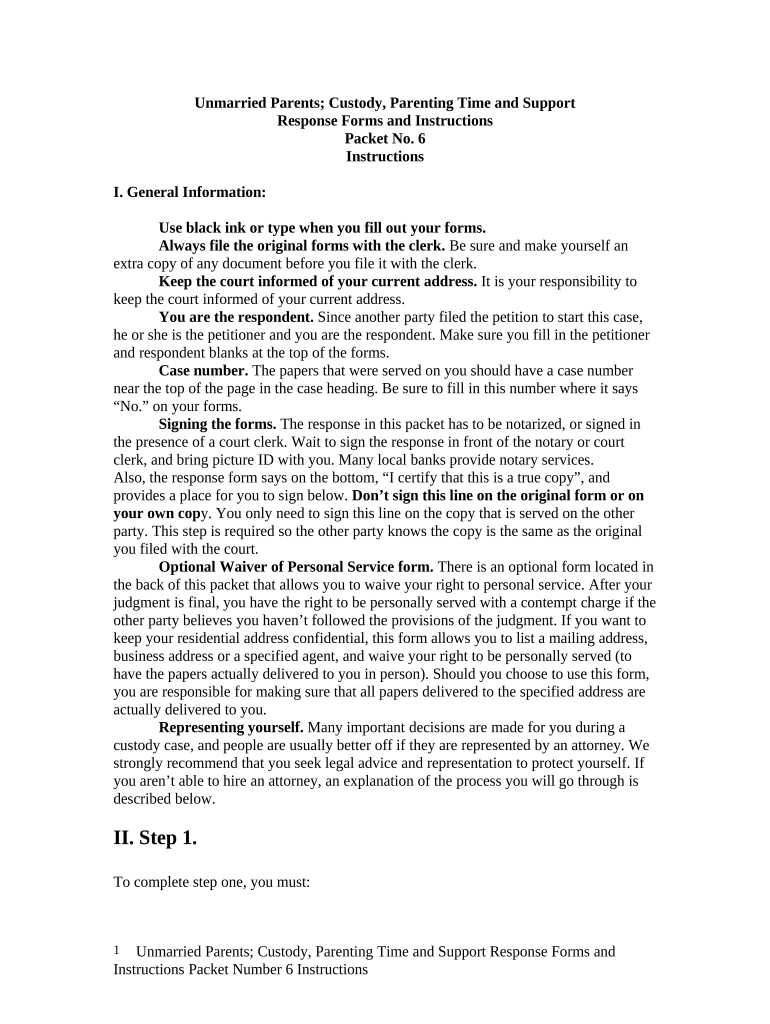
Custody Parenting Forms
What Custody Parenting Forms Are and when they apply
Why clear custody paperwork matters
Well prepared Custody Parenting Forms clarify custody and visitation, reduce disputes, and supply the court with enforceable terms. They document parental responsibilities for health, education, and decision-making and support future modifications or enforcement.
Who commonly completes and reviews these forms
Common users include parents, guardians, family law attorneys, mediators, and court clerks who prepare or review parenting plans.
- Parents and guardians managing custody schedules and daily legal responsibilities.
- Family law attorneys drafting enforceable parenting plans for court submission.
- Mediators and court staff facilitating agreements, filings, and case management tasks.
Typical roles that sign or approve custody forms
Parent (Petitioner)
Parents who file or respond to custody petitions. They complete parenting plan sections, identify contact and emergency information, and specify decision-making authority, visitation schedules, and proposed holiday arrangements. Accurate entries affect enforcement and future modification requests.
Attorney / Guardian
Attorneys and guardians ad litem representing children or parents. They review forms for legal sufficiency, verify jurisdictional compliance, prepare supporting declarations, and arrange notarization or filings. Their review helps reduce rejection risk and ensures enforceable court orders.
Risks and consequences of incorrect or incomplete forms
Common mistakes to avoid when preparing custody forms
- Leaving fields blank or using inconsistent names between forms and government IDs leads to processing delays and may trigger requests for corrected filings.
- Failing to notarize when required, or assuming e-signature suffices for court filings, can cause rejection by clerks or require in-person verification.
- Providing vague visitation schedules or incomplete holiday plans creates ambiguity that courts may need to resolve with additional hearings.
- Omitting supporting documents such as proof of income, school records, or medical authorizations delays adoption of parenting plans and complicates enforcement.
Step-by-step: completing and submitting Custody Parenting Forms
-
01Draft: Complete all required fields accurately.
-
02Review: Check names, dates, and supporting exhibits.
-
03Notarize: Obtain notarization or witness signatures if required.
-
04File: Submit to the appropriate family court or clerk.
Overview: how e-filing and service typically work
-
Prepare: Assemble form, exhibits, and declarations.
-
Authenticate: Signers confirm identity via chosen method.
-
Serve: Provide other party with copies per local rules.
-
File: Submit to court clerk or e-filing portal.
Suggested online workflow settings for custody forms
| Field | Configuration |
|---|---|
| Signer Order | Sequential or parallel signing |
| Authentication | Email link, SMS code, or knowledge-based questions |
| Conditional Logic | Display fields based on role or case type |
| Auto-Retention | Save final PDF with audit trail metadata |
Technical considerations for eSigning and court submissions
Platforms used for e-sign and filing should support authentication, PDF export, and secure data storage.
- File Formats: PDF, DOCX, and HTML supported.
- Integrations: Connectors for courts, cloud storage, and CRM.
- Security: AES-256 at rest, TLS in transit.
Vendor feature and pricing snapshot for eSignature platforms
| signNow | DocuSign | Adobe Sign | PandaDoc | HelloSign | |
|---|---|---|---|---|---|
| Starting Price | $8/user/mo | $15/user/mo | $14/user/mo | $19/user/mo | $15/user/mo |
| Free Trial | 7-day free trial | Varies by vendor | Varies by vendor | Varies by vendor | Varies by vendor |
| Bulk Send | Yes (plan-dependent) | Yes | Yes | Yes | No |
| Audit Trail | Yes | Yes | Yes | Yes | Yes |
| HIPAA Compliant | Yes (BAA available) | Yes (BAA available) | Yes (BAA available) | No | No |
| Envelope Cap | No cap | 100 envelopes/user/year | Varies by plan | Varies by plan | Varies by plan |
Key milestones from drafting to court resolution
Draft & Collect
Complete forms and gather supporting documents.
Authentication
Sign, notarize, or obtain witness signatures as required.
Service
Serve copies to other parties per local rules and deadlines.
Filing & Hearing
File with court clerk and attend scheduled hearings for review.
Frequently asked questions about Custody Parenting Forms
-
Can Custody Parenting Forms be completed electronically?
In many jurisdictions electronic signatures meet ESIGN Act and UETA requirements, but family law decrees and formal court orders often have exceptions. Courts may require original signatures, notarization, or in-person filings. Check local court rules before relying solely on electronic execution.
-
When is notarization or witnesses required?
Notarization and witness requirements vary by state and document type. Some courts require notarized affidavits or witness signatures for parenting plans, while others accept certified e-signatures or electronic notary records. Confirm with the county family court clerk or local rules before submitting.
-
How does e-signing affect enforceability?
Electronic signatures are legally enforceable under the ESIGN Act (15 U.S.C. ch. 96) and UETA where adopted, provided intent, consent, attribution, and retention are met. Exceptions can apply in family law; maintain records and an audit trail to support enforceability.
-
Does signNow support notarization and RON?
signNow's plans (Business, Business Premium, Enterprise, Site License) provide secure e-signing, audit trails, and exportable signed PDFs. Site License is usage-based ($1.50/signature invite). For Remote Online Notarization, confirm the notary service, identity proofing, and court acceptance in your jurisdiction.
-
What supporting documents should I include?
Attach birth certificates, school or medical records, proof of residence, income documentation, and any prior court orders or parenting plans. Include declarations explaining disputed facts and exhibits such as calendars or communication logs to support proposed schedules and demonstrate consistency.
-
How to update or modify filed parenting plans?
Modifications typically require filing a motion to modify, served on the other party, with updated forms and supporting evidence showing a material change in circumstances. Courts consider the child's best interests; consult local rules and consider attorney assistance for contested modifications.