Establishing secure connection…Loading editor…Preparing document…

Letter Regarding Freeport Warehouse Exemptions

This template is fully customizable. Edit the text, fill out the fields, and send it for signature. Give it a try!
Letter Regarding Freeport Warehouse Exemptions

What the Letter Regarding Freeport Warehouse Exemptions Is

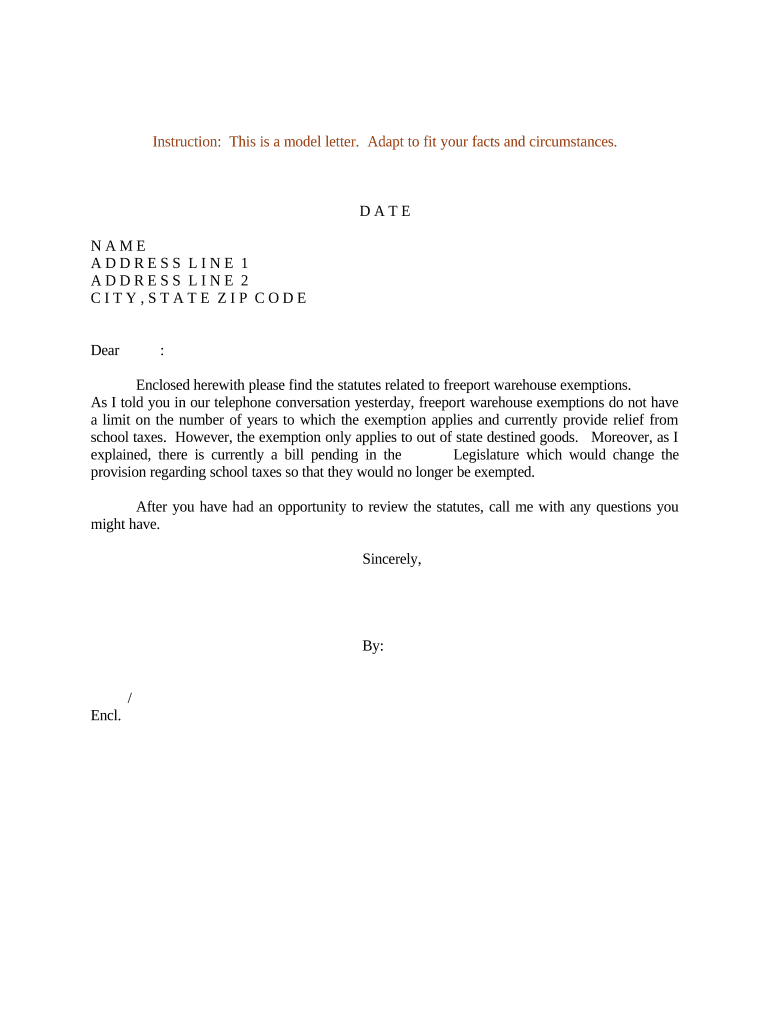
The Letter Regarding Freeport Warehouse Exemptions is a formal written request used to document and claim exemption treatment for goods stored in a freeport or bonded warehouse. It identifies the taxpayer and facility, describes the goods and dates in storage, and cites the legal basis for exemption. Prepared by the warehouse operator, owner, or tax representative, the letter typically accompanies inventory records, warehouse receipts, bills of lading, and invoices to establish chain-of-custody and support an administrative determination.

Why a Clear Exemption Letter Matters

A concise, well-documented letter helps establish eligibility, shortens administrative review, and reduces the chance of misclassification or unnecessary tax assessments. It creates an auditable record that supports appeals and clarifies responsibilities for both warehouse and taxpayer.

Why a Clear Exemption Letter Matters

Who Prepares and Receives This Letter

Typical senders and recipients include parties responsible for goods management and tax reporting, such as warehouse operators, taxpayers, and local appraisal or customs authorities.

  • Warehouse operators and facility managers prepare inventory details and storage receipts for exemption requests.
  • Importers and consignees document ownership, shipment history, and declared commodity descriptions.
  • Tax advisors or county appraisal officials receive and review the letter for assessment or audit purposes.

Who Typically Signs or Reviews the Letter

Warehouse Manager

Oversees inventory control and maintains bills of lading, receipts, and manifests; provides the facility identifier and confirms storage dates. Responsible for ensuring documents align with invoices and for supplying original warehouse receipts during any administrative review or audit.

Tax Counsel

Reviews statutory eligibility, cites applicable state exemption rules, and drafts or reviews the letter to ensure legal sufficiency. Advises on retention, responding to inquiries from appraisal districts or customs, and preparing supporting exhibits for appeals.

Essential Information to Include

Facility ID: Include registered facility number
Taxpayer ID: EIN or SSN per filer
Dates Covered: MM/DD/YYYY to MM/DD/YYYY
Goods Description: Clear commodity description and HTS codes
Supporting Docs: Invoices, B/Ls, receipts, manifests
Contact Info: Name, phone, email, mailing address

Potential Consequences of an Incorrect Letter

Tax Penalties: Back taxes and fines
Interest: Accrued on unpaid amounts
Denial: Exemption may be denied
Audit Exposure: Increased audit scrutiny
License Risk: Potential permit suspension
Legal Costs: Attorney fees and appeals

Common Pitfalls to Avoid

  • Missing original bills of lading or incomplete warehouse receipts can delay approval and prompt additional requests for proof of movement.
  • Ambiguous facility names or multiple DBA entries create mismatch issues between tax records and warehouse documents during review.
  • Incorrect or inconsistent dates for receipt, storage, or release are a frequent reason for denial or partial disallowance.
  • Failing to follow a jurisdiction’s required submission format or omitting required statutory citations often triggers a formal rejection.

Step-by-Step: Preparing and Submitting the Letter

Follow these sequential steps to prepare a legally useful Letter Regarding Freeport Warehouse Exemptions and to reduce the chance of follow-up requests.

  • 01
    Gather records: Collect invoices, bills of lading, manifests, and receipts
  • 02
    Confirm eligibility: Verify the local statute or administrative rule that allows freeport treatment
  • 03
    Draft the letter: Identify parties, describe goods, cite legal basis, and list attachments
  • 04
    Submit and track: Send to the proper authority and retain proof of delivery

How the Review Process Typically Works

The administrative flow usually follows a clear sequence from submission through determination; knowing each step helps you prepare appropriate evidence.

  • Prepare letter: Include summary, statutory citation, and attachments
  • Attach evidence: Invoices, B/Ls, warehouse receipts, and manifests
  • Submit to authority: File with county appraisal, customs, or taxing office
  • Receive determination: Agency issues approval, denial, or request for more information

Anatomy of a Professional Exemption Letter

A complete letter is organized so reviewers can verify eligibility quickly; include a clear header, identification, facts, legal basis, and a concise attachments list.

Header

Date, sender name, recipient name and office; concise subject line explaining this is a Freeport warehouse exemption request with facility identifier included.
Taxpayer Identity

Legal entity name and taxpayer identification (EIN). State whether the entity is owner, consignee, or operator and provide contact details for follow-up.

Goods Summary

Itemize major commodity categories, quantities, and HS/HTS or internal SKU references; avoid vague descriptions that impede classification.

Storage Dates

Give exact inbound and outbound dates for the covered period in MM/DD/YYYY format; reconcile those dates with attached B/Ls and manifests.

Legal Basis

Cite the controlling state statute, administrative rule, or customs regulation relied on for the exemption and briefly explain how facts meet the test.

Attachments

List each supporting document (invoice, bill of lading, warehouse receipt, manifest, inventory listing) and indicate the number of pages for each item.

Configuring an Online Workflow for the Letter

When completing and routing the letter digitally, configure fields, recipient order, and authentication to preserve evidence of delivery and signature.

Field Configuration
Template Name Freeport Exemption Letter
Required Fields Name, Facility ID, Dates Covered, Attachments
Signer Order Warehouse Manager then Tax Counsel
Authentication Email OTP or stronger per jurisdiction

Technical Considerations for Digital Submission

For e-submission, use file formats and integrations that preserve document integrity, metadata, and an audit trail.

  • File formats: PDF and DOCX supported
  • Integrations: Salesforce, NetSuite, Google Workspace
  • Authentication: Email OTP, SMS code, or stronger

Letter vs Formal Exemption Application: Key Differences

Compare the use of an explanatory letter against filing a formal exemption application to choose the correct path for your situation.

Criteria Letter Formal application
Formality informal formal filing
Supporting Docs optional attachments required attachments
Processing Time varies set by agency
Legal Effect evidentiary support statutory determination

Typical eSignature Platform Pricing for Filing and Signing

Platform pricing and feature sets vary; below is a concise vendor comparison focused on starting price, trial availability, bulk send, audit trail, and HIPAA support.

signNow DocuSign Adobe Sign PandaDoc HelloSign
Starting Price $8/user/mo $15/user/mo $14/user/mo $19/user/mo $15/user/mo
Free Trial 7-day free trial, no credit card No No Yes, limited Yes, limited
Bulk Send Yes Yes Yes Yes No
Audit Trail Yes Yes Yes Yes Yes
HIPAA Compliant Yes Yes Yes No No

Timing Considerations and Typical Deadlines

Deadlines differ by agency and locality; plan submissions to allow time for review, requests for information, and potential appeals.

Annual filing windows:

Many appraisal districts publish a calendar; submit within listed exemption filing period

Audit response timing:

Respond promptly; agencies often set strict deadlines for evidence

Appeal periods:

Administrative appeal deadlines vary; check agency rules before missing a filing window

Notary or RON cutoff:

If required, ensure notarization or RON meets local acceptance rules

Record retention start:

Retention begins on document creation or last effective date

Practical Tips for Accurate Completion

Adopt consistent naming, use standardized templates, and verify matching data across all supporting documents to reduce reviewer queries.

Verify identity and names
Use the exact legal entity name as shown on federal tax records and confirm the facility identifier matches county or customs registries to avoid mismatches during review.
Reconcile dates and shipments
Cross-check inbound and outbound dates with bills of lading and manifests; inconsistencies are a leading cause of denial or partial allowance.
Cite the statute
Include the precise statute or administrative rule relied upon and briefly explain how the facts meet the statutory elements to streamline legal review.
Keep an exhibit list
Number attachments and reference them in the letter (Exhibit A, Exhibit B). A clear exhibit list makes reviewer verification faster and reduces follow-up requests.

Real-World Examples and Use Cases

Selected customer experiences illustrate how a clear exemption letter and supporting exhibits resolved common discovery questions and administrative reviews.

Martin Properties

The firm moved to digital letters to document transit storage and customs status.

  • The process reduced follow-up requests.
  • "I can process and execute all of these documents online with 100% compliance and built-in security. Whether on mobile or working offline, I can get forms back to their necessary parties efficiently," said Tim Martin, Founder, Martin Properties, describing reduced turnaround and recordkeeping benefits.

BIS

BIS centralized exemption letters and attachments to support audit readiness.

  • Centralized records eased audit response.
  • Dan Rotelli, CEO, BIS, noted the firm felt comfortable using an audited platform for secure signatures and detailed audit trails during administrative reviews and appeals.

Frequently Asked Questions and Troubleshooting

Answers to common questions about formality, electronic signing, notarization, supporting evidence, retention, and next steps for denied claims.


Need help? Contact support

be ready to get more
Join over 28 million airSlate SignNow users