Establishing secure connection…Loading editor…Preparing document…

Debtor Answer Form

This template is fully customizable. Edit the text, fill out the fields, and send it for signature. Give it a try!
Debtor Answer Form

What a Debtor Answer Form Is and when it applies

A Debtor Answer Form is the formal written response a defendant files after being served with a civil complaint or debt collection lawsuit. The answer admits or denies specific allegations, raises any affirmative defenses, and can assert counterclaims. Filing a timely, accurate answer preserves the debtor's procedural and substantive rights and prevents a default judgment. Procedures, deadlines, and required content vary by court and jurisdiction; this guide focuses on common elements and practical steps for preparing a compliant answer in U.S. civil and collection matters.

Why a clear, compliant answer matters

Filing an accurate Debtor Answer Form prevents default judgments, preserves defenses, and starts the official case record. A complete answer lets the court set discovery and hearing schedules and protects the debtor from procedural forfeitures.

Why a clear, compliant answer matters

Who typically completes a Debtor Answer Form

Selecting who completes and signs the form depends on representation, corporate authority, and local court rules; verify signatory authority before filing.

  • Individual debtors who dispute all or part of the creditor's claim and need to preserve defenses and counterclaims.
  • Business entities responding via an authorized officer or in-house counsel to protect commercial and credit interests.
  • Defense attorneys filing answers on behalf of clients and adding procedural motions when appropriate.

Typical signers and their roles

Individual Debtor

A self-represented defendant signs on their own behalf. They must ensure the caption matches the complaint, use exact legal name, and follow local filing procedures to avoid dismissal or default.

Defense Attorney

An attorney signs and files on behalf of a client, certifying service and compliance with rules. Counsel typically adds affirmative defenses, counterclaims, and a certificate of service consistent with court requirements.

Essential sections of a professional Debtor Answer Form

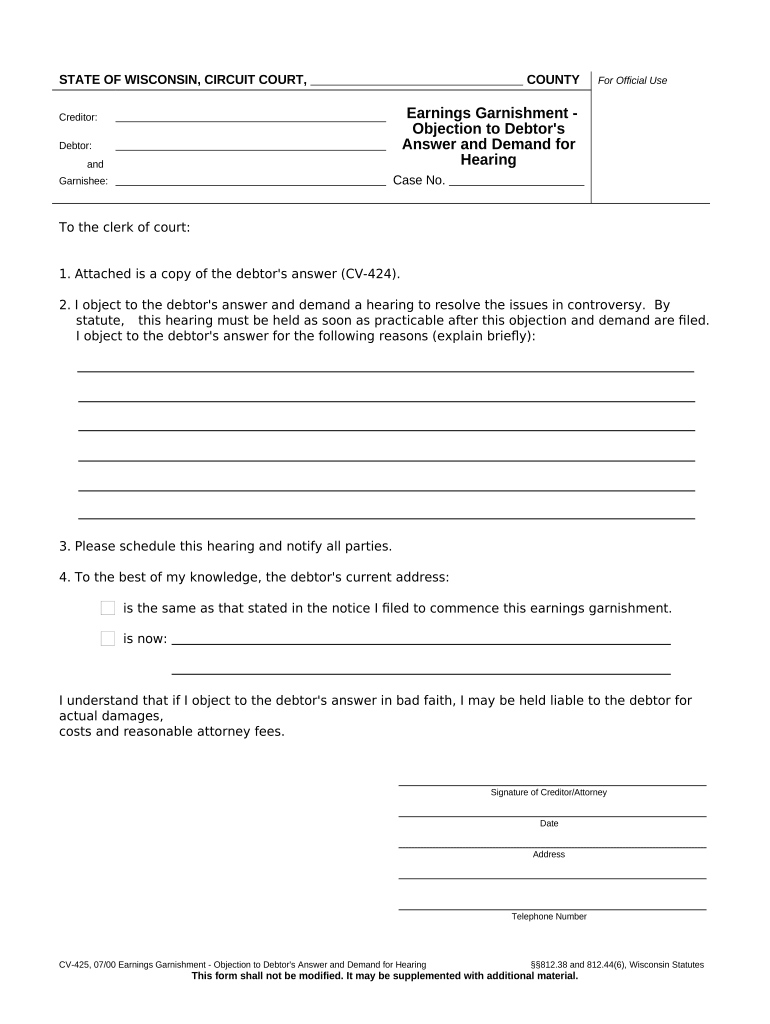
A complete answer contains a case caption, numbered responses to each allegation, affirmative defenses, counterclaims if any, the signature block, and a certificate of service. Each section must be clear and consistent with the complaint's numbering and legal style.

Case Caption

List the court name, case number, party names, and docket information exactly as on the complaint so the clerk correctly associate the answer with the pending case.
Admissions & Denials

Respond to each numbered allegation with a specific admission, denial, or lack of knowledge. Blanket denials or non-responsive language can be rejected by the court.

Affirmative Defenses

Include applicable defenses such as statute of limitations, payment, improper service, or lack of standing. State facts supporting each defense without turning them into an extended narrative.

Counterclaims

If the debtor has a claim against the plaintiff, plead it clearly with required elements, damages sought, and supporting facts to allow the court to adjudicate both parties' claims.

Signature Block

The signer prints name, address, phone, bar number if attorney, signs, and dates. Incorrect signer details can cause clerical rejection or later challenges to service.

Certificate of Service

State the method and date of service to opposing counsel or plaintiff, listing addresses and proof of mailing or electronic transmission as required by local rules.

Step-by-step: prepare and file your Debtor Answer Form

Follow these sequential steps to prepare, sign, serve, and file an answer that conforms to court procedure and preserves defenses.

  • 01
    Review Complaint: Read every allegation and note deadlines and jurisdictional facts.
  • 02
    Draft Responses: Numbered replies: admit, deny, or state insufficient information.
  • 03
    Add Defenses: List affirmative defenses and any counterclaims with supporting facts.
  • 04
    File & Serve: File with the court clerk and serve all parties following local rules.

Typical workflow for electronic completion and filing

E-signing and e-filing streamline submission; confirm your court accepts electronic filings and whether e-signatures meet local authentication requirements.

  • Prepare Document: Assemble the answer in PDF or DOCX and confirm pagination and caption.
  • Add Signatures: Place signature and date fields where required and authenticate signer identity.
  • File Electronically: Submit via the court's e-filing portal or approved provider per local rules.
  • Serve Opposing Party: Provide proof of service by e-mail, e-service portal, or mail depending on rules.

Key configuration choices when preparing an electronic answer

Choose authentication, file format, and service method to meet both court and opposing party requirements.

Field Configuration
File Format PDF/A preferred for court e-filing; DOCX accepted by some portals
Signer Authentication Email+code or ID verification for stronger attribution
Filing Method Court e-filing portal or manual clerk submission
Service Method E-service, mail, or process server per local rules

Technical and format requirements for e-submission

Confirm court rules on file size, redaction, and exhibits before submitting to avoid rejection or clerical delay.

  • Accepted Formats: PDF, PDF/A, and sometimes DOCX
  • Authentication: Email verification or multi-factor as required
  • Integrations: E-filing portals, case management, cloud storage

Typical deadlines and timing considerations

Answer deadlines vary by jurisdiction and how service was made; calculate your deadline from the date of service and confirm local civil procedure rules.

Standard Answer Deadline:

Often 20–30 days from service depending on state rules

Extended Deadlines:

If served by publication or out-of-state, some courts allow longer response periods

Motion to Dismiss Timing:

Filing a motion can affect the timetable for filing a substantive answer

E-filing Cutoffs:

Some courts require filings before business hours end; confirm portal schedules

Service Proof Deadline:

File certificate of service concurrently with or shortly after the answer

Key litigation milestones after filing an answer

After the answer is filed, the case proceeds through scheduling, discovery, and potential motion practice prior to trial or settlement.

01

Case Management Scheduling

Court issues deadlines for discovery and motions following an initial status conference

02

Discovery Phase

Exchange of documents and written questions between parties

03

Pretrial Motions

Motions for summary judgment or dismissal may be filed by either side

04

Settlement / Trial

Parties may settle, or the case proceeds to trial after pretrial orders

Common mistakes to avoid when preparing an answer

  • Missing the response deadline and failing to request an extension, which can lead to a default judgment.
  • Responding with non-specific or inconsistent admissions and denials that confuse the court and adversary.
  • Failing to include a certificate of service or incorrect service details, causing procedural disputes.
  • Using an improper or unsigned signature block, which can result in clerk rejection or later authenticity challenges.

Core information fields required on the form

Case Number: Court file identifier
Court Name: Name of the issuing court
Party Names: Plaintiff and defendant full names
Responses: Admissions, denials, or lack of knowledge
Defenses: List of affirmative defenses
Service Statement: Method and date of service

Consequences of failing to file or filing incorrectly

Default Judgment: Court may enter a judgment for the plaintiff
Loss of Defenses: Unasserted defenses may be waived
Case Dismissal: Improper filings can be administratively rejected
Monetary Sanctions: Court may impose fines for frivolous filings
Collection Actions: Judgments enable garnishment or levy
Increased Costs: Late responses can raise attorney and court fees

Real-world examples of using a Debtor Answer Form

Two concise examples illustrate common scenarios where accurate answers changed outcomes in debt collection cases.

Consumer Debt Dispute

A pro se debtor disputed account ownership and improper billing

  • The answer asserted lack of standing and inaccurate charges
  • The case settled after limited discovery when the creditor failed to produce account documents, avoiding default judgment and reducing liability.

Business Counterclaim

A small business answered an invoice lawsuit and filed a counterclaim for defective work

  • The answer preserved setoff and breach claims
  • During mediation the parties resolved both plaintiff's claim and the business counterclaim, producing a mutual release and cost allocation.

eSignature provider comparison for completing and signing a Debtor Answer Form

Compare core pricing and compliance features relevant to court filings and secure document handling. signNow appears first as a platform option; confirm vendor terms before purchase.

signNow DocuSign Adobe Sign PandaDoc HelloSign
Starting Price $8/user/mo $15/user/mo $14/user/mo $19/user/mo $15/user/mo
Free Trial 7-day free trial Varies by vendor Varies by vendor Varies by vendor Varies by vendor
Bulk Send Yes Yes Yes Yes No
Audit Trail Yes Yes Yes Yes Yes
HIPAA Compliant Yes Yes Yes No No

Frequently asked questions about the Debtor Answer Form

Common questions and concise answers to help avoid procedural errors and ensure the answer is accepted by the court.


Need help? Contact support

be ready to get more
Join over 28 million airSlate SignNow users