Establishing secure connection…Loading editor…Preparing document…

Declaration of Trust

This template is fully customizable. Edit the text, fill out the fields, and send it for signature. Give it a try!
Declaration of Trust

What a Declaration of Trust Is and When it Applies

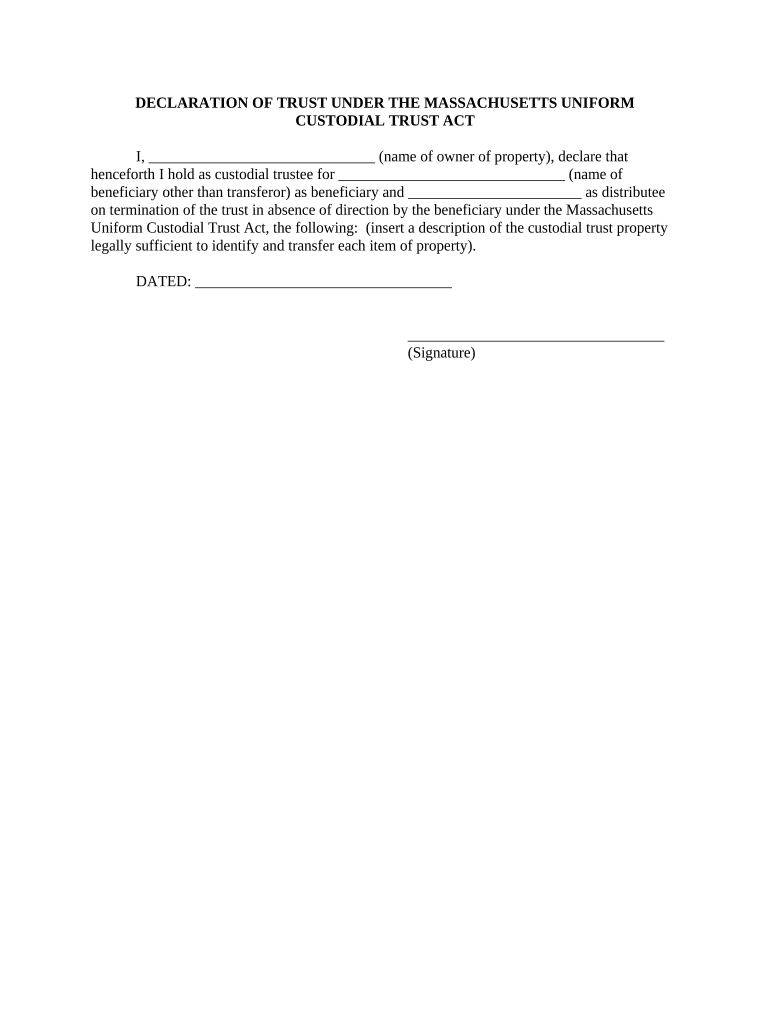
A Declaration of Trust is a written instrument that establishes a trust relationship by identifying the settlor (grantor), trustee, beneficiaries, trust property, and the terms governing management and distribution. It sets the trustee's powers, beneficiaries' rights, whether the trust is revocable or irrevocable, and any conditions for distributions. The document typically includes an effective date, successor trustee provisions, and signature blocks. Declarations of Trust are used for estate planning, asset management, property holding, and to avoid probate for qualifying assets; state law controls formal requirements and recording options.

Why a Declaration of Trust Matters for Ownership and Succession

A clear Declaration of Trust centralizes asset control, defines fiduciary duties, and creates an enforceable roadmap for managing and distributing trust property under state law.

Why a Declaration of Trust Matters for Ownership and Succession

Who Typically Prepares or Signs a Declaration of Trust

Individuals and entities use Declarations of Trust when they need formal asset control, transparent trustee authority, and orderly beneficiary distributions.

  • Settlor / Grantor who transfers assets into the trust and defines initial terms and intent.
  • Trustee or Successor Trustee who accepts fiduciary duties and manages trust property according to spelled-out powers.
  • Beneficiaries or their representatives who receive interests and must know distribution timing and conditions.

Core Elements to Include in a Professional Declaration of Trust

A complete Declaration of Trust contains formal identifiers, trust property descriptions, durable powers for trustees, distribution rules, amendment or revocation terms, and signature and notarization language.

Parties

Identify settlor, initial trustee, successor trustees, and named beneficiaries with full legal names and addresses.
Trust Property

Describe assets placed into the trust (real property legal description, account numbers, or tangible assets) sufficient to locate and transfer title.

Trust Terms

Define distribution triggers, income versus principal allocations, spendthrift or discretionary provisions, and termination events.

Trustee Powers

List explicit powers (sell, lease, invest, borrow, settle claims) and any limits or required consents for major transactions.

Amendment

State whether the trust is revocable or irrevocable and describe the method to amend or revoke, including required signatures.

Execution

Provide signature blocks, date lines, notary acknowledgement or jurat language, and witness lines if required by state law.

Step-by-Step: How to Complete and Put the Trust into Effect

Follow these sequential steps to create, fund, and activate a Declaration of Trust to ensure legal efficacy and operational clarity.

  • 01
    Draft Terms: Draft trust provisions and powers in clear, unambiguous language.
  • 02
    Name Parties: List settlor, trustee, successor trustees, and beneficiaries with full addresses.
  • 03
    Fund Trust: Transfer assets into the trust by deed, assignment, or account retitling.
  • 04
    Execute Properly: Sign, date, and obtain required notarization or witness attestations.

Typical Routing: Who Sees and Approves the Declaration of Trust

A common workflow routes the draft through counsel, then trustee acceptance, asset transfer, and final recording or deposit with custodians as needed.

  • Drafting: Prepared by attorney or settlor and reviewed for legal compliance.
  • Trustee Acceptance: Trustee signs and acknowledges fiduciary duties.
  • Funding: Assets re-titled or deeds recorded to place property in trust.
  • Custody / Recording: File recorded deeds or provide trust docs to financial institutions.

How to Configure an Electronic Completion Workflow

Set up a digital workflow that collects signatures, stores audit trails, and delivers final documents to beneficiaries and custodians.

Field Configuration
Signer Order Set sequential signing: settlor → trustee → witness/notary as required.
Authentication Choose email verification, SMS code, or stronger ID proofing for trustees.
Notary Integration Enable remote or in-person notarization workflow where permitted.
Storage Auto-archive signed PDF with audit trail and versioning.

Digital Signing and eSubmission Considerations

Review technology, authentication, and storage needs before sending the document for electronic signatures.

  • File Formats: Use PDF or DOCX for portability and long-term retention.
  • Integrations: Connect to systems like NetSuite, Google Workspace, or Salesforce for record updates.
  • Security: Require TLS in transit and AES-256 at rest.

Security and Compliance Features to Protect Trust Documents

Encryption: AES-256 at rest
Transport: TLS 1.2/1.3 in transit
Audit Trail: Detailed signer actions and timestamps
Access Controls: Role-based permissions
Certifications: SOC 2 Type II available
BAA Support: HIPAA (BAA required)

Primary Risks When a Declaration of Trust Is Incorrect

Invalid Transfer: Title disputes or failed asset transfer
Probate Exposure: Assets may still enter probate
Tax Consequences: Incorrect reporting or penalties
Fiduciary Liability: Trustee breach claims
Notarization Defect: Challenged execution validity
Beneficiary Dispute: Litigation and increased costs

Common Preparation Mistakes to Avoid

  • Using informal or vague property descriptions that prevent clear asset identification and title transfer.
  • Failing to retitle accounts or record deeds after execution, leaving assets outside the trust.
  • Mismatched names or dates between the trust document and supporting records, complicating bank or title acceptance.
  • Skipping required witness or notary steps under state law, which can render the document unenforceable.

Example Use Cases for a Declaration of Trust

Representative scenarios illustrate how a Declaration of Trust solves common ownership and succession issues.

Family Real Estate Trust

A homeowner transfers rental property into a revocable trust to centralize management

  • Trustee named with property maintenance powers
  • The trust avoids probate, simplifies tenant lease continuity, and allows successor trustees to step in without court intervention once funded.

Professional Practice Succession

A clinician places practice assets into a trust to protect continuity

  • Successor trustee authorized to sell or manage practice interests
  • This creates an orderly transition, clarifies billing authority, and supports HIPAA-compliant transfer of patient records when necessary.

Practical Tips for Accurate and Efficient Completion

Follow these drafting and execution best practices to reduce friction and downstream disputes.

Use Precise Language
Avoid ambiguous terms; define material concepts like 'net income' and 'per stirpes' distributions to prevent differing interpretations.
Confirm Asset Titles
Retitle accounts and record deeds promptly after execution to ensure assets are legally held by the trust.
Check State Formalities
Verify witness and notarization requirements for your state and, if using RON, confirm state notary regulations.
Maintain an Audit Trail
Retain signed PDFs with timestamps, signer attribution, and a clear version history for future proof.

Key Milestones from Draft to Fully Funded Trust

Track these stages to measure progress and confirm the trust is both legally executed and practically funded.

01

Draft Completion

Finalize terms and obtain counsel review before signing.

02

Execution Date

Signatures, notarization, and witness attestations occur on the effective date.

03

Funding Actions

Retitle accounts and record deeds to place assets in trust.

04

Post-Execution Notices

Provide trustee certificates and account documents to custodians and beneficiaries.

eSignature Vendor Pricing and Feature Snapshot for Trust Execution

Compare common eSignature vendor starting prices and feature flags relevant to executing and storing signed trust documents.

signNow DocuSign Adobe Sign PandaDoc HelloSign
Starting Price $8/user/mo $15/user/mo $14/user/mo $19/user/mo $15/user/mo
Free Trial 7-day free trial Varies Varies Varies Varies
Bulk Send Yes Yes Yes Yes Varies
Audit Trail Yes Yes Yes Yes Yes
HIPAA Compliant Yes Yes Yes No No

FAQs and Problem Solving for Common Execution Issues

Answers to frequently asked questions about validity, notarization, signing, and recordkeeping for a Declaration of Trust.


Need help? Contact support

be ready to get more
Join over 28 million airSlate SignNow users