Establishing secure connection… Loading editor… Preparing document…
Navigation

Fill and Sign the Def14a Secgov Form
Fill and Sign the Def14a Secgov Form

How it works

Open the document and fill out all its fields.
Apply your legally-binding eSignature.
Save and invite other recipients to sign it.

Rate template

4.5
39 votes
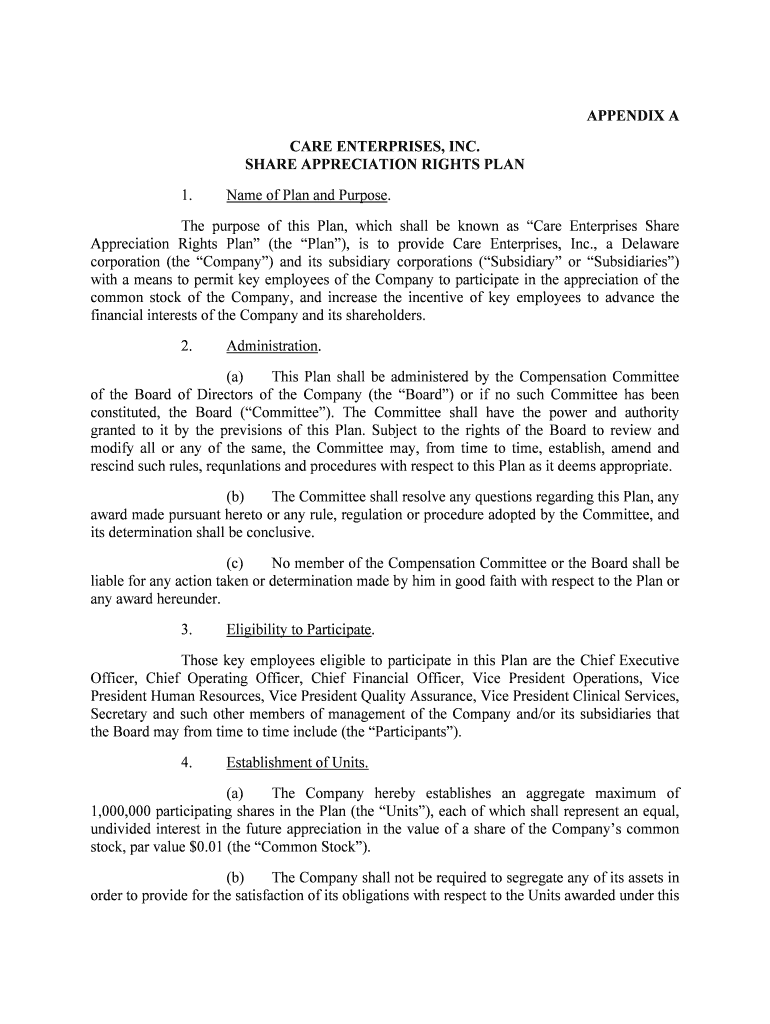
APPENDIX A CARE ENTERPRISES, INC. SHARE APPRECIATION RIGHTS PLAN 1. Name of Plan and Purpose. The purpose of this Plan, which shall be known as “Care Enterprises Share Appreciation Rights Plan” (the “Plan”), is to provide Care Enterprises, Inc., a Delaware corporation (the “Company”) and its subsidiary corporations (“Subsidiary” or “Subsidiaries”) with a means to permit key employees of the Company to participate in the appreciation of the common stock of the Company, and increase the incentive of key employees to a dvance the financial interests of the Company and its shareholders. 2. Administration. (a) This Plan shall be administered by the Compensation Committee of the Board of Directors of the Company (the “Board”) or if no such Committee has be en constituted, the Board (“Committee”). The Committee shall have the power and authority granted to it by the previsions of this Plan. Subject to the rights of the Board to review and modify all or any of the same, the Committee may, from time to time, e stablish, amend and rescind such rules, requnlations and procedures with respect to this Plan as it deems appropriate. (b) The Committee shall resolve any questions regarding this Plan, any award made pursuant hereto or any rule, regulation or procedure adopted by the Committe e, and its determination shall be conclusive. (c) No member of the Compensation Committee or the Board shall be liable for any action taken or determination made by him in good faith with respect to the Plan or any award hereunder. 3. Eligibility to Participate. Those key employees eligible to participate in this Plan are the Chief Exec utive Officer, Chief Operating Officer, Chief Financial Officer, Vice President Operations, Vic e President Human Resources, Vice President Quality Assurance, Vice President Clinical Se rvices, Secretary and such other members of management of the Company and/or its subsidiaries t hat the Board may from time to time include (the “Participants”). 4. Establishment of Units. (a) The Company hereby establishes an aggregate maximum of 1,000,000 participating shares in the Plan (the “Units”), each of which shall represent an equal, undivided interest in the future appreciation in the value of a share of the Company’s c ommon stock, par value $0.01 (the “Common Stock”). (b) The Company shall not be required to segregate any of its assets in order to provide for the satisfaction of its obligations with respect to the Units awarded under this Plan. No Participant or his beneficiary shall have under any circumstances any interest whatsoever in any particular property or assets of the Company.(c) The Units do not, in and of themselves, constitute a share of, nor represent any ownership interest in, the Company. No Participant or his beneficiary shall have any rights of a shareholder by virtue of an award of Units hereunder. The Units only represent, upon vesting as provided in Section 9, the right to cash or, at the sole option of the B oard, Common Stock as provided in Section 11. 5. Units. (a) Each allocation of Units to a Participant shall be evidenced by a written agreement which shall contain such provisions and be subject to any conditi ons or limitations as the Compensation Committee in each instance shall deem appropriate and not inconsistent with the provisions of this Plan. (b) Units allocated hereunder shall be non-assignable and non- transferable. None of the rights afforded to a Participant hereunder or under the agreement evidencing such award are subject to execution, attachment or other process and such right s may, during the Participant’s lifetime, be exercised only by him. (c) Any Units redeemed by the Company pursuant to Section 13 or 14 and any Units forfeited by a Participant pursuant to Section 10 or pursuant to the terms of the written agreement evidencing such award, shall be available for subsequent allocati on pursuant to this Plan to the other Participants. 6. Base Value. For purposes of measuring the appreciation in value of the Company and the Units, a base value rate per Unit (“Base Value”) shall be determined, in good fait h, by the Committee upon the grant of Units. In no event shall the Base Value be less than the Market Value (as defined below) of one share of Common Stock on the date of grant. 7. Market Value. Subject to the provisions in Section 14, the Market Value (as defined herein) of the Common Stock shall be used for the purpose of measuring the appreciation in value of t he Company and the Units. “Market Value” shall mean, as of any date, the average com posite closing price of the Common Stock on the NASDAQ National Market System or any national securities exchange on which the Common Stock is then traded (or if the Common Stock i s not then traded on the NASDAQ National Market System or a national securities exchange, t he average of the representative closing bid prices of the Common Stock in the over-the-c ounter market), as reported in the Wall Street Journal for each of the twenty Trading Days proce eding such date. Trading Days shall mean a business day on which shares of Common Stock have actually traded in the public markets in the U.S. 8. Net Appreciation Value. “Net Appreciation” shall be the Market Value of the Common Stock on the Exercise Date (as defined below) LESS the Base Value. 9. Vesting of Units. A Participant’s rights pursuant to Section 10 to exercise any Units granted by the Compensation Committee shall vest, subject to Sections 13, 14 and 15 hereof, upon continuous employment by the Participant over a four-year period, at a rate of 25% per year of the Units granted, commencing one year after the Participant is initially granted Units. Suc h annual vesting shall occur if the Participant is in the full time employ of Company or any subsidi ary on the last day of such twelve month period and has been continually employed (except for such leave s of absence as have been approved by the Committee) for the period commencing as of the date of the grant. 10. Exercise of Rights. (a) Upon the exercise of rights relating to vested Units, Participant will be entitled to receive payment for Net Appreciation pursuant to the terms of Section 11. Units may be exercised at the sole discretion of the Participant at any ti me within five years after such Units have been granted, to the extent then vested. On the date a Partici pant ceases, for any reason, to be employed by the Company, he shall forfeit all non-vested Units granted to him. If employment is terminated by any reason other than for Misconduct as defined in Sect ion 13 herein, all vested but unexercised Units shall be deemed to have been immediately exercised. (b) Participant must give written notice of any exercise of rights with regard to vested Units to the Committee. Such written notice must be given in the manner or form as the Committee may determine. Any exercise of rights will be deemed t o have been made on the date such notice is received by the Committee (the “Exercise Dat e”). The Payment Due Date (as defined in Section 11(c)) shall be within 30 days of the Exercise Date as set forth in Section 11. 11. Payment for Units. (a) Upon exercise by a Participant of any vested Units, the value of such Units will be the Net Appreciation and Participant will be entitled to payment for the number of vested Units exercised multiplied by the Net Appreciation. (b) Payment for any exercised vested Units shall be made either in cash or, at the discretion of the Board, in that number of shares of Common Stock whose Market Value equals the Net Appreciation. The Board shall have 30 days after the Exercise Da te in which to decide whether such purchase shall be made in cash or in shares of Common Stock. Payment for any vested Units, if in cash, shall be made in United States doll ars. If the Board decides, at its sole discretion, that payment for any vested Units shall be made in authorized shares of Common Stock, such decision shall be conditioned upon such issuance being in full compliance with federal securities laws. Such decision is also conditioned upon such share s being transferable by the holder without the need for registration under the Securities Ac t of 1933 (the “‘33 Act”), and without then being subject to the restrictions in Rule 144(d) of the ‘33 Act.(c) Within 30 days after the Exercise Date of any vested Units by a Participant, the Company shall be obligated to pay the Participant pursuant to this Section 11 (the “Payment Due Date”). Following such payment, the Company shall reduce on its records the total number of Units held by the Participant by the number of Units exercised. (d) No Participant shall be obligated to make any payments to the Company in the event that the value of his Units at any time is less than zero. (e) To the extent required by applicable law, the Company shall make tax withholdings on payments made by the Company for Units, whether in cash or in shares of Common Stock. If payment for Units is made in Common Stock, Participant will either pay to the Company in cash the amount required to be withheld, based on regulations promulgate d by the United States Internal Revenue Service from time to time, or, provided the same is then permitted, the Company may elect to reduce the numbers of shares otherwise to be del ivered to the Participant by an amount, the Market Value of which equals the sum required to be withheld. If payment for the Units is made in cash, then such payment shall be reduced by the amount required to be withheld by the United States Internal Revenue Service, as adjusted from time to time. (f) In the event payment for Units is made in shares of Common Stock, no fractional shares shall be issued upon exercise and in lieu thereof, an adj ustment in cash shall be made. 12. Adjustment for Recapitalization. If the outstanding shares of Common Stock of the Company are increased, decreased or otherwise changed through a recapitalization, reclassification, stock divide nd, stock split, reverse stock split or other similar transaction, an appropriate and proportionate adjustment may be made by the Committee, at its sole discretion, in the maximum num ber and Base Value of the Units vested but unexercised. A corresponding adjustment to unvested Units granted prior to the change may likewise be made by the Committee, at its sole discretion. 13. Termination for Misconduct. In the event a Participant’s employment is terminated for “Misconduct,” then all vested Units, shall be redeemed by the Company within thirty days after terminat ion of employment for the total cash amount of $1.00 for all such Units. The term “Misconduct” shal l mean (i) repeated failure to report for work other than due to illness or authorized l eave of absence; (ii) conviction of a felony; (iii) an act of fraud, embezzlement or dishonest y; (iv) deliberate and intentional violation of the material policies or procedures of the Company; or (v) deliberate and intentional disregard of instructions from the Company’s executive officers or t he Board. 14. Sale or Other Restructuring of the Company. (a) In the event of any sale of all or substantially all of the Company’s assets and the subsequent liquidation of such assets, or the purchase of more than ninety percent (90%) of the Company’s issued and outstanding securities in a transaction or series of transactions resulting in the change of control of the Company, or in the event of any me rger, reorganization, consolidation or other corporate restructuring, as a result of which holders of Company shares become entitled to receive cash, property or securities of another corporat ion in lieu of or in exchange for their shares of Common Stock (collectively an “Accelera tion Event”), all vested Units will be deemed exercised as of the date of the Accele ration Event, except as provided in Section 14(b). The Market Value to be used in determining the Net Apprecia tion, for any above mentioned transaction where holders of Common Stock receive a price per share of Common Stock greater than the price at which such shares are traded on any national exchange or over-the-counter market, shall be the price paid for such shares and not the Market Value as defined in Section 7 hereof. (b) In the event any merger where holders of Company Common Stock receive securities in another corporation in lieu of or in exchange for their shares of Common Stock and the Company is not the surviving corporation, the surviving corporation may, at its option, automatically terminate the Plan or assume the Company’s obligations under it. If the new corporation assumes the Company’s obligation under this Plan, the Commi ttee will have the option of redeeming any Units exercised after the merger in cash or in common stock of the new corporation. 15. Death or Permanent Disability of Participant. If a Participant dies or becomes permanently disabled while the Participant is employed by the Company or its subsidiaries, all vested Units shall be deemed exercise d as of the date of such death or permanent disability and all unvested Units shall lapse , unless by its terms the Units expire sooner. 16. Designation of Beneficiary. Each Participant may designate one or more beneficiaries (who may be designated contingently or successively and which need not be natural persons) to receive payment for his Units pursuant to Section 11 in the event the Participant dies prior to his receiving the full amount to which he is entitled thereunder. If a Participant has not designated a beneficiary, or if a designated beneficiary predeceases the Participant, the Com pany shall pay the balance of the amount due the deceased Participant or beneficiary to such Partic ipant’s or beneficiary’s personal representative. 17. Distributions to Minor and Disabled Persons. If an amount is payable to a minor or a person who, in the opinion of the Committee, is unable to manage his affairs by reason of illness or mental incompe tency, the Company may make such payment to or for the benefit of such person in any of the following ways as the Committee directs: (a) to a minor if, in the opinion of the Commi ttee, he is able to manage his affairs, (b) to the legal representative of any such person, or (c) to some near relative of any such person to be used for the latter’s benefit. The Committee shall not be required to see to the application by any third party of any distribution made to or for the benefit of a person pursuant to this section. 18. Succession and Assignment. Subject to the provisions of Section 14 hereof, the obligations of the Company under this Plan shall be binding upon its successors and assigns, and the rights of any Participa nt hereunder shall enure to the benefit of his beneficiaries and personal representative. 19. No Right to Employment. Nothing in this Plan shall be deemed to give any Participant any right to remain in the employ of the Company. 20. Amendment of the Plan. The Company may at any time, and from time to time, amend or modify the Plan in any respect by written instrument duly adopted by the Board; provided, however, that no amendment shall divest any Participant of Units to which he would have been entitl ed under the Plan as in effect on the day immediately preceding the date adoption of the ame ndment. Any such amendment or modification shall become effective on or as of such dates as the C ompany shall determine and may apply to Participants on the effective date as well as future Participants. 21. Termination of the Plan. The Company may at any time terminate the Plan by the adoption of a resolut ion of the ?? to that effect. If no such resolution is adopted, Unites ?? not be granted a fter five years from the effective date of the Plan. Units granted prior to the fifth anniversary of the plan will continue to be effective in accordance with the terms hereof. 22. Applicable Law. This Plan shall at all time be governed by and construed, interpreted and enforced in accordance with the laws of California, without regard to choice of law princi pals under California law. Adopted the 25th day of January, 1991.AMENDMENTS TO CARE ENTERPRISES, INC.SHARE APPRECIATION RIGHTS PLAN Effective as of February 13, 1992, Sections 2(a), 21 and 22 of the Care Enterprises, Inc. Share Appreciation Rights Plan were amended to read in their enti rety as set forth below: 2. Administration (a) This Plan shall be administered by a committee (the “Committee”) of t he Board of Directors (the “Board”) consisting of three or more directors of the Company to whom administration of this Plan has been duly delegated and all of whom are “disintere sted persons” as that term is defined in Rule 16b-3(c)(2)(i) of the General Rules and Regulations under the Securities Exchange Act of 1934, as amended. 20. Amendment of the Plan. The Board may at any time, and from time to time, amend or modify the Plan in any respect by written instrument duly adopted by the Board; provided, however, that no amendment shall divest any Participant, without the consent of such Participant, of Unit s to which such Participant would have been entitled under the Plan as in effect on the day immediately preceding the date of adoption of the amendment. Any such amendment or modification shall become effective on or as of such dates as the Board shall dete rmine and may apply to Participants on the effective date as well as future Participants. 21. Termination of the Plan. The Board of Directors may at any time terminate this Plan by the adoption of a resolution of the Board to that effect; in the event of such termination, the Comm ittee is authorized under this Plan to approve on behalf of the Company arrangements, arrived at by mutual consent of the Committee and a Participant, providing for cancellation a nd settlement of all outstanding Units held by such Participant, regardless of whether the right to e xercise such Units have vested pursuant to the terms of the agreement governing such Units, and whereby such Participant may receive cash or shares of Common Stock or a combination there of in consideration for the cancellation of such Units and in full settlement of such Partic ipant’s rights with respect to such Units. Absent termination such as described in the preceding se ntence, no Units shall be granted pursuant to this Plan after five years from the date of adoption of this Plan by the Board, and this Plan shall remain in effect thereafter only for the purposes of and to the extent necessary to administer outstanding Units in accordance with the terms of thi s Plan and the agreements governing outstanding Units. Care Enterprises, Inc 4/30/92

Practical advice on preparing your ‘Def14a Secgov’ digitally

Are you weary of the struggle with paperwork? Look no further than airSlate SignNow, the premier electronic signature platform for individuals and businesses. Bid farewell to the tedious routine of printing and scanning documents. With airSlate SignNow, you can conveniently complete and sign documents online. Take advantage of the comprehensive features packed into this user-friendly and cost-effective platform and transform your document handling process. Whether you need to sign forms or gather eSignatures, airSlate SignNow manages everything seamlessly, needing only a few clicks.

Follow this comprehensive guide:

  1. Sign in to your account or enroll for a complimentary trial with our service.
  2. Click +Create to upload a file from your device, cloud storage, or our form library.
  3. Open your ‘Def14a Secgov’ in the editor.
  4. Click Me (Fill Out Now) to finish the form on your end.
  5. Add and allocate fillable fields for other parties (if needed).
  6. Proceed with the Send Invite settings to solicit eSignatures from others.
  7. Download, print your copy, or convert it into a reusable template.

No need to worry if you need to collaborate with your colleagues on your Def14a Secgov or send it for notarization—our platform offers everything you need to achieve these tasks. Register with airSlate SignNow today and elevate your document management to a new level!

Here is a list of the most common customer questions. If you can’t find an answer to your question, please don’t hesitate to reach out to us.

Need help? Contact Support

The best way to complete and sign your def14a secgov form

Save time on document management with airSlate SignNow and get your def14a secgov form eSigned quickly from anywhere with our fully compliant eSignature tool.

How to Sign a PDF Online How to Sign a PDF Online

How to fill out and sign paperwork online

Previously, coping with paperwork required lots of time and effort. But with airSlate SignNow, document management is quick and simple. Our powerful and easy-to-use eSignature solution lets you easily fill out and electronically sign your def14a secgov form online from any internet-connected device.

Follow the step-by-step guidelines to eSign your def14a secgov form template online:

  • 1.Register for a free trial with airSlate SignNow or log in to your account with password credentials or SSO authorization option.
  • 2.Click Upload or Create and add a file for eSigning from your device, the cloud, or our form collection.
  • 3.Click on the file name to open it in the editor and use the left-side toolbar to fill out all the blank areas accordingly.
  • 4.Place the My Signature field where you need to approve your form. Type your name, draw, or upload a photo of your handwritten signature.
  • 5.Click Save and Close to accomplish editing your completed document.

As soon as your def14a secgov form template is ready, download it to your device, export it to the cloud, or invite other people to eSign it. With airSlate SignNow, the eSigning process only takes a couple of clicks. Use our powerful eSignature solution wherever you are to handle your paperwork successfully!


How to Sign a PDF Using Google Chrome How to Sign a PDF Using Google Chrome

How to complete and sign documents in Google Chrome

Completing and signing documents is simple with the airSlate SignNow extension for Google Chrome. Installing it to your browser is a quick and productive way to manage your forms online. Sign your def14a secgov form sample with a legally-binding eSignature in a couple of clicks without switching between applications and tabs.

Follow the step-by-step guidelines to eSign your def14a secgov form template in Google Chrome:

  • 1.Go to the Chrome Web Store, find the airSlate SignNow extension for Chrome, and add it to your browser.
  • 2.Right-click on the link to a document you need to sign and select Open in airSlate SignNow.
  • 3.Log in to your account with your credentials or Google/Facebook sign-in buttons. If you don’t have one, you can start a free trial.
  • 4.Utilize the Edit & Sign toolbar on the left to complete your sample, then drag and drop the My Signature option.
  • 5.Upload an image of your handwritten signature, draw it, or simply type in your full name to eSign.
  • 6.Verify all the details are correct and click Save and Close to finish editing your form.

Now, you can save your def14a secgov form template to your device or cloud storage, email the copy to other people, or invite them to electronically sign your document via an email request or a secure Signing Link. The airSlate SignNow extension for Google Chrome enhances your document processes with minimum effort and time. Try airSlate SignNow today!


How to Sign a PDF in Gmail How to Sign a PDF in Gmail How to Sign a PDF in Gmail

How to fill out and sign paperwork in Gmail

When you receive an email containing the def14a secgov form for signing, there’s no need to print and scan a document or save and re-upload it to another tool. There’s a better solution if you use Gmail. Try the airSlate SignNow add-on to promptly eSign any documents right from your inbox.

Follow the step-by-step guidelines to eSign your def14a secgov form in Gmail:

  • 1.Go to the Google Workplace Marketplace and find a airSlate SignNow add-on for Gmail.
  • 2.Install the program with a corresponding button and grant the tool access to your Google account.
  • 3.Open an email containing an attached file that needs approval and utilize the S sign on the right sidebar to launch the add-on.
  • 4.Log in to your airSlate SignNow account. Choose Send to Sign to forward the file to other parties for approval or click Upload to open it in the editor.
  • 5.Drop the My Signature field where you need to eSign: type, draw, or import your signature.

This eSigning process saves efforts and only takes a few clicks. Take advantage of the airSlate SignNow add-on for Gmail to update your def14a secgov form with fillable fields, sign documents legally, and invite other people to eSign them al without leaving your mailbox. Boost your signature workflows now!


How to Sign a PDF on a Mobile Device How to Sign a PDF on a Mobile Device How to Sign a PDF on a Mobile Device

How to complete and sign forms in a mobile browser

Need to rapidly fill out and sign your def14a secgov form on a smartphone while working on the go? airSlate SignNow can help without the need to set up extra software apps. Open our airSlate SignNow solution from any browser on your mobile device and create legally-binding eSignatures on the go, 24/7.

Follow the step-by-step guidelines to eSign your def14a secgov form in a browser:

  • 1.Open any browser on your device and follow the link www.signnow.com
  • 2.Sign up for an account with a free trial or log in with your password credentials or SSO option.
  • 3.Click Upload or Create and pick a file that needs to be completed from a cloud, your device, or our form catalogue with ready-made templates.
  • 4.Open the form and complete the empty fields with tools from Edit & Sign menu on the left.
  • 5.Put the My Signature field to the sample, then enter your name, draw, or add your signature.

In a few easy clicks, your def14a secgov form is completed from wherever you are. As soon as you're finished editing, you can save the file on your device, create a reusable template for it, email it to other people, or invite them eSign it. Make your documents on the go speedy and efficient with airSlate SignNow!


How to Sign a PDF on iPhone How to Sign a PDF on iPhone

How to complete and sign forms on iOS

In today’s business community, tasks must be done rapidly even when you’re away from your computer. With the airSlate SignNow application, you can organize your paperwork and sign your def14a secgov form with a legally-binding eSignature right on your iPhone or iPad. Set it up on your device to conclude agreements and manage documents from anywhere 24/7.

Follow the step-by-step guide to eSign your def14a secgov form on iOS devices:

  • 1.Open the App Store, search for the airSlate SignNow app by airSlate, and install it on your device.
  • 2.Open the application, tap Create to import a form, and select Myself.
  • 3.Opt for Signature at the bottom toolbar and simply draw your signature with a finger or stylus to eSign the sample.
  • 4.Tap Done -> Save right after signing the sample.
  • 5.Tap Save or use the Make Template option to re-use this paperwork in the future.

This method is so easy your def14a secgov form is completed and signed in a couple of taps. The airSlate SignNow app works in the cloud so all the forms on your mobile device remain in your account and are available any time you need them. Use airSlate SignNow for iOS to improve your document management and eSignature workflows!


How to Sign a PDF on Android How to Sign a PDF on Android

How to complete and sign forms on Android

With airSlate SignNow, it’s simple to sign your def14a secgov form on the go. Install its mobile app for Android OS on your device and start boosting eSignature workflows right on your smartphone or tablet.

Follow the step-by-step guidelines to eSign your def14a secgov form on Android:

  • 1.Open Google Play, search for the airSlate SignNow app from airSlate, and install it on your device.
  • 2.Log in to your account or create it with a free trial, then import a file with a ➕ button on the bottom of you screen.
  • 3.Tap on the uploaded file and choose Open in Editor from the dropdown menu.
  • 4.Tap on Tools tab -> Signature, then draw or type your name to electronically sign the template. Complete blank fields with other tools on the bottom if required.
  • 5.Use the ✔ key, then tap on the Save option to finish editing.

With a user-friendly interface and total compliance with major eSignature standards, the airSlate SignNow app is the perfect tool for signing your def14a secgov form. It even works without internet and updates all document changes once your internet connection is restored and the tool is synced. Fill out and eSign forms, send them for approval, and create re-usable templates anytime and from anyplace with airSlate SignNow.

Sign up and try Def14a secgov form
  • Close deals faster
  • Improve productivity
  • Delight customers
  • Increase revenue
  • Save time & money
  • Reduce payment cycles


