Establishing secure connection…Loading editor…Preparing document…

Disclaimer Form

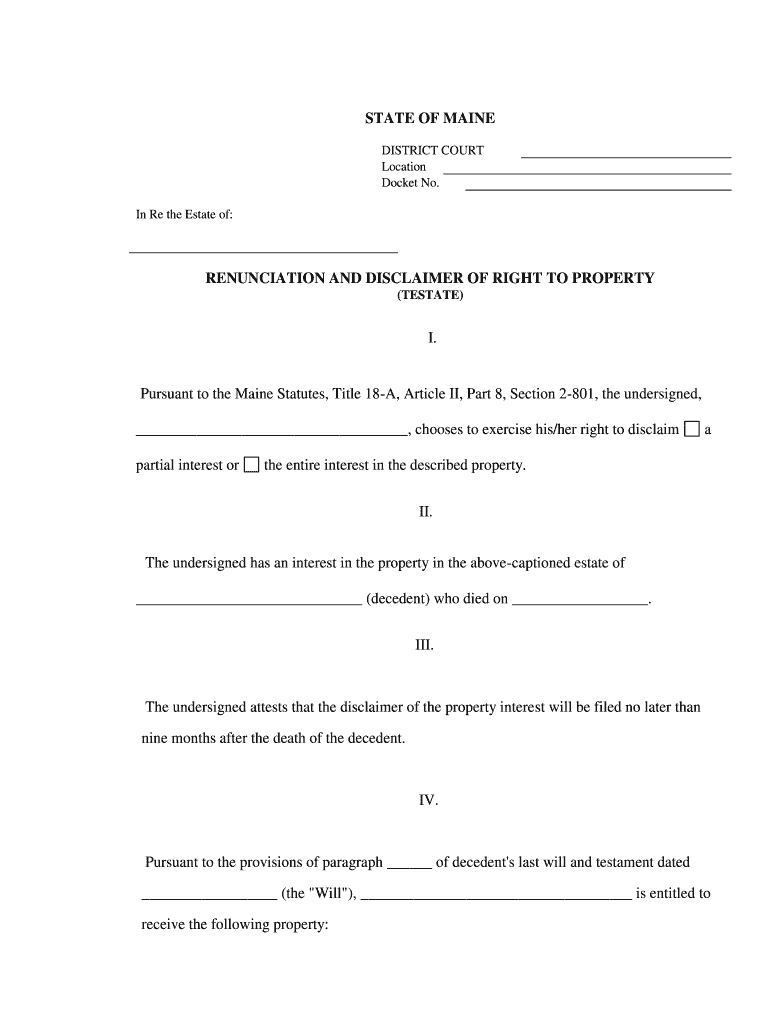
This template is fully customizable. Edit the text, fill out the fields, and send it for signature. Give it a try!
Disclaimer Form

What a Disclaimer Form Is and When It’s Used

A Disclaimer Form is a written statement used to limit or clarify legal responsibility, notify recipients of specific risks, or confirm that one party disclaims rights or claims. Common contexts include product literature, advice provided in professional settings, property disclosures, and publication notices. A clear Disclaimer Form sets expectations, records the notifier’s intent, and can reduce litigation risk when properly drafted and executed. For electronic execution in interstate commerce, e-signatures comply with the ESIGN Act (15 U.S.C. ch. 96) and most state UETA laws, subject to statutory exceptions.

Why Use a Disclaimer Form

A Disclaimer Form documents intent and clarifies limits of liability or responsibility, helping manage legal and operational risk in transactions, publications, or services.

Why Use a Disclaimer Form

Who Commonly Prepares or Signs a Disclaimer Form

The specific signer depends on the context; authority typically rests with the entity offering the disclaimer or an authorized representative.

  • Businesses and vendors identify product limits, service scope, or warranty exclusions in customer-facing materials.
  • Professionals (consultants, advisors) document the scope of advice and limits on liability in engagements.
  • Publishers and content creators disclose that information is for general use and not professional advice.

Typical Signatories and Who Prepares the Form

Authorized Officer

An executive or manager who has authority to bind the company should sign organizational disclaimers. The signer’s title and capacity should be recorded to show authority and reduce later disputes about ratification.

Individual Sender

For personal disclaimers (e.g., blog posts, freelance advice), the individual providing the notice signs and dates the form, and includes contact information to demonstrate attribution and intent.

Essential Data Elements to Include

Full Legal Name: Legal entity or signer name
Effective Date: MM/DD/YYYY effective date
Scope Description: Short statement of what is disclaimed
Signature Block: Printed name and title
Contact Information: Mailing address or email
Witness / Notary: If required by state law

Step-by-Step: Filling Out a Disclaimer Form

Follow these sequential steps to complete a clear, enforceable Disclaimer Form from preparation through execution.

  • 01
    Prepare Text: Draft concise scope, exclusions, and effective date.
  • 02
    Identify Signer: Confirm signer authority and title.
  • 03
    Add Contact Info: Include full address and email.
  • 04
    Execute: Sign, date, and record audit trail for e-signature.

How Electronic Execution Works for Disclaimers

Electronic signing follows a standard workflow that captures intent, identity, and an audit trail to meet ESIGN and UETA requirements.

  • Upload Document: Place signature and date fields in the form.
  • Add Signers: Assign roles and order where needed.
  • Authenticate: Use email, SMS code, or higher assurance for identity.
  • Complete: Signer signs; system records timestamp and IP.

Recommended Online Workflow Settings

Configure these settings in your e-signature platform to preserve intent and retention for Disclaimer Forms.

Field Configuration
Signature Type Electronic signature with audit trail
Authentication Email link or SMS OTP; KBA for higher risk
Retention Retain signed PDF and audit file
Access Controls Limit download/modify to authorized users

Technical Considerations for eSubmission

These technical features help establish attribution and maintain admissible records without changing the substance of the Disclaimer Form.

  • File formats: PDF and DOCX supported
  • Integrations: CRM, cloud storage, and ERP connectors
  • Security: TLS in transit; AES-256 at rest

Core Clauses to Include in a Professional Disclaimer Form

A complete Disclaimer Form contains a clear scope statement, effective date, identity and authority of signer, limitations of liability, applicability conditions, and amendment procedures.

Scope Statement

Define exactly what is being disclaimed, including any temporal or subject-matter limits, to avoid ambiguity in enforcement.
Effective Date

State the date the disclaimer applies; this affects notice, reliance, and statute of limitations timing.

Authority Clause

Identify signer capacity to show the disclaimer binds the named entity and to clarify signing authority.

Limitation of Liability

State whether disclaimers limit damages, types of recoverable relief, or exclude implied warranties where permitted by law.

Applicability

Clarify whether the disclaimer applies to third parties, successors, or specific product lines and jurisdictions.

Amendment Process

Describe how changes to the disclaimer are made and communicated to affected parties.

Practical Tips for Clear, Enforceable Disclaimers

Follow these drafting and execution practices to reduce ambiguity and improve legal defensibility of a Disclaimer Form.

Use plain language
Write concise, direct sentences and avoid legalese that could be interpreted inconsistently by lay readers.
Be specific
Limit the scope narrowly to relevant risks or claims; broad, sweeping disclaimers are more likely to be challenged.
Record intent
Document why the disclaimer was issued and retain contemporaneous communications to demonstrate intent if disputed.
Match execution to risk
Use stronger signer authentication and witnessing for high-stakes disclaims (e.g., medical or financial liability statements).

Common Mistakes to Avoid

  • Overbroad language that lacks a clear scope, inviting judicial narrowing or rejection.
  • Failure to record signer authority or capacity, leading to disputes over who bound the entity.
  • Using ambiguous effective dates or unsigned drafts that create confusion about applicability.
  • Not preserving an audit trail for electronic signatures, weakening evidence of intent and attribution.

Consequences of an Incorrect or Missing Disclaimer

Contract Voidance: Court may find the disclaimer unenforceable
Regulatory Exposure: Potential violations in regulated sectors
Civil Liability: Increased damages or indemnity obligations
Tax Consequences: Incorrect disclosures can trigger IRS issues
Reputational Harm: Public confusion or consumer complaints
Evidence Weakness: Missing audit trail undermines proof of consent

Timing and When to Issue a Disclaimer

Issue a Disclaimer Form promptly when circumstances change, before reliance occurs, or when legal exposure is identified. Timing affects notice and potential remedies.

Upon Discovery:

Issue once a new risk or limitation comes to light

Before Reliance:

Provide notice before third parties act in reliance

With Transactions:

Attach to contracts or sales documents when relevant

When Laws Change:

Update to reflect regulatory or statutory changes

Record Retention:

Keep executed copies for the applicable retention period

eSignature Pricing and Feature Comparison (overview)

This high-level pricing comparison highlights starting prices and common feature availability across major e-signature vendors; signNow is listed first per platform conventions.

signNow DocuSign Adobe Sign PandaDoc HelloSign
Starting Price $8/user/mo $15/user/mo $14/user/mo $19/user/mo $15/user/mo
Free Trial 7-day free trial Varies by plan Varies by plan Free trial available Free trial available
Bulk Send Yes (Business Premium) Yes Yes Yes No
Audit Trail Yes Yes Yes Yes Yes
Envelope Cap No envelope cap 100 envelopes/user/year Varies by plan Varies by plan Varies by plan

Real-World Examples of Platform Use

These short examples show how organizations applied online signing and secure audit trails to improve process control and recordkeeping.

Optica Ventures (COO)

Optica adopted online signing for customer documents to reduce turnaround time and record signatures reliably.

  • The interface simplified customer interactions across devices.
  • The result was fewer manual errors and consistent archival of signed disclaimers and agreements for compliance and audit purposes.

Fertility Centers of Illinois (Founder)

A healthcare provider centralized signature capture for consents and disclaimers to maintain privacy controls and audit trails.

  • Integration with existing systems preserved record continuity.
  • Executed forms stored with strict access controls supported HIPAA retention and improved administrative response times during audits.

Frequently Asked Questions About Disclaimer Forms

Answers to common questions on validity, execution, notarization, and preserving enforceability when using a Disclaimer Form.


Need help? Contact support

be ready to get more
Join over 28 million airSlate SignNow users