Establishing secure connection…Loading editor…Preparing document…

Agreement Dissolving Business Interest in Real Property

This template is fully customizable. Edit the text, fill out the fields, and send it for signature. Give it a try!
Agreement Dissolving Business Interest in Real Property

What the Agreement Dissolving Business Interest in Real Property Is

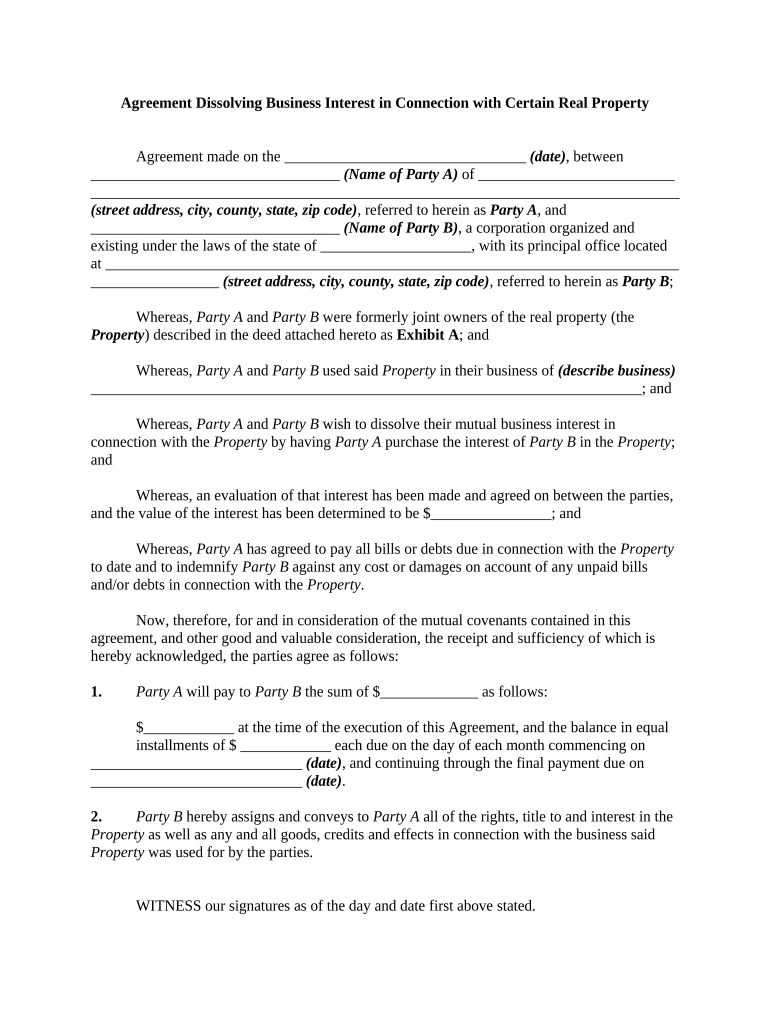
The Agreement Dissolving Business Interest in Real Property is a legal contract used when one or more owners of a business-held interest in real property agree to terminate, transfer, or otherwise extinguish that business interest. It documents the parties, describes the property interest being dissolved, states consideration or settlement terms, allocates obligations and representations, and describes post-dissolution rights such as recording or title transfer. The agreement is typically executed by the interested business entity and any affected partners, members, or shareholders and often requires notarization and recording to affect public title records.

Why this Agreement Matters for Title Clarity and Risk Reduction

Use this agreement to create a clear, contemporaneous record of how a business-owned interest in real property is terminated or transferred; it minimizes later disputes, supports accurate recording, and preserves chain-of-title integrity under state recording statutes.

Why this Agreement Matters for Title Clarity and Risk Reduction

Who Commonly Prepares and Signs This Agreement

Parties and professionals who engage with this agreement vary by transaction size, complexity, and industry; common users include property-owning businesses, title professionals, lenders, and legal advisers.

  • Property-owning entities and their managing members: Prepare and execute the agreement to document a dissolution or transfer of the entity’s real property interest.
  • Title companies and escrow officers: Review the agreement for recording, issue title endorsements, and ensure instruments meet recording office requirements.
  • Lenders and secured creditors: Require clear documentation to confirm whether any encumbrances remain after dissolution or transfer.

In many transactions, an attorney drafts or reviews the agreement; a title or escrow company coordinates recording and payoff statements as needed.

Core Parts of a Complete Agreement Dissolving Business Interest in Real Property

A professional agreement should be organized and precise so that each element required for transfer, recording, and future title review is clear and enforceable.

Parties

Full legal names and entity types for all signatories, including business entity registration numbers where applicable and the capacity in which each signs (e.g., managing member).
Property Description

A precise legal description of the real property or the fractional interest being dissolved, matching recorded deed language or parcel identifiers used by the county recorder.

Scope of Dissolution

Clear statement of whether the agreement terminates an ownership interest, transfers title, releases liens, or adjusts percentages of ownership and how residual interests are allocated.

Consideration

The exact monetary amount or substitute consideration, the payment schedule, and escrow instructions when funds or payoff obligations are part of the dissolution.

Representations and Warranties

Statements about authority to transfer, absence of undisclosed encumbrances, and truthfulness of material facts; these protect subsequent purchasers and title insurers.

Recording and Notice

Instructions on who will record the instrument, the timing for recording, and any required notices to lenders, tenants, or public agencies.

Step-by-Step: Completing the Agreement Dissolving Business Interest

Follow these core steps in order to prepare, execute, and record the agreement in a way that supports title transfer and minimizes downstream issues.

  • 01
    Draft: Assemble parties, legal description, consideration, and representations.
  • 02
    Review: Have counsel or title review for recording requirements and lender consents.
  • 03
    Execute: Sign in proper capacity and obtain required notarizations and witness signatures.
  • 04
    Record: Submit to county recorder and confirm acceptance; obtain recorded instrument number.

Setting Up the Digital Signing and Recording Workflow

Configure a digital workflow so approvals, notarization, and recording steps occur in the correct sequence and audit logs are preserved.

Signer Order Sequential signing to ensure lender consents before transfer executes.
Authentication Use multi-factor or ID verification for parties lacking local presence.
Attachments Attach formation documents, existing deeds, and payoff statements for review.
Reminders Set automated reminders to avoid signing delays.
Storage Save signed PDFs with audit trails to secure document management.

How Execution, Notarization, and Recording Typically Flow

This sequence shows the usual path from agreement preparation to public recording and post-recording distribution.

  • Prepare Agreement: Draft and attach supporting docs for title review.
  • Obtain Consents: Get lender releases or waivers if liens exist.
  • Sign & Notarize: Parties sign, then a notary completes the acknowledgement or RON session.
  • Record & Distribute: File with county recorder; deliver recorded copy to stakeholders.

Technical Options for eSigning and Remote Notarization

Choose a platform that supports secure signatures, preserves an audit trail, and meets legal or industry authentication requirements.

  • Document Formats: PDF, Word (DOCX), and fillable forms are supported for reliable recording.
  • Integrations: Connectors with title systems, NetSuite, Salesforce, and cloud storage simplify routing.
  • Notarization Options: Supports local notarization, remote online notarization (RON), and recorded proof of acknowledgement.

Ensure the chosen vendor provides tamper-evident signed PDFs, audit logs (IP/timestamp), and any required compliance attachments before finalizing the workflow.

Time-Sensitive Steps and Typical Deadlines

Track execution, notarization, and recording deadlines to preserve priority and comply with lender or tax obligations.

Execution Window:

Agree on a signing deadline to avoid stale signatures.

Notarization Timing:

Complete notarization on or after the effective date, not before.

Recording Target:

Record promptly to protect priority against subsequent claims.

Tax Reporting:

Report any taxable transfer in the applicable tax year.

Lender Cure Period:

Respect lender notice periods for payoff or reconveyance.

Key Transaction Milestones from Draft to Recorded Instrument

A sequential milestone view helps coordinate parties, escrow, and the recorder’s office to complete the transaction efficiently.

01

Draft and Review

Finalize terms, attach supporting documents, and circulate for counsel review.

02

Secure Consents

Obtain lender releases, lien waivers, or partner approvals required by the agreement.

03

Execute and Notarize

All signatories execute; notary completes acknowledgement or RON session.

04

File with Recorder

Submit instrument with recording fees; secure recorded document number and return copies.

Essential Security and Compliance Elements for Digital Execution

Encryption: AES-256 at rest
In-transit Protection: TLS 1.2/1.3
Audit Trail: IP/timestamp action logs
Certifications: SOC 2 Type II, ISO 27001
HIPAA Support: BAA available when required
21 CFR Part 11: Compliance options available

Common Legal and Practical Risks of an Incomplete or Incorrect Agreement

Recording Rejection: Missing notary or incorrect legal description
Title Defect: Unclear transfer language causes gaps
Creditor Claims: Failure to address liens or payoffs
Tax Exposure: Unreported taxable transfer consequences
Fraud Allegations: Insufficient identification or authority proof
Enforceability Issue: Improper signature capacity or missing consent

Common Preparation Mistakes That Cause Delays

  • Using an informal street address instead of a recorded legal description, which often leads the recorder to reject the filing and request correction.
  • Failing to confirm the signer’s authority or attach formation documents, prompting title companies to require additional proof before issuing endorsements.
  • Omitting lender consents or failing to obtain payoff statements, which can create undisclosed encumbrances that survive the dissolution.
  • Relying on unsigned or unsigned-by-capacity signatures; notaries and recorders typically require properly executed acknowledgements to accept the instrument.

Real-world Examples of Document Use and Execution

The following case arcs illustrate how professionals use digital workflows to complete property-interest dissolution agreements and ensure title continuity.

Martin Properties — Remote Execution

Tim Martin found online execution effective for closing property transfers without in-person meetings.

  • The process used compliant e-signing and secure storage.
  • He noted that being able to execute, notarize remotely, and record electronically reduced turnaround time while preserving audit trails and accepted recorded documents by the county recorder.

Optica Ventures — Title Clearance

Optica Ventures used a signed dissolution to remove a departing partner’s interest from title records.

  • Title company required lender acknowledgement.
  • After securing lender payoff and recording the instrument, the title company issued an updated title commitment showing the dissolved interest and clearing the way for a subsequent refinance.

Practical Tips for Accurate and Efficient Completion

Adopt these practical steps to reduce rework, avoid recorder rejection, and expedite title clearance.

Confirm Recorded Data
Compare the property legal description and owner names to the existing recorded deed; use exact spelling and punctuation to match public records.
Coordinate with Title
Have a title officer review drafts before signing to identify necessary endorsements, lender consents, or county-specific acknowledgement formats.
Use Proper Notarization
Follow state notary rules; where allowed, use Remote Online Notarization (RON) with recorded A/V sessions and identity proofing to avoid travel delays.
Retain Audit Trails
Keep signed PDFs with certificate-of-completion data (IP, timestamps, signer emails) and store supporting documents together for future title examinations.

eSignature Vendor Pricing and Feature Comparison for Document Execution

Compare common vendor starting prices and feature availability for executing, notarizing, and storing instruments; signNow is listed first per comparative format.

signNow DocuSign Adobe Sign PandaDoc HelloSign
Starting Price $8/user/mo $15/user/mo $14/user/mo $19/user/mo $15/user/mo
Free Trial 7-day free trial Varies by plan Varies by plan Varies by plan Varies by plan
Bulk Send Yes Yes Yes Yes No
Audit Trail Yes Yes Yes Yes Yes
HIPAA Compliant Yes Yes Yes No No
Envelope Cap No cap 100 env/user/yr Varies by plan Varies by plan Varies by plan

Frequently Asked Questions About This Agreement and Digital Execution

Answers address common legal, recording, and digital-signature questions to help avoid execution problems and maintain enforceability.


Need help? Contact support

be ready to get more
Join over 28 million airSlate SignNow users