Establishing secure connection…Loading editor…Preparing document…

Equal Employment Opportunity Statement

This template is fully customizable. Edit the text, fill out the fields, and send it for signature. Give it a try!
Equal Employment Opportunity Statement

What the Equal Employment Opportunity Statement Is

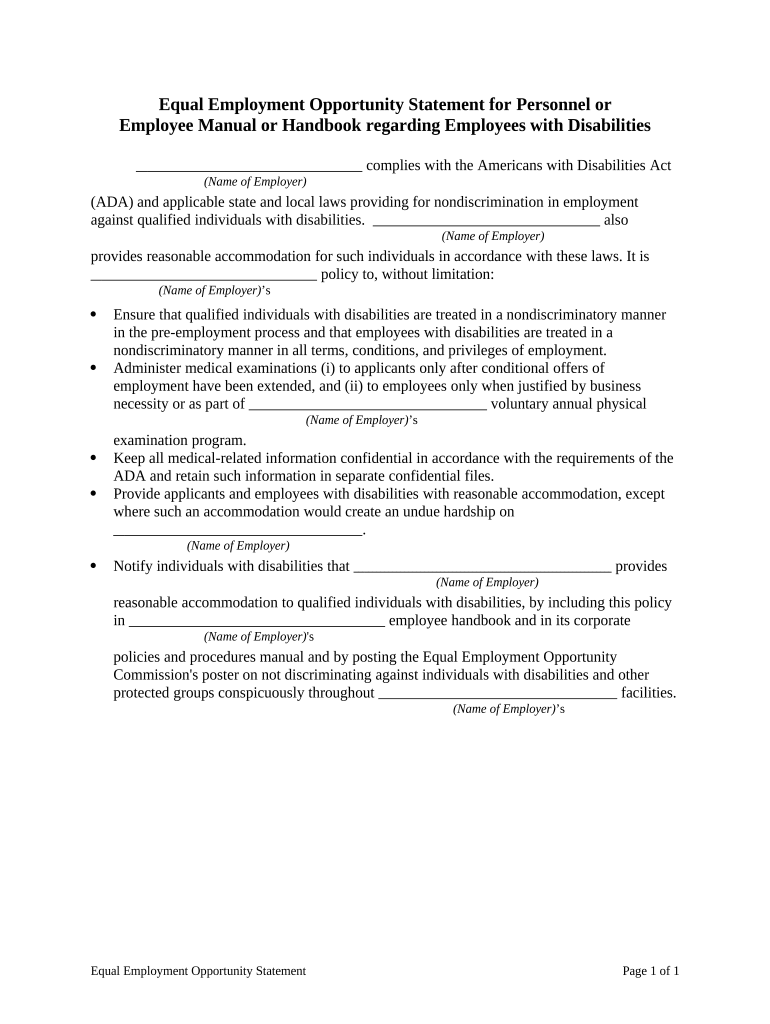
An Equal Employment Opportunity Statement is a formal written policy that affirms an employer's commitment to hire, promote, and treat employees without discrimination based on protected characteristics. It summarizes nondiscrimination principles, lists covered classes, explains complaint and accommodation procedures, and identifies a contact for reporting concerns. Typically published in handbooks, posted in hiring notices, and included with job postings, the statement provides a concise, public declaration of compliance with federal and state civil‑rights laws and organizational expectations.

Why a Clear EEO Statement Matters

A well‑crafted Equal Employment Opportunity Statement clarifies legal responsibilities, supports consistent HR decision making, and documents reporting and accommodation procedures. It promotes workplace transparency, reduces risk by recording policies and contacts, and signals compliance intentions to employees and regulators.

Why a Clear EEO Statement Matters

Who Prepares and Maintains the Statement

Human resources, compliance officers, and hiring managers typically draft and publish the Equal Employment Opportunity Statement for their organization.

  • HR directors: maintain, update, and ensure posting of the statement across hiring materials and employee handbooks.
  • Compliance officers: align wording with federal statutes and state-specific workplace notice requirements.
  • Hiring managers: provide consistent candidate-facing language and confirm acknowledgment during onboarding.

Essential Components to Include in the Statement

Core elements of an effective Equal Employment Opportunity Statement ensure clarity, legal alignment, and actionable reporting channels for employees and applicants.

Policy Header

Open with the organization's commitment to nondiscrimination, referencing protected categories and the scope of the policy. Keep language clear and aligned with federal law and company values.
Protected Classes

List classes protected under federal law (race, color, religion, sex, national origin, disability, age) and include any state-specific or additional protected categories applicable as relevant to your workplace.

Scope & Applicability

Define the policy's reach across employment actions including recruitment, hiring, promotion, compensation, benefits, training, termination, and application to subcontractors, vendors, and temporary staff.

Complaint Process

Describe how employees report concerns, the expected timeline for investigation, confidentiality limits, anti‑retaliation protections, and the contact person or office responsible for intake and follow up.

Reasonable Accommodation

Explain the process for requesting accommodations for disabilities or religious practices, documentation expectations, interactive process descriptions, and timelines for employer responses where applicable.

Contact Information

Provide a specific department, telephone number, email, and mailing address for complaints and questions. Note whether an external agency contact (EEOC) is an available escalation path.

Step-by-Step: Complete and Publish an EEO Statement

Follow these steps to complete and publish an Equal Employment Opportunity Statement accurately and maintain compliance across hiring and employee communications.

  • 01
    Review Template: Read existing policy and legal obligations before editing.
  • 02
    Enter Details: Add employer name, EIN, effective date, and jurisdiction.
  • 03
    Publish & Post: Post to employee handbook and hiring materials.
  • 04
    Retain Records: Store signed copies and version history securely.

How to Configure a Digital Workflow for the Statement

Configure your digital workflow to collect, store, and audit Equal Employment Opportunity Statements consistently across teams and systems.

Field Configuration
Template Name Standardized EEO Statement template for company-wide use.
Signing Order Authorized signer then HR reviewer
Authentication Email link; optional SMS code
Storage Location Encrypted HR document repository (PDF/A)
Retention Policy Retain signed copy per retention schedule

Where Signed Statements Should Be Routed

These steps show where to store, publish, and route signed Equal Employment Opportunity Statements within HR, legal, and external reporting processes.

  • HR Records: Upload signed PDF to secure personnel file.
  • Company Intranet: Publish current statement for employee access.
  • Job Postings: Attach abbreviated statement to public recruitment materials.
  • External Agencies: Provide statement during investigations or upon agency request.

Platform and File Requirements for eSubmission

Use platforms that support secure storage, audit trails, integrations, and accessible file formats for Equal Employment Opportunity Statements.

  • File Formats: PDF, PDF/A, DOCX supported.
  • Authentication: Email, SMS, KBA, SSO options.
  • Integrations: Salesforce, Microsoft 365, Google Workspace, NetSuite.

Timing and Review Expectations

Equal Employment Opportunity Statements should be effective immediately upon signing and revisited regularly to reflect legal or organizational changes.

Initial Publication:

Post at hiring and include in onboarding materials.

Annual Review:

Review wording after major law changes or yearly.

When Roles Change:

Update when organizational structure or signatory authority changes.

Incident Response:

Amend after formal discrimination findings or corrective orders.

Record Retention:

Keep signed versions per retention policy and legal requirements.

Common Preparation Pitfalls to Avoid

  • Using non‑specific wording about protected classes or reporting procedures creates ambiguity and may undermine enforcement or invite administrative challenges.
  • Omitting a clear contact person or office prevents timely reporting, slows investigations, and frustrates employees seeking accommodations.
  • Failing to keep a single authoritative version leads to confusion; different departments may distribute conflicting policies to employees.
  • Applying a one‑size‑fits‑all statement without state customization risks noncompliance where local laws impose specific notice obligations.

Risks from Incomplete or Incorrect Statements

Agency Inquiry: EEOC investigation likely.
Civil Liability: Potential lawsuits and damages.
Regulatory Fines: State agency penalties possible.
Corrective Orders: Mandated policy changes or monitoring.
Reputational Harm: Public disclosure of violations.
Operational Disruption: Remediation consumes time and resources.

Required Identification and Document Fields

Employer Name: Full legal name as registered.
Employer EIN: Enter nine-digit EIN/TIN without spaces.
Effective Date: MM/DD/YYYY format required for recordkeeping.
Contact Info: Phone, email, and mailing address.
Signatory Name: Printed name of authorized signer.
Signature Method: Type, draw, or eSignature audit trail.

Practical Examples of Statement Use

Practical scenarios show how organizations use EEO statements to standardize hiring, support investigations, and communicate accommodation processes.

Mid‑Size Employer

A 250‑employee manufacturing firm updated its EEO Statement to clarify protected classes and accommodation steps company‑wide.

  • Result: faster internal responses to complaints.
  • After distributing via the company intranet and signed acknowledgments during onboarding, HR tracked acknowledgments centrally, reduced investigation response time, and provided consistent documentation for potential external agency inquiries and audit purposes.

Small Nonprofit

A local nonprofit adopted a concise EEO Statement to use in volunteer recruitment, clarifying complaint channels and accommodation requests.

  • Outcome: clearer volunteer onboarding and fewer disputes.
  • The organization posted the statement publicly, required volunteer signoffs, and maintained signed copies for three years, improving transparency and streamlining responses during grant audits and regulatory reviews.

Who Can Sign the Statement

HR Director

HR Director — Responsible for drafting, updating, and ensuring distribution of the Equal Employment Opportunity Statement. Coordinates with legal counsel for compliance, oversees employee communications and retention of signed acknowledgments, and monitors policy effectiveness through audits and incident tracking.

Chief Executive Officer

Chief Executive Officer — Holds ultimate authority to approve the statement, set organizational tone, and ensure sufficient resources for compliance. The CEO's endorsement supports enforcement and signals commitment to nondiscrimination across all operations.

Practical Tips for Accurate, Efficient Completion

Use clear, specific language, designate an internal point of contact, and maintain signed records to support compliance and consistent enforcement of the Equal Employment Opportunity Statement.

Be Specific and Inclusive
Avoid generic phrases; explicitly list protected classes and describe procedures for reporting and accommodation. Specific language reduces ambiguity, facilitates consistent application across departments, and demonstrates good faith compliance to regulators.
Maintain Version Control
Date every revision and retain version history so HR can show which language applied at a given time. Use audit logs to document who approved changes and when, aiding investigations and legal review.
Train Managers and HR
Provide targeted training so supervisors understand prohibited practices, accommodation obligations, and complaint handling procedures. Reinforced understanding reduces policy violations and ensures consistent responses to employee concerns.
Centralize Records
Store signed statements and acknowledgments in a secure, access-controlled HR repository with backups. Centralization simplifies audits, supports litigation defense, and enables rapid retrieval during agency inquiries.

eSignature Pricing and Feature Comparison for EEO Statement Distribution

Comparing common eSignature plans shows pricing and core feature differences relevant when distributing and signing Equal Employment Opportunity Statements.

signNow DocuSign Adobe Sign PandaDoc HelloSign
Starting Price $8/user/mo $15/user/mo $14/user/mo $19/user/mo $15/user/mo
Free Trial 7-day free trial Varies Varies Varies Varies
Bulk Send Yes Yes Yes Yes No
Audit Trail Yes Yes Yes Yes Yes
HIPAA Compliant Yes Yes Yes No No
Envelope Cap No cap 100 envelopes/user/year Varies Varies Varies

Frequently Asked Questions About Equal Employment Opportunity Statements

Answers to common questions about preparing, signing, and storing Equal Employment Opportunity Statements with attention to legal and technical considerations.


Need help? Contact support

be ready to get more
Join over 28 million airSlate SignNow users