Establishing secure connection…Loading editor…Preparing document…

Emergency Motion

This template is fully customizable. Edit the text, fill out the fields, and send it for signature. Give it a try!
Emergency Motion

What an Emergency Motion Is and when it’s used

An Emergency Motion is a time-sensitive court filing that asks a judge to grant immediate temporary relief before a normal briefing or hearing schedule. Common forms include requests for temporary restraining orders, emergency custody orders, or expedited injunctive relief. Emergency Motions typically include an affidavit or declaration, a concise statement of facts showing irreparable harm, and a proposed order for the judge to sign. Courts apply strict procedural and notice rules; careful preparation is required to avoid denial on procedural grounds.

Why filing an Emergency Motion matters

An Emergency Motion preserves rights and prevents imminent, irreparable harm that ordinary procedures cannot address quickly. It creates a legal record and can secure immediate protective measures before a full hearing is possible.

Why filing an Emergency Motion matters

Who typically prepares or files an Emergency Motion

Emergency Motions are prepared by litigators, self-represented parties, and government counsel when immediate court action is needed.

  • Civil litigators and trial attorneys preparing urgent injunctive relief requests.
  • Self-represented (pro se) individuals seeking immediate protection or relief.
  • Government agencies pursuing emergency regulatory or enforcement orders.

Who signs and certifies the motion

Litigation Attorney

An attorney of record signs and files the Emergency Motion, certifies factual assertions under penalty of perjury, and usually handles service and courtroom follow-up. Counsel must ensure proper captioning, supporting affidavits, and proposed orders are included.

Pro Se Party

A self-represented litigant may file and sign an Emergency Motion but must meet the same procedural and evidentiary standards as attorneys; courts often scrutinize pro se filings for completeness and proper service.

Essential data elements to include

Case Number: Court docket number
Court Name: Full court title
Parties: Plaintiff and defendant
Relief Requested: Specific remedy sought
Factual Basis: Concise harm facts
Supporting Evidence: Affidavits and exhibits

Consequences of errors or omissions

Denial or Delay: Motion dismissed or delayed
Sanctions: Monetary or procedural penalties
Contempt Risk: Noncompliance may prompt contempt
Service Defect: Improper service voids relief
Jurisdiction Error: Filed in wrong court
Evidence Gaps: Insufficient proof of harm

Common pitfalls to avoid

  • Submitting an emergency motion without admissible affidavits or sworn testimony is a frequent cause of rejection and undermines credibility in later proceedings.
  • Failing to provide adequate notice or to certify attempted notice to opposing parties can lead to dismissal or reversal of ex parte relief.
  • Overly long or unfocused factual recitals reduce judicial clarity; judges expect concise, fact-focused statements of irreparable harm and urgency.
  • Omitting a proposed order formatted for the judge to sign wastes time and can delay the court's ability to grant immediate relief.

Step-by-step: preparing and filing an Emergency Motion

Follow these sequential actions to prepare a compliant Emergency Motion and reduce the risk of procedural denial.

  • 01
    Assess urgency: Determine whether harm is imminent and irreparable.
  • 02
    Draft motion: Clearly state facts, legal grounds, and requested relief.
  • 03
    Attach evidence: Include affidavits, exhibits, and a proposed order.
  • 04
    File and serve: E-file where allowed and arrange immediate service.

How the emergency filing and eSubmission flow typically works

Emergency Motions move quickly through intake, filing, service, and judicial review; digital tools can speed document delivery and proof of service.

  • Prepare packet: Assemble motion, affidavits, exhibits, and proposed order.
  • E-file or paper: Submit via court portal or in person as permitted.
  • Serve opposing party: Use overnight service, email if authorized, or hand delivery.
  • Judge review: Court considers ex parte facts and available relief.

Core components of a professionally drafted Emergency Motion

A complete Emergency Motion combines factual detail, sworn statements, legal analysis, and an immediately executable order to give the court what it needs for prompt action.

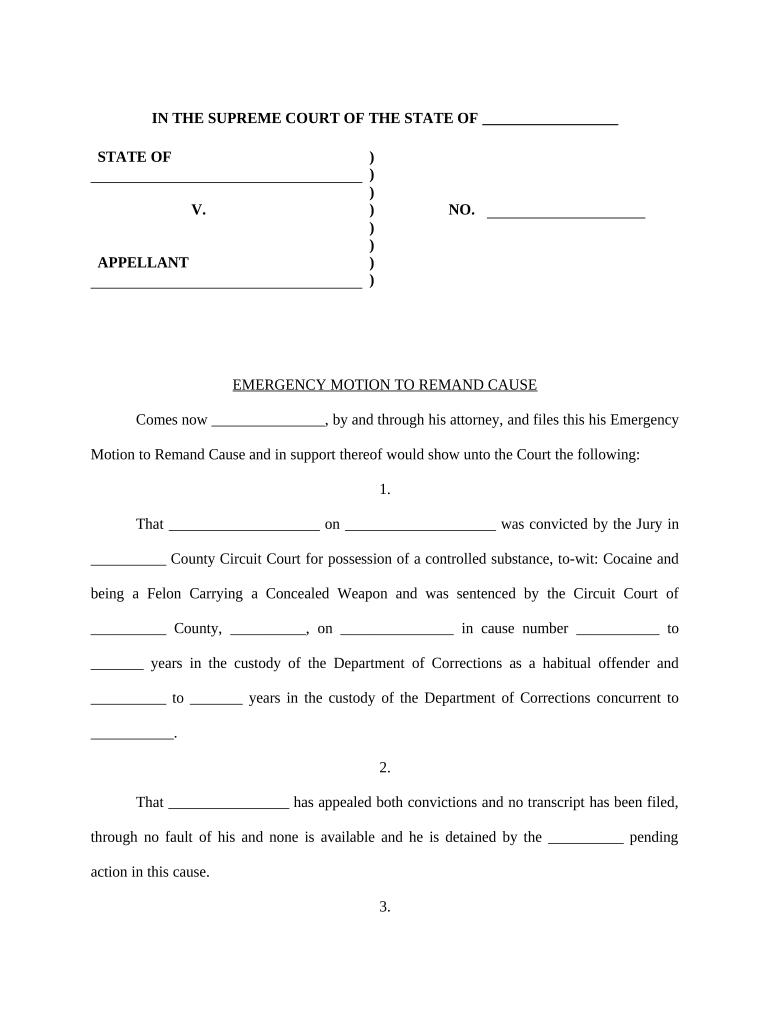
Caption

Proper court caption and case identification so the clerk and judge can immediately place the motion in the correct docket and calendar.
Statement of Facts

A focused, chronological presentation of events showing urgency, specific injuries, and why delay would cause irreparable harm to the moving party.

Legal Argument

Concise authority and standard for emergency relief tailored to the jurisdiction and the relief requested; avoid broad, unrelated legal theories.

Sworn Declaration

A signed affidavit or declaration by a witness with personal knowledge attesting to facts under penalty of perjury to support immediacy claims.

Proposed Order

A judge-ready order with specific, enforceable directives and clear expiration or hearing dates to facilitate immediate entry of relief.

Proof of Service

A signed certificate showing how and when opposing parties were served, or a statement justifying ex parte service where permitted.

Tips to prepare an effective Emergency Motion

Follow these practical steps to increase the chance of obtaining prompt relief and to minimize procedural objections.

Be concise and evidence-focused
Limit factual recitations to what demonstrates urgency and provide sworn exhibits; lengthy legal background can be submitted later at the full hearing.
Confirm rules before filing
Check local court emergency practice rules for notice requirements, filing formats, and required certifications to avoid procedural rejection.
Provide a clean proposed order
Format the order for immediate entry with specific findings and an expiration/hearing date that aligns with local procedures.
Document all service attempts
Keep records of phone calls, emails, courier receipts, and affidavits of service to prove good-faith attempts at notice.

Typical timing and deadlines associated with emergency relief

Timeframes vary by jurisdiction, but emergency filings often trigger accelerated hearing schedules and short interim deadlines.

Ex parte filings:

Immediate hearing or same-day decision in some cases

Temporary restraining order:

Short-term relief; hearing often within 7–14 days

Hearing notice:

Requires prompt notice where possible; some courts allow limited notice

Service deadline:

Service may need to occur before or immediately after filing

Appeal window:

Appeal or emergency relief reconsideration deadlines are short

Key milestones from filing to courtroom decision

Track these sequential milestones to ensure timely filings, service, and hearing preparation.

01

Draft and review

Prepare motion, declarations, and proposed order promptly.

02

File with court

Submit via e-filing or in-court clerk immediately.

03

Serve opponents

Effectuate service by approved methods without delay.

04

Attend hearing

Present concise evidence and request immediate findings.

Configuring a reliable electronic workflow for emergency filings

A streamlined digital workflow reduces delays; set fields and authentication to match court and service requirements.

Field Configuration
Upload Documents PDF/A, consolidated exhibits per court rules
Signature Signer name, date, and audit trail enabled
Authentication Email or SMS code for signer verification
Submission E-file export or certified printing for clerk

Technical considerations for eSubmission and authentication

Use secure transport and court-accepted formats to ensure the court will accept electronically prepared emergency filings.

  • File formats: PDF/A preferred for court compatibility
  • Signer authentication: Email, SMS code, or KBA as required
  • Integrations: Link to document storage and case management

Ensure any eSignature provider you use supports audit trails, tamper-evident signed PDFs, and the authentication methods required by the court or jurisdiction.

How Emergency Motions compare with other expedited remedies

Understand how Emergency Motions differ from common provisional remedies to select the right procedural vehicle.

Criterion Emergency Motion Temporary Restraining Order Preliminary Injunction
Typical Use immediate urgent relief short-term preservation longer-term preliminary relief
Notice Required often limited often limited usually required
Hearing Speed same-day to few days days to two weeks weeks to months
Duration short interim short interim longer pendency

Typical eSignature pricing and feature availability for emergency filings

Compare entry-level pricing and key features relevant to urgent court filings; signNow appears first for platform-level reference.

signNow DocuSign Adobe Sign PandaDoc HelloSign
Starting Price $8/user/mo $15/user/mo $14/user/mo $19/user/mo $15/user/mo
Free Trial 7-day free trial Varies by vendor Varies by vendor Varies by vendor Varies by vendor
Bulk Send Available (premium plan) Available Available Available Limited or not available
Audit Trail Yes Yes Yes Yes Yes
HIPAA Compliant Yes (BAA) Yes Yes No No
Envelope Cap No cap 100 envelopes/user/year Varies by plan Varies by plan Varies by plan

Frequently asked questions about Emergency Motions

Answers to common procedural and technical questions about drafting, signing, filing, and withdrawing an Emergency Motion.


Need help? Contact support

be ready to get more
Join over 28 million airSlate SignNow users