Employee Identity
Full legal name, employee ID, home department, and contact information so records match payroll and benefits systems without ambiguity.
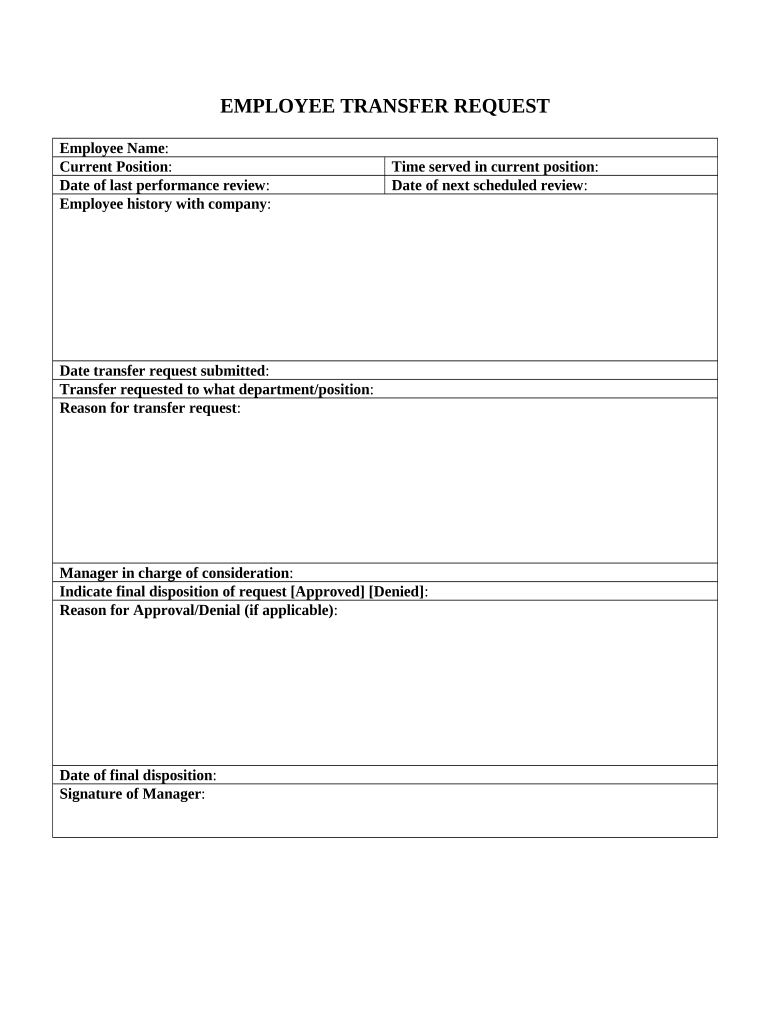
A consistent Employee Transfer Form reduces errors, speeds payroll and benefits updates, and documents approvals. Clear records support compliance with tax and employment rules and help avoid disputes about effective dates or compensation changes.

HR professionals, hiring managers, and payroll administrators typically prepare and route the form for signature and recordkeeping.
Full legal name, employee ID, home department, and contact information so records match payroll and benefits systems without ambiguity.
Current and new job title, new department, location, supervisor, and whether the transfer is temporary or permanent.
New salary or hourly rate, effective pay period, bonus or commission changes, and any probationary pay adjustments.
Signatures and dates for employee acknowledgement, current manager, receiving manager, HR, and any executive approval required.
Effective date, expected duration for temporary moves, and payroll cutoff or backpay instructions if applicable.
Supporting documents such as updated job descriptions, relocation agreements, or training plans included as exhibits.
| Field | Configuration |
|---|---|
| Required Fields | Make name, ID, new role, and effective date mandatory. |
| Routing | Auto-route to current manager, receiving manager, HR, then payroll. |
| Authentication | Use email or SMS code for signer verification. |
| Notifications | Send completion PDFs to employee and relevant teams automatically. |
Ensure the signing platform supports required file types, signer authentication, and audit trails before e-signing transfers.
Choose a platform that integrates with HRIS and payroll to automate updates; verify any required business associate agreement for healthcare workflows.
Set before payroll cutoff so pay reflects the new role on time.
Submit changes at least one payroll cycle prior to effective date.
Complete changes within 30 days when transfer triggers a qualifying event.
Reverify work eligibility if required by role or location changes.
File completed form in personnel file immediately after approvals.
Optica used online forms to simplify internal approvals and recordkeeping
Xerox integrated e-sign workflows with HR systems to automate updates
| signNow | DocuSign | Adobe Sign | PandaDoc | HelloSign | |
|---|---|---|---|---|---|
| Starting Price | $8/user/mo | $15/user/mo | $14/user/mo | $19/user/mo | $15/user/mo |
| Free Trial | 7-day free trial | Varies by vendor | Varies by vendor | Varies by vendor | Varies by vendor |
| Bulk Send | Yes | Yes | Yes | Yes | No |
| Audit Trail | Yes | Yes | Yes | Yes | Yes |
| HIPAA Compliant | Yes | Yes | Yes | No | No |