Establishing secure connection…Loading editor…Preparing document…

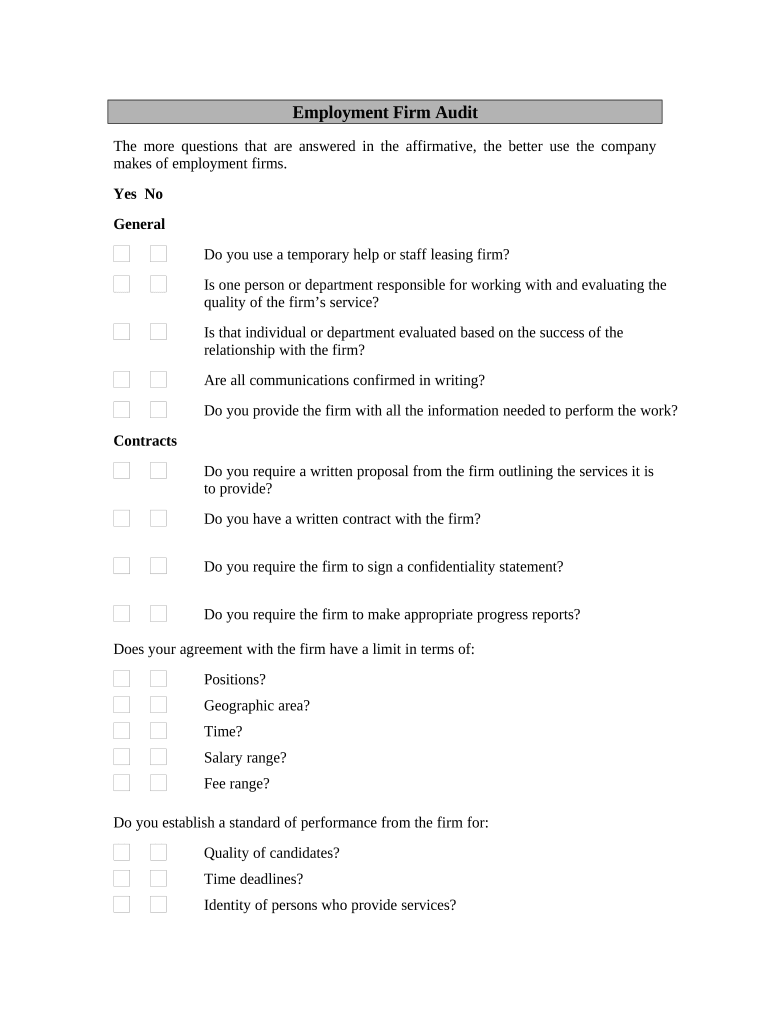
Employment Audit

This template is fully customizable. Edit the text, fill out the fields, and send it for signature. Give it a try!
Employment Audit

What an Employment Audit Covers

An Employment Audit is a structured review of an employer's hiring, onboarding, classification, payroll, benefits, and termination records to verify compliance with federal and state labor, tax, and workplace safety rules. It typically examines documentation such as I-9 forms, payroll registers, timekeeping logs, worker classification records, benefit enrollment files, employee handbooks, and disciplinary actions. The audit identifies documentation gaps, quantifies exposure to penalties, and produces a prioritized remediation plan. Audits can be performed internally or by external HR, payroll, or legal specialists to ensure clear evidence trails for regulatory purposes.

Why an Employment Audit Matters

An Employment Audit reduces legal and financial exposure by verifying I-9 completion, worker classification, wage calculations, and payroll tax reporting. It uncovers systemic errors, supports remediation plans, and documents compliance efforts that mitigate risk in regulatory reviews or audits.

Why an Employment Audit Matters

Who Typically Orders an Employment Audit

Human resources, payroll, compliance, and legal teams commonly initiate Employment Audits to assess documentation completeness and regulatory exposure.

  • HR managers: review hiring files, I-9s, policies, and corrective actions to close gaps.
  • Payroll teams: reconcile wage registers, tax filings, overtime, and benefit deductions for accuracy.
  • Legal and compliance: evaluate classification risk, documentation sufficiency, and exposure to enforcement penalties.

Stepwise Process to Complete the Employment Audit

Follow these steps to prepare, document, and remediate issues identified during an Employment Audit from initial collection through final verification.

  • 01
    Gather Records: Collect I-9s, payroll registers, contracts, and handbook copies.
  • 02
    Verify I-9s: Check completion, timely reverification, and proper retention.
  • 03
    Classify Workers: Confirm W-2 versus 1099 status with supporting documentation.
  • 04
    Report Findings: Document issues, quantify exposure, and assign corrective actions.

Core Components of a Professional Employment Audit

A complete Employment Audit combines record inventory, legal review, payroll reconciliation, classification analysis, remediation planning, and a verifiable audit trail to support compliance and enforcement responses.

Document Inventory

A detailed listing of records reviewed, including I-9s, payroll registers, timekeeping logs, employment contracts, benefit files, and personnel records to support sampling and evidence.
Legal Review

Assessment of compliance with federal statutes and state laws such as ESIGN, UETA, wage-and-hour statutes, and industry-specific regulations to identify legal exposure.

Payroll Reconciliation

Cross-check wages, overtime, deductions, and tax withholdings against payroll registers and tax filings to pinpoint discrepancies and required adjustments.

Classification Analysis

Evaluate independent contractor vs employee status and retain documentation supporting each determination to reduce misclassification risk.

Corrective Plan

A prioritized remediation roadmap assigning owners, deadlines, corrective payroll actions, and monitoring steps to close compliance gaps.

Audit Trail

A tamper-evident record of review actions, authorizations, timestamps, and eSignature metadata to support evidentiary needs.

Key Security and Compliance Controls to Include

Encryption: TLS 1.2/1.3 in transit; AES-256 at rest
Access Controls: Role-based permissions and administrative logging
Audit Logs: Immutable timestamps, IP, and action history
BAA Availability: HIPAA BAA offered where required
Authentication: Multi-factor and identity-proofing options
Certifications: SOC 2 Type II, ISO 27001 compliance

Principal Penalties and Compliance Risks

1099 Late Filing: $60/$130/$330 per form
I-9 Violations: $281–$2,789 per violation
Misclassification: Tax, wage, and benefit liabilities
Wage-Hour Errors: Back pay, interest, and liquidated damages
HIPAA Breach: Civil penalties and corrective action
Recordkeeping Failures: Increased enforcement and audit scrutiny

Common Pitfalls to Avoid When Preparing an Audit

  • Relying on incomplete or unindexed records that slow review and obscure missing I-9s or payroll discrepancies.
  • Mixing sampling frames without documented methodology, which weakens statistical validity and may understate exposure.
  • Failing to reconcile payroll adjustments and tax filings before reporting findings increases rework and potential penalties.
  • Neglecting to document remediation actions, responsible owners, and verification steps undermines defenses during agency inquiries.

Where to Send and How to File Audit Deliverables

Audit reports and remediation records are typically retained internally; certain corrections or disclosures may be submitted to agencies or shared with counsel.

  • Prepare Packet: Compile findings, supporting documents, and remediation plan.
  • Internal Review: Legal and HR confirm proposed corrective actions.
  • Regulatory Filing: Submit adjusted filings or disclosures if required.
  • Record Retention: Store signed reports and evidence per retention rules.

Digital Workflow Settings for eSubmission and Signatures

Configure the audit workflow to capture signatures, attachments, authentication, and notifications to create a verifiable compliance record.

Field Configuration
Authentication Level Email OTP, SMS code, or identity proofing
Signature Fields Require name, signature, and signature date
Attachments Required I-9s, timecards, payroll registers
Retention Setting Preserve signed copies and audit logs

Platform Capabilities to Support Employment Audits

Electronic completion and eSubmission require platforms that integrate with HRIS, payroll, and secure cloud storage while preserving full audit trails.

  • Integrations: Salesforce, NetSuite, Google Workspace supported
  • File Formats: PDF, DOCX, and exportable audit reports
  • Authentication: SMS, email OTP, and stronger identity checks

Practical Tips for Accurate and Efficient Audits

Adopt repeatable procedures and digital tools to reduce errors, speed reviews, and create defensible evidence of remediation.

Centralize Records and Indexing
Keep a single indexed repository for I-9s, payroll records, and contracts so samples and search queries are consistent and defensible across reviewers.
Use Digital Signatures and Audit Trails
Capture signer identity, timestamp, IP, and audit logs to support authenticity and admissibility under ESIGN and UETA.
Sample with Documented Methodology
Define statistical or judgmental sampling approaches in advance and record selections to ensure reliable exposure estimates.
Document Corrections and Verifications
Record every remediation step, payroll adjustment, and re-review result; retain evidence showing completion and responsible approver.

eSignature Vendor Pricing and Capability Snapshot

Compare typical starting prices and core capabilities relevant to Employment Audits and high-volume document workflows. Confirm plan details with each vendor.

signNow DocuSign Adobe Sign PandaDoc HelloSign
Starting Price $8/user/mo $15/user/mo $14/user/mo $19/user/mo $15/user/mo
Free Trial 7-day trial Varies Varies Varies Varies
Bulk Send Yes Yes Yes Yes No
Audit Trail Yes Yes Yes Yes Yes
HIPAA Compliant Yes Yes Yes No No
Envelope Cap No envelope cap 100 envelopes/user/year Varies Varies Varies

Frequently Asked Questions About Employment Audits

Answers to common questions about scope, legal validity, timelines, recordkeeping, and electronic submission options for Employment Audits.


Need help? Contact support

be ready to get more
Join over 28 million airSlate SignNow users