Establishing secure connection…Loading editor…Preparing document…

Complaint for Nuisance and Encroachment

This template is fully customizable. Edit the text, fill out the fields, and send it for signature. Give it a try!
Complaint for Nuisance and Encroachment

What a Complaint for Nuisance and Encroachment Does

A Complaint for Nuisance and Encroachment is a civil pleading filed in state trial court alleging that a defendant's use of land or structures unreasonably interferes with a plaintiff's use or enjoyment of property and that a physical intrusion crosses a property line. The complaint identifies the parties, describes the property and encroachment, states factual allegations and legal theories, and requests relief such as removal, injunctive relief, damages, and costs. Complaints must meet local pleading rules, include a verified statement when required, and be served on the defendant according to state procedure.

Why this Complaint Matters for Property Rights

Filing this complaint starts a court process that can remove unlawful encroachments, stop ongoing nuisance activity, and secure monetary or injunctive remedies to protect property value and use.

Why this Complaint Matters for Property Rights

Who Typically Files These Complaints

Homeowners, adjacent landowners, condominium associations, and commercial property owners commonly pursue nuisance and encroachment claims to protect possession and property value.

  • Individual homeowner asserting a neighbor-built fence or structure crosses the property line and interferes with use.
  • Condominium or HOA seeking removal of encroaching improvements that violate plats or declarations.
  • Commercial property owner addressing encroaching signage, grading, or drainage causing business interruption or property damage.

Parties often consult title reports, surveys, and counsel before filing; remedies and procedure vary by jurisdiction.

Step-by-Step: Preparing and Filing the Complaint

Follow these sequential actions to prepare a complete complaint and follow court process.

  • 01
    Gather documents: Collect deed, survey, photos, permit records, and correspondence.
  • 02
    Draft allegations: State facts, specify encroachment location, and link interference to legal theory.
  • 03
    Specify relief: Request removal, injunctive relief, damages, costs, and any temporary relief.
  • 04
    File and serve: File in appropriate county court and serve defendant per local rules.

Customize the Complaint for Online Completion

Set up fields and routing to match your filing workflow and required signatures.

Field Configuration
Plaintiff block Required text field, validated name format
Property upload Accept PDF/JPG, max 10 MB
Signature field Signer type: electronic or handwritten image
Service checkbox Confirm method of service selection

Where to File and How the Document Moves

Choose the correct court and follow local e-filing and service procedures to ensure validity and timeliness.

  • Court filing: File in the county trial court where the property is located.
  • E-filing options: Many counties accept electronic filing through approved portals.
  • Service methods: Use personal service, certified mail, or statutory alternatives per state rules.
  • Proof of service: File a proof or affidavit of service with the court after service.

Digital Signing and Submission Considerations

Confirm platform security, signature method, and local acceptance of electronic submissions before relying on e-signatures for pleadings.

  • File formats: PDF and searchable PDF preferred
  • Authentication: Email or SMS code acceptable; stronger methods optional
  • Integrations: Connectors for court portals and document stores

Ensure your workflow captures an audit trail and preserves signed copies in immutable format for court proof and records retention.

eSignature Provider Comparison for Completing and Submitting Complaints

Compare common vendor criteria when choosing an eSignature provider for preparing and submitting legal pleadings; signNow appears first for parity in this table.

signNow DocuSign Adobe Sign PandaDoc HelloSign
Starting Price $8/user/mo $15/user/mo $14/user/mo $19/user/mo $15/user/mo
Free Trial 7-day free trial Varies by vendor Varies by vendor Varies by vendor Varies by vendor
Bulk Send Yes Yes Yes Yes No
Audit Trail Yes Yes Yes Yes Yes
HIPAA Compliant Yes Yes Yes No No

Core Sections to Include in a Professional Complaint

A well-structured complaint makes the court record clear and supports the requested relief; include the following essential components.

Caption

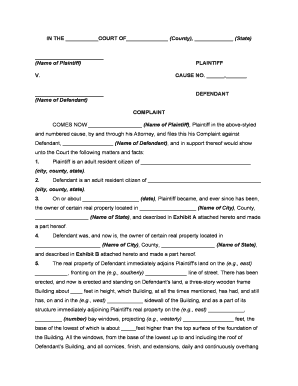
Court name, case number block left blank if unfiled, party names, and title 'Complaint for Nuisance and Encroachment' centered at top of pleading.
Parties

Identify plaintiff(s) and defendant(s) with full legal names and mailing addresses for service and correspondence.

Jurisdictional facts

State venue, jurisdictional basis, and facts supporting the court’s authority to hear the dispute and award requested relief.

Property description

Include legal description, parcel number, street address, and attach or reference a recent survey as an exhibit.

Factual allegations

Chronological facts describing the encroachment, nuisance acts, measurements, dates, witnesses, and damages or interference caused.

Relief requested

Pray for specific remedies: removal, abatement, permanent injunction, compensatory damages, costs, and any preliminary relief sought.

Essential Data Elements to Include

Plaintiff: Full legal name
Defendant: Full legal name
Property: Legal description
Encroachment detail: Measurements and location
Exhibits: Survey, photos, permits
Signature block: Printed name and date

Consequences of Errors or Omissions

Dismissal: Complaint may be dismissed.
Sanctions: Court may impose monetary sanctions.
Service failure: Improper service can delay case.
Statute limits: Delay may bar claims.
Evidence loss: Missing exhibits weaken case.
Perjury risk: False statements carry penalties.

Common Mistakes to Avoid

  • Failing to attach a survey or clear exhibit that locates the encroachment, which can make boundary claims speculative and hard to prove in court.
  • Using informal property descriptions (street address only) rather than the legal description or parcel number, increasing the risk of ambiguity in relief.
  • Serving the complaint by mail when local rules require personal service, resulting in a return of service defect and court delay.
  • Requesting vague relief such as 'damages in an amount to be proven' without specifying the basis for damages or including a damage calculation or estimate.

Typical Deadlines and Response Expectations

Court timelines differ by state; the following items are common time-sensitive steps to track after filing.

Statute of limitations:

Varies by state; often 1–6 years depending on claim type.

Defendant response:

Usually 20–30 days to file an answer or motion depending on state rules.

Temporary relief motion:

File concurrently when emergency injunctive relief is needed.

Scheduling conference:

Court may set a case management hearing within weeks to months.

Appeal period:

Typically 30 days after final judgment; state rules may differ.

Practical Tips for Accurate and Efficient Completion

Adopt these practices to reduce errors, speed processing, and strengthen your filing.

Use a recent survey
Attach a stamped or certified survey and clearly annotate encroachment locations so the court and parties see precise boundaries and measurements.
Document communications
Preserve emails, permit records, and neighbor notices as exhibits to show notice, attempts to resolve, and any relevant permits or denials.
Confirm service rules
Follow state civil procedure for service method and timing; improper service is a common and avoidable cause of delay.
Consider temporary relief
If immediate harm exists, file a motion for temporary or preliminary injunction with supporting affidavit and evidence.

Illustrative Scenarios

Two representative examples show how complaints are used to resolve different encroachment problems.

Residential boundary dispute

A homeowner discovered a neighbor’s retaining wall extending onto their lot for three years and causing drainage issues.

  • The complaint alleged physical encroachment and recurring property damage.
  • The filing attached a survey, photos, and correspondence and sought removal, drainage remediation, and damages to restore property use and prevent further harm.

Commercial encroachment and nuisance

A business alleged that an adjacent tenant installed signage and fencing that obstructed access to a loading area and violated recorded easements.

  • The claim combined encroachment with nuisance for lost use of access.
  • The complaint requested removal, injunctive relief to restore access, and compensation for lost business, with an expedited hearing for temporary relief.

Frequently Asked Questions and Practical Answers

Answers to common questions about preparing, signing, filing, and defending a Complaint for Nuisance and Encroachment.


Need help? Contact support

be ready to get more
Join over 28 million airSlate SignNow users