Establishing secure connection…Loading editor…Preparing document…

Escrow Form

This template is fully customizable. Edit the text, fill out the fields, and send it for signature. Give it a try!
Escrow Form

What an Escrow Form Is and When it’s Used

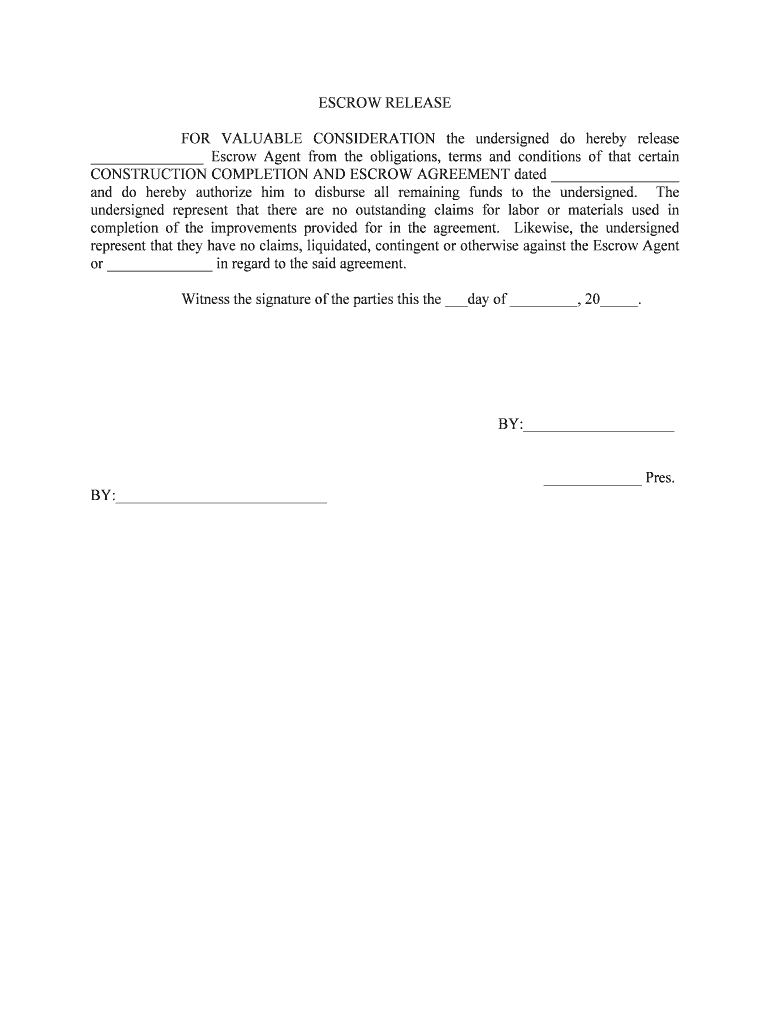
An Escrow Form documents the deposit of funds, documents, or other consideration with a neutral third party (the escrow agent) to be held and released only when specified conditions are met. Common in real estate closings, M&A transactions, and secure payments, the form identifies parties, describes the escrow property, sets release conditions, and names the agent responsible for holding and disbursing assets. Properly completed Escrow Forms reduce disputes by creating clear release triggers, instructions for disputed funds, and contact information for title, tax, or recording needs across U.S. transactions.

Why a Clear Escrow Form Matters

A well-drafted Escrow Form creates conditional certainty: it protects buyers and sellers, defines permitted uses of funds or documents, and instructs neutral release procedures to limit counterparty risk and closure delays.

Why a Clear Escrow Form Matters

Who Typically Completes an Escrow Form

Escrow Forms are completed by transaction parties and their representatives to document instructions for holding and releasing assets.

  • Buyers and sellers in real estate or asset sales, who define deposit amounts, contingencies, and release triggers.
  • Escrow agents, title companies, or closing attorneys who accept and manage funds per the instructions.
  • Lenders, brokers, or escrow officers who specify payment priorities, lien releases, and recording responsibilities.

Core Sections You Should See on a Professional Escrow Form

A complete Escrow Form combines identifying details, precise release conditions, financial instructions, agent duties, dispute resolution steps, and recordkeeping directions to ensure predictable handling of the escrowed items.

Parties

Full legal names, contact details, and roles for depositor, beneficiary, and escrow agent to avoid ambiguity.
Escrow Property

Clear description of funds, documents, keys, or other items being deposited, with amounts and identifiers where applicable.

Release Conditions

Specific, measurable events or dates that must occur before release, including inspection, recording, or mortgage payoff requirements.

Disbursement Instructions

How funds are to be divided or applied, including prorations, payees, and wiring or check instructions.

Agent Duties

Escrow agent’s authority, acceptance language, liability limits, and instructions for handling contested releases.

Record & Retention

Where signed originals are stored, audit trail requirements, and how long records must be kept for compliance.

Step-by-Step: How to Fill Out an Escrow Form

A concise sequence helps ensure accuracy and timely escrow acceptance.

  • 01
    Gather documents: Collect IDs, contract, title, and wiring instructions before starting.
  • 02
    Populate header: Enter party names, addresses, and contact details exactly.
  • 03
    Specify escrow items: Describe funds or documents with identifiers and amounts.
  • 04
    Set release terms: Write clear, objective triggers and any required approvals.

How an Escrow Form Flows Through a Transaction

Escrow Forms create a controlled path from deposit to final disbursement; these steps summarize that flow.

  • Submission: Sender transmits completed form and deposits to escrow agent.
  • Acknowledgement: Agent accepts deposit and records receipt in the agent’s journal.
  • Condition Monitoring: Agent verifies release triggers and holds until conditions are satisfied.
  • Disbursement: Agent disburses funds per instructions and documents the transaction.

Common Digital Workflow Settings for Escrow Forms

Configure these workflow elements when you digitize escrow handling to preserve control and auditability.

Authentication Method Email link, SMS code, or multi-factor authentication per signer identity needs.
Conditional Fields Show or hide fields based on answers (e.g., wire vs check instructions).
Approval Order Define signer sequence (buyer → seller → escrow agent) to preserve workflow integrity.
Document Attachments Require title reports, payoff statements, or IDs as mandatory uploads.
Notifications Set email or SMS alerts for receipt, pending signatures, and final disbursement.

Technical Considerations for Digital Escrow Forms

Ensure your e-signature platform supports secure storage, audit trails, and integration with title or payment systems.

  • File Formats: PDF, Word DOCX, and other editable formats for fillable forms.
  • Integrations: Connectors for CRM, document storage, and closing systems (Salesforce, NetSuite, Box).
  • Authentication: Support for email, SMS codes, and stronger signer verification where required.

Use platforms that capture IP, timestamps, and a complete Audit Trail and that can produce a tamper-evident final copy for recordkeeping and compliance.

Timing Items to Watch When Using an Escrow Form

Certain deadlines are common in escrow arrangements; align form dates with contract schedules and recording windows.

Deposit Deadline:

Date by which buyer must fund escrow per purchase agreement.

Contingency Removal Date:

Date to remove inspection or financing contingencies to permit closing.

Closing Date:

Target date when escrow conditions must be satisfied and funds disbursed.

Recording Window:

Period after closing to record deed or mortgage with county recorder.

Retention Start:

Date from which retention and audit timelines begin (execution date).

Key Milestones from Escrow Opening to Final Disbursement

A milestone view clarifies responsibilities and timing expectations during the escrow lifecycle.

01

Open Escrow

Escrow agent receives form, funds, and documents; logs the deposit.

02

Verify Conditions

Agent confirms contingencies, title status, and required approvals are met.

03

Prepare Closing

Disbursement instructions and prorations finalized for settlement statement.

04

Record & Disburse

Deed recorded and funds disbursed per directions; agent archives records.

Common Errors to Avoid When Preparing an Escrow Form

  • Using informal or vague release language that leaves room for differing interpretations and disputes.
  • Mismatched party names or titles that prevent banks or title companies from accepting disbursement instructions.
  • Failing to attach required supporting documents such as payoff statements, title reports, or identification.
  • Incorrect wiring instructions or omitted banking details that lead to delayed or misdirected disbursements.

Essential Information and Security Elements to Include

Party Details: Full legal names and contact details.
Escrow Items: Clear description of funds or documents.
Release Triggers: Objective conditions and dates.
Disbursement Routing: Payee names and banking instructions.
Audit Trail: Timestamps, signer IPs, and action log.
Storage Security: Encrypted at rest and in transit.

Risks and Potential Consequences of an Incorrect Escrow Form

Delayed Closing: Ambiguities can postpone settlement and increase costs.
Misapplied Funds: Incorrect payee or wiring info can misdirect disbursements.
Breach Claims: Parties may sue for wrongful release or failure to release funds.
Regulatory Fines: Improper handling of escrowed funds can trigger compliance penalties.
Title Problems: Failure to record properly may impair ownership rights.
Tax Consequences: Undocumented disbursements may create reporting or withholding issues.

eSignature Pricing and Feature Comparison for Escrow Workflows

Basic pricing and common capabilities for representative vendors used in escrow and closing workflows. Confirm current plan details with each provider.

signNow DocuSign Adobe Sign PandaDoc HelloSign
Starting Price $8/user/mo $15/user/mo $14/user/mo $19/user/mo $15/user/mo
Free Trial 7-day free trial Varies Varies Limited trial Limited trial
Bulk Send Yes Yes Yes Yes No
Audit Trail Yes Yes Yes Yes Yes
HIPAA Compliant Yes Yes Yes No No

Frequently Asked Questions About Escrow Forms and Digital Submission

Answers to common questions about validity, e-signing, notarization, cancellations, and dispute handling for Escrow Forms.


Need help? Contact support

be ready to get more
Join over 28 million airSlate SignNow users