Establishing secure connection…Loading editor…Preparing document…

Subrogation Complaint in Illinois

This template is fully customizable. Edit the text, fill out the fields, and send it for signature. Give it a try!
Subrogation Complaint in Illinois

What a Subrogation Complaint in Illinois Is and when it’s used

A Subrogation Complaint in Illinois is a civil complaint filed by an insurer or other paying party seeking to recover amounts it paid on behalf of an insured after a third party caused loss or injury. The complaint typically alleges assignment or statutory subrogation rights, identifies the defendant alleged to be responsible, states jurisdictional facts, pleads causes of action tied to negligence or breach, and quantifies damages and costs. Subrogation suits proceed in Illinois circuit courts under local filing rules and require proof of payment, entitlement to subrogation, and causation to succeed.

Why a Proper Complaint Matters for Recovery

A well-drafted Subrogation Complaint preserves the payor’s legal rights, clarifies the relief sought, and frames damages to support recovery and reimbursement of claims-paid and expenses. Accurate pleadings reduce motion practice, speed case resolution, and improve settlement leverage.

Why a Proper Complaint Matters for Recovery

Who typically prepares and files these complaints

Insurers, third-party administrators, and their outside counsel most often draft and file subrogation complaints in Illinois.

  • Insurance companies and claims departments that paid a loss seeking reimbursement from the responsible party.
  • Third-party administrators and self-insured entities enforcing assignment or statutory subrogation rights.
  • Outside defense or plaintiff counsel engaged to draft pleadings, serve process, and litigate or settle.

Parties acting on a payor’s behalf should confirm authority to sue and maintain proof of assignment or payment before filing.

Step-by-step: Preparing and filing the complaint

Follow these primary steps to prepare and file a Subrogation Complaint in Illinois.

  • 01
    Gather evidence: Collect payments, policies, claims files, and assignment documentation.
  • 02
    Draft complaint: Include caption, parties, factual allegations, causes of action, and damages.
  • 03
    File and serve: File with the proper circuit court and serve defendants per Illinois rules.
  • 04
    Track deadlines: Monitor statute of limitations and local court filing deadlines.

Essential data-security and compliance considerations

Encryption: TLS 1.2/1.3 in transit; AES-256 at rest
Audit trail: Detailed timestamped signing history required
HIPAA support: BAA available for protected health information
Regulatory compliance: Supports ESIGN and UETA compliance
21 CFR Part 11: Capabilities for FDA-regulated electronic records
Certifications: SOC 2 Type II and ISO 27001 available

Potential penalties and legal risks from defects

Statute of limitations: Loss of claim if filed late
Service defects: Dismissal or default vacatur risk
Wrong party named: Requires amendment; may impair recovery
Insufficient proof: No recovery without payment documentation
Sanctions risk: Court sanctions for frivolous or vexatious filings
Privilege mistakes: Waiver risk when producing privileged claims files

Common preparation mistakes to avoid

  • Failing to attach assignment or proof of payment, which weakens entitlement to subrogation and can lead to dismissal or summary judgment against the payor.
  • Naming the insured rather than the legal assignee; incorrect party identification causes service and jurisdiction problems and adds delay.
  • Relying on vague damages statements rather than itemized claim amounts, which hampers settlement leverage and damages proof at trial.
  • Missing local filing rules for exhibits and redactions, particularly when producing medical or privileged records, which may result in sanctions.

How the complaint moves from filing to recovery

A subrogation action follows a typical litigation flow from filing to judgment or settlement.

  • Prepare: Assemble claim file, assignments, and exhibits
  • File: File complaint with circuit court and e-file if available
  • Serve: Serve defendants per Illinois Supreme Court rules
  • Resolve: Negotiate settlement or litigate to judgment and collect

Recommended digital workflow settings for online completion

Configure document and signing workflow to preserve evidentiary integrity and automation.

Field Configuration
Upload Document Use PDF/A for long-term preservation
Signature Fields Require signer name and date fields
Authentication Apply email or SMS code for attribution
Export Save signed PDF with audit trail

Digital signing and file-sharing considerations

Use a secure eSignature platform that supports audit trails, preserves document integrity, and exports court-ready PDFs.

  • Formats: PDF, DOCX supported
  • Integrations: Salesforce, NetSuite, Google Workspace
  • Authentication: Email, SMS, or advanced options

Ensure the platform you choose meets ESIGN/UETA requirements and preserves a timestamped audit trail suitable for evidence in Illinois courts.

Core components of a professional Subrogation Complaint

A complete complaint combines statutory elements, factual narrative, and documentary proof to support a claim for reimbursement.

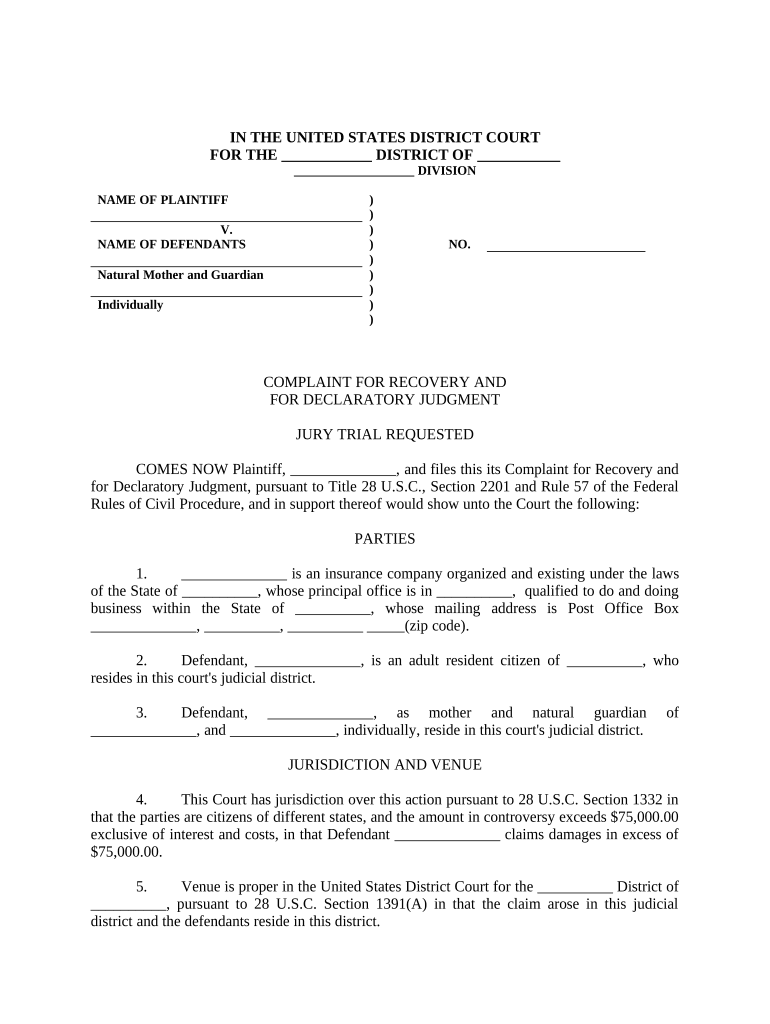
Court Caption

Includes court name, county, case number section, and full party names — establishes venue and jurisdiction and must match filing cover sheet.
Parties and Capacity

Identify plaintiff payor or assignee and defendants; confirm corporate capacity and include a statement the plaintiff paid the loss or holds assignment rights.

Factual Allegations

Chronological narrative of the incident, breach, or negligence with specific dates, locations, and witness or police report references to support causation.

Basis for Subrogation

Allege the contractual assignment or statutory basis for subrogation and describe how the plaintiff acquired the right to bring the claim.

Causes of Action

Plead relevant counts such as negligence, property damage, conversion, or breach of contract tied to subrogation entitlement.

Damages and Relief

Itemize amounts paid, interest, costs, and attorneys’ fees if authorized, plus a clear prayer for judgment and post-judgment remedies.

Practical scenarios where subrogation complaints are used

Two concise examples show typical fact patterns and how subrogation claims proceed in practice.

Auto Collision Subrogation

An insurer paid $15,000 for insured vehicle repairs after a rear-end collision on I-90

  • Police report and repair invoices linked fault to the other driver
  • The insurer filed a complaint attaching assignment and invoices, obtained a settlement for repair costs plus interest and court costs.

Property Damage Subrogation

A commercial property insurer paid $120,000 after a contractor’s negligent work caused a water loss

  • Subcontractor responsibility was shown by contracts, invoices, and photos
  • The insurer sued under assignment, producing payment proofs and expert repair estimates to support the damage claim.

Comparing eSignature vendor pricing and capabilities relevant to legal filings

Basic pricing and feature comparators for eSignature platforms used to execute and share court-ready pleadings; signNow appears first for clarity.

signNow DocuSign Adobe Sign PandaDoc HelloSign
Starting Price $8/user/mo $15/user/mo $14/user/mo $19/user/mo $15/user/mo
Free Trial 7-day free trial, no credit card Varies by plan Varies by plan Varies by plan Varies by plan
Bulk Send Yes (Business Premium) Yes Yes Yes No
Audit Trail Yes Yes Yes Yes Yes
HIPAA Compliant Yes (BAA available) Yes Yes No No

Frequently asked questions about Subrogation Complaints in Illinois

Answers to common questions about filing, evidence, electronic execution, and jurisdiction for subrogation complaints in Illinois.


Need help? Contact support

be ready to get more
Join over 28 million airSlate SignNow users