Establishing secure connection…Loading editor…Preparing document…

Executive Director Nonprofit Form

This template is fully customizable. Edit the text, fill out the fields, and send it for signature. Give it a try!
Executive Director Nonprofit Form

What the Executive Director Nonprofit Form is and why it exists

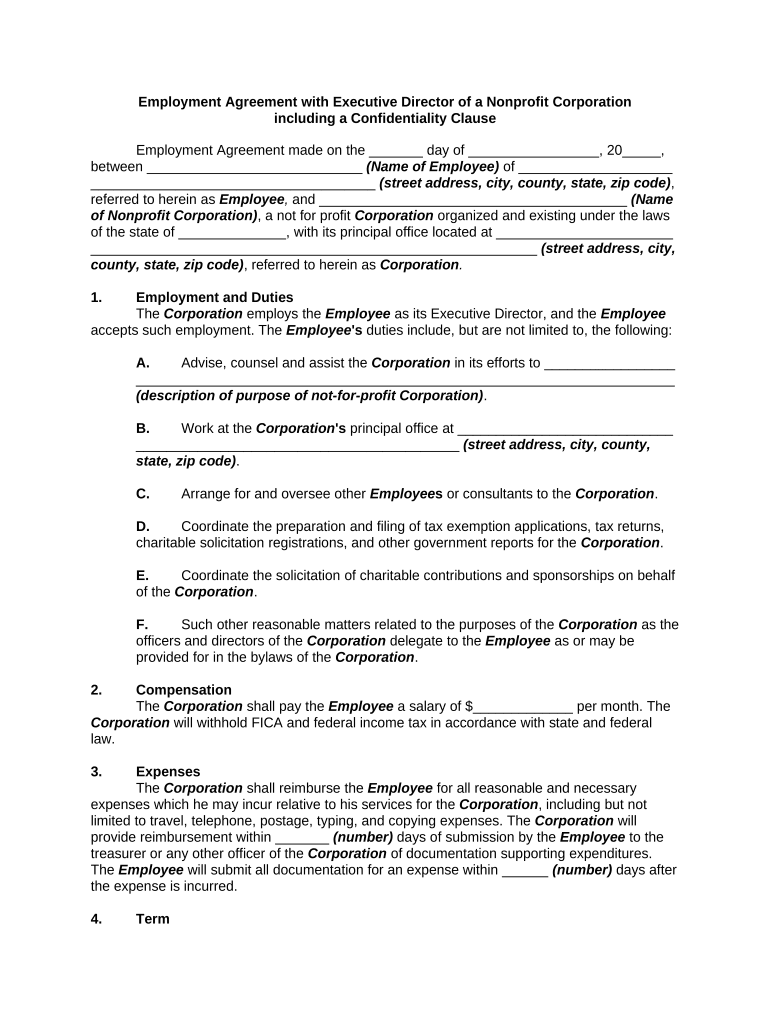
An Executive Director Nonprofit Form is a formal organizational document used to record the appointment, duties, and employment terms of a nonprofit's executive director. It establishes the effective date, term length, reporting structure to the board, authority limits, compensation provisions, and conditions for termination or suspension. Organizations use this form to document board action, create an auditable personnel record, and support compliance with state corporate law and funder grant conditions. When completed accurately and retained according to applicable retention rules, the form helps clarify governance, minimize disputes, and provide evidence for audits and regulatory reviews.

Who prepares, approves, and signs this form

Typical users who prepare or sign this Executive Director Nonprofit Form include board chairs, governance committees, HR staff, and nonprofit executive leadership.

  • Board members and board chairs who approve appointments and set governance terms.
  • Human resources or operations staff who execute onboarding and maintain personnel records.
  • Legal counsel or corporate secretaries who ensure compliance with bylaws and state law.

How the form strengthens governance and compliance

Documenting the executive director appointment in a standardized Executive Director Nonprofit Form creates a clear governance record, reduces ambiguity about authority and duties, supports grant and donor compliance, and establishes the factual basis for benefits, payroll, and successor planning.

How the form strengthens governance and compliance

Core elements to include in the Executive Director Nonprofit Form

A professional Executive Director Nonprofit Form organizes appointment details, duties, term limits, compensation, reporting obligations, conflict-of-interest disclosures, and termination procedures for clarity and enforceability.

Appointment Details

Record the board resolution, effective date, legal name of the appointee, business address, and identification used for verification. Reference minute book entries and attach the board vote record.
Term and Renewal

Specify initial term length, renewal conditions, notice periods for non-renewal, and any probationary period. Include limitations on consecutive terms if the bylaws or policy require them.

Duties & Authority

Define core responsibilities, signing authority thresholds, delegation limits, hiring and termination authority, and reporting lines to committees or the full board to prevent role confusion.

Compensation

State salary, benefits, reimbursements, performance bonus structure, payment frequency, and expense authorization. Note who approves compensation adjustments and any severance or post-termination obligations, and include tax withholding treatment and enrollment deadlines.

Conflicts of Interest

Require written disclosures of financial or familial conflicts, explain recusal procedures for decision-making, and reference the organization's conflict-of-interest policy and annual disclosure requirements, with records retained in the governance file.

Termination & Succession

Describe cause and convenience termination procedures, notice requirements, interim leadership protocols, and any severance terms. Link to succession plan and specify board approval steps for interim appointments.

Step-by-step: complete and record the appointment

Follow these sequential steps to complete, approve, and retain the Executive Director Nonprofit Form with governance and compliance in mind.

  • 01
    Prepare Draft: Populate form fields and attach supporting board resolution.
  • 02
    Review with Counsel: Confirm legal and bylaw conformity.
  • 03
    Board Approval: Record vote in minutes and sign form.
  • 04
    File and Retain: Store signed copy in minute book and digital archive.

Digital completion and routing process

An electronic workflow expedites signature collection, documents an audit trail, and allows secure retention of the Executive Director Nonprofit Form across systems and archives.

  • Upload Document: Upload PDF or DOCX to the eSignature platform.
  • Add Fields: Place signature, initials, date, and conditional fields.
  • Authenticate Signer: Select email, SMS code, or advanced auth.
  • Capture Audit Trail: Record IP, timestamp, and action history.

Configuring an online workflow for the form

Configure template fields, signer roles, and routing rules before sending the Executive Director Nonprofit Form for signatures.

Field Configuration
Template Name Executive Director Appointment Template
Signer Roles Board Chair, Executive Director, Secretary
Authentication Email link or SMS code
Routing Sequential approval by board then executive
Retention Store PDF with audit trail for records

Platform capabilities to support secure appointments

Ensure your eSignature platform supports secure PDFs, audit trails, and configurable signer authentication for the Executive Director Nonprofit Form.

  • File Formats: PDF and DOCX supported
  • Integrations: Google Drive, Microsoft 365, NetSuite
  • Security: AES-256 at rest; TLS 1.2/1.3

eSignature vendor comparison for completing this form

Compare common eSignature plan features relevant when using the Executive Director Nonprofit Form; signNow is listed first for parity and feature context.

signNow DocuSign Adobe Sign PandaDoc HelloSign
Starting Price $8/user/mo $15/user/mo $14/user/mo $19/user/mo $15/user/mo
Free Trial 7-day trial Varies by plan Varies by plan Varies by plan Varies by plan
Bulk Send Yes Yes Yes Yes No
Audit Trail Yes Yes Yes Yes Yes
HIPAA Compliant Yes Yes Yes No No

Security and compliance features relevant to the form

Encryption: TLS 1.2/1.3 in transit; AES-256 at rest
SOC 2: SOC 2 Type II report available
HIPAA: HIPAA-compliant with BAA required
21 CFR: 21 CFR Part 11 compliant options
ESIGN / UETA: Compliant with ESIGN and UETA
ISO 27001: ISO 27001 certified information security

Main risks and potential consequences of errors

Invalid Appointment: Board vote missing invalidates authority
Signature Errors: Unsigned or incorrectly signed documents risk dispute
Bylaw Noncompliance: Violating bylaws may trigger legal challenge
Tax Reporting: Incorrect payroll setup creates IRS penalties
Grant Noncompliance: Failure to document may breach funder terms
Privacy Violations: Improper PHI handling can trigger HIPAA penalties

Common mistakes to avoid when completing the form

  • Leaving required fields blank or using informal names causes identity mismatches and delays background checks, payroll setup, and tax reporting.
  • Not attaching the board resolution or minutes that approved the appointment creates evidentiary gaps during audits and regulator inquiries.
  • Using inconsistent titles or different spellings between HR, payroll, and corporate records leads to administrative confusion and compliance risk.
  • Failing to store a signed digital copy with an audit trail can make it difficult to prove consent or execution dates.

Practical steps to ensure accurate and auditable completion

Practical practices to ensure accurate, auditable completion of the Executive Director Nonprofit Form and consistent governance records.

Verify identity and supporting documents thoroughly
Match the legal name to government ID, confirm TIN or SSN when required, attach the board resolution and minutes, and retain documents in the minute book and the organization’s secure digital archive.
Use standardized template and version control
Adopt a consistent template for appointments, stamp version numbers or dates, and log changes. Standardization reduces errors, speeds approvals, and makes it easier to locate the authoritative document during audits.
Confirm board authority and bylaws alignment
Before finalizing, confirm the board resolution references bylaws authority, verify quorum and voting requirements were met, and record the vote in minutes. This prevents future challenges to the validity of the appointment.
Retain signed copies and audit trails securely
Store the signed form in the corporate minute book, retain a secure digital copy with audit trail metadata, and ensure access controls limit edits. Maintain retention schedules consistent with federal, state, and grant requirements.

How organizations use the Executive Director Nonprofit Form in practice

Real-world scenarios show how the Executive Director Nonprofit Form supports governance, hiring, and compliance across organizations of different sizes and sectors.

Small Food Bank

A community food bank appointed an executive director to centralize operations and access larger government grants requiring formal documentation of authority.

  • The board used the form for grant compliance.
  • Including the board resolution, clear duties, and compensation terms in the form helped the organization pass a state grant audit and reduced reimbursement delays by providing immediate documentary evidence to auditors.

Regional Arts Nonprofit

A regional arts nonprofit used the form during leadership transition to document interim authority and ensure continuity of programming and donor reporting obligations.

  • It simplified payroll and benefits setup.
  • The consolidated record reduced HR onboarding time, allowed timely updates to state charity filings, and provided clear succession steps that reassured funders and staff during the transition period without legal disputes.

Key signatories and their typical roles

Board Chair

As the board's presiding officer, the board chair typically moves and seconds the resolution appointing an executive director, verifies quorum and voting records, and certifies the board minutes. The chair's signature often authenticates the appointment for external parties.

Executive Director

The executive director signs to accept appointment, acknowledges duties and reporting obligations, and completes employment onboarding documentation. Their signature indicates consent to terms and enables HR to implement payroll, benefits, and authority under the board-approved limits.

Timing considerations and typical update windows

Key timing considerations for completing and recording the Executive Director Nonprofit Form include board meeting schedules, payroll cutoffs, and grant reporting windows.

Immediate Recording:

Attach signed form to board minutes and corporate records promptly.

Payroll Setup:

Provide completed compensation details before first payroll run.

Benefits Enrollment:

Submit benefit eligibility dates within plan enrollment deadlines.

Grant Reporting:

Update grant managers with appointment documentation per funder terms.

State Filings:

File any required officer updates with state Secretary of State as required.

Frequently asked questions about the Executive Director Nonprofit Form

Answers to common questions about completing, signing, and retaining the Executive Director Nonprofit Form for nonprofit governance and compliance.


Need help? Contact support

be ready to get more
Join over 28 million airSlate SignNow users