Establishing secure connection…Loading editor…Preparing document…

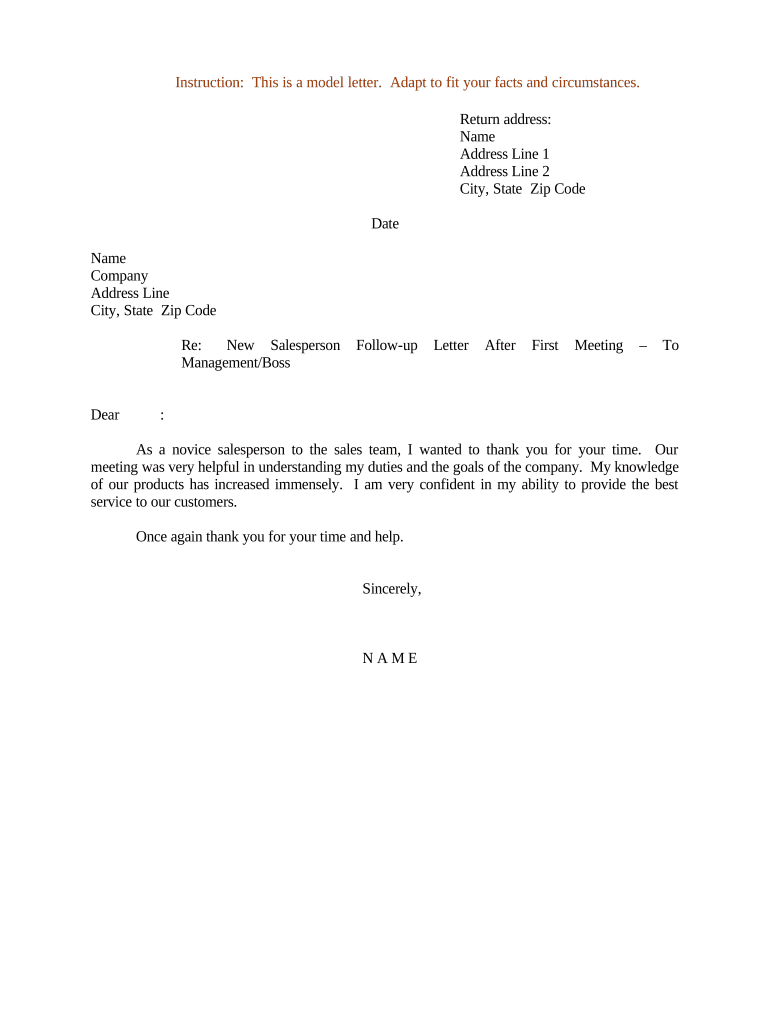
Follow-Up Letter After First Meeting

This template is fully customizable. Edit the text, fill out the fields, and send it for signature. Give it a try!
Follow-Up Letter After First Meeting

What a Follow-Up Letter After First Meeting Is

A Follow-Up Letter After First Meeting is a concise written record sent after an initial meeting to confirm topics discussed, summarize decisions, list action items, and set next steps. It creates a clear record of commitments and expectations for all parties, helps prevent misunderstandings, and supports timely progress. These letters are commonly used in sales, hiring, project kickoffs, and client consultations; they may be delivered by email, as an attached PDF, or via an eSignature platform for formal acknowledgement and tracking.

Why sending a timely follow-up letter matters

A prompt follow-up letter clarifies outcomes, assigns responsibility, and documents agreed timelines. It reduces ambiguity, improves accountability, and provides a written reference that stakeholders can use to measure progress and avoid disputes.

Why sending a timely follow-up letter matters

Typical users and recipients

Professionals across functions use follow-up letters to confirm meeting results and actions.

  • Sales professionals confirming proposal points, pricing, and next-demo dates for prospects.
  • Hiring managers summarizing interview outcomes, feedback, and follow-up interview scheduling.
  • Project leads documenting kickoff decisions, deliverables, owners, and milestone dates.

Core sections to include in every follow-up letter

A professional follow-up letter is structured and concise. Include a clear subject line, a short summary of the meeting, specific action items with owners and deadlines, any decisions or agreements, attachments or links to supporting documents, and a closing that specifies the next communication step.

Subject Line

Use a descriptive subject that references meeting date and topic, for easy search and tracking.
Meeting Summary

Summarize key discussion points, decisions, and context in two to four short paragraphs.

Action Items

List tasks, responsible parties, and due dates in bullet form to ensure accountability.

Agreements

Record any formal or informal agreements, including scope, pricing, or deliverable acceptance criteria.

Attachments

Reference and attach relevant documents (proposal, slides, specs) and label each clearly.

Next Steps

State the next meeting or checkpoint, preferred communication channel, and any pre-work required.

How to prepare and send a follow-up letter

A short process ensures consistent quality: prepare notes, draft, review, and distribute with tracking for responses and next steps.

  • 01
    Prepare notes: Collect meeting notes, recordings, and documents to ensure accuracy in the summary.
  • 02
    Draft letter: Write a concise summary and list action items with owners and dates.
  • 03
    Review: Have one colleague or participant review for accuracy and tone before sending.
  • 04
    Send and track: Deliver via email or eSignature platform and monitor read receipts or signature confirmations.

Where to send or store the follow-up letter

Choose destinations based on required acknowledgement, recordkeeping, and team workflows. Common destinations include recipient inboxes, CRM systems, and secure document storage.

  • Email: Send as inline text or attach a PDF; request read receipt for confirmation.
  • eSignature: Use an eSignature platform for formal acknowledgement and an audit trail.
  • CRM: Save a copy to the relevant CRM record to link the letter to customer history.
  • Document Repository: Archive the signed or final version in secure storage (Box, Egnyte, Google Drive).

Digital signing and format options

Follow-up letters can be simple emails or formalized PDFs; choose a format that matches the desired level of formality and auditability.

  • PDF or DOCX: Use PDF for final records; DOCX for collaborative drafts.
  • eSignature Platforms: Support audit trails, authentication, and long-term storage.
  • Integrations: Platforms integrate with Salesforce, Microsoft 365, NetSuite, Google Workspace.

For letters requiring formal acceptance, use an eSignature workflow and store the signed copy in your records system to maintain provenance and retrieval.

Typical eSubmission workflow settings

When using an eSignature platform, standard workflow settings reduce friction and improve auditability.

Field Configuration
Template Name Use consistent naming with meeting date and subject
Signature Field Place signer name, signature, and date fields
Authentication Email link or SMS code; upgrade to KBA if needed
Reminders Set automatic reminders at 3 and 7 days

Timing and response expectations

Set clear, reasonable deadlines in the letter to guide follow-through and reduce confusion among recipients.

Send timeframe:

Dispatch the follow-up within 24–48 hours after the meeting for best clarity.

Response expectation:

Request confirmation or edits within 3–5 business days unless otherwise agreed.

Action-item deadlines:

Assign specific due dates for each task to enable tracking and accountability.

Signature turnaround:

When signatures are required, request return within 7–14 days depending on urgency.

Escalation window:

If no response, plan a reminder at 7 days and escalate at 14 days.

Key milestones from meeting to confirmed follow-up

Track progress with clear milestones from drafting to confirmation to ensure the follow-up becomes an actionable record.

01

Draft completed

Summary and action items written and formatted for review.

02

Internal review

One or two stakeholders verify accuracy and tone before sending.

03

Send and request acknowledgement

Deliver with read receipt or eSignature request.

04

Confirm and archive

Record recipient acknowledgement and file the signed copy.

Common mistakes to avoid

  • Being vague about action items or due dates, which leads to missed tasks and misaligned expectations.
  • Delaying the follow-up more than a few days after the meeting, which reduces accuracy and accountability.
  • Failing to attach or reference supporting materials, forcing recipients to search for context.
  • Using informal language for commitments that should be documented, creating ambiguity in obligations.

Risks of an incorrect or missing follow-up letter

Miscommunication: Unclear obligations
Missed deadlines: Project delays or lost opportunities
Reputational harm: Perceived unprofessionalism
Contract risk: Disputed terms or scope
Confidentiality breach: Exposing sensitive information
HIPAA exposure: If PHI included, regulatory risk

Security and compliance considerations

Encryption: TLS 1.2/1.3 in transit; AES-256 at rest
Audit Trail: Timestamp, IP, action history recorded
Authentication: Email link, SMS code, or stronger methods
Privacy: Protect PHI; use BAAs where required
Legal Frameworks: ESIGN and UETA support eSignature validity
Data Residency: Verify storage location per policy

eSignature pricing comparison for follow-up letters

Basic pricing and feature indicators for common eSignature vendors. Choose based on required compliance, volume, and integrations.

signNow DocuSign Adobe Sign PandaDoc HelloSign
Starting Price $8/user/mo $15/user/mo $14/user/mo $19/user/mo $15/user/mo
Free Trial 7-day free trial Varies Varies Varies Varies
Bulk Send Yes (Premium) Yes Yes Yes Varies
Audit Trail Yes Yes Yes Yes Yes
HIPAA Compliant Yes (BAA available) Vendor-dependent Vendor-dependent Vendor-dependent Vendor-dependent

Practical examples of follow-up letters

Two concise examples show how follow-up letters clarify outcomes and accelerate next steps.

Sales prospect follow-up

After a discovery meeting, summarize needs and proposed solution in two paragraphs.

  • Include three action items with owners and due dates to keep the procurement process moving.
  • Attach the tailored proposal as a PDF and request written acceptance or an eSignature within seven business days to preserve pricing and timeline commitments.

Interview follow-up

Following a candidate interview, list discussed competencies and any open questions for the candidate.

  • State next steps such as follow-up interview scheduling and reference checks.
  • Provide a clear time window for candidate response and explain any pre-employment checks that may follow to reduce uncertainty and speed hiring.

Frequently asked questions about follow-up letters

Answers to common operational and legal questions when creating or sending a Follow-Up Letter After First Meeting.


Need help? Contact support

be ready to get more
Join over 28 million airSlate SignNow users