-1-
For O ffice U se O nly
Filing Fee Paid $
Receipt No:
DO NOT LEAVE ANY ITEMS BLANK
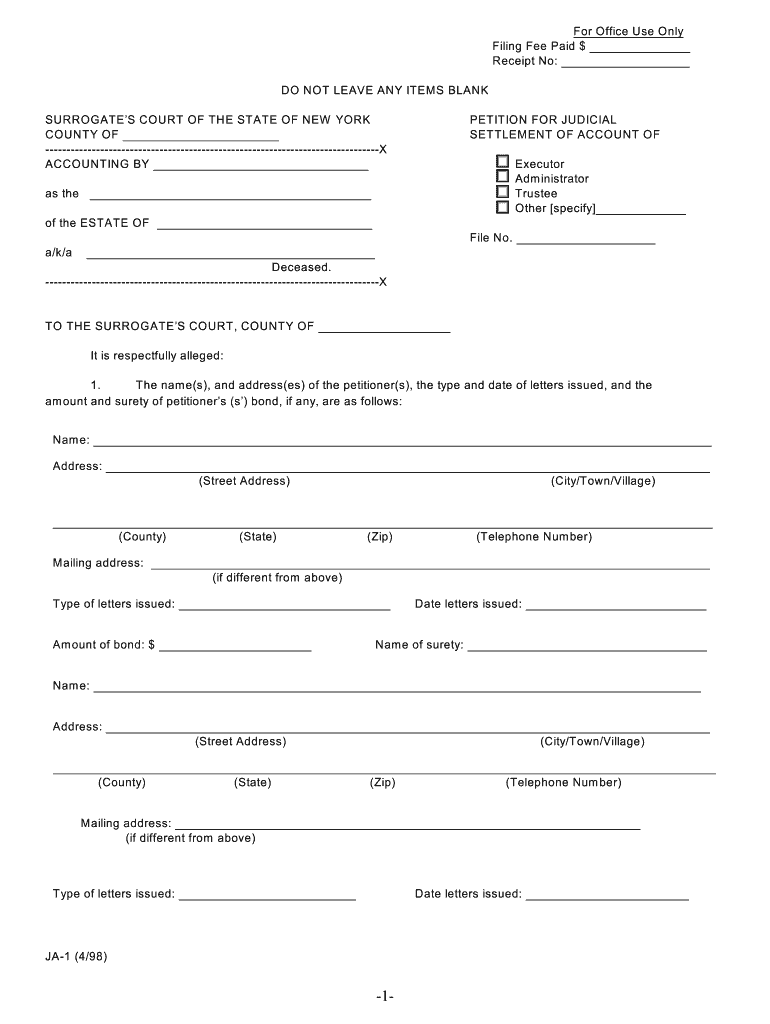
SURROGATE’S COURT OF THE STATE OF NEW YORK
COUNTY OF
-------------------------------------------------------------------------------X
ACCOUNTING BY
as the
of the ESTATE OF
a/k/a Deceased.
-------------------------------------------------------------------------------X PETITION FOR JUDICIAL
SETTLEMENT OF ACCOUNT OF
Executor
Adm inistrator
Trustee
O ther [specify]
File No.
TO THE SURROGATE’S COURT, COUNTY OF It is respectfully alleged:
1. The nam e(s), and address(es) of the petitioner(s), the type and date of letters issued, and the
am ount and surety of petitioner’s (s’) bond, if any, are as follows:
Nam e:
Address:
(Street Address) (City/Town/Village)
(County) (State) (Zip) (Telephone Num ber)
M ailing address:
(if different from above)
Type of letters issued: Date letters issued:
Am ount of bond: $ Nam e of surety:
Nam e:
Address:
(Street Address) (City/Town/Village)
(County) (State) (Zip) (Telephone Num ber)
Mailing address:
(if different from above)
Type of letters issued: Date letters issued:
JA-1 (4/98)
-2-
2. The decedent’s name, date of death and dom icile are as follows:
Nam e: Date of death:
Dom icile:
(Street Address) (City/Town/Village)
(State) (Zip Code)
Township of: County of:
3. T he petitioner(s) present (s) and render (s) herewith, a verified account of petitioner’s (s’) proceedings in this
estate or trust, for the period from to , showing the gross value
of assets, including principal and income, to be the sum of $ .
4. (a) An order was entered in this Court on , 20 .
Exem pting the estate from tax
Fixing and assessing the tax due
[Attach a copy of the tax order and receipt] (b) The following return (s) (was) (were) filed:
ET-90 [For decedent’s dying on or after M ay 25, 1990].
A copy was filed with the Surrogate’s Court Yes No
TT-385 [For decedent’s dying before May 25, 1990]
706 or 706NA
T he estate taxes with respect to this estate were paid in full.
[Attach a copy of letter of discharge.] (c.) No tax proceeding or return was required for this estate.
5. The rendering of such account at this tim e is proper because check appropriate reason]
seven m onths have elapsed since letters were issued to petitioner(s);
letters issued to the petitioner(s) have been revoked,
m ore than one year has elapsed since the preceding account of the petitioner(s)
was settled;
other reason [specify]:
6. The nam es and post-office addresses of all persons and parties intere sted in this proceeding who are required to
be cited under the provisions of Surrogate’s Court Procedure Act §2210, or otherwise, or concerning whom or
which the Court is required to have inform ation, are set forth in subdivision (a) or (b):
(a) All persons and parties so interested herein who are of full age and sound m ind, or which arecorporations or associations, are as follows:
-3-
Nam e Nature of Interest P.O. Address
(b) All persons so interested herein who are infants or incompetents or persons believed to be m entally incapable to adequately protect their rights, or persons whose existence, identity, or
whereabouts are unknown (including persons who are virtually represented under SCPA §315)
are as follows:
[Furnish all inform ation specified in NOTE at bottom of page]
Nam e Nature of Interest P.O. Address
[NOTE: In the case of each infant, state (a) name, birth date, age, nature of interest, dom icile, residence address,
and the person with whom he/she resides; (b) whether or not he/she has a guardian or testamentary guardian,
and whether or not his/her father, or if he/she be dead, his/her mother is living; and (c) the name and post office
address of any guardian and any living parent. In the case of each incom petent or pe rson incapable of adequately
protecting his/her rights, state (a) name, nature of interest, and post office address; (b) facts regarding his/ her
incompetency, including whether or not a committee has been appointed and whether or not he/she has been
committed at any institution; (c) the names and post office addresses of any committee, conservator, guardian,
and person or institution having care and custody of him/her, and any relative or friend having an interest in h is/her
welfare. In the case of unknowns, describe in identical language to be used in citation for publication. In the case
of a person confined as a prisoner, state place of incarceration. W ith respect to vi rtual representation see Uniform
Court Rule, §207.18.]
7. There are no persons interested in this proceeding other than those herein about mentioned.
8. N o prior application has been m ade to this or any other court for the relief r equested in this
petition.
W HEREFORE the petitioner(s) pray (s) that the account of proceedings be judicially settled
-4-
[specify any other relief requested.]
and that process be issued to all necessary parties who have not appeared to show cause why the relief requested should
not be granted; and that an order be granted directing the service of process pursuant to the provisions of SCPA Article 3
upon such persons nam ed in Paragraph (6) whose nam es or whereabouts are unknown and cannot be ascertained or
who may be persons on whom service by personal delivery cannot be m ade.
Dated:
1. (Signature of Petitioner) 2. (Signature of Petitioner)
(Print Nam e) (Print Nam e)
3.
(Nam e of Corporate Petitioner)
(Signature of Officer)
(Print Nam e and Title of Officer)
-5-
VERIFICATION
[F or use when petitioner is an individual]
STATE OF NEW YORK )
CO UNTY O F ) ss.:
The undersigned, the petitioner (s), nam ed in the foregoing petition, being duly sworn, say (s): (I) (W e) have read the
foregoing petition subscribed by m e (us) and know the contents thereof, and the sam e is true of (m y) (our) own knowledge,
except as to the m atters therein stated to be alleged upon inform ation and be lief, and as to those m atters (I) (we) believe it
to be true.
(Signature of Petitioner)
(Print Nam e)
(Signature of Petitioner)
(Print Nam e)
Sworn to before me on
, 20
N otary Public
Com m ission Expires:
(Affix N otary Stam p or Seal)
Signature of Attorney:
Print Nam e:
Nam e of Attorney: Tel. No.:
Address of Attorney:
-6-
VERIFICATION
[F or use when petitioner is a bank or trust com pany]
STATE OF NEW YORK )
CO UNTY O F ) ss.:
I, the undersigned, a of (Title)
(N am e of Bank or T rust C om pany)
being duly sworn, say (s),
I have read the foregoing petition subscribed by me and know the contents thereof, and the same is true of my own
knowledge, except as to the m atters stated to be alleged upon inform ation an d belief, and as to those m atters I believe it to
be true.
(N am e of Bank or T rust)
BY
(Signature of Officer)
(Print Nam e and Title)
Sworn to before me on
, 20
N otary Public
Com m ission Expires:
(Affix N otary Stam p or Seal)
Signature of Attorney:
Print Nam e:
Nam e of Attorney: Tel. No.:
Address of Attorney:
-7-
SURROGATE’S COURT OF THE STATE OF NEW YORK
COUNTY OF
------------------------------------------------------------------------------X
ACCOUNTING BY __________________________
RECEIPT AND RELEASE
File N o.
as the
of the ESTATE OF
a/k/a
Deceased.
------------------------------------------------------------------------------X
The undersigned, being of full age, sound m ind and under no disability, and entitled to share in the estate of the above
nam ed decedent as a [check one] legatee under a w ill, distribute e of an intestate share, trust beneficiary,
creditor of the estate, other [specify]
(a) Acknowledges that each fiduciary named above has full y and satisfactorily accounted for all assets of the
estate;
(b) Approves the written account verified on , 20 as submitted to the undersigned;
[Delete paragraphs (a) and (b) if the undersigned is not interested in or affected by the am ount of the residuary
estate or trust, or if being m ade pursuant to a decree of the court.]
(c) Acknowledges receipt of money paid or property transferred or delivered as follows:
m oney (cash or check): $
the following property: valued at $
The following paym ent and/or transfer is in full paym ent or distribution of :
a legacy under Paragraph/Article of the will or trust;
a claim against the estate;
the am ount directed to be paid by a decree of this court dated:
other [specify]:
(d) R eleases and discharges each fiduciary n a m e d a b o ve from all liab ility to the undersigned for any and all
m atters relating to or derived from the adm inistration of the estate; waives the issuance and service of a
citation to attend any and all proceedings for the judicial settlem ent of the account; and authorizes the
Surrogate to m ake and enter a decree settling the account and fully releasing and discharging each fiduciary
named above as to all matters embraced therein.
Dated:
(Signature) (Corporate Nam e)
(Print Nam e) (Signature of Officer)
JA-2 (12/96)
-8-
STATE OF NEW YORK )
CO UNTY O F_____________________ ) ss.:
On , 20 , before me personally appeared
[INDIVIDUAL]
to me known and known to me to be the person
described in and who executed the foregoing receipt and release and duly acknowledged the execution thereof.
[CORPORATION]
to me known, who duly swore to the foregoing instrum ent and who did say
that he/she resides at
and that he/she is a of the
corporation/national banking association described in and which executed such instrum ent; and that he /she signed his/her
name thereto by order of the Board of Directors of the corporation.
N otary Public
Com m ission Expires:
(Affix N otary Stam p or Seal)
Nam e of Attorney: Tel. No.:
Address of Attorney:
-9-
SURROGATE’S COURT OF THE STATE OF NEW YORK
COUNTY OF
------------------------------------------------------------------------------X
ACCOUNTING BY ______________________________
W AIVER OF CITATION AND CONSENT
IN ACCOUNTING
as the _________________________________________
F ile N o.
of the ESTATE OF _______________________________
a/k/a __________________________________________
Deceased.
------------------------------------------------------------------------------X
T he undersigned, being of full age, and sound m ind, residing at the addres s written below, having an interest in this
proceeding, waives the issuance and service of citation in this proceeding, and consents to the subm ission of a decree settling
the account as filed and adjusted without further notice. I acknowledge re ceipt of a copy of the sum m ary statem ent of account.
Date Signature Street Address Interest Print N am e City/T own/V illage State/Z ip
STATE OF NEW YORK )
CO UNTY O F ) ss.:
On , 20 , before me personally appeared
[INDIVIDUAL]
to me known and known to me to be the person described in and who executed
the foregoing waiver and consent and duly acknowledged the execution thereof.
[CORPORATION]
to m e known, who duly swore to the foregoing instrum ent and w ho did say that
he/she resides at
and that he/she is a of t he
corporation/national banking association described in and which executed such instrum ent; and that he/she signed his/her
name by order of the Board of Directors of the corporation.
N otary Public
Com m ission Expires:
(Affix N otary Stam p or Seal)
Nam e of Attorney: Tel. No.:
Address of Attorney:
[Note: You m ay request a copy of the full account from the petitioner or petitioner’s a ttorney.]
JA-3 (12/96)
-10-
ACCO UNTING CITATIO NFile No.
SURROGATE’S COURT - _____________________COUNTY CITATION
THE PEOPLE OF THE STATE OF NEW YORK, By the Grace of God Free and Independent
TO
A petition and an account having been duly filed by , whose address is
YO U AR E H ER EBY C IT ED T O SH O W C AU SE before the Surrogate’s C ourt, C ounty,
at , New York, on_____________________________ 20 , at o’clock in the
noon of that day, why the account of _____________________________, a sum m ary of which has been served herewith,
as_______________________,of the estate of _____________________________ should not be judicially settled.
[State any further relief requested]
HO N.
Dated, Attested and Sealed, Surrogate
, 20
(Seal)Chief Clerk
Nam e of Attorney: Tel. No.:
Address of Attorney:
[N ote: T his citation is served upon you as required by law. You are not required to appear; however, if you fail to appear it will
be assum ed you do not object to the relief requested. You have a right to have an attorney appear for you, and you or your
attorney m ay request a copy of the full account from the petitioner or petitioner’s a ttorney.]
JA-6 (12/96)
SURROGATE’S COURT OF THE STATE OF NEW YORK
COUNTY OF
-----------------------------------------------------------------------------X
ACCOUNTING BY ________________________________
as the __________________________________________
of the ESTATE OF ________________________________
a/k/a Deceased.
----------------------------------------------------------------------------X
ACCOUNTING BY:
Executor
Adm inistrator
O ther [specify]
File No.
TO THE SURROGATE’S COURT OF THE COUNTY OF The undersigned does hereby render the account of proceedings as follows:
Period of account from to .
This is a (final) (interm ediate) account.
[The instructions concerning the schedules need not be stated at the he ad of each schedule. It will be sufficient to
set forth only the schedule letter and heading. For convenience of reference, the schedule letter and page number of the
schedule should be shown at the bottom of each sheet of the account.]
Schedule A - Principal Received, page
Schedule A - 1 - Realized Increases, page
Schedule A - 2 - Income Collected, page
Schedule B - Realized Decreases, page
Schedule C - Funeral and Adm inistration Expenses and Taxes, page
Schedule C - 1 - Unpaid Administration Expenses, page
Schedule D - Creditor’s Claim s, page
Schedule E - Distributions Made, page
Schedule F - New Investm ents, Exchanges and Stock Distribution, page
Schedule G - Personal Property Rem aining on Hand, page
Schedule H - Interested Parties and Proposed Distribution, page
Schedule I - Com putation of Com m issions, page
Schedule J - Other Pertinent Facts and Cash Reconciliation, page
Schedule K - Estate Taxes Paid and Allocation of Estate Taxes, page
JA-7 (6/98) -1 1-
SUMMARY
CHARGES:
Schedule “A” - (Principal received) $
Schedule “A - 1” - (Realized increases in principal) $
Schedule “A - 2" - (Income Collected) $
Total Charges $
CREDITS:
Schedule “B” - (Realized decreases in principal) $
Schedule “C” - (Funeral and administration expenses $
Schedule “D" - (Creditor’s claim s actually paid) $
Schedule “E” - (Distributions of principal) $
Total Charges $
Balance on hand shown by Schedule “G” $
The foregoing balance of $ consists of $ in cash and
$ in other property on hand as of the day of ,
20 . It is subject to deduction of estim ated principal comm issions am ounting to $ as
shown in Schedule I and to the proper charge to principal of expenses of this accounting.
The attached schedules are part of this account.
(Nam e of Corporate Fiduciary) (Signature of Fiduciary)
(Signature of Officer) (Signature of Fiduciary)
- 1 2-
AFFIDAVIT OF ACCOUNTING PARTY
STATE OF NEW YORK )
CO UNTY O F ) ss.:
being duly sworn, says: tha t the schedules of assets of the estate
reported herein are true and com plete and include all m oney and property of any kind, and all increm ent t hereon, which have
com e into the hands of any of the accounting parties or have been received by any other persons for the use of any accounting
party by order of authority of such accounting party, and include all indebte dness due by any accounting party to the estate
whether discharged or not; that the m oneys stated in the account as colle cted w ere all that could be collected; that all claim s
for credit for losses or decreases of value of assets are correctly reported; that the reported paym ents out of estate assets for
funeral and adm inistration expenses were actually m ade and m ade in the am ounts scheduled; that the reported paym ents to
creditors and beneficiaries were actually made at the dates and in the am ounts scheduled; that no paym ents have been made
by any accounting party on any fiduciary’s claim s against the estate except after prior approval and allowance by the Surrogat e;
that all receipts and disbursem ents are correctly and fully reported and scheduled; that the accounting parties do not know of
any error in the account or in any schedule thereof or of any matter or thing relating to the estate omitted therefrom to the
prejudice of rights of any creditor or of any person interested in the estate; and that the schedule of comm issions has been
com puted in conform ity with the statute regulating com m issions and the Rules of the Surrogate’s Court applicable thereto.
Sworn to before me on
, 20
N otary Public
Com m ission Expires:
(Affix N otary Stam p or Seal)
Signature
Print Nam e
Nam e of Attorney: Tel. No.:
Address of Attorney:
-1 3-
INSTRUCTIONSPRINCIPAL
Schedule A
Statem ent of Principal Received
This schedule must contain an item ized statem ent of all the m oneys and other personal property constituting principal
for which each accounting party is charged, together with the date of receipt or acquisition of such m oney or property. If real
property has been sold by the fiduciary, this schedule must set forth the proceeds of sale of such property, including a copy
of the closing statem ent.
Schedule A-1
Statem ent of Increases on Sales, Liquidation or Distribution
This schedule m ust contain a full and com plete statem ent of all realized i ncreases derived from principal assets
whether due to sale, liquidation, or distribution or any other reason. It shou ld also show realized increases on new investm ents
or exchanges. In each instance, the date of realization of the increase m ust be shown and the property from which the
increase was derived must be identified.
Schedule A-2
Statem ent of All Income Collected
This schedule m ust contain a full and com plete statem ent of all interest, dividends, rents and other income received,
and the date of each receipt. Each receipt must be separately accounted for and identified, except that where a security had
been held for an entire year, the interest or ordinary dividends may be reported on a calendar year basis.
Schedule B
Statem ent of Decreases Due to Sales, Liquidation, Collection, Distribution or Uncollectibility
This schedule m ust contain a full and complete statem ent of all realized decreases on principal assets whether due
to sale, liquidation, collection or distribution, or any other reason. It should show decreases on new investm ents or exchanges
and also sales, liquidations or distributions that result in neither gain nor loss. In each instance, the date of realization of the
decrease m ust be shown and the property from which the decrease was incurred m ust be identified. It should also report any
asset which the fiduciary intends to abandon as worthless, together with a fu ll statem ent of the reasons for abandoning it.
Schedule C
Statem ent of Funeral and Adm inistration Expenses and T axes Actually Paid
This schedule must contain an item ized statem ent of all moneys chargeable and paid for funeral, administration and
other necessary expenses, together with the date and the reason for each expenditure. Consolidate all sim ilar expenditures;
i.e. funeral expenses, taxes, accountant fees, legal fees, filin g fees, co m m issions, other. W here the will directs that all
inheritance and death taxes are to be paid out of the estate, credit for paym ent of the sam e should be taken in this schedule.
Schedule C-1
Statem ent of Unpaid Administration Expenses
This schedule m ust contain an item ized statem ent of all unpaid claim s for adm inistration and other necessary
expenses, together with a statem ent of the basis for each such claim .
Schedule D
Statem ent of All Creditor’s C laim s
This schedule must contain an itemized statement of all creditor’s claims subdivi ded to show:
1. Claim s presented, allowed, paid and credited and appearing in the Sum m ary Statem ent together -1 4-
with the date of paym ent.
2. Claim s presented and allowed but not paid.
3. Claim s presented but rejected, and the date of and the reason for such rejection.
4. Contingent and possible claim s.
5. Personal claim s requiring approval by the court pursuant to SCPA §1805.
In the event of insolvency, preference of various claim s should be stated, with the order of their priority.
Schedule E
Statem ent of Distributions Made
This schedule must contain an item ized statem ent of all m oneys paid and all property delivered to the beneficiaries,
legatees, trustees, surviving spouse or distributees of the deceased, the date of paym ent or delivery thereof, and the nam e
of the person to whom paym ent or delivery was actually made.
W here estate taxes are required to be apportioned and paym ents have been made on account of the taxes, the
am ounts apportioned in Schedule K against beneficiaries of the estate shall b e charged aga in s t th e re spective individuals
share.
Schedule F
Statem ent of New Investm ents, Exchanges and Stock Distributions
This schedule must contain an item ized statem ent of (a) all new investm ents made by the fiduciary with the date of
acquisition and cost of all property purchases, (b) all exchanges m ade by the fiduciary, specifying dates and item s received
and item s surrendered, and (c) all stock dividends, stock splits, right and warrants received by the fiduciary, showing the
securities to which each relates and their allocation as between principal and income.
Schedule G
Statem ent of Personal Property Rem aining on Hand
This schedule must contain an item ized statem ent showing all property constituting principal rem aining on hand
including a statem ent of all uncollected receivables and property rights due to th e estate. Show the date and cost of all
such property that was acquired by purchase, exchange or transfers made or received, together with the date of
acquisition and the cost thereof and indicate such sum s in the appropriate lin es of the sum m ary schedule. Show all
unrealized increases and decreases relating to assets on hand, and report the sam e in the appropriate places in the
sum m ary schedule.
Schedule H
Statem ent of Interested Parties
This schedule must contain the nam es of all persons entitled as beneficiary, legatee, devisee, trustee, surviving
spouse, distributee, unpaid creditor or otherwise to a share of the estate or fund, with their post office addresses and the
degree of relationship, if any, of each to the deceased, and a statem ent s howing the nature of and the value or approxim ate
value of the interest of each such person.
This schedule also must contain a statem ent that the records of this court have been searched for powers of attorney
and assignm ents and encum brances m ade and executed by any of the p ersons interested in or entitled to a share of the estate
and a list detailing each power of attorney, assignm ent and encum brance , disclosed by such search , with the date of its
recording and the nam e and address of each attorney in fact and of each assignee and of each person beneficially interested
under the encum brance to in the respective instrum ents, and also whether the accounting party had any knowledge of the
execution of any such power of attorney or
assignment not so filed and recorded.
-15-
Schedule I
Statem ent of Com putation of Com m issions
This schedule m ust contain a com putation of the am ount of com m issions due upon this accounting. See Uniform
Court Rule, §207.40 (d).
Schedule J
Statem ent of Other Pertinent Facts, Cash Reconciliation and Proposed Distribution
This schedule m ust contain a statem ent of all other pertinent facts affecting the adm inistration of the estate and the
rights of those interested therein. It must also contain a statem ent of any real property left by the decedent that it is not
necessary to include as an estate asset to be accounted for, a brief description thereof, its gross value, and the am ount of
m ortgages or liens thereon at the date of death of the deceased. A ca sh reconciliation m ust also be set forth in this schedule
so that verification with bank statem ents and cash on hand m ay be readily made.
Schedule K
Statem ent of Estate Taxes Paid and Allocation Thereof
This schedule m ust contain a statem ent showing all estate taxes assess ed and paid with respect to any property
required to be included in the gross estate of the decedent under the provisions of the Tax Law or under the laws of the United
States. This schedule must also contain a com putation setting forth the proposed allocation of taxes paid and to be paid and
the am ounts due the estate from each person in whose behalf a tax paym ent ha s been m ade and also the proportionate
am ount of the tax paid by each of the nam ed persons interested in this estate or charged against their respective interest, as
provided in §2-1.8 of the Estates, Powers and Trusts Law.
W here an allocation of taxes is required, the method of computing the allocation of said taxes must be shown in
this schedule.
-1 6-
SURROGATE’S COURT OF THE STATE OF NEW YORK
COUNTY OF X
ACCOUNTING BY __________________________________ FINAL/INTERMEDI ATE
DECREE OF JUDICIAL SETTLEMENT
as the_____________________________________________ FOR EXECUTOR-ADMINISTRATOR
of the ESTATE O F File No.
a/k/a
Deceased.
-----------------------------------------------------------------------------X
A petition praying for a decree judicially settling the final/interm ediate account ha ving been presented and filed in this
court and the tim e to present claim s against the estate having expired, and a citation having been issued directed to all persons
interested in this proceeding requiring them to show cause why a decree should not be granted judicially settling the account
prayed for in the petition, and the citation having been returned with proof of due service thereof on the following:
_________________________________________________________________________________________________
_________________________________________________________________________________________________
and duly executed waivers of the service of citation or receipts and releases having been filed for the following:
_________________________________________________________________________________________________
_________________________________________________________________________________________________
and the following parties having appeared in answer to the citation:
_________________________________________________________________________________________________
_________________________________________________________________________________________________
and , attorneys, havi ng
appeared for the petitioner, and there being no other appearances; and the Surrogate having appointed
as guardian ad litem for the following persons under a disability:
_________________________________________________________________________________________________
__________________________________________________________________________ _________________
and each guardian ad litem having filed a report recom m ending that the account be judicially settled and no objection having
been filed to the account;
and it appearing that all tax returns required by law have been filed and all New York State estate taxes have been fully paid,
provision m ade therefore, or the estate is exem pt from tax; and the Surrogate having exam ined the account and having found
that each petitioner has fully accounted for all of the m onies and property of th e estate that have com e into the petitioner’s
hands for the period of the account, as adjusted, it is
O R D ER ED , A D JU D G ED AN D D EC R EED , that the final/interm e d ia te account be and the sam e hereby is judicially
settled and allowed as filed (and adjusted), and that the following is a sum m ary thereof as settled:
JA-8 (12/96)
-1 7-
SUMMARY
PRINCIPAL ACCOUNT
CHARGES :
Schedule “A” - (Principal received) $
Schedule “A - 1” - (Realized increases in principal) $
Schedule “A - 2" - (Income Collected) $
Total Charges $
CREDITS:
Schedule “B” - (Realized decreases in principal) $
Schedule “C” - (Funeral and administration expenses) $
Schedule “D" - (Creditor’s claim s actually paid) $
Schedule “E” - (Distributions of principal) $
Total Charges $
Balance on hand shown by Schedule G $
and it is further ORDERED, ADJUDGED AND DECREED, that petitioner(s) pay the rem aining cash and transfer, assign and deliver
the other rem aining assets as shown in the account as follows:
To the petitioner:
as and for comm issions the sum of $
To the petitioner:
as and for comm issions the sum of $
T o the attorney:
for legal services rendered forthe benefit of the estate the sum of
$
and for costs and disbursem ents
(which sum s are in addition to any paym ents
m ade on account and allowed by the court) $
To the guardian ad litem :
for services as guardian ad litem $
and it is further O RDERED, ADJUDG ED AND DECREED, that the balance rem aining on han d in the am ount
of $ be paid as follows:
To: $
To: $
To: $
ORDERED, ADJUDGED AND DECREED, that upon complying with the directions of this decree and the filing of
the receipts for the paym ents herein directed, the petitioner (s) hereby shall be discharged as to all matters and things
contained in this accounting and decree.
Dated: , 20
Judge of the Surrogate’s Court
- 1 9-