Establishing secure connection…Loading editor…Preparing document…

Formal Letter

This template is fully customizable. Edit the text, fill out the fields, and send it for signature. Give it a try!
Formal Letter

What a Formal Letter Is and When It's Used

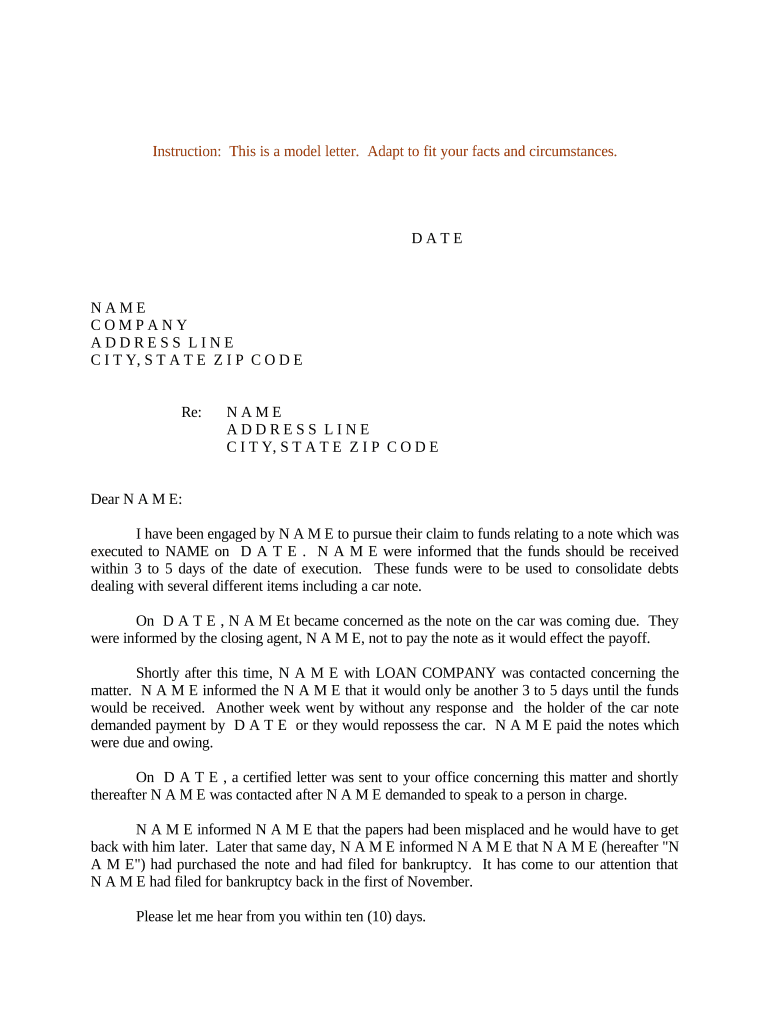
A Formal Letter is a structured, written communication used to record official notices, requests, or statements between parties. Typical uses include employment offers, demand or notice letters, contractual confirmations, and formal business correspondence. It follows a standard layout—sender details, recipient details, date, subject, body, closing, and signature—and may be delivered on paper or electronically while preserving a clear audit trail for later verification.

Why Use a Formal Letter and What Makes It Legally Reliable

A Formal Letter creates a clear, dated record of communication that can establish notice, support contractual performance, and preserve opportunity for dispute resolution; when signed and retained properly it can serve as admissible evidence in business and legal contexts.

Why Use a Formal Letter and What Makes It Legally Reliable

Typical Users and Where Formal Letters Fit in Practice

Organizations and individuals use Formal Letters where clear, documented notice or instruction is required, from HR and legal teams to vendors and government-facing communications.

  • HR managers issuing offer letters or disciplinary notices
  • Legal teams sending demand or settlement communications
  • Procurement and vendor managers confirming contract terms

Core Elements of a Professional Formal Letter

A professional Formal Letter uses a predictable structure so recipients and third parties can quickly identify who said what and when. Consistency in headings, dates, and signatories reduces ambiguity and supports enforceability.

Sender Details

Full legal name and contact information for the issuing party; organizational title if applicable.
Recipient Details

Full name, title, company, and mailing or email address of the intended recipient.

Date and Subject

Clear date in MM/DD/YYYY format and concise subject line describing purpose.

Body Content

Plain, direct paragraphs that state facts, requests, deadlines, and any consequences.

Signature Block

Typed name, title, signature (handwritten or electronic), and signature date.

Attachments

List and label any supporting documents, exhibits, or enclosures.

Required Data Elements to Include

Sender Name: Full legal name
Recipient Name: Full legal name
Mailing Address: Street, city, state, ZIP
Effective Date: MM/DD/YYYY
Subject Line: Short descriptive phrase
Signature: Signed name and date

Step-by-Step: Preparing and Sending a Formal Letter

Follow a consistent sequence to reduce errors: prepare, review, sign, record, and deliver using the method required by the recipient or governing contract.

  • 01
    Draft: Compose body text with clear facts and requests.
  • 02
    Review: Check names, dates, and attachments for accuracy.
  • 03
    Sign: Apply handwritten or electronic signature and date.
  • 04
    Deliver: Send via agreed method and retain proof of delivery.

Configuring an Online Formal Letter Workflow

Set up a template and delivery rules to streamline repeat letters and ensure consistent fields, authentication, and retention across users.

Field Configuration
Template Name Save reusable template with fixed and variable fields
Merge Fields Map recipient data for bulk or repeat sends
Signature Field Require dated signature field and signer name
Authentication Choose email, SMS code, or stronger methods

Typical Delivery and Filing Flow

A formal letter workflow should capture who created, approved, signed, and received the document and preserve timestamps for each step in a retrievable record.

  • Compose: Author prepares letter using template fields
  • Approve: Manager or legal approves content and attachments
  • Sign: Party signs electronically or on paper
  • Archive: Store signed copy with audit trail and delivery proof

Formats and Delivery Channels for Digital Letters

Formal Letters can be exchanged as PDF or DOCX and delivered by email, certified mail, courier, or secure eSignature links depending on recipient requirements.

  • File Formats: PDF or DOCX recommended
  • Delivery Methods: Email, certified mail, or secure link
  • Integrations: CRM and cloud storage integrations supported

Common Timing Considerations and Expectations

Formal Letters often set or trigger deadlines; confirm any contractually required response windows and allow time for delivery and proof capture.

Requested Response Period:

Specify response window (e.g., 14 days) in the letter

Proof of Delivery:

Retain delivery receipt or tracking number

Statutory Notices:

Observe statutory notice periods where applicable

Follow-up Reminders:

Schedule reminders if no response is received

Record Retention:

Keep signed copy per retention policy

Common Mistakes to Avoid

  • Using informal language or ambiguous terms that fail to state clear obligations and deadlines.
  • Entering incorrect names or addresses so the wrong party receives notice or service is ineffective.
  • Omitting signature date or failing to sign, which undermines evidence of when parties agreed or were notified.
  • Failing to keep proof of delivery or a retained copy with an audit trail for later verification.

Risks and Consequences of an Improper Formal Letter

Missed Deadline: Potential breach
Wrong Recipient: Notice invalidated
Unsigned Letter: Enforceability weakened
Altered Attachment: Evidence disputed
Noncompliance: Contract remedies apply
Regulatory Risk: Fines or administrative action

Real-world Examples of Formal Letters

Examples below show commonly used Formal Letters and typical outcomes when executed correctly and retained with proof of delivery.

Employment Example

An employer issues an offer letter specifying position, salary, and start date.

  • Includes acceptance deadline and signature line.
  • Properly signed and dated, the letter becomes the starting point for onboarding and benefits enrollment and serves as evidence if disputes arise.

Legal Notice Example

A landlord sends a notice to cure a lease default with a 14-day cure period.

  • Lists cure steps and consequences.
  • When delivered with tracking and a dated signature, the notice supports subsequent eviction or breach claims if the default is not remedied.

eSignature Vendor Comparison for Signing Formal Letters

Comparison of common vendor pricing and basic capabilities relevant to signing and managing Formal Letters. Confirm plan details with each vendor for enterprise features and limits.

signNow DocuSign Adobe Sign PandaDoc HelloSign
Starting Price $8/user/mo $15/user/mo $14/user/mo $19/user/mo $15/user/mo
Free Trial 7-day free trial Varies by plan Varies by plan Varies by plan Varies by plan
Bulk Send Yes (Premium tier) Yes Yes Yes Varies
Audit Trail Yes Yes Yes Yes Yes
Envelope Cap No cap 100 envelopes/user/year Varies Varies Varies

Frequently Asked Questions About Formal Letters

Answers to common questions about validity, delivery, e-signing, notarization, revision, and storage for Formal Letters.


Need help? Contact support

be ready to get more
Join over 28 million airSlate SignNow users