Establishing secure connection…Loading editor…Preparing document…

Georgia Intestate Succession

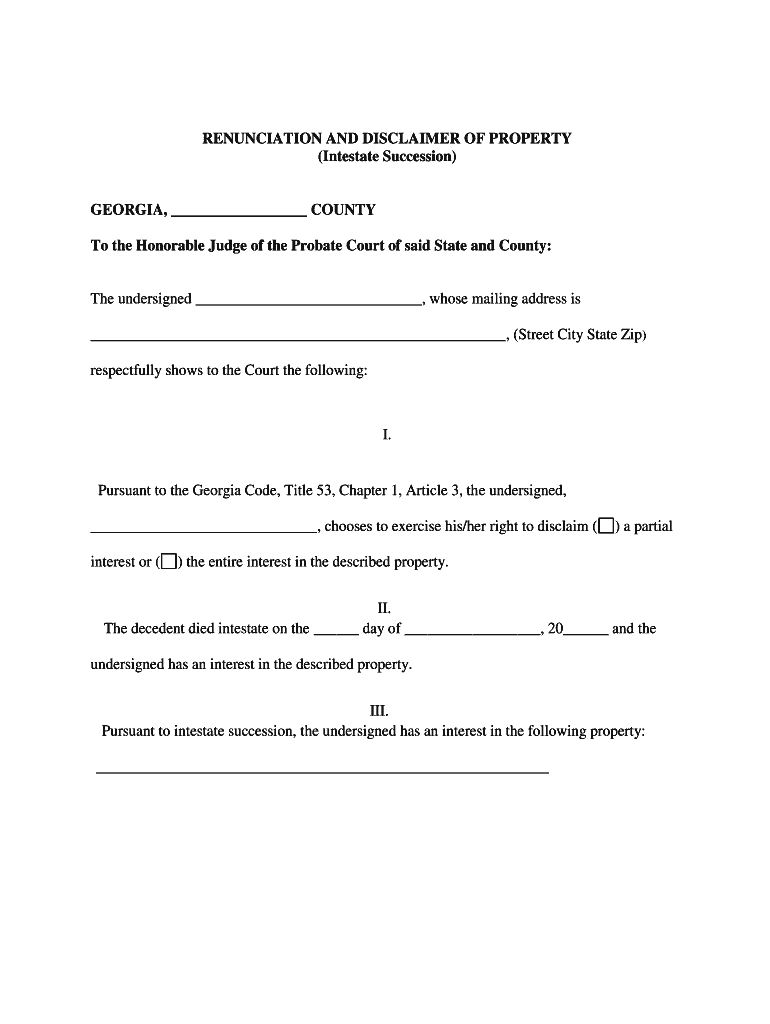
This template is fully customizable. Edit the text, fill out the fields, and send it for signature. Give it a try!
Georgia Intestate Succession

What Georgia Intestate Succession Covers

Georgia intestate succession governs how a deceased person's estate is distributed when they die without a valid will. The probate court identifies heirs, appoints an administrator, inventories assets, pays debts and taxes, and oversees distribution under state law. Typical priority is surviving spouse and descendants, then parents, siblings, and more remote relatives if no closer heirs exist. Procedures follow Georgia probate practice; outcomes differ from a testamentary plan because intestacy rules impose statutory shares rather than honoring expressed testamentary wishes.

Why Understanding Intestate Rules Matters in Georgia

Knowing Georgia intestate succession helps executors, heirs, and advisors avoid procedural delays, reduce creditor exposure, and ensure assets pass to the proper beneficiaries under state law. It clarifies who may petition the probate court to administer the estate and highlights documentation and timeline requirements that affect distribution.

Why Understanding Intestate Rules Matters in Georgia

Who Typically Uses Georgia Intestate Succession Guidance

Practical guidance supports administrators, family members, and probate professionals working through estates where no will exists.

  • Estate administrators and potential executors who must file petitions and manage the estate.
  • Probate and estate attorneys advising heirs on statutory shares, creditor notices, and filings.
  • Heirs and next-of-kin seeking to establish inheritance rights and claim distributions.

Clear roles and expectations reduce disputes, speed estate administration, and lower the cost of probate for Georgia families.

Core Components of a Georgia Intestate Probate Case

A complete intestate probate matter typically includes formal filings, appointment of an administrator, creditor notification and claims handling, asset inventory and valuation, court-supervised distributions, and final accounting. Each component has defined procedural steps and documentary elements to preserve estate assets and protect administrators from personal liability.

Petition for Administration

Court filing that asks probate court to appoint an administrator and open the estate, naming petitioner and estate details.
Letters of Administration

Court-issued authority that empowers the administrator to manage estate business, access accounts, and distribute assets under court supervision.

Inventory and Appraisal

Documented list of decedent's assets with estimated values used for notice, creditor claims, tax reporting, and distribution calculations.

Creditor Notice and Claims

Process to publish and serve notices allowing creditors to present claims against the estate within statutory timeframes.

Distribution Schedule

Court order or administrator proposal allocating estate property to heirs under Georgia intestacy priorities and statutory shares.

Final Accounting

A financial report to the court that reconciles receipts, expenditures, fees, and distributions before closing the estate.

Required Information and Key Data Elements

Decedent Name: Full legal name
Date of Death: MM/DD/YYYY
County of Domicile: Probate venue
Heirs and Relations: Names and relationships
Assets and Values: Account balances, real estate
Debts and Liabilities: Outstanding bills, mortgages

Step-by-Step: Administering an Intestate Estate in Georgia

Follow these core steps to open and complete probate when a decedent died intestate in Georgia. Each step may involve documents, notices, and court appearances.

  • 01
    File Petition: File petition for administration with probate court.
  • 02
    Appoint Administrator: Court issues Letters of Administration to the appointed person.
  • 03
    Notify Creditors: Publish and serve creditor notices per court rules.
  • 04
    Inventory and Distribute: Prepare inventory, settle claims, then distribute per statute.

How to Set Up an Online Intestate Probate Workflow

Configure a consistent online workflow to collect documents, obtain signatures, and track filings. Use secure authentication and maintain an audit trail for court readiness.

Field Configuration
Authentication Email plus SMS code or ID verification
Document Template Standard probate petition and inventory templates
Signer Order Administrator signs then heirs as needed
Notarization Allow RON or in-person per jurisdiction

Typical Document Flow for an Intestate Case

A repeatable flow reduces errors: collect documents, confirm identities, submit to court, and distribute records. Maintain copies for audits and tax reporting.

  • Upload Documents: Gather death certificate and asset records.
  • Assign Administrator: Petitioner requests appointment from court.
  • Notify Heirs/Creditors: Serve notices and publish required ads.
  • File with Court: Submit petition, inventory, and accountings.

Digital Signing, Formats, and Integrations for Probate Documents

Use a platform that supports secure e-signatures, industry-standard file types, and integration with your case management systems.

  • signNow: ESIGN/UETA compliant; AES-256 at rest
  • Integrations: Salesforce, NetSuite, Google Workspace
  • File Formats: PDF, DOCX, HTML, Excel

Maintain audit trails, signer authentication, and tamper-evident signed PDFs for court submission; ensure any RON or digital notarization meets state rules and retention requirements.

Common Timeframes and Deadlines in Georgia Probate

Probate timelines vary by case complexity and local court rules. Below are typical milestones to monitor; confirm deadlines with the probate court clerk.

Petition Filing Deadline:

File as soon as practicable after death; no fixed federal deadline

Creditor Claim Period:

Varies by state and case; typically 3–6 months notice period

Inventory Deadline:

Court may require inventory within weeks to months

Tax Filings:

Estate and income tax deadlines follow federal rules and IRS schedules

Final Accounting:

Submit when claims resolved and distributions ready; court approval required

Key Milestones from Petition to Distribution

A sequential view of major stages helps track progress and coordinate required filings, notices, and court events.

01

1. File Petition

Open the estate and request administrator appointment.

02

2. Serve Notices

Notify heirs and publish creditor notices as ordered.

03

3. Inventory and Claims

Assemble asset list and resolve or adjudicate claims.

04

4. Distribute and Close

Court approves distribution and issues closing order.

Common Mistakes to Avoid in Georgia Intestate Matters

  • Failing to identify all heirs promptly, which can delay distribution and invite contested claims.
  • Incomplete inventory or inaccurate valuations, leading to creditor disputes or incorrect distributions.
  • Missing creditor notice or filing deadlines, risking late claim exposure or surcharge liability.
  • Using unsigned or improperly authenticated documents that the court may reject for lack of proof.

Consequences of Incorrect or Incomplete Intestate Filings

Administration Delays: Court may prolong probate
Personal Liability: Administrator may face surcharge
Tax Penalties: IRS penalties for late filings
Creditor Claims: Outstanding debts reduce distributions
Asset Loss: Unclaimed property or liens
Contested Heirs: Litigation and increased costs

Supporting Documents Commonly Submitted

Courts expect core documentary support when administering an intestate estate. Having these documents prepared reduces processing time and evidentiary issues.

Death Certificate

Certified copy required to prove death for banks, title transfers, and court filings; obtain multiple copies for institutions.

Affidavit of Heirship

Used when title companies or institutions require sworn statements of heirs when no will exists; may not substitute for formal probate.

Asset Statements

Account statements, deeds, and vehicle titles showing ownership and value to support inventory and distribution.

Creditor Receipts

Proof of paid liabilities and releases to support final accounting and reduce dispute risk.

Frequently Asked Questions About Georgia Intestate Succession

Answers below address common hurdles, proof requirements, and the role of electronic documents and signatures in Georgia probate practice.


Need help? Contact support

be ready to get more
Join over 28 million airSlate SignNow users