Establishing secure connection…Loading editor…Preparing document…

Guardian Ad Litem

This template is fully customizable. Edit the text, fill out the fields, and send it for signature. Give it a try!
Guardian Ad Litem

What the Guardian Ad Litem document is and when it’s used

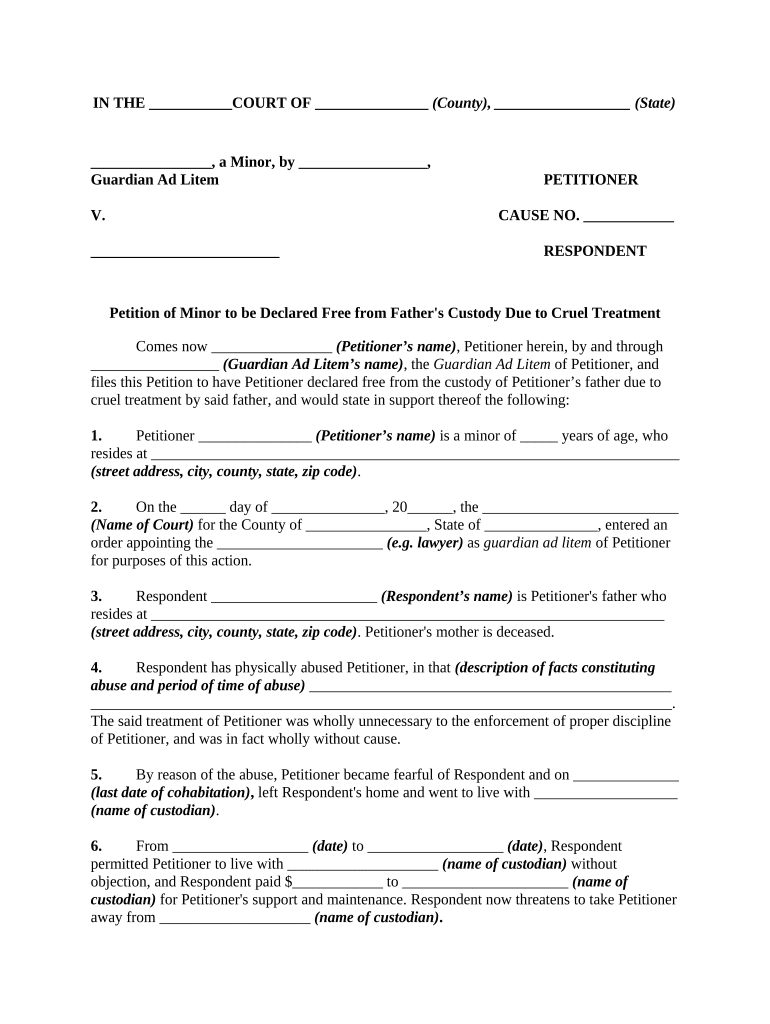
A Guardian Ad Litem (GAL) document identifies the court-appointed advocate who represents the best interests of a child or incapacitated person in judicial proceedings. It typically records the appointment order, the GAL’s contact information, scope of duties, and any court directions. Courts use the document to confirm authority for investigations, interviews, and filings. The GAL report that follows documents observations and recommendations for custody, visitation, guardianship, or protective orders and becomes part of the court record.

Why a clear Guardian Ad Litem document matters

A well-prepared GAL document clarifies legal authority, reduces disputes about representation, and creates a reliable record for judges, parties, and service providers. It supports timely investigations and ensures the GAL’s role, limitations, and reporting deadlines are explicit.

Why a clear Guardian Ad Litem document matters

Who typically completes or relies on a Guardian Ad Litem document

Courts, assigned GALs, family law attorneys, child welfare agencies, and social workers commonly prepare or receive GAL documents when a case requires a best-interests advocate.

  • Family court judges and clerks who docket the GAL appointment and issue related orders.
  • Court-appointed Guardian Ad Litem professionals who document investigations, contacts, and recommendations.
  • Child welfare agencies and attorneys who coordinate services and respond to the GAL report.

Typical signers and stakeholders

Guardian Ad Litem

The appointed advocate signs to acknowledge appointment and acceptance of duties. Their signature and contact details establish attribution and responsibility for the investigative report submitted to the court.

Presiding Judge / Clerk

The judge or court clerk signs or enters the appointment order to confirm official authority. This entry creates the court record used to validate GAL actions and service of process.

Essential data elements in a Guardian Ad Litem document

Case number: Court docket number
Appointee name: GAL full legal name
Scope of duties: Duties and limits
Effective date: Appointment start
Contact info: Phone and email
Court signature: Judge or clerk attestation

Key risks from incomplete or incorrect GAL documents

Invalid authority: Case delays
Evidence exclusion: Report challenges
Service errors: Missed notices
Privacy violations: HIPAA exposure
Lost record: Non-reproducible filing
Legal challenge: Appointment overturned

Common preparation mistakes to avoid

  • Omitting the court docket or case number, which can lead to misfiling or delay in clerical processing and may prevent the document from being attached to the correct record.
  • Using informal or abbreviated names for the GAL or parties; mismatched names between ID, court order, and report create attribution disputes during hearings.
  • Failing to include a clear effective date or reporting deadline, which can cause missed court-ordered milestones and extension motions.
  • Not securing appropriate consent or privacy notices when medical or educational records are included, risking HIPAA or FERPA compliance issues.

Real-world examples of GAL document use

These condensed examples show how GAL documents function in different case types and how clear form completion affects outcomes.

Dependency Case

A county court appointed a GAL after a dependency petition was filed to evaluate placement and services.

  • The GAL conducted interviews and medical record review.
  • The court relied on the written GAL findings to set a reunification plan and schedule follow-up hearings, reducing contested testimony.

Guardianship Proceeding

An adult guardianship petition triggered a GAL appointment to assess capacity and supports.

  • The GAL coordinated with a treating physician.
  • The GAL report documented limited capacity and recommended limited guardianship, which the judge adopted in the final order.

Step-by-step: preparing and filing a Guardian Ad Litem document

Follow these steps to create a complete GAL document and send it to the court and relevant parties in the correct order.

  • 01
    Collect case data: Gather docket number, parties, dates, and IDs.
  • 02
    Draft appointment: Describe GAL scope, duties, and reporting timeline.
  • 03
    Obtain court signature: Submit to clerk for judicial entry or signature.
  • 04
    Serve parties: File and serve authorized copies per court rules.

How the GAL document moves through the court process

A GAL document follows a predictable workflow from appointment through report submission and docketing; understanding each step prevents processing errors.

  • Appointment: Judge issues order and assigns GAL.
  • Investigation: GAL gathers records and interviews.
  • Report drafting: GAL compiles findings and recommendations.
  • Filing: Report filed and served on parties.

Core sections to include in a professional GAL document

A complete GAL document should be organized, fact-based, and framed to match court requirements. Include identity, authority, scope, investigative steps, findings, and recommendations for clarity and defensibility.

Identification

Full names, case number, and role. Identify the GAL, parties, minor or ward, and the presiding court so the document can be matched to the case file without ambiguity.
Appointment order

Court order language and effective date. Quote or attach the judicial order that establishes the GAL’s authority and any limitations or special instructions provided by the judge.

Scope of duties

Detailed description of investigative and reporting responsibilities, including whether the GAL may access medical, educational, or criminal records and whether in-person interviews are required.

Investigation summary

Concise chronology of contacts, interviews, records reviewed, and observations with dates, locations, and participant names to create a clear audit trail for the court.

Findings

Objective, evidence-based conclusions addressing best-interests factors and any identified safety concerns, supporting factual assertions with referenced records and interviews.

Recommendations

Specific custody, placement, services, or referrals the GAL recommends, including any proposed timelines for review and suggested conditions for reunification or guardianship.

Digital workflow settings to prepare and send a GAL document

Configure a secure e-filing workflow that preserves attribution, audit trail, and access for the court and parties.

Field Configuration
Signature block Require signer name, title, and date fields
Authentication Use email link or SMS code for signer verification
Audit trail Capture IP, timestamp, and actions
Redaction option Enable redaction for sensitive PII before sharing

Technology considerations for e-signing and submission

Ensure the platform you use supports secure authentication, tamper-evident documents, and retention suitable for court records.

  • Authentication: Email, SMS code, KBA
  • Document format: PDF/A or PDF with audit trail
  • Storage: Encrypted at rest and in transit

Typical timelines and deadlines to track for GAL matters

Court schedules and local rules set exact deadlines; track appointment date, report due date, and service dates to avoid motion practice or evidentiary exclusion.

Appointment date:

Date judge signs or enters order establishing GAL authority.

Initial report deadline:

Often 30–90 days from appointment; check local rule for exact day count.

Service deadline:

Serve report on all parties per court rule within prescribed timeframe.

Response period:

Parties may request time to file written objections or responses as ordered by court.

Review hearing:

Judge schedules a hearing to consider GAL findings and recommendations.

Key stages from appointment through the court’s final decision

Track milestones from order entry to final disposition so filings and notifications occur in the correct sequence.

01

Order Entry

Judicial appointment entered and docketed.

02

Investigation Phase

Records and interviews collected and documented.

03

Report Submission

GAL files the report and serves parties.

04

Judicial Review

Hearing held and court issues a disposition.

Frequently asked questions about signing and filing a Guardian Ad Litem document

Answers to common procedural and technical questions help avoid delays and ensure legal effectiveness when preparing GAL documents.


Need help? Contact support

Comparing eSignature vendors for Guardian Ad Litem workflows

Use this vendor-level comparison to evaluate common features that matter for court-related GAL documents; signNow appears first for parity with verified product data.

signNow DocuSign Adobe Sign PandaDoc HelloSign
Starting Price $8/user/mo $15/user/mo $14/user/mo $19/user/mo $15/user/mo
Free Trial 7-day free trial Varies by plan Varies by plan Varies by plan Varies by plan
Bulk Send Yes Yes Yes Yes Varies by plan
Audit Trail Yes Yes Yes Yes Yes
Envelope Cap No cap 100 envelopes/user/year Varies by plan Varies by plan Varies by plan
be ready to get more
Join over 28 million airSlate SignNow users