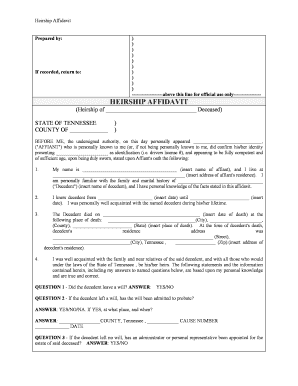
Tennessee Heirship Affidavit
What a Tennessee Heirship Affidavit Is and When It’s Used
Why an Heirship Affidavit Matters for Tennessee Estate Transfers
An heirship affidavit simplifies transfer of assets when probate is impractical or unnecessary, reduces time and administrative expense compared with formal probate, and provides a sworn statement that title holders or institutions can rely on for record updates and distributions.
Who typically prepares and relies on this affidavit
Several parties commonly prepare or accept heirship affidavits in Tennessee when intestacy or informal transfers arise.
- Family members and heirs preparing an affidavit to transfer real property or bank accounts following a small estate death.
- Title companies and county registers using the affidavit to clear or update property records where formal probate is not required.
- Attorneys or paralegals preparing supporting statements and advising on potential probate avoidance or estate administration issues.
While family members often complete the form, professional review is recommended for complex estates or where creditor claims, liens, or competing heir claims exist.
Step-by-step: completing and submitting the affidavit
-
01Gather records: Collect death certificate, deed, and heir contact information.
-
02Draft affidavit: Enter factual statements about heirs, relationships, and property description.
-
03Notarize: Sign before a notary public with valid ID and journal entry.
-
04File and distribute: Submit to county register/title company and provide copies to interested parties.
Where the completed affidavit typically travels
-
County Register: File for property record updates and public notice.
-
Title Company: Provide for title exam and to remove clouds on title.
-
Financial Institutions: Submit to banks or brokers to transfer account ownership.
-
Co-heirs: Distribute notarized copies to heirs for their records.
Electronic completion and e-submission considerations
Electronic drafting and secure e-signature streamline multi-party collection and distribution of heirship affidavits.
- Document format: Use PDF or DOCX for reliable rendering.
- Authentication: Multi-factor or ID verification improves acceptance.
- Audit record: Preserve timestamp, IP, and signer evidence.
When using eSignature platforms, confirm the receiving county or institution accepts electronic submissions and whether a remote online notarization (RON) is allowed; not all registrars accept e-recorded affidavits without prior approval.
Common mistakes that delay processing
- Using informal or partial legal descriptions for property leads to title search exceptions and requires corrected filings.
- Failing to notarize the affidavit or using an expired notary commission causes rejection by county recorders and institutions.
- Omitting heirs, using nicknames, or mis-stating relationships invites disputes and potential probate court intervention.
- Submitting unsigned or unsigned-but-initialed pages without the proper notarial wording prevents acceptance by title companies.
Consequences of errors or omissions
Real-world examples of affidavit use
Optica Ventures LLC
A small estate transfer resolved with an affidavit to update title records quickly
- Heirs provided certified death certificate and notarized affidavit
- The title company accepted the affidavit after verifying the legal description and heir list, avoiding a formal probate filing and reducing time to close.
Martin Properties
A property owner’s family used an heirship affidavit for rental property transfer
- Notarized affidavit plus deed copy
- The firm reported being able to process title update and tenant notification without initiating probate, while keeping records for potential future scrutiny.
Representative eSignature vendor comparison for affidavit workflows
| signNow | DocuSign | Adobe Sign | PandaDoc | HelloSign | |
|---|---|---|---|---|---|
| Starting Price | $8/user/mo | $15/user/mo | $14/user/mo | $19/user/mo | $15/user/mo |
| Free Trial | 7-day free trial, no credit card | Varies | Varies | Varies | Varies |
| Bulk Send | Yes | Yes | Yes | Yes | No |
| Audit Trail | Yes | Yes | Yes | Yes | Yes |
| HIPAA Compliant | Yes | Yes | Yes | No | No |
Supporting documents you should prepare with the affidavit
Death Certificate
Provide a certified copy; institutions require an official death record to validate the affidavit and process transfers.
Recorded Deed
Attach a copy of the most recent recorded deed or legal description to tie the affidavit to a specific parcel.
Affidavit of Heirship
Complete the sworn affidavit with clear, factual statements and ensure it is properly notarized before submission.
Supporting IDs
Include government-issued ID for the affiant and contact information for heirs to aid identity verification.
Authentication sequence: notarization and witness steps
Prepare Documents
Complete affidavit draft and collect death certificate.
Verify Identity
Affiant presents government ID to the notary.
Sign Before Notary
Affiant signs in notary presence.
Notary Acknowledgement
Notary completes certificate and journal entry.
Add Witnesses
If required, witnesses sign per local rules.
Make Certified Copies
Obtain certified death certificate copies as needed.
File with Recorder
Submit original affidavit to county register.
Distribute Copies
Provide recorded copy to title company and heirs.
Frequently asked questions about Tennessee Heirship Affidavits
-
Can I use an affidavit instead of probate?
In many small, uncontested estates an heirship affidavit may enable transfer without full probate, but acceptance depends on the county, the asset holder, and whether creditors exist; consult counsel when in doubt.
-
Is an electronic signature valid on an affidavit?
Electronic signatures are generally valid under the ESIGN Act (15 U.S.C. §7001) and UETA when parties consent, but the receiving county or institution may require an original notarized signature or RON-compliant notarization.
-
Who is authorized to sign as affiant?
Typically a person with direct knowledge of the decedent’s family history or an heir signs as affiant; an attorney can execute on a client’s instruction but must state the basis for knowledge.
-
What if the county rejects the affidavit?
If rejected, review the recorded reason, correct errors, obtain additional signatures or affidavits, or proceed to probate if the issue cannot be remedied administratively.
-
How do I correct a mistake after notarization?
Do not alter the notarized original. Prepare a corrected affidavit, have it notarized, and submit along with a cover explaining the correction and referencing the original.
-
How long does acceptance typically take?
Processing varies by office: some counties record the affidavit same day, others take several business days; title company acceptance may require additional review time.