Establishing secure connection…Loading editor…Preparing document…

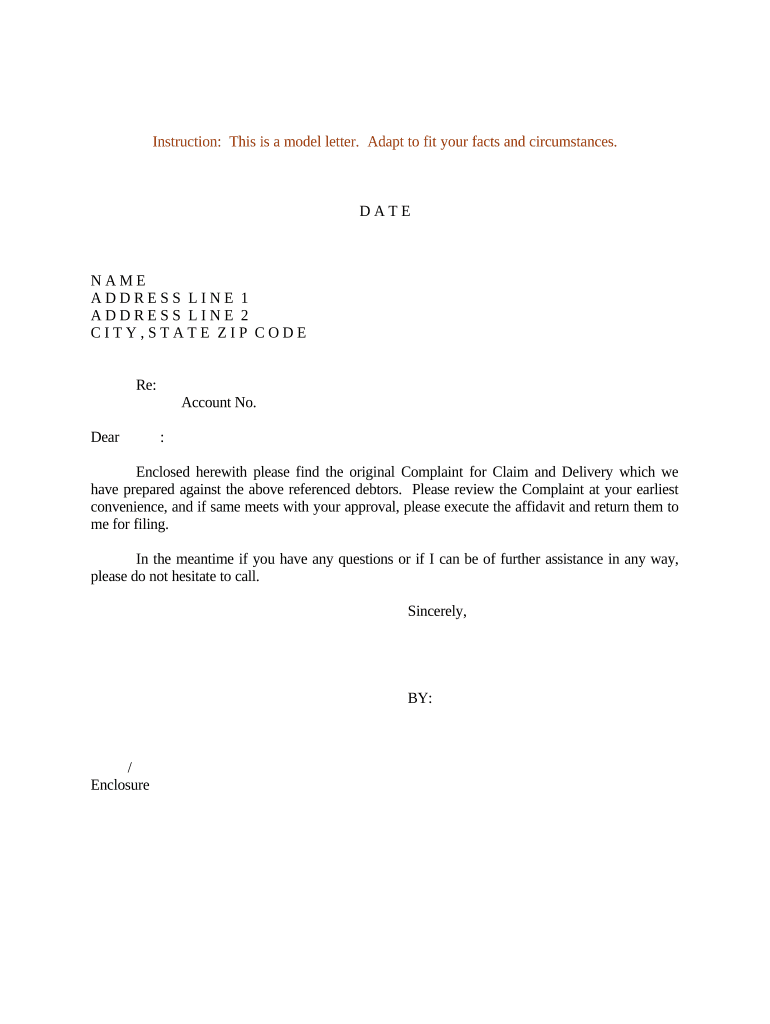
Letter Sending Complaint for Claim and Delivery

This template is fully customizable. Edit the text, fill out the fields, and send it for signature. Give it a try!
Letter Sending Complaint for Claim and Delivery

What the Letter Sending Complaint for Claim and Delivery Is

A Letter Sending Complaint for Claim and Delivery is a formal written demand used to notify a party of a claimed right to specific goods or property and to request delivery or return before pursuing judicial remedies. Common in shipping, commercial contracts, and bailment disputes, it documents the claim, states the legal basis, specifies what is demanded, and sets a deadline for compliance. The letter preserves evidence of notice, can support future filings, and often precedes filing a replevin or conversion action if the recipient does not comply.

Why this letter matters for resolving possession disputes

Using a clear, documented demand establishes a formal record of your claim and deadline, which can reduce ambiguity and accelerate voluntary compliance.

Why this letter matters for resolving possession disputes

Who prepares or receives this kind of complaint

Keep a signed copy and proof of delivery (certified mail, courier tracking, or a recorded e-delivery) to support any subsequent legal action.

  • Shippers and carriers asserting nonpayment or retention of goods; they need a dated demand to trigger contractual remedies and carrier claims.
  • Vendors and sellers seeking return or payment for delivered goods not accepted by buyer; the letter preserves documentation for collections or litigation.
  • Attorneys preparing a pre-suit demand on behalf of clients; they draft precise legal grounds to support later court filings.

Representative document signers

Claimant — Operations Manager

An operations manager at a vendor or carrier typically prepares and signs the letter when asserting a property or goods claim; they provide shipment details, contract references, and an authority statement to request delivery or return, and they retain proof of service for dispute escalation.

Legal Counsel — Attorney

Outside or in-house counsel may draft the complaint to include precise legal grounds, statutory citations, and a remedy timeline; counsel signs when the letter is a formal pre-litigation demand and coordinates next steps if compliance is not achieved.

Essential parts to include in a professional complaint letter

A well-structured Letter Sending Complaint for Claim and Delivery combines factual detail with legal clarity to give the recipient a clear path to comply and to preserve rights for enforcement.

Header

Date, sender name and contact, recipient name and contact, and any contract or invoice numbers to tie the letter to underlying transactions and records.
Statement of Claim

Concise description of the property or goods claimed, relevant dates, location, and factual basis for the claimant's ownership or right of possession.

Legal Basis

Reference to applicable contract clauses, governing law, or statutory provisions supporting the claim and any remedies available if the recipient refuses to comply.

Demand

Clear directive specifying the action required (deliver, return, or pay), the exact items or amounts, and the condition in which they must be returned.

Deadline

A reasonable compliance deadline stated in calendar terms (e.g., within 14 calendar days), along with the method for delivering proof of compliance.

Consequences

Statement of next steps if ignored (filing for replevin, repossession, legal fees sought), and a request for acknowledgment of receipt to document notice.

Step-by-step: prepare and send your complaint letter

Follow these sequential steps to create a defensible record and provide the recipient a clear path to comply before escalating to court.

  • 01
    Gather records: Collect contracts, invoices, bills of lading, and delivery receipts supporting your claim.
  • 02
    Draft demand: Write the factual statement, legal basis, precise demand, deadline, and consequences.
  • 03
    Select delivery: Choose certified mail, courier, or a verified e-delivery method to obtain proof of receipt.
  • 04
    Record retention: Retain the signed letter, dispatch confirmation, and any acknowledgments for enforcement or litigation.

Typical flow from demand to resolution

This simplified workflow shows common stages from sending the letter to potential enforcement steps if the recipient does not comply.

  • Prepare: Assemble evidence and draft the demand precisely.
  • Send: Deliver via a trackable or provable method.
  • Respond: Recipient may comply, negotiate, or refuse.
  • Enforce: File replevin or other remedies if compliance fails.

Digital workflow settings for e-delivery and tracking

When using an e-signature or document system, configure these settings to capture identity, timestamps, and evidence of delivery.

Field Configuration
Signing Order Single signer or sequential as needed
Authentication Email + SMS code for stronger verification
Delivery Proof Enable read receipts and tracking
Audit Trail Capture IP, timestamps, and action log

Technical and platform needs for secure e-sending

Ensure the chosen tool supports export of signed PDFs, audit logs, and archival exports so you can present verifiable evidence if disputes proceed to court.

  • Document formats: PDF and DOCX supported
  • Authentication options: Email, SMS, KBA, or SSO
  • Integrations: CRM and cloud storage ready

Key security and compliance features to expect

Encryption: TLS 1.2/1.3 in transit, AES-256 at rest
Audit Trail: Timestamps, IPs, and action logs
Access Controls: Role-based permissions and SSO
BAA Available: Business Associate Agreement option
Certifications: SOC 2 Type II and ISO 27001
Authentication: SMS or knowledge-based options

Common mistakes to avoid when preparing the letter

  • Failing to include precise item identifiers such as serial numbers or bill-of-lading numbers, which creates avoidable factual disputes.
  • Using vague deadlines like 'immediately' instead of a specific calendar date, complicating calculations for service and compliance.
  • Relying solely on email delivery without enabling delivery receipts or certified methods, which weakens proof of notice.
  • Omitting the legal basis or contract clause citation, making it harder to show a valid right to possession in court.

Consequences of incorrect or incomplete letters

Statute Risk: Missed limitations may bar claims
Enforcement Delay: Poor notice delays remedies
Court Costs: Litigation fees and service costs
Evidence Loss: Missing proof harms credibility
Regulatory Exposure: HIPAA or data breach risk
Tax Withholding: Backup withholding can be triggered

Typical timelines and response expectations

Set practical, documented deadlines and allow time for provable delivery when calculating compliance dates.

Immediate Acknowledgment Request:

Ask for receipt acknowledgment within 3 business days

Compliance Deadline:

Commonly 7–30 calendar days depending on contract

Negotiation Period:

Allow 14 days for recipient to propose resolution

File for Relief:

Proceed after the stated deadline passes

Retention of Proof:

Keep delivery records at least 3 years

Key milestones from notice to potential court action

Track milestones with dates so each escalation step has a clear trigger and recorded evidence.

01

Draft and Review

Prepare the letter and verify supporting documents

02

Dispatch Notice

Send via certified or verifiable e-delivery

03

Acknowledge Receipt

Record any immediate acknowledgment from recipient

04

Escalate

File suit or seek replevin if the deadline expires

Real-world examples of using an e-delivered complaint letter

These short examples show how organizations used a formal demand letter to document claims and secure compliance before filing court actions.

Optica Ventures (COO)

A small investment firm needed a fast return of equipment after a vendor dispute.

  • The firm sent a dated demand with tracking.
  • The documented notice and delivery proof reduced escalation time and supported efficient recovery while preserving evidence for potential litigation.

Tech Data (CEO)

An enterprise logistic dispute involved non-delivery claims for multiple shipments.

  • Counsel issued a consolidated demand with contract references.
  • Centralized documentation, timestamps, and signed acknowledgments enabled rapid reconciliation and limited the need for immediate court filings.

How this letter differs from similar documents

Compare related document types to pick the right instrument for asserting possession or payment rights.

Document Type Purpose Typical Use
Demand Letter request return or payment pre-litigation notice
Replevin Complaint seek court-ordered return filed when demand fails
Invoice Notice request payment only accounting/collections use
Bill of Lading shipment receipt shipping and title control

eSignature vendor comparison for sending and tracking demand letters

Basic platform features and starting prices for common eSignature vendors; signNow is listed first by design for direct comparison.

signNow DocuSign Adobe Sign PandaDoc HelloSign
Starting Price $8/user/mo $15/user/mo $14/user/mo $19/user/mo $15/user/mo
Free Trial 7-day free trial Varies by vendor Varies by vendor Varies by vendor Varies by vendor
Bulk Send Yes Yes Yes Yes No
Audit Trail Yes Yes Yes Yes Yes
HIPAA Compliant Yes Yes Yes No No

Frequently asked questions and practical answers

Answers to common questions about drafting, serving, and electronically sending a Letter Sending Complaint for Claim and Delivery.


Need help? Contact support

be ready to get more
Join over 28 million airSlate SignNow users