Establishing secure connection… Loading editor… Preparing document…
Navigation

Fill and Sign the In the Circuit Court of the First Judicial District of Form
Fill and Sign the In the Circuit Court of the First Judicial District of Form

How it works

Open the document and fill out all its fields.
Apply your legally-binding eSignature.
Save and invite other recipients to sign it.

Rate template

4.6
53 votes
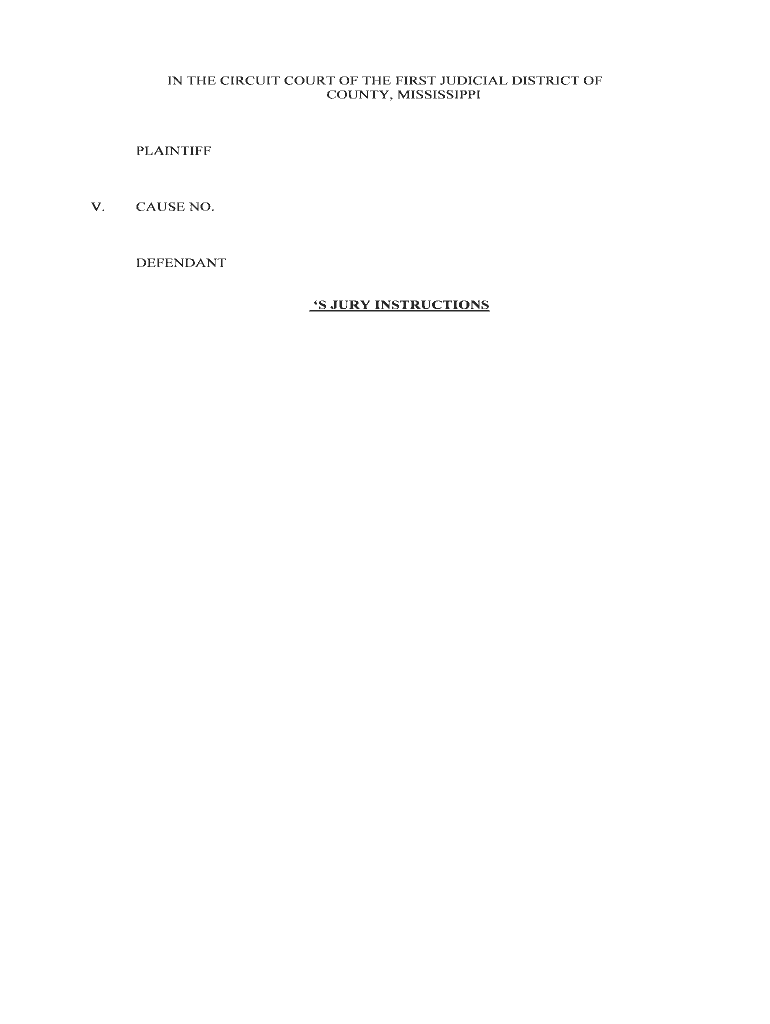
IN THE CIRCUIT COURT OF THE FIRST JUDICIAL DISTRICT OF COUNTY, MISSISSIPPI PLAINTIFFV. CAUSE NO. DEFENDANT ‘S JURY INSTRUCTIONS IN THE CIRCUIT COURT OF THE FIRST JUDICIAL DISTRICT OF COUNTY, MISSISSIPPI PLAINTIFFV. CAUSE NO. DEFENDANT JURY INSTRUCTION NO. P-____ The Court instructs the jury to find for the plaintiff, against the defendant . IN THE CIRCUIT COURT OF THE FIRST JUDICIAL DISTRICT OF COUNTY, MISSISSIPPI PLAINTIFFV. CAUSE NO. DEFENDANT JURY INSTRUCTION NO. P-____ It is not necessary that all twelve (12) of you agree upon a verdict in this case. When any nine of you agree upon a verdict, it may be returned in the Court as the verdict of the entire jury. IN THE CIRCUIT COURT OF THE FIRST JUDICIAL DISTRICT OF COUNTY, MISSISSIPPI PLAINTIFFV. CAUSE NO. DEFENDANT JURY INSTRUCTION NO. P-____ When you reach a verdict in this case, it should be written on a separate sheet of paper and need not be signed by you. If you find against the defendant, , then your verdict shall be in the following form: "We, the jury, find for the plaintiff and against ." IN THE CIRCUIT COURT OF THE FIRST JUDICIAL DISTRICT OF COUNTY, MISSISSIPPI PLAINTIFFV. CAUSE NO. DEFENDANT JURY INSTRUCTION NO. P-____ You the jury are the sole judges of the credibility of witnesses and of the weight to be given to the testimony of each witness. In determining the credit to be given to any witness, you may take into account his or her ability and opportunity to observe, his or her memory, his or her manner while testifying, any interest, bias or prejudice he or she may have and the reasonableness of his or her testimony considered in the light of all the evidence in the case. IN THE CIRCUIT COURT OF THE FIRST JUDICIAL DISTRICT OF COUNTY, MISSISSIPPI PLAINTIFFV. CAUSE NO. DEFENDANT JURY INSTRUCTION NO. P-____ The term "preponderance of the evidence" as used in the instructions of the Court means the superior or greater weight of the credible evidence, that is the evidence which is more convincing to the jury and worthy of belief than the evidence in opposition thereto, or the evidence that, when weighed with that opposed to it, has more convincing force; in other words, preponderance does not depend upon the number of witnesses called, but is that evidence which, by comparison with the other evidence, is more convincing to the jury and outweighs the other as to the probabilities. IN THE CIRCUIT COURT OF THE FIRST JUDICIAL DISTRICT OF COUNTY, MISSISSIPPI PLAINTIFFV. CAUSE NO. DEFENDANT JURY INSTRUCTION NO. P-____ The rule that a party is required to prove his claim by a preponderance of the evidence does not require such a degree of proof as produces certainty. To prove a claim by a preponderance of the evidence merely means to prove that something is more likely so than not so. In other words, a preponderance of the evidence means such evidence as when compared and considered with that opposed to it has more convincing force and produces in your mind belief that what is sought to be proved is more likely true than not true. IN THE CIRCUIT COURT OF THE FIRST JUDICIAL DISTRICT OF COUNTY, MISSISSIPPI PLAINTIFFV. CAUSE NO. DEFENDANT JURY INSTRUCTION NO. P-____ The Court instructs the jury that the term "negligence" when used in the several instructions of the Court to the jury means the doing of something that a person of ordinary and reasonable care would not do under the circumstances, or, on the other hand, the failure to do something that a person of ordinary and reasonable care would do under the circumstances. IN THE CIRCUIT COURT OF THE FIRST JUDICIAL DISTRICT OF COUNTY, MISSISSIPPI PLAINTIFFV. CAUSE NO. DEFENDANT JURY INSTRUCTION NO. P-____ It is your duty as jurors to determine not only whether the defendant was negligent, but also whether that negligence was what the law calls a proximate cause of the accident.The Court instructs you that a proximate cause is that cause which, in natural and probable sequence, brought about the accident. It need not be the only cause or the last or nearest cause. It is sufficient if it concurs with some other cause acting at the same time which in combination with it brings about the injury.If you find from a preponderance of the evidence in this case that the negligence of the defendant, , caused the accident in question, then you shall find against the defendant. IN THE CIRCUIT COURT OF THE FIRST JUDICIAL DISTRICT OF COUNTY, MISSISSIPPI PLAINTIFFV. CAUSE NO. DEFENDANT JURY INSTRUCTION NO. P-____ The Court instructs the jury that under the laws of the State of Mississippi the driver of a vehicle has a duty to exercise reasonable care to: 1. maintain his or her car under reasonable control;2. maintain a reasonable lookout for other traffic on the road;3. drive his or her vehicle at a reasonable speed under the circumstances then and there existing; and 4. refrain from passing on the right unless the passed vehicle is turning left, and there is sufficient clearance to do so without driving off the pavement or on the shoulder. If you believe from a preponderance of the evidence that the defendant, , at the time and place in question, and under the circumstances then and there existing, 1. failed to have her car under reasonable control; or2. failed to keep a reasonable and proper lookout for other vehicles using the roadway, or 3. failed to drive her vehicle at a reasonable speed under the circumstances then and there existing; or4. attempted to pass on the right under circumstances when she ought not to have attempted such a maneuver, then the Defendant was guilty of negligence; if you further believe from a preponderance of the evidence that such negligence, if any, proximately caused the accident and injuries to , then it is your sworn duty to return a verdict for the plaintiff . IN THE CIRCUIT COURT OF THE FIRST JUDICIAL DISTRICT OF COUNTY, MISSISSIPPI PLAINTIFFV. CAUSE NO. DEFENDANT JURY INSTRUCTION NO. P-____ The Court instructs the jury that under the laws of the State of Mississippi the driver of a vehicle has a duty to exercise reasonable care to keep a reasonable and proper lookout for other vehicles using the roadway. If you believe from a preponderance of the evidence that the defendant, , at the time and place in question, and under the circumstances then and there existing, failed to keep a reasonable and proper lookout for other vehicles using the roadway, then the Defendant was guilty of negligence; if you further believe from a preponderance of the evidence that such negligence, if any, proximately caused the accident and injuries to , then it is your sworn duty to return a verdict for the plaintiff against the defendant, . IN THE CIRCUIT COURT OF THE FIRST JUDICIAL DISTRICT OF COUNTY, MISSISSIPPI PLAINTIFFV. CAUSE NO. DEFENDANT JURY INSTRUCTION NO. P-____ The Court instructs the jury that under the laws of the State of Mississippi the driver of a vehicle has a duty to exercise reasonable care to operate his vehicle at a reasonable speed under the circumstances then and there existing.If you believe from a preponderance of the evidence that the defendant, , at the time and place in question, and under the circumstances then and there existing, operated her vehicle at a dangerous and excessive rate of speed, then the defendant was guilty of negligence; if you further believe from a preponderance of the evidence that such negligence, if any, proximately caused the accident and injuries to , then it is your sworn duty to return a verdict for the plaintiff against the defendant, . IN THE CIRCUIT COURT OF THE FIRST JUDICIAL DISTRICT OF COUNTY, MISSISSIPPI PLAINTIFFV. CAUSE NO. DEFENDANT JURY INSTRUCTION NO. P-____ The Court instructs the jury that under the laws of the State of Mississippi the driver of a vehicle has a duty to exercise reasonable care to keep his vehicle under reasonable control. If you believe from a preponderance of the evidence that the defendant, , at the time and place in question, and under the circumstances then and there existing, failed to have her vehicle under reasonable control, then the Defendant was guilty of negligence; if you further believe from a preponderance of the evidence that such negligence, if any, proximately caused the accident and injuries to , then it is your sworn duty to return a verdict for the plaintiff :::: against the defendant, . IN THE CIRCUIT COURT OF THE FIRST JUDICIAL DISTRICT OF COUNTY, MISSISSIPPI PLAINTIFFV. CAUSE NO. DEFENDANT JURY INSTRUCTION NO. P-____ The Court instructs the jury that Mississippi Code Annotated, Section 63-3-505 requires the driver of a vehicle to exercise reasonable care to slow his vehicle down when it is reasonable and prudent to do so under the conditions then and there existing.If you believe from a preponderance of the evidence that the defendant, , at the time and place in question, and under the circumstances then and there existing, failed to slow her vehicle down when it was reasonable and prudent to do so under the conditions then and there existing, then the Defendant was guilty of negligence; if you further believe from a preponderance of the evidence that such negligence, if any, proximately caused the accident and injuries to , then it is your sworn duty to return a verdict for the plaintiff against the defendant, . IN THE CIRCUIT COURT OF THE FIRST JUDICIAL DISTRICT OF COUNTY, MISSISSIPPI PLAINTIFFV. CAUSE NO. DEFENDANT JURY INSTRUCTION NO. P-____ The Court instructs the jury that Mississippi Code Annotated, Section 63-3-619 states that the driver of a vehicle shall not follow another vehicle more closely than is reasonable and prudent to do so under the conditions then and there existing.If you believe from a preponderance of the evidence that the defendant, , at the time and place in question, and under the circumstances then and there existing, failed to provide a reasonable and prudent following distance under the conditions then and there existing, then the Defendant was guilty of negligence; if you further believe from a preponderance of the evidence that such negligence, if any, proximately caused the accident and injuries to , then it is your sworn duty to return a verdict for the plaintiff against the defendant, . IN THE CIRCUIT COURT OF THE FIRST JUDICIAL DISTRICT OF COUNTY, MISSISSIPPI PLAINTIFFV. CAUSE NO. DEFENDANT JURY INSTRUCTION NO. P-____ The Court instructs you that the violation of any laws of the State of Mississippi, applicable to driving of an automobile, is prima facia evidence of negligence, that is, it creates a presumption of negligence; in other words, if you find from a preponderance of the evidence presented that the defendant violated any traffic laws then you should presume that the defendant was driving negligently.You are instructed that if you find from a preponderance of the evidence in this case that the defendant, , violated the laws of the State of Mississippi governing the control of traffic, and that the accident occurred as a result of the violation of these laws, that is, the violation of the laws of the State of Mississippi was a direct, proximate or contributing proximate cause of the accident in question, then in that event you shall find against the defendant, . IN THE CIRCUIT COURT OF THE FIRST JUDICIAL DISTRICT OF COUNTY, MISSISSIPPI PLAINTIFFV. CAUSE NO. DEFENDANT JURY INSTRUCTION NO. P-____ A driver of an automobile has a duty to see what he or she reasonably should see, or by the exercise of ordinary care should have seen, when driving his or her vehicle, and to use ordinary care in relation to other vehicles on the roadway.If you find from a preponderance of the evidence in this case that observed that ::: was turning right, or that by the exercise of ordinary care, should have seen that was turning right, but did not use ordinary care by attempting to pass his vehicle on the right, then the defendant, was guilty of negligence; if you further believe that such negligence, if any, proximately caused the accident and injuries to , then in that event, it shall be your sworn duty to find for the plaintiff against the defendant, . IN THE CIRCUIT COURT OF THE FIRST JUDICIAL DISTRICT OF COUNTY, MISSISSIPPI PLAINTIFFV. CAUSE NO. DEFENDANT JURY INSTRUCTION NO. P-____ The Court instructs the jury that Mississippi Code Annotated, Section 63-3-613 provides that the driver or operator of any motor vehicle must not pass on the right by driving off the pavement or upon the shoulder of the road.If you find from a preponderance of the evidence in this case that attempted to pass on the right Of 's vehicle by driving off the pavement or upon the shoulder of the road, then the Defendant was guilty of negligence as a matter of law; if you further believe from a preponderance of the evidence that such negligence, if any, proximately caused the accident and injuries to , then it is your sworn duty to return a verdict for the plaintiff against the defendant, . IN THE CIRCUIT COURT OF THE FIRST JUDICIAL DISTRICT OF COUNTY, MISSISSIPPI PLAINTIFFV. CAUSE NO. DEFENDANT JURY INSTRUCTION NO. P-____ The Court instructs the jury that Mississippi Code Annotated, Section 63-3-613 provides that the driver or operator of any motor vehicle must not pass on the right unless the vehicle in front is making or about to make a left turn.If you find from a preponderance of the evidence in this case that was not making a left turn and that the defendant, attempted to pass him on the right, then the Defendant was guilty of negligence as a matter of law; if you further believe from a preponderance of the evidence that such negligence, if any, proximately caused the accident and injuries to , then it is your sworn duty to return a verdict for the plaintiff against the defendant, . IN THE CIRCUIT COURT OF THE FIRST JUDICIAL DISTRICT OF COUNTY, MISSISSIPPI PLAINTIFFV. CAUSE NO. DEFENDANT JURY INSTRUCTION NO. P-____ The Court instructs the jury that Mississippi Code Annotated, Section 63-3-613 provides that a vehicle may pass upon the right if there is sufficient clearance to do so, but a vehicle cannot drive off the pavement or onto the shoulder of the roadway in order to pass on the right.If you find by preponderance of the evidence that violated this statute by driving off the pavement or onto the shoulder of the roadway, or attempted to pass on the right under circumstances when she ought not to have attempted to pass on the right because of insufficient clearance to do so, then the Defendant was guilty of negligence as a matter of law; if you further believe from a preponderance of the evidence that such negligence, if any, proximately caused the accident and injuries to , then it is your sworn duty to return a verdict for the plaintiff :::: against the defendant, . IN THE CIRCUIT COURT OF THE FIRST JUDICIAL DISTRICT OF COUNTY, MISSISSIPPI PLAINTIFFV. CAUSE NO. DEFENDANT JURY INSTRUCTION NO. P-____ If you find for Plaintiff, you should determine and write on the verdict form, in dollars, the total amount of injury which the greater weight of the evidence shows he sustained as a result of the incident complained of, including any such damage as Plaintiff is reasonably certain to experience in the future. You shall consider the following elements: 1. Injury, pain, disability, loss of capacity for enjoyment of life: Any bodily injury sustained by , and any resulting pain and suffering, disability, mental anguish and loss of capacity for the enjoyment of life experienced in the past or to be experienced in the future. There is no exact standard for measuring such damage. The amount should be fair and just in the light of the evidence. 2. Aggravation or activation of a physical defect: Any aggravation of an existing physical defect resulting from such injury. If you find that there was such an aggravation, you should determine, if you can, what portion of 's condition resulted from the aggravation and make allowance in your verdict only for the aggravation. However, if you cannot make that determination or if it cannot be said that the condition would have existed apart from the injury, you should consider and make allowance in your verdict for the entire condition. 3.Medical expenses: The reasonable of hospitalization, medical and/or nursing care and treatment necessarily or reasonably obtained by Plaintiff in the past. 4.Lost earnings, lost time, lost earning capacity: Any earnings or lost working time lost in the past and any loss of ability to earn money in the future. Any loss of ability to earn money sustained in the past and any such loss in the future. IN THE CIRCUIT COURT OF THE FIRST JUDICIAL DISTRICT OF COUNTY, MISSISSIPPI PLAINTIFFV. CAUSE NO. DEFENDANT CERTIFICATE OF SERVICE I, do hereby certify that I have this day hand delivered, a true and correct copy of the foregoing Jury Instructions to the Honorable SO CERTIFIED this day of , 20 . _________________________________

Convenient advice on preparing your ‘In The Circuit Court Of The First Judicial District Of’ online

Are you fed up with the inconvenience of handling paperwork? Search no more than airSlate SignNow, the leading electronic signature solution for individuals and enterprises. Bid farewell to the lengthy procedure of printing and scanning documents. With airSlate SignNow, you can effortlessly complete and sign paperwork online. Take advantage of the abundant features included in this user-friendly and affordable platform and transform your method of paperwork management. Whether you need to sign forms or collect eSignatures, airSlate SignNow manages everything seamlessly, requiring only a few clicks.

Follow this comprehensive guideline:

  1. Log into your account or sign up for a free trial with our service.
  2. Click +Create to upload a file from your device, cloud storage, or our template library.
  3. Open your ‘In The Circuit Court Of The First Judicial District Of’ in the editor.
  4. Click Me (Fill Out Now) to prepare the document on your end.
  5. Add and allocate fillable fields for other participants (if necessary).
  6. Continue with the Send Invite settings to request eSignatures from others.
  7. Download, print your copy, or convert it into a multi-usable template.

Don’t fret if you need to collaborate with your colleagues on your In The Circuit Court Of The First Judicial District Of or send it for notarization—our platform has everything you need to achieve these tasks. Sign up with airSlate SignNow today and take your document management to a new level!

Here is a list of the most common customer questions. If you can’t find an answer to your question, please don’t hesitate to reach out to us.

Need help? Contact Support
Appellate Division, First Department
First Judicial District of Pennsylvania
First Circuit Court of Appeals
New York Court of Appeals judges
Philadelphia Court of Common Pleas
What is the highest court in New York State
Philadelphia Municipal Court
Appellate Division, First Department judges
First Circuit Court Honolulu
Hawaii First Circuit Court case search
First Judicial District of Pennsylvania case search
First Circuit Court of Appeals

The best way to complete and sign your in the circuit court of the first judicial district of form


Save time on document management with airSlate SignNow and get your in the circuit court of the first judicial district of form eSigned quickly from anywhere with our fully compliant eSignature tool.

How to Sign a PDF Online How to Sign a PDF Online

How to fill out and sign forms online

Previously, working with paperwork took pretty much time and effort. But with airSlate SignNow, document management is quick and easy. Our powerful and easy-to-use eSignature solution lets you effortlessly fill out and eSign your in the circuit court of the first judicial district of form online from any internet-connected device.

Follow the step-by-step guide to eSign your in the circuit court of the first judicial district of form template online:

  • 1.Sign up for a free trial with airSlate SignNow or log in to your account with password credentials or SSO authentication.
  • 2.Click Upload or Create and import a form for eSigning from your device, the cloud, or our form library.
  • 3.Click on the file name to open it in the editor and utilize the left-side menu to complete all the empty fields accordingly.
  • 4.Place the My Signature field where you need to approve your form. Type your name, draw, or upload a picture of your handwritten signature.
  • 5.Click Save and Close to accomplish modifying your completed document.

Once your in the circuit court of the first judicial district of form template is ready, download it to your device, export it to the cloud, or invite other parties to electronically sign it. With airSlate SignNow, the eSigning process only takes several clicks. Use our robust eSignature solution wherever you are to deal with your paperwork productively!


How to Sign a PDF Using Google Chrome How to Sign a PDF Using Google Chrome

How to complete and sign documents in Google Chrome

Completing and signing documents is simple with the airSlate SignNow extension for Google Chrome. Installing it to your browser is a fast and effective way to deal with your forms online. Sign your in the circuit court of the first judicial district of form template with a legally-binding electronic signature in just a few clicks without switching between programs and tabs.

Follow the step-by-step guide to eSign your in the circuit court of the first judicial district of form in Google Chrome:

  • 1.Go to the Chrome Web Store, search for the airSlate SignNow extension for Chrome, and add it to your browser.
  • 2.Right-click on the link to a document you need to approve and choose Open in airSlate SignNow.
  • 3.Log in to your account using your password or Google/Facebook sign-in option. If you don’t have one, sign up for a free trial.
  • 4.Utilize the Edit & Sign toolbar on the left to fill out your sample, then drag and drop the My Signature option.
  • 5.Upload a photo of your handwritten signature, draw it, or simply type in your full name to eSign.
  • 6.Make sure all the details are correct and click Save and Close to finish editing your paperwork.

Now, you can save your in the circuit court of the first judicial district of form template to your device or cloud storage, send the copy to other individuals, or invite them to electronically sign your form with an email request or a secure Signing Link. The airSlate SignNow extension for Google Chrome improves your document processes with minimum time and effort. Start using airSlate SignNow today!


How to Sign a PDF in Gmail How to Sign a PDF in Gmail How to Sign a PDF in Gmail

How to fill out and sign paperwork in Gmail

When you get an email with the in the circuit court of the first judicial district of form for approval, there’s no need to print and scan a file or save and re-upload it to a different program. There’s a much better solution if you use Gmail. Try the airSlate SignNow add-on to rapidly eSign any paperwork right from your inbox.

Follow the step-by-step guidelines to eSign your in the circuit court of the first judicial district of form in Gmail:

  • 1.Navigate to the Google Workplace Marketplace and find a airSlate SignNow add-on for Gmail.
  • 2.Install the tool with a corresponding button and grant the tool access to your Google account.
  • 3.Open an email with an attachment that needs signing and utilize the S key on the right panel to launch the add-on.
  • 4.Log in to your airSlate SignNow account. Select Send to Sign to forward the document to other parties for approval or click Upload to open it in the editor.
  • 5.Put the My Signature option where you need to eSign: type, draw, or upload your signature.

This eSigning process saves efforts and only requires a couple of clicks. Take advantage of the airSlate SignNow add-on for Gmail to update your in the circuit court of the first judicial district of form with fillable fields, sign documents legally, and invite other individuals to eSign them al without leaving your mailbox. Improve your signature workflows now!


How to Sign a PDF on a Mobile Device How to Sign a PDF on a Mobile Device How to Sign a PDF on a Mobile Device

How to complete and sign forms in a mobile browser

Need to quickly submit and sign your in the circuit court of the first judicial district of form on a mobile phone while working on the go? airSlate SignNow can help without the need to set up extra software apps. Open our airSlate SignNow solution from any browser on your mobile device and create legally-binding electronic signatures on the go, 24/7.

Follow the step-by-step guidelines to eSign your in the circuit court of the first judicial district of form in a browser:

  • 1.Open any browser on your device and follow the link www.signnow.com
  • 2.Register for an account with a free trial or log in with your password credentials or SSO option.
  • 3.Click Upload or Create and pick a file that needs to be completed from a cloud, your device, or our form collection with ready-made templates.
  • 4.Open the form and complete the empty fields with tools from Edit & Sign menu on the left.
  • 5.Add the My Signature field to the sample, then type in your name, draw, or upload your signature.

In a few easy clicks, your in the circuit court of the first judicial district of form is completed from wherever you are. As soon as you're done with editing, you can save the document on your device, generate a reusable template for it, email it to other individuals, or invite them eSign it. Make your documents on the go quick and efficient with airSlate SignNow!


How to Sign a PDF on iPhone How to Sign a PDF on iPhone

How to fill out and sign paperwork on iOS

In today’s business world, tasks must be accomplished quickly even when you’re away from your computer. Using the airSlate SignNow application, you can organize your paperwork and approve your in the circuit court of the first judicial district of form with a legally-binding eSignature right on your iPhone or iPad. Set it up on your device to conclude contracts and manage documents from anywhere 24/7.

Follow the step-by-step guidelines to eSign your in the circuit court of the first judicial district of form on iOS devices:

  • 1.Go to the App Store, search for the airSlate SignNow app by airSlate, and set it up on your device.
  • 2.Launch the application, tap Create to import a template, and choose Myself.
  • 3.Select Signature at the bottom toolbar and simply draw your signature with a finger or stylus to eSign the sample.
  • 4.Tap Done -> Save after signing the sample.
  • 5.Tap Save or take advantage of the Make Template option to re-use this paperwork later on.

This method is so straightforward your in the circuit court of the first judicial district of form is completed and signed in just a couple of taps. The airSlate SignNow application works in the cloud so all the forms on your mobile device are kept in your account and are available whenever you need them. Use airSlate SignNow for iOS to boost your document management and eSignature workflows!


How to Sign a PDF on Android How to Sign a PDF on Android

How to complete and sign forms on Android

With airSlate SignNow, it’s easy to sign your in the circuit court of the first judicial district of form on the go. Set up its mobile application for Android OS on your device and start boosting eSignature workflows right on your smartphone or tablet.

Follow the step-by-step guide to eSign your in the circuit court of the first judicial district of form on Android:

  • 1.Go to Google Play, search for the airSlate SignNow application from airSlate, and install it on your device.
  • 2.Sign in to your account or create it with a free trial, then add a file with a ➕ key on the bottom of you screen.
  • 3.Tap on the imported document and choose Open in Editor from the dropdown menu.
  • 4.Tap on Tools tab -> Signature, then draw or type your name to electronically sign the sample. Fill out empty fields with other tools on the bottom if necessary.
  • 5.Utilize the ✔ button, then tap on the Save option to finish editing.

With an easy-to-use interface and full compliance with major eSignature laws and regulations, the airSlate SignNow app is the perfect tool for signing your in the circuit court of the first judicial district of form. It even works offline and updates all form adjustments when your internet connection is restored and the tool is synced. Complete and eSign documents, send them for eSigning, and generate re-usable templates anytime and from anywhere with airSlate SignNow.

Sign up and try In the circuit court of the first judicial district of form
  • Close deals faster
  • Improve productivity
  • Delight customers
  • Increase revenue
  • Save time & money
  • Reduce payment cycles

