Trust ID
Identify the original trust by its full legal name, signing date, and the settlor’s full legal name to avoid ambiguity about which instrument the amendment modifies.
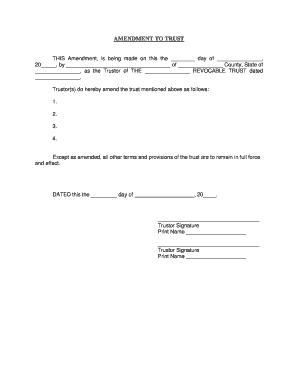
An amendment lets settlors adapt trusts to life changes, correct drafting errors, or respond to tax or beneficiary events while preserving the original trust structure. It reduces cost and delay compared with restating a trust and maintains continuity for asset management and fiduciary duties.

Settlor, trustee, estate attorney, and financial institution involvement is common when trust terms require formal modification.
The settlor (grantor) typically initiates the amendment and must sign if the trust requires. Clear identification of intent, accurate naming, and proper execution reduce the chance of later challenges by beneficiaries or creditors.
The named trustee or a successor fiduciary must accept and implement amended terms. Trustees should review amendment language for conflicts with duties and institutional requirements before relying on changes for distributions or title transfers.
Identify the original trust by its full legal name, signing date, and the settlor’s full legal name to avoid ambiguity about which instrument the amendment modifies.
Provide brief background facts and the reason for the amendment to clarify settlor intent and reduce disputes about the purpose of changes.
State the exact language to be removed, replaced, or added, and reference specific sections or paragraph numbers from the original trust to prevent inconsistent interpretation.
Specify when the amendment takes effect and whether it applies prospectively or retroactively for distributions, trustee powers, and tax reporting purposes.
Provide signature and acknowledgement lines for trustees to confirm the trustee’s acceptance of amended powers, duties, and any new administrative instructions.
Set out how beneficiaries will be notified of changes and whether electronic delivery, certified copy, or in-person delivery constitutes acceptable notice.
| Field | Configuration |
|---|---|
| Signing Method | Electronic signature or wet signature per institutional requirement. |
| Authentication | Email link with optional SMS code or KBA. |
| Notary | In-person or RON depending on state and institutional policy. |
| Storage | Encrypted cloud storage with audit trail and retention. |
Ensure your signing platform supports secure e-signing, remote notarization options, audit trails, and PDF outputs compatible with financial institutions.
Allow 3–7 business days for drafting and attorney review.
Plan same-day signing or schedule RON within 1–5 days.
Banks may take 5–15 business days to accept changes.
Retain originals and signed copies immediately after execution.
Provide notices within 30 days or as specified in trust.
Complete draft and attorney review; typically 3–7 business days.
Signatures, witnesses, and notary acknowledgement; usually same day or within 1–3 days.
Financial institutions and title companies verify; expect 5–15 business days.
Trustee updates records and distributes copies; actions taken upon acceptance.
A settlor updated beneficiary shares after a child was born and to reflect changed family circumstances, avoiding a full trust restatement.
A revocable trust replaced an individual trustee with a corporate fiduciary to simplify administration and reporting.
| signNow | DocuSign | Adobe Sign | PandaDoc | HelloSign | |
|---|---|---|---|---|---|
| Starting Price | $8/user/mo | $15/user/mo | $14/user/mo | $19/user/mo | $15/user/mo |
| Free Trial | 7-day trial | Varies | Varies | Varies | Varies |
| Bulk Send | Yes | Yes | Yes | Yes | No |
| Audit Trail | Yes | Yes | Yes | Yes | Yes |
| HIPAA Compliant | Yes | Yes | Yes | No | No |