Interrogatories
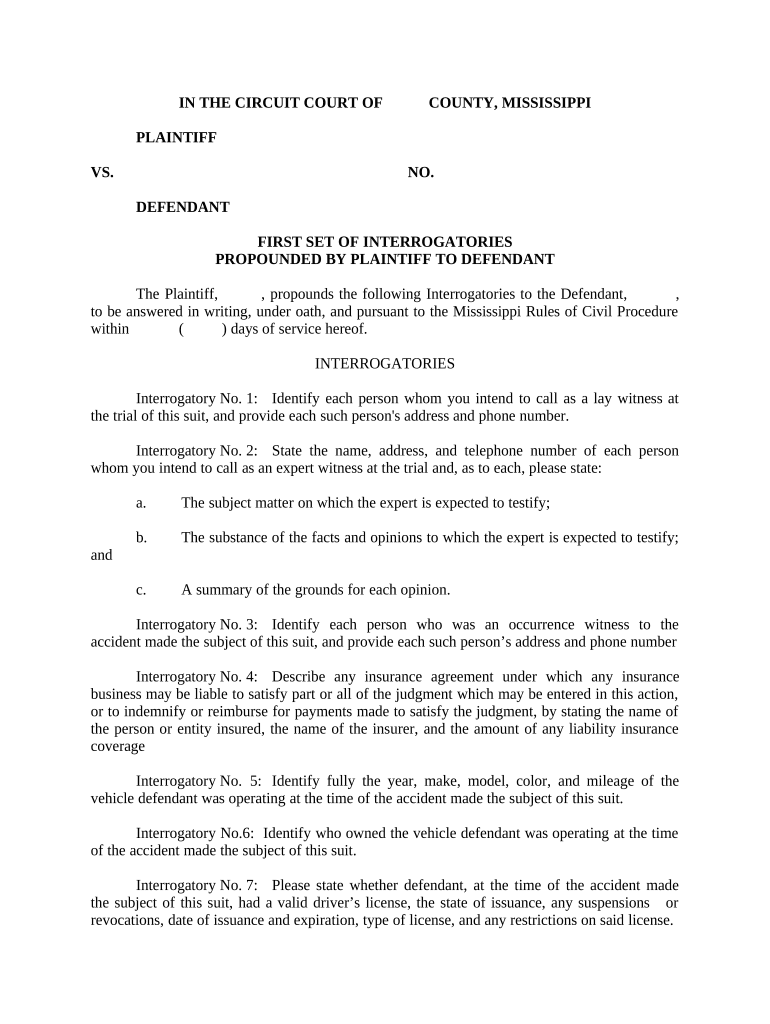
What Interrogatories Are and where they fit in discovery
Why careful interrogatory practice matters
Clear, timely interrogatory drafting and responses focus discovery, reduce hearing time, and preserve sworn facts that can limit issues at trial. Proper form and service lower the risk of sanctions, motion practice, and evidentiary disputes under the applicable procedural rules.

Common users and contributors
Responsibilities vary by role: attorneys set strategy and objections, paralegals handle logistics, and clients supply verified facts for sworn answers.
- Plaintiff attorneys and litigation teams who draft propounded interrogatories to establish factual bases and admissions.
- Defense counsel and in-house legal teams who prepare verified responses, coordinate objections, and manage privilege logs.
- Paralegals and litigation support staff who assemble exhibits, track deadlines, and serve or file certificates of service.
Step-by-step: preparing and serving interrogatories
-
01Draft questions: Compose clear, narrowly tailored questions tied to claims or defenses.
-
02Review objections: Evaluate privilege, relevance, and undue burden before asserting objections.
-
03Serve and notice: Serve per court rules and local rules; include certificate of service.
-
04File proof: File or lodge verification and meet any e-filing deadlines for court records.
Typical e-submission workflow for returning interrogatory answers
-
Prepare document: Convert verified answers into a single PDF with exhibits and verification page.
-
Place signature field: Add signer name, signature, and date fields on the verification page.
-
Authenticate signer: Use email confirmation, SMS code, or stronger authentication as required.
-
Capture audit trail: Ensure the system records timestamp, IP, and signer attribution for admissibility.
Recommended e-submission settings for interrogatories
| Field | Configuration |
|---|---|
| Authentication | Email plus optional SMS code for signer verification |
| Templates | Save standard interrogatory and verification templates for reuse |
| Deadlines | Enable reminders and due-date enforcement for responses |
| Audit Certificate | Attach a tamper-evident certificate with timestamps and IPs |
Technical delivery options and integration notes
Match platform settings to court rules and client security needs; enable audit logging and secure storage to preserve evidentiary value.
- Supported formats: PDF, Word (DOCX), or flattened PDF for exhibits
- Integrations: Connectors for Google Workspace, Microsoft 365, and case management systems
- Envelope caps: signNow has no envelope cap; some vendors limit envelopes per user
Time limits and typical deadlines
Standard response period:
30 days after service (Federal Rule of Civil Procedure 33)
Shortened deadlines:
Courts may order shorter times in scheduling orders or stipulated discovery plans
Amended answers:
Amend promptly on new information; local rules may set additional limits
Certificate of service:
File or serve a certificate showing date and method of service
Extensions:
Parties may stipulate or seek court extensions before the deadline
Key legal risks and consequences
Common drafting and response pitfalls
- Overly broad or compound questions invite objections and motion practice; draft narrowly tied to admissible facts and legal elements.
- Vague answers or incomplete verification lead to follow-up discovery and potential court sanctions for noncompliance.
- Failing to preserve supporting documents referenced in answers can create spoliation issues and adverse evidentiary rulings.
- Asserting boilerplate objections without factual basis risks being overruled and may result in costs-shifting under discovery rules.
Representative eSignature vendor pricing and capabilities
| signNow | DocuSign | Adobe Sign | PandaDoc | HelloSign | |
|---|---|---|---|---|---|
| Starting Price | $8/user/mo | $15/user/mo | $14/user/mo | $19/user/mo | $15/user/mo |
| Free Trial | Yes, 7-day trial | Varies by plan | Varies by plan | Varies by plan | Varies by plan |
| Bulk Send | Yes | Yes | Yes | Yes | No |
| Audit Trail | Yes | Yes | Yes | Yes | Yes |
| HIPAA Compliant | Yes | Yes | Yes | No | No |
Frequently asked questions about interrogatories
-
What are interrogatories?
Interrogatories are written questions served during discovery that the opposing party must answer under oath. Federal Rule of Civil Procedure 33 governs interrogatories in federal cases; state courts follow analogous rules.
-
How long to respond?
The baseline federal period is 30 days after service (FRCP 33). Local rules or court orders can shorten or extend this period; request extensions before deadlines to avoid waiver.
-
Can responses be e-signed?
Electronic verification is generally acceptable when it meets ESIGN (15 U.S.C. ch. 96) and applicable state rules; ensure the signature system preserves attribution, timestamp, and reproducible records.
-
What if I cannot answer?
State a clear, specific objection with legal basis. If information is unavailable, say so and detail efforts made to locate responsive materials; courts may require supplemental answers.
-
Are objections allowed?
Yes. Objections must be specific (relevance, privilege, undue burden). Boilerplate objections risk being overruled; be prepared to support objections in motion practice.
-
Do interrogatories need notarization?
Verification must be signed under oath by the responding party, but notarization is not typically required. Check local court rules for any additional verification or signature formalities.