Establishing secure connection…Loading editor…Preparing document…

Lady Bird Deed

This template is fully customizable. Edit the text, fill out the fields, and send it for signature. Give it a try!
Lady Bird Deed

What a Lady Bird Deed Is and when it’s used

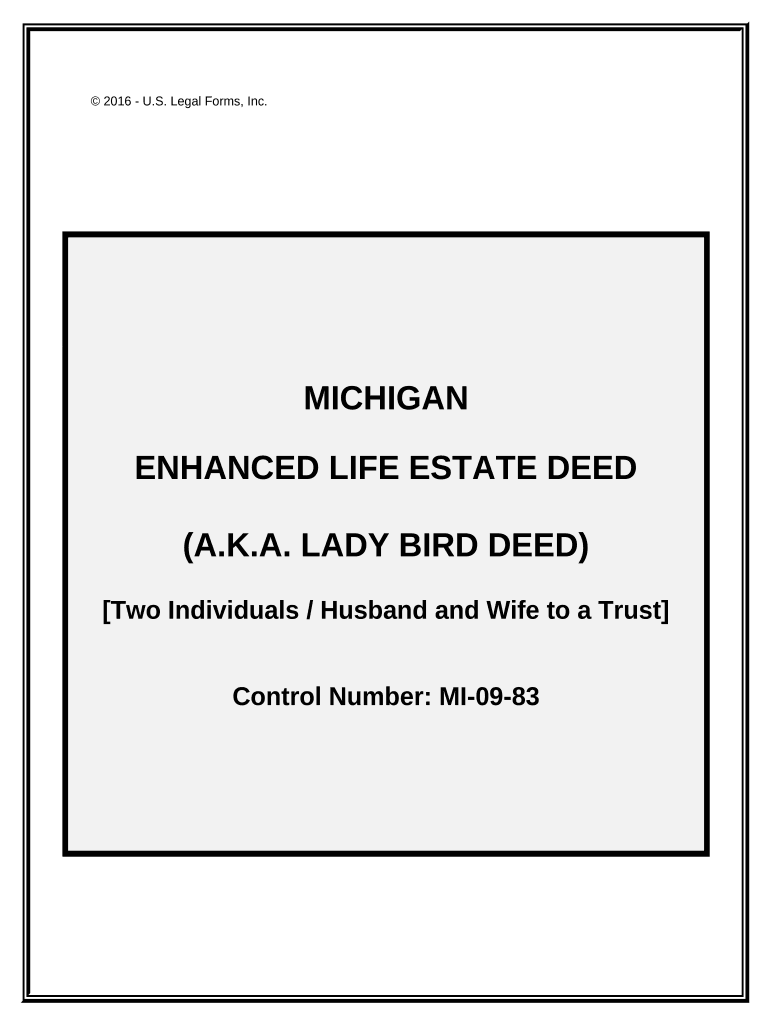
A Lady Bird Deed (also called an enhanced life estate deed) is a transfer instrument that lets a property owner retain full ownership and control during life while naming one or more remainder beneficiaries who receive the property automatically at the owner’s death. The grantor keeps the right to sell, mortgage, or revoke the deed without beneficiary consent. It is primarily used to avoid probate while preserving Medicaid planning flexibility in some states, and it must be drafted, executed, and recorded according to state real property law to be effective.

Why people choose a Lady Bird Deed

A Lady Bird Deed can bypass probate for the transferred property, preserve the grantor’s control and lifetime rights, and simplify transfer to heirs while providing flexibility not present in a simple life estate. It is an estate planning tool often used to reduce probate costs and speed title transfer on death.

Why people choose a Lady Bird Deed

Typical users and beneficiaries

Common parties who prepare or benefit from a Lady Bird Deed include individual property owners planning simple probate avoidance and heirs named as remainder beneficiaries.

  • Elder homeowners or grantors seeking to avoid probate while retaining lifetime control over the property.
  • Adult children or named remainder beneficiaries who will receive title at the grantor’s death without probate.
  • Estate planning attorneys or title professionals who prepare, review, and record the deed on behalf of clients.

Discuss the deed with counsel to confirm it matches your goals and state law; a local title search and recording step are typically required to complete the transfer.

Who typically executes this document

Elder Homeowner

A property owner wanting to retain full use, sale authority, and revocation rights during life while naming successors to the property at death. They typically want to avoid probate yet preserve control and may consult an attorney to confirm Medicaid and tax effects.

Estate Attorney

A licensed attorney who drafts or reviews the deed language, confirms compliance with state recording statutes, and advises on interactions with Medicaid planning, mortgage encumbrances, and tax implications to reduce post-death disputes.

Essential deed data elements

Grantor Name: Full legal name
Grantee/Beneficiary: Full legal name
Property Description: Metes and bounds or legal description
Consideration: Statement of transfer
Execution Date: MM/DD/YYYY
Notary Acknowledgement: Notary signature and seal

Key legal risks to watch for

Improper Execution: May invalidate the deed
Recording Delay: Could allow competing claims
Unclear Description: Title defects or disputes
Medicaid Impact: State-specific eligibility issues
Mortgage Consent: Lender may have remedies
Tax Consequences: Capital gains basis changes

Common drafting and filing mistakes

  • Using an informal description of the property instead of the recorded legal description leads to recorder rejection or unclear title.
  • Failing to notarize the grantor’s signature or to obtain required witness signatures where state law demands them can void the transfer.
  • Recording the deed in the wrong county, or not recording promptly, means the deed may not defeat later creditors or purchasers.
  • Neglecting to check mortgage clauses for due-on-sale or transfer restrictions can trigger acceleration or lender remedies.

Real-world scenarios where a Lady Bird Deed helped

These short examples show typical outcomes for homeowners and their heirs when a properly executed Lady Bird Deed is used.

Single Owner, Simple Transfer

An elderly homeowner named her two children as remainder beneficiaries using a Lady Bird Deed and retained full sale rights while alive.

  • The property passed to the children by operation of law at death.
  • By recording the deed in advance, the family avoided probate delays and court fees, though they still consulted counsel to confirm tax basis and confirm there were no lender objections.

Medicaid Planning Example

A homeowner used an enhanced life estate deed to preserve access to the home while naming a beneficiary for transfer on death.

  • The deed preserved possession and control during life.
  • Counsel reviewed Medicaid lookback rules and confirmed the deed’s structure was more suitable than an outright transfer for the client’s circumstances, while documenting timing and intent for future eligibility questions.

How to complete a Lady Bird Deed — step by step

Follow these core steps to prepare, execute, and record an effective Lady Bird Deed in most U.S. jurisdictions.

  • 01
    Prepare Draft: Enter full legal descriptions and beneficiary names accurately.
  • 02
    Review with Counsel: Confirm state-specific language and tax consequences.
  • 03
    Sign and Notarize: Grantor signs before an authorized notary.
  • 04
    Record Deed: File at the county recorder where the property lies.

Where the deed goes after signing

Recording the deed completes the transfer process and establishes public notice; follow the chain below to secure title transfer and beneficiary rights.

  • Notary Acknowledgement: Verify notary signature and seal immediately.
  • County Recorder: Submit original deed for recording and pay fees.
  • Title Company: Optional: update title and issue new title policy.
  • Beneficiaries Notified: Beneficiaries receive notice or copy after recording.

Key components of a professional Lady Bird Deed

A well-drafted Lady Bird Deed contains specific clauses and formalities that protect the grantor’s control while making the transfer effective on death.

Enhanced Life Estate

Clear language reserving the grantor’s right to possession, sale, encumbrance, and revocation during their lifetime without beneficiary consent.
Remainder Beneficiaries

Explicit identification of the persons or entities who will receive fee simple title at the grantor’s death.

Property Description

Full recorded legal description (metes and bounds or recorded plat reference) sufficient for county recorder acceptance.

Revocation Clause

An express clause stating the grantor may revoke or alter the deed unilaterally while alive.

Signature Block

Grantor signature space with date, and notarization block formatted to local recording office requirements.

Recording Instructions

Clear instruction to record at the county recorder and retain a recorded copy for estate records.

Practical tips for error-free completion

Adopt these best practices during drafting, execution, and recording to reduce rejection risk and post-death disputes.

Use exact legal names and descriptions
Enter names exactly as on government IDs and use the recorded legal property description. Minor name mismatches or informal addresses can cause title issues; verify with a title search before recording.
Confirm local recording format
Recorders have format preferences (margins, cover sheets, indexing details). Check the county recorder’s instructions to avoid rejection or extra fees.
Check for mortgage or lien requirements
Review existing mortgages and encumbrances; some loan documents require lender notice or consent and failing to address them can trigger remedies.
Keep notarized originals and copies
Retain the original recorded deed and provide certified copies to beneficiaries and the title company. Maintain a secure digital copy with audit trail evidence of signing.

Timing considerations and deadlines

Timing affects priority, creditor rights, and eligibility for benefits; record early where possible to establish public notice.

Effective Date:

Deed is effective when properly executed and recorded.

Record Promptly:

Record before potential incapacity to reduce competing claims.

Revocation Anytime:

Grantor may revoke during lifetime before death.

Probate Avoidance:

Recording typically enables non-probate transfer at death.

Check Lookback Rules:

Medicaid and creditor rules may depend on timing.

Key milestones from drafting to transfer

A compact sequential view of the main milestones makes it easier to track progress and responsibilities for a Lady Bird Deed.

01

Draft and Review

Prepare deed language and have counsel review state-specific clauses.

02

Execution and Notarization

Grantor signs before a notary; obtain any required witness signatures.

03

Record with County

Submit to the county recorder where the property is located and pay recording fees.

04

Automatic Transfer at Death

Title passes to remainder beneficiaries upon the grantor’s death without probate.

Typical digital workflow when using e-signature platforms

Set up a clear signing and recording workflow to preserve intent, authentication, and a tamper-evident record when executing a deed electronically or in hybrid form.

Field Configuration
Signatory Order Grantor signs first; witnesses or notary as required
Authentication Email + SMS or other ID verification
Audit Trail Capture IP, timestamps, and signer events
Document Export Produce PDF/A with certificate of completion

Digital signing and system requirements

Electronic execution requires secure signer authentication, a tamper-evident audit trail, and the ability to export a signed, printable deed for recorder submission.

  • Authentication: Email plus optional SMS or KBA
  • File Formats: PDF or DOCX output for recording
  • Integrations: Connectors for cloud storage and title systems

Confirm the county recorder accepts electronically signed or digitally notarized originals; if not, print the signed PDF and complete in-person notarization per local rules.

How a Lady Bird Deed compares with common alternatives

Compare the Lady Bird Deed with alternatives on core criteria like probate avoidance, lifetime control, creditor exposure, and drafting complexity.

Criteria Lady Bird Deed Revocable Trust
Avoids Probate
Control During Life full control full control
Creditor Protection limited varies
Drafting Complexity low to moderate higher

eSignature vendor comparison for deed execution and notarization

Select an eSignature vendor that supports required authentication, notarization workflows, and output formats; the table below shows starting prices and key capabilities across common providers.

signNow DocuSign Adobe Sign PandaDoc HelloSign
Starting Price $8/user/mo $15/user/mo $14/user/mo $19/user/mo $15/user/mo
Free Trial 7-day free trial Varies by plan Varies by plan Varies by plan Varies by plan
Bulk Send Yes (Premium) Yes Yes Yes Depends
Audit Trail Yes Yes Yes Yes Yes
HIPAA Compliant Yes Yes Yes No No

Frequently asked questions about the Lady Bird Deed

Answers to common questions about validity, revocation, recording, and use of electronic signing for a Lady Bird Deed.


Need help? Contact support

be ready to get more
Join over 28 million airSlate SignNow users