Establishing secure connection…Loading editor…Preparing document…

Lease Agreement

This template is fully customizable. Edit the text, fill out the fields, and send it for signature. Give it a try!
Lease Agreement

What a Lease Agreement Is and when it applies

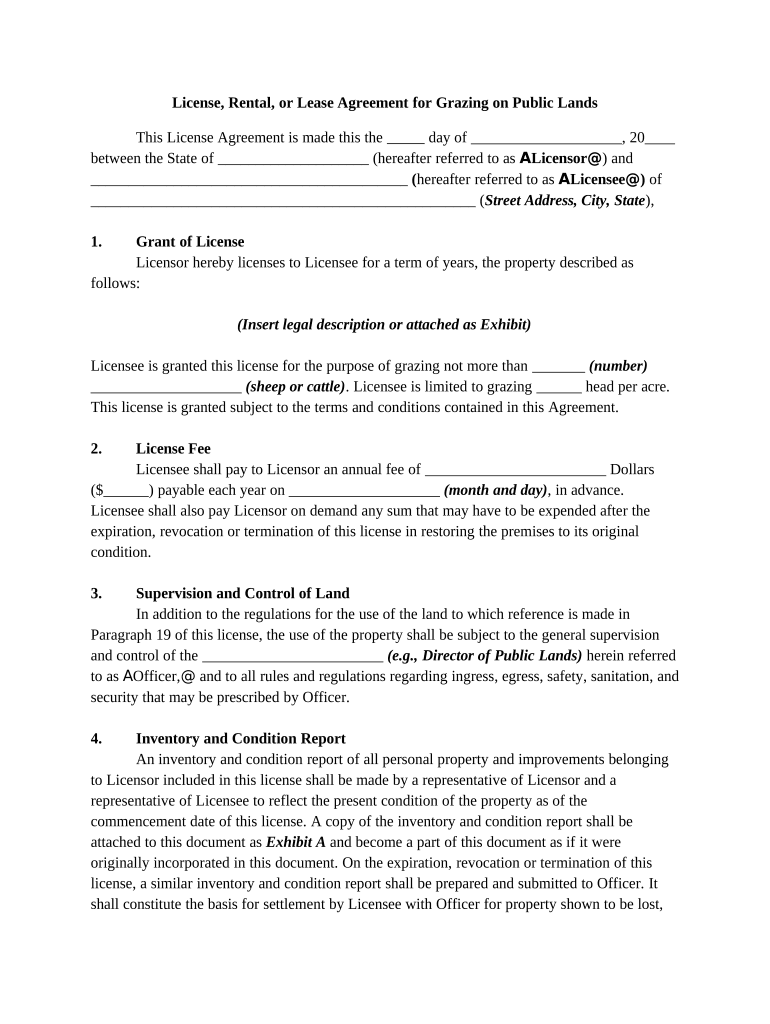
A Lease Agreement is a legally binding contract between a landlord (lessor) and one or more tenants (lessees) that grants the tenant the right to occupy specified real property or personal property for a defined term in exchange for rent or other consideration. Typical leases describe the premises, term, rent, security deposit, permitted uses, maintenance responsibilities, and default remedies. While leases can be simple or complex, a clear written agreement reduces disputes by documenting obligations, payment schedules, remedies, and how state law will resolve conflicts.

Why a clear Lease Agreement matters for all parties

A well-drafted Lease Agreement clarifies expectations, reduces litigation risk, and preserves remedies for nonpayment or damage. It establishes timelines, payment terms, and who bears maintenance, insurance, and utility obligations, which protects both landlord and tenant interests.

Why a clear Lease Agreement matters for all parties

Who commonly prepares and signs Lease Agreements

Parties should confirm signatory authority, identify required witnesses or notarization for their jurisdiction, and retain executed copies for compliance and tax records.

  • Individual landlords and small property managers drafting standard residential leases for rental units and short-term tenancies.
  • Commercial landlords and tenants negotiating longer-term office, retail, or industrial leases with bespoke clauses.
  • Legal and real estate professionals preparing customized clauses for complex transactions or high-value properties.

Core elements to include in a professional Lease Agreement

A complete lease sets out the relationship in clear sections so enforcement is straightforward and obligations are easy to locate.

Parties

Identify landlord and tenant by full legal names and business entities to ensure enforceability and correct service of notices.
Premises

Describe the property precisely by address, unit number, or legal description; attach exhibits or maps when helpful.

Term

Specify the lease start date, end date, renewal options, and notice windows for nonrenewal or termination.

Rent & Payment

State the exact rent amount, due date, acceptable payment methods, late fees, and returned-check penalties.

Security Deposit

Describe deposit amount, permitted deductions, handling, and return timing in compliance with state law.

Maintenance & Repairs

Allocate repair responsibilities, inspection rights, and procedures for emergency maintenance and habitability issues.

Step-by-step: complete and execute this Lease Agreement

Follow these sequential steps to prepare, review, and execute a lease with clear evidence of agreement.

  • 01
    Prepare document: Fill required fields and attach exhibits.
  • 02
    Review terms: Both parties read clauses and confirm obligations.
  • 03
    Confirm identity: Verify signer identity per jurisdiction requirements.
  • 04
    Execute and distribute: Obtain signatures, deliver copies, and retain originals.

How to set up an online signing workflow

Configure signing order, authentication, and storage before sending to ensure a legally defensible e-signed agreement.

Field Configuration
Authentication Choose email, SMS code, or stronger ID verification.
Signing Order Set sequential or parallel signer routing.
Conditional Fields Show specific clauses only when triggered by earlier answers.
Audit Trail Enable full event logging and timestamp capture.

Digital signing and file-format requirements

Pick a platform that preserves a tamper-evident record, supports signer authentication levels you need, and exports ISO-compatible signed PDFs.

  • File formats: PDF and Word (DOCX) preferred for fidelity and archiving.
  • Integrations: Works with common systems like Salesforce, NetSuite, Google Workspace.
  • Security: TLS in transit and AES-256 at rest recommended.

Where to send and who should receive executed copies

After execution, distribute signed copies and record any filings required by local law or lender instructions.

  • All Parties: Deliver a fully executed copy to landlord, tenant, and property manager.
  • Lender or Agent: Provide copies if lease affects mortgage or financing covenants.
  • County Recorder: Record long-term or ground leases only where state/local law or title interests require it.
  • Insurance Provider: Share the agreement when coverage or additional insured status is required.

Key dates and recurring deadlines to track

Track critical dates in a calendar to avoid late fees, notice failures, or statutory penalties.

Lease Effective Date:

When tenant's rights and obligations begin.

Rent Due Date:

Monthly due date and grace period if defined.

Security Deposit Return:

State-dependent; commonly 21–60 days after termination.

Notice Deadlines:

Nonrenewal or termination notice windows specified in lease.

Renewal Option Windows:

Dates for exercising renewal or extension options.

Common legal risks and penalties from incorrect leases

Invalid Names: May void enforcement
Unreturned Deposit: Civil penalties and interest
Recording Failure: Priority loss vs later claims
Improper Notices: Eviction or termination delays
Missing Signatures: Contract unenforceable
Unclear Repair Duties: Liability for habitability claims

Frequent mistakes to avoid when preparing a lease

  • Leaving ambiguous payment terms that create disputes over rent amounts, due dates, and responsibility for utilities or prorations.
  • Using informal or abbreviated legal names for corporate parties rather than exact registered entity names, which complicates enforcement.
  • Failing to confirm signature authority for corporate tenants or agents, exposing the agreement to challenge.
  • Not including a precise premises description or exhibits for shared spaces, parking, or storage, leading to later conflicts.

Essential data fields every Lease Agreement should capture

Tenant Name: Full legal name
Landlord Name: Full legal name
Premises Address: Street, city, state, ZIP
Lease Term: Start and end dates
Rent Amount: Currency and frequency
Security Deposit: Amount and handling

Real-world examples of electronic lease execution

These brief examples show how property managers and owners use online workflows to complete leases while preserving compliance and audit trails.

Martin Properties

Martin Properties moved lease signing online to meet remote demand.

  • Convenience improved mobile and offline signing.
  • "I can process and execute all of these documents online with 100% compliance and built-in security. Whether on mobile or working offline, I can get forms back to their necessary parties efficiently."

Optica Ventures

A small investment firm adopted digital leases for speed.

  • Faster turnaround on signed occupancy agreements.
  • Brian Fitzgibbons, COO, praised the simple interface and customer ease, noting the platform was easy for both internal teams and external tenants to use.

Sample eSignature vendor comparison for executing Lease Agreements

Compare core pricing and feature indicators to match an eSignature plan to volume, authentication, and compliance needs; signNow is listed first as required.

signNow DocuSign Adobe Sign PandaDoc HelloSign
Starting Price $8/user/mo $15/user/mo $14/user/mo $19/user/mo $15/user/mo
Free Trial 7-day free trial Varies by plan Varies by plan Varies by plan Varies by plan
Bulk Send Yes Yes Yes Yes No
Audit Trail Yes Yes Yes Yes Yes
HIPAA Compliant Yes Yes Yes No No
Envelope Cap No cap 100 envelopes/user/year Varies by plan Varies by plan Varies by plan

Frequently asked questions about Lease Agreements and e-signing

Answers to common questions on electronic execution, notarization, witness needs, and recordkeeping for leases.


Need help? Contact support

be ready to get more
Join over 28 million airSlate SignNow users