Establishing secure connection…Loading editor…Preparing document…

Letter Accepting Honorary Position

This template is fully customizable. Edit the text, fill out the fields, and send it for signature. Give it a try!
Letter Accepting Honorary Position

What a Letter Accepting an Honorary Position Is

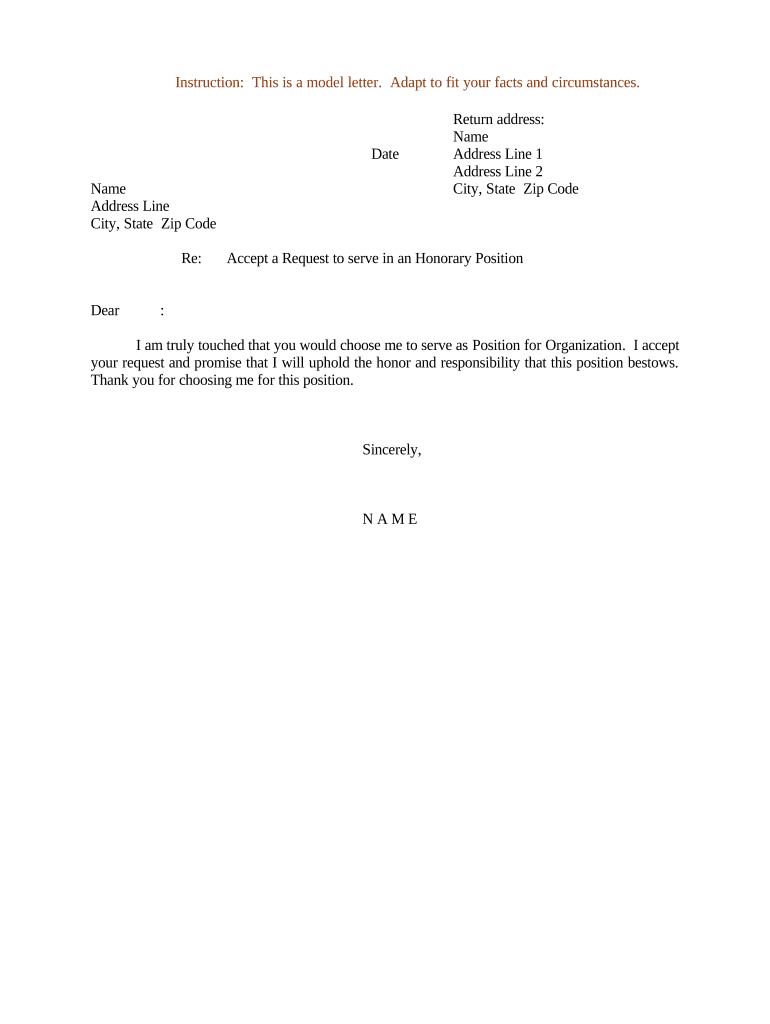
A Letter Accepting Honorary Position is a formal written notice in which an individual confirms their acceptance of a non‑remunerative or symbolic role offered by an organization. It records the acceptor's intent, any agreed responsibilities or timeframes, and any conditions attached to the appointment. This letter serves as the official acceptance for internal records and external announcements, and it helps organizations verify consent, schedule onboarding or recognition events, and document any restrictions such as conflicts of interest or publicity consent.

Why a Clear Acceptance Letter Matters

A concise acceptance letter creates an unambiguous record of consent and role terms, reduces administrative follow‑up, and documents the scope of the honorary role for governance and communications purposes.

Why a Clear Acceptance Letter Matters

Who Typically Prepares or Receives This Letter

Organizations and individuals both use acceptance letters to document volunteer, advisory, or honorary roles.

  • University departments and visiting scholars — Confirms title, campus affiliation, and event participation commitments.
  • Nonprofit boards and committees — Records acceptance, term length, and any fundraising or advocacy expectations.
  • Event organizers and award committees — Documents availability for ceremonies, speaking slots, and biographical credits.

Keep the letter factual and limited to agreed points to avoid creating unintended contractual obligations.

Key Parts to Include in a Professional Acceptance Letter

A well-structured acceptance letter is short, covers core terms, and makes next steps clear to both signer and organization.

Opening salutation

Address the appointing official or committee by name and reference the offer or invitation precisely with date.
Clear acceptance

Plainly state acceptance of the honorary position using the official title exactly as offered and include any honorifics.

Term and dates

Specify start and end dates or note if the appointment is open‑ended; include any event dates tied to the role.

Duties and expectations

Summarize agreed responsibilities, time commitments, event appearances, and any required approvals or background checks.

Conflicts and disclosures

Disclose material conflicts of interest or limitations on availability and any conditions on publicity or endorsements.

Signature block

Provide full legal name, title, contact information, signature, and signature date for recordkeeping and verification.

Essential Data to Record

Legal name: Full name as on government ID
Honorary title: Exact title offered by the organization
Organization: Official organization or department name
Term dates: Start and end dates
Contact email: Preferred address for notices
Signature and date: Signed name and MM/DD/YYYY date

Step‑by‑Step: Drafting the Acceptance Letter

Follow these four practical steps to prepare a clear, complete acceptance letter suitable for internal records and external announcements.

  • 01
    Confirm details: Verify the title, term, and duties with the offering party before drafting.
  • 02
    Write the acceptance: State acceptance, list key dates, and note any conditions or conflicts.
  • 03
    Include contact info: Add legal name, phone, email, and mailing address for records.
  • 04
    Sign and return: Sign, date, and deliver by chosen method (email, upload, or paper).

Where to Send the Signed Letter

Choose the delivery route the organization requested and confirm receipt to finalize acceptance and update records.

  • Email return: Attach signed PDF and request confirmation.
  • Upload portal: Use the organization's secure upload when provided.
  • Physical mail: Send original if specifically requested by the organization.
  • Internal HR or office: Deliver to the named administrator or appointing officer.

Digital Submission and File Formats

Accepted formats and submission channels vary by organization; verify the requested format before sending.

  • File types: PDF or Word DOCX are standard
  • eSignature: Platform signatures accepted by many organizations
  • Authentication: Email or SMS verification commonly used

If using an eSignature platform, export the signed document with its audit trail and store both files for institutional records.

Typical Timelines and Processing Steps

Common timing events include request receipt, acceptance return, internal recording, and public announcement; timing expectations depend on organizational processes.

Request receipt:

Record the invitation date and any response deadline.

Acceptance return:

Return signed letter by the stated deadline or within 7‑14 days if none given.

Board recording:

Organization records the appointment at next governance meeting.

Public announcement:

Organization schedules announcement once documentation is complete.

Onboarding events:

Schedule orientation or recognition within the first term month.

Common Mistakes to Avoid

  • Vague acceptance language — failing to specify title or dates can create ambiguity about obligations and recognition.
  • Using informal channels — delivering only a text message or casual email can be insufficient for institutional recordkeeping.
  • Mismatched names or titles — entering a nickname or abbreviated organization name can delay verification or publication.
  • Skipping conflict disclosures — not noting relevant affiliations can later require retraction or ethical review.

Potential Risks of an Incorrect or Incomplete Letter

Role ambiguity: May lead to unmet expectations
Public retraction: Incorrect details can require corrections
Conflicts of interest: Undisclosed conflicts may trigger ethics review
Recordkeeping gaps: Missing documentation affects institutional audits
Privacy exposure: Sharing sensitive details without consent
Tax implications: Unintended compensation may affect reporting

Realistic Examples of Acceptance Letters

These concise scenarios show how acceptance language can differ by context while remaining clear and recordable.

University Visiting Scholar

I gratefully accept the appointment as Visiting Scholar for the Department of History, beginning 09/01/2026.

  • I will deliver a public lecture and advise graduate students.
  • I confirm availability for the semester, will provide a CV, and agree to the department's media release for promotional purposes.

Nonprofit Honorary Chair

Thank you for inviting me to serve as Honorary Chair for the annual gala on 11/12/2026.

  • I accept and will attend the event and participate in promotional materials.
  • I disclose no conflicts of interest, provide contact details below, and look forward to supporting the organization's objectives.

eSignature Pricing Comparison for Sending and Signing Letters

Basic pricing and feature availability can affect how organizations collect signed acceptance letters. signNow is listed first for comparison.

signNow DocuSign Adobe Sign PandaDoc HelloSign
Starting Price $8/user/mo $15/user/mo $14/user/mo $19/user/mo $15/user/mo
Free Trial 7‑day free trial Varies by vendor Varies by vendor Varies by vendor Varies by vendor
Bulk Send Yes Yes Yes Yes No
Audit Trail Yes Yes Yes Yes Yes
HIPAA Compliant Yes Yes Yes No No

FAQs — Signing, Validity, and Recordkeeping

Answers to common questions about whether an acceptance letter is valid, how to sign electronically, and how to update or revoke the letter.


Need help? Contact support

be ready to get more
Join over 28 million airSlate SignNow users