Establishing secure connection…Loading editor…Preparing document…

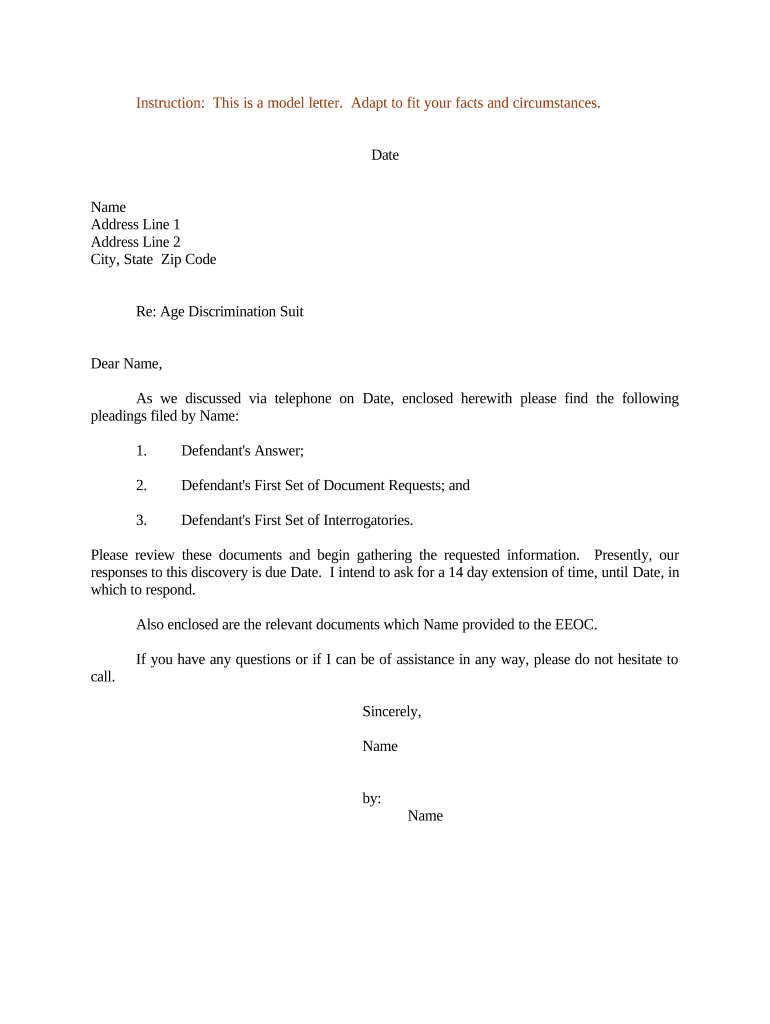
Letter Regarding Age Discrimination Suit

This template is fully customizable. Edit the text, fill out the fields, and send it for signature. Give it a try!
Letter Regarding Age Discrimination Suit

What a Letter Regarding Age Discrimination Suit Is and When It Matters

A Letter Regarding Age Discrimination Suit is a formal, written communication used to set out allegations that an employer engaged in unlawful age-based discrimination, to request remediation or to notify a recipient that you intend to pursue administrative or legal remedies. The letter typically summarizes factual incidents, identifies affected individuals, cites applicable statutes or policies, and requests specific relief or corrective action. It may be sent to the employer, to in-house or outside counsel, or attached to an administrative charge filed with a government agency such as the Equal Employment Opportunity Commission (EEOC) or a state fair employment practices agency.

Why a Clear, Documented Letter Helps Your Case

A concise, factual letter preserves evidence, establishes a timeline, and clarifies the complainant’s position before filing an administrative charge or lawsuit. It can prompt internal remediation and create a record useful for investigators or a court.

Why a Clear, Documented Letter Helps Your Case

Who Typically Prepares or Receives This Letter

Employers, HR professionals, attorneys, and affected employees use the letter at the investigation or pre-filing stage to document claims and requests.

  • Employee or claimant preparing a factual statement for an EEOC charge or counsel
  • In-house or outside employment counsel drafting a formal demand or notice
  • Human resources or compliance official receiving and documenting the allegation

Use it as an evidentiary summary and to preserve dates, witnesses, and requested remedies prior to formal filing.

Step-by-Step: Preparing the Letter

Follow a structured sequence to gather facts, confirm legal benchmarks, and preserve evidence before sending or filing the letter.

  • 01
    Gather Facts: Collect dates, emails, witnesses, and personnel records that support the allegation.
  • 02
    Draft Statement: Write a neutral, chronological account limited to factual observations and specific acts.
  • 03
    Legal Review: Have counsel review for statute references, remedy language, and procedural implications.
  • 04
    Send and Save: Send via documented delivery and retain an e-signed copy with metadata and timestamps.

Where the Letter Fits in the Filing and Notice Process

Understand routing options and the typical recipients for a discrimination letter to ensure proper notice and preserve rights.

  • Employer/HR: Provide the employer an opportunity to investigate and respond before administrative filing.
  • EEOC or State Agency: Attach or summarize the letter when filing an administrative charge to expedite intake.
  • Legal Counsel: Share with your attorney to evaluate claims and prepare formal pleadings if needed.
  • Document Preservation: Keep copies in secure storage with signing audit trail and delivery receipts.

How to Share the Letter and Preserve Proof of Delivery

Use delivery methods that provide verifiable receipt and an audit trail to support later administrative or court proceedings.

  • Certified Mail: Provides postal receipt and tracking for service proof.
  • Secure Email: Send PDF/A with read receipt and encrypted transmission.
  • eSignature Platform: Use an eSign solution that captures timestamps and audit trails.

Retain delivery receipts, server logs, or audit reports with the signed letter as part of your case file for investigators or court use.

Essential Components to Include in the Letter

A professional letter is factual, concise, and organized: include identifying information, a clear chronology, witness and evidence references, specific statutory or policy citations, requested relief, and a signature with contact information.

Heading

Include sender and recipient full legal names, job titles, employer division, and the letter date to create an official record and for accurate service.
Statement of Facts

Provide a clear, chronological narrative of incidents with exact dates, locations, persons involved, and observable conduct that suggests age-based discrimination.

Witnesses and Evidence

List names of witnesses and describe documentary evidence (emails, performance reviews, witness statements) and how to access or obtain copies.

Legal Basis

Identify the legal framework relied on (e.g., Age Discrimination in Employment Act where applicable) and note intent to pursue administrative remedies if unresolved.

Requested Relief

State specific remedies sought such as reinstatement, back pay, policy change, training, or monetary compensation with approximate amounts if relevant.

Signature and Contact

Sign, date, print your name and contact information. If represented, include attorney contact and indicate whether further contact should go through counsel.

Required Information and Short-Form Field Checklist

Sender Name: Full legal name
Recipient Name: Employer or official recipient
Incident Dates: Exact MM/DD/YYYY dates
Witness List: Names and contact details
Evidence Summary: Emails, documents listed
Signature: Signed and dated

Common Risks and Consequences of an Inaccurate or Late Letter

Missed Deadline: Loss of administrative remedies
Incomplete Facts: Investigators may dismiss or delay
Wrong Recipient: Service issues or lost notice
Unsigned Letter: Questioned authenticity
Inconsistent Claims: Credibility damage in litigation
Privileged Disclosure: Waiver of attorney-client privilege

Key Timing Considerations and Administrative Deadlines

Timelines affect your ability to file charges or later sue. Confirm deadlines with counsel or the relevant agency before relying on them.

EEOC Charge Deadline:

Typically 180 days; 300 days where state law applies

Internal Response Window:

Allow employer 7–30 days for acknowledgement and investigation

Preservation Notice:

Send immediately to protect electronic and paper records

Counsel Review Time:

Schedule at least 7–14 business days for legal review

Court Filing Deadline:

Varies after agency notice; consult counsel for specifics

Milestone Timeline for a Typical Claim

Follow a milestone sequence from drafting to potential litigation to preserve rights and create a defensible record.

01

Draft and Evidence Collection

Assemble facts, witness statements, and documentary support for the letter.

02

Internal Submission

Send the letter to HR or compliance and request written acknowledgement.

03

Administrative Filing

File an EEOC or state agency charge if internal remedies fail or no timely response.

04

Post-Notice Actions

Preserve documents, comply with agency requests, and consult counsel about next steps.

Real-World Examples of Digital Document Use in Related Workflows

Examples show how organizations use digital signing and structured letters to speed resolution and preserve compliance.

Optica Ventures LLC

Brian Fitzgibbons described streamlined processes for customer-facing documents

  • The interface simplified signature collection across teams
  • The result was faster turnaround and clearer documentation that supported dispute resolution and client communication.

Fertility Centers of Illinois

John Butler highlighted API and compliance benefits for medical forms

  • Integration ensured secure handling of sensitive data
  • The team maintained HIPAA-aligned workflows and preserved audit trails needed for investigations and audits.

eSignature Pricing and Feature Snapshot for Managing Letters and Evidence

Comparison of representative eSignature vendor starting prices and selected features useful when sending verified letters or collecting sworn statements; signNow is listed first per vendor ordering rules.

signNow DocuSign Adobe Sign PandaDoc HelloSign
Starting Price $8/user/mo $15/user/mo $14/user/mo $19/user/mo $15/user/mo
Free Trial 7-day trial Varies Varies Varies Varies
Bulk Send Yes Yes Yes Yes No
Audit Trail Yes Yes Yes Yes Yes
HIPAA Compliant Yes Yes Yes No No

Practical Tips for Accurate and Efficient Letter Preparation

Adopt consistent drafting, delivery, and retention practices to minimize errors and support later administrative or judicial review.

Use a Neutral Tone and Chronology
Write fact-only narratives in clear chronological order. Avoid emotional language; stick to dates, actions, and measurable impacts so investigators can follow the sequence without interpretation.
Preserve Supporting Evidence Immediately
Collect and secure emails, performance reviews, and witness notes as soon as possible. Early preservation prevents spoliation issues and strengthens credibility during agency investigations.
Document Delivery and Receipts
Use certified mail, secured email, or an eSign platform that provides receipt and audit metadata. Keep copies of tracking numbers, read receipts, or completion certificates.
Consult Counsel for Complex Remedies
If you seek monetary relief or broad policy changes, obtain legal advice before submitting demands to ensure appropriate phrasing and preserve privilege where intended.

FAQs and Troubleshooting for Letters Regarding Age Discrimination Suit

Answers address common points of confusion about timing, evidence, delivery, and electronic signing in U.S. administrative and legal contexts.


Need help? Contact support

be ready to get more
Join over 28 million airSlate SignNow users