Establishing secure connection…Loading editor…Preparing document…

Letter Regarding Appointment Request

This template is fully customizable. Edit the text, fill out the fields, and send it for signature. Give it a try!
Letter Regarding Appointment Request

What a Letter Regarding Appointment Request Is

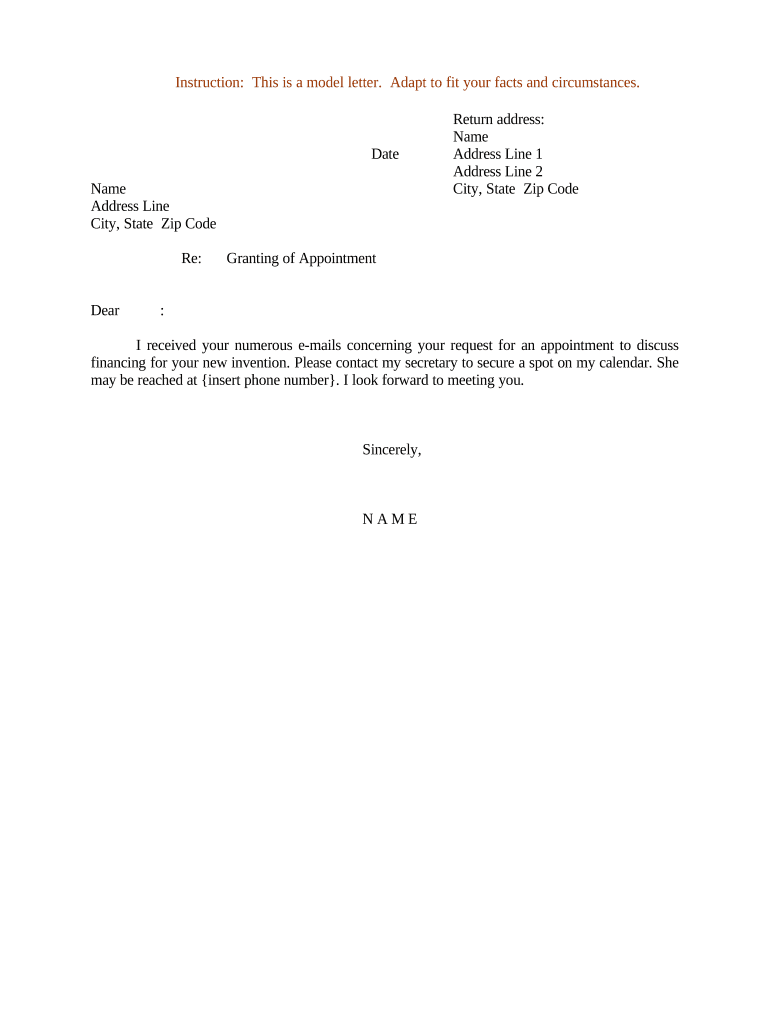
A Letter Regarding Appointment Request is a formal written notice used to request scheduling or confirmation of an appointment, meeting, hearing, or official appearance. It identifies the requester and recipient, states the requested date(s) and time(s), explains the purpose of the meeting, and lists any supporting documents or preparatory steps required. Organizations use this letter to create a clear record of the request and expected responses, to set deadlines for confirmation, and to document authority for attendance or representation.

Why a Clear Appointment Request Matters

A concise Letter Regarding Appointment Request reduces scheduling conflicts, documents authority for attendance or representation, and establishes response deadlines. It provides an auditable paper or electronic trail useful for administrative tracking, regulatory compliance, and legal follow-up when appointment timing or authorization becomes material.

Why a Clear Appointment Request Matters

Who Typically Prepares and Receives These Letters

Common users include administrative staff, legal counsel, healthcare coordinators, and external stakeholders who must document scheduled appearances or meetings.

  • Corporate administrators scheduling board meetings, shareholder calls, or vendor consultations requiring documented confirmation.
  • Healthcare administrators arranging patient appointments, hearings, or care coordination with HIPAA notice considerations.
  • Legal teams requesting court appearances, client interviews, or representative authorization for proceedings.

Step-by-Step: Preparing and Sending the Letter

Follow this sequence to prepare and send an appointment request letter accurately and on time, using clear dates and authority.

  • 01
    Identify Parties: List requester, recipient, and any representatives.
  • 02
    State Purpose: Describe reason for appointment and expected duration.
  • 03
    Propose Dates: Offer specific date(s) and time windows for confirmation.
  • 04
    Attach Documents: Include agendas, authorizations, or ID copies as needed.

Core Elements Every Professional Letter Should Include

Essential elements to include in a professional Letter Regarding Appointment Request so it clearly states intent, assigns authority, and creates an auditable record for both parties.

Header

Include organization name, address, date, and a clear subject line referencing the appointment purpose or case number; professional letterhead increases legitimacy and aids routing.
Parties

Identify full legal names, roles, and contact information for requester, recipient, and any representative; indicate the authority or capacity in which a party acts to avoid later disputes.

Appointment Details

Specify proposed date(s), exact start time, expected duration, location or virtual meeting link, and timezone. Ambiguity here commonly causes missed appointments.

Supporting Documents

List required attachments such as identification, authorizations, agendas, or forms, and state submission deadlines and acceptable formats to prevent processing delays.

Signature

Provide a clear signature block with printed name, title, date, and contact details. If electronic signing is used, record method and timestamp for evidentiary purposes.

Response Instructions

State how to accept, decline, or propose alternatives, including preferred contact method and a firm confirmation deadline to ensure timely notice.

Security and Compliance Items to Note

Encryption: TLS 1.2/1.3 in transit; AES-256 at rest.
Audit Trail: Detailed timestamps, IP addresses, action history.
Access Controls: Role-based permissions and SSO support.
HIPAA BAA: Available for covered entity agreements.
Data Residency: Flexible storage; verify per plan.
Authentication: Email, SMS code, advanced options.

Consequences of an Incorrect or Incomplete Letter

Scheduling Conflicts: Double bookings, missed attendance.
Missed Deadlines: Administrative or legal penalties.
Unauthorized Representation: Claims of lack of authority.
Invalid Authorization: Signature mismatch invalidates request.
Regulatory Noncompliance: Court or agency penalties.
Record Loss: Inadequate retention or audit trail.

Common Preparation Pitfalls to Avoid

  • Using vague timeframes (for example, 'soon' or 'next week') leads to confusion and increases risk of missed appointments or repeated follow-up communications.
  • Failing to include signer authority or title can result in requests being rejected when a formal authorization or company representation is required.
  • Omitting required supporting documents or identification causes processing delays, especially for court, immigration, or healthcare appointments.
  • Sending unsigned or improperly signed letters, or using non-compliant e-signature methods, undermines enforceability and can invalidate the request.

Where the Letter Fits in Scheduling Workflows

This flow outlines where a Letter Regarding Appointment Request fits within scheduling, confirmation, and recordkeeping workflows for internal and external recipients.

  • Draft: Prepare letter with dates, purpose, supporting docs.
  • Approve: Obtain internal authorization or managerial sign-off.
  • Send: Deliver by email, certified mail, or e-submission.
  • Confirm: Log recipient reply and update calendar or file.

Digital Workflow Settings for e-Submitting Letters

Configure an e-submission workflow to route appointment request letters, collect signatures, and capture approvals with audit logs.

Field Configuration
Signing Order Specify sequential or parallel signer routing.
Authentication Choose email, SMS code, or KBA.
Notifications Auto-notify signers and admins on events.
Attachments Require specific documents prior to signing.
Retention Set automatic archival and retention policy.

Delivery Channels, Formats, and Integrations

Choose delivery channels and integrations that match organizational systems, authentication needs, and compliance requirements for handling appointment requests.

  • Formats: PDF, DOCX, or HTML supported.
  • Integrations: Salesforce, Google Workspace, NetSuite, Microsoft 365.
  • API: REST API and prebuilt connectors available.

Key Dates to Include in the Letter

Common timing milestones and deadlines to include when requesting, confirming, and documenting appointments to meet administrative or regulatory timelines.

Request Sent Date:

Date the letter is transmitted; start response timer.

Requested Appointment Date:

Proposed date for meeting or appearance.

Confirmation Deadline:

Date by which recipient must confirm availability.

Document Submission Date:

Deadline for required supporting documentation delivery.

Follow-up Reminder:

Date to send a reminder if no confirmation received.

Milestones from Draft to Archive

Sequential milestones from drafting to post-appointment record closure, shown as numbered stages to guide workflow.

01

Draft and Review

Prepare letter, verify authority, and obtain internal approvals.

02

Send and Acknowledge

Transmit letter and record recipient acknowledgement or delivery receipt.

03

Confirm Appointment

Receive and log confirmation, update scheduling systems.

04

Archive and Retain

Store executed copy with audit trail per retention policy.

Pricing and Feature Snapshot for Common eSignature Providers

Side-by-side pricing and feature snapshot for common eSignature vendors to inform platform selection for e-submitting appointment request letters.

signNow DocuSign Adobe Sign PandaDoc HelloSign
Starting Price $8/user/mo $15/user/mo $14/user/mo $19/user/mo $15/user/mo
Free Trial 7-day free trial Varies by vendor Varies by vendor Varies by vendor Varies by vendor
Bulk Send Yes (Business Premium) Yes Yes Yes Varies
Audit Trail Yes Yes Yes Yes Yes
HIPAA Compliant Yes Yes Yes No No
Envelope Cap No cap 100 envelopes/user/year Varies by plan Varies by plan Varies by plan

Practical Tips for Accurate, Efficient Completion

Practical, compliance-focused tips to improve accuracy, reduce back-and-forth, and maintain reliable records when preparing and managing appointment request letters.

Be specific and time-zone aware
Always include full dates, local time, and time zone. For virtual meetings, supply dial-in details or links. Explicit timing avoids misalignment across regions and reduces the need for rescheduling.
Confirm authority to request
Verify the signer's authority before sending; if authorization is required, attach power of attorney or delegation document. Premature requests by unauthorized staff can be rejected and delay proceedings.
Use compliant e-signatures and logs
When e-signing, ensure the platform provides intent, consent capture, and an audit trail; for healthcare use a BAA and for court matters verify acceptance of electronic documents.
Keep a concise audit trail
Record all transmission dates, confirmations, amendments, and cancellations. Store signed copies with metadata to support disputes, compliance reviews, or regulatory inquiries.

Practical Examples of Appointment Request Letters

Real-world examples showing how organizations use a Letter Regarding Appointment Request to coordinate meetings, hearings, and inspections efficiently.

Healthcare Scheduling

A clinic sent a formal appointment request for multiple specialist consultations to coordinate imaging, lab orders, and insurer preauthorization.

  • Included signed HIPAA authorization and BAA confirmation.
  • The clear schedule and attached authorizations reduced no-shows, sped intake processing, and provided an auditable record used for payer disputes, referral tracking, and continuity of care documentation across providers.

Legal Appearance

A law firm requested a court appearance scheduling confirmation, including case number and retained counsel details, and proposed three alternative hearing dates.

  • Included case number and counsel contact.
  • Reissuing the letter with exact case references and signature avoided missed deadlines, ensured proper service on opposing counsel, and created a paper trail relied on during calendaring and court clerk communications.

Typical Signers and Their Roles

Office Administrator

Office administrators draft and route appointment request letters, ensuring inclusion of required supporting documents and internal approvals. They maintain the master schedule, log confirmations, and keep signed records organized for audits or future reference.

Legal Counsel

Legal counsel prepares or reviews letters tied to hearings or formal proceedings, verifies authority and service requirements, and advises on notarization or witness needs. Counsel ensures the letter aligns with court rules and preserves admissible evidence.

Frequently Asked Questions about Appointment Request Letters

Answers to common questions about preparing, signing, delivering, and correcting a Letter Regarding Appointment Request to reduce errors and delays.


Need help? Contact support

be ready to get more
Join over 28 million airSlate SignNow users