Establishing secure connection…Loading editor…Preparing document…

Letter of Consent

This template is fully customizable. Edit the text, fill out the fields, and send it for signature. Give it a try!
Letter of Consent

What a Letter of Consent Is and When it’s Used

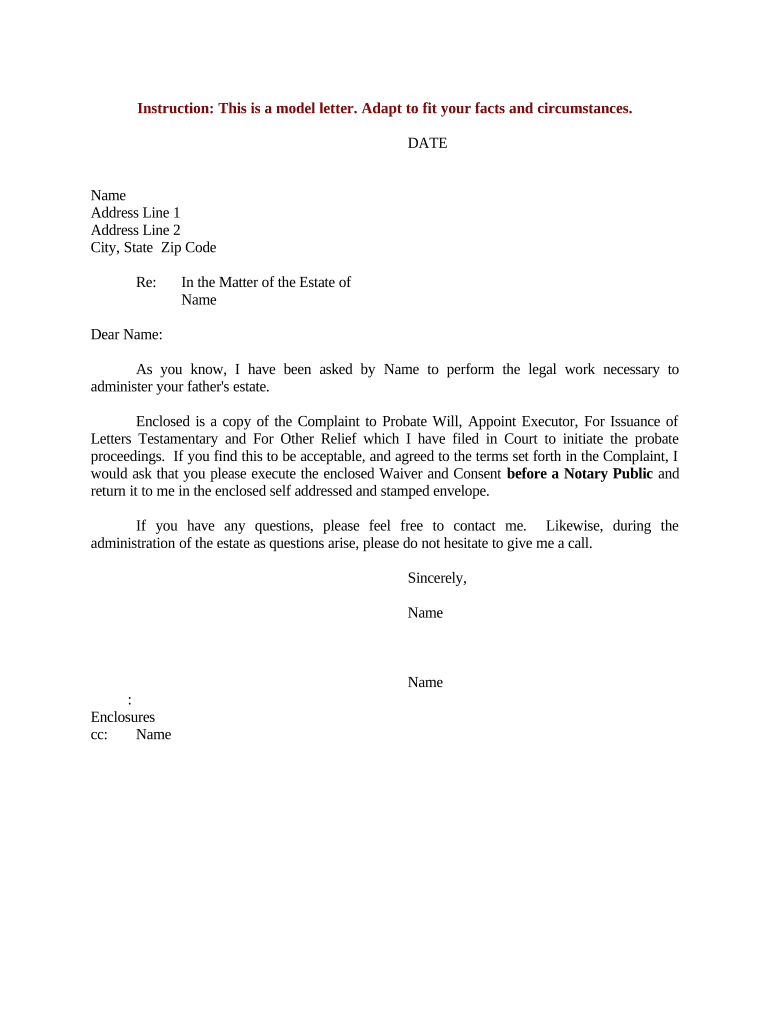
A Letter of Consent is a written document where a person or organization gives permission for an action, release of information, or change in status on behalf of themselves or a covered party. Common uses include parental consent for travel, third-party authorization for records release, tenant consent for alterations, and client permission for data sharing. The Letter of Consent describes the consenting party, the recipient, the specific activity or disclosure being authorized, any limits on that authority, an effective date, and signature blocks for legal validation and auditability.

Why a Clear Letter of Consent Matters

A clear Letter of Consent documents permission, reduces ambiguity about authority, and creates a written record that can be used to satisfy third parties, custodians, or regulators. When properly completed and retained, it helps avoid disputes and demonstrates compliance with privacy or administrative requirements.

Why a Clear Letter of Consent Matters

Typical parties who prepare or receive a Letter of Consent

Organizations and individuals prepare Letters of Consent when authorizations must be documented in writing for records access, travel, medical decisions, or legal tasks.

  • Parents or guardians authorizing travel, medical care, or school activities
  • Patients or clients permitting release of protected records or information
  • Property owners consenting to contractors or alterations

Step-by-step: completing a Letter of Consent

Follow these steps to prepare a complete, enforceable Letter of Consent that recipients can accept without extra verification.

  • 01
    Identify parties: List full legal names and contact details.
  • 02
    Define scope: Clearly specify what is being authorized.
  • 03
    Set dates: Enter effective and end dates in MM/DD/YYYY.
  • 04
    Sign and date: All signatories must sign and include printed names.

Where to send or file a Letter of Consent

A completed Letter of Consent should be routed to the entity or person who requires proof of permission; storage and filing depend on purpose and regulatory needs.

  • Healthcare Provider: Send to medical records or HIPAA privacy officer.
  • School or University: Submit to registrar or student records office.
  • Employer or HR: Provide to human resources or benefits administrator.
  • Property Manager: Deliver to leasing office or property management.

Digital signing and technical considerations

Ensure the chosen provider supports ESIGN/UETA compliance, secure storage (TLS/AES-256), and a retrievable certificate of completion to preserve evidentiary value.

  • File formats: PDF, DOCX supported
  • Authentication: Email, SMS, or KBA
  • Audit trail: IP, timestamp, actions

Configuring an online Letter of Consent workflow

Set fields and authentication to match the document’s sensitivity and the recipient’s acceptance requirements.

Field Configuration
Signer order Sequential or parallel routing
Authentication method Email only, SMS code, or KBA
Required fields Name, signature, date required
Document retention Enable secure archival and download

Common timing considerations and processing expectations

Be explicit about effective dates, expiration, and any notice requirements so parties know when consent begins and ends.

Effective Date:

Consent takes effect on the MM/DD/YYYY specified

Expiration:

Consent ends on the stated date or when revoked

Revocation Notice:

Revocation is effective on receipt unless a later date is specified

Recipient Processing:

Allow 3–10 business days for recipient verification

Notary Scheduling:

Schedule notarization within required window before submission

Penalties and legal risks of an incorrect or invalid consent

Void Consent: Consent may be unenforceable
Legal Challenge: Risk of litigation
Regulatory Penalty: Possible fines or sanctions
HIPAA Breach: Unauthorized disclosures risk violation
Delayed Services: Processing may be delayed
Tax Withholding: Financial consequences if authorization fails

Common mistakes to avoid when preparing consent letters

  • Using vague language about the scope of permission causes recipients to refuse action or request clarifying documentation, which delays outcomes and increases administrative burden.
  • Failing to name the recipient organization or individual precisely leads to rejected requests; include legal entity names and a point of contact.
  • Omitting an expiration date or revocation process creates uncertainty and can allow permission to persist longer than intended, complicating future disputes.
  • Skipping identity verification or notarization where required invites rejection and may make the consent legally ineffective in administrative or court processes.

Essential data elements to include for security and verification

Signer Identity: Government ID and email
Recipient Identity: Organization name and contact
Scope Details: Specific records or actions
Dates: Effective and end dates
Signature Evidence: Signature and timestamp
Notarization: Notary stamp or RON record

Practical tips for accurate, efficient completion

Follow these best practices to reduce rejection, speed processing, and maintain legal effect.

Confirm signer identity before sending
Use government-issued ID checks or multi-factor authentication for signers when the recipient requires high assurance. Record the method used in the consent or in an accompanying log to strengthen evidence of attribution and intent if the consent is later contested.
Use precise scope language
Specify the exact records, dates, or actions covered by the consent. Avoid broad or undefined wording; attach exhibits listing documents or use enumerated items so recipients can verify compliance without seeking clarifications.
Record effective and expiration dates
State MM/DD/YYYY for both effective and end dates. If consent is revocable, describe how to communicate revocation and whether revocation operates prospectively or retroactively to prevent disputes.
Retain a secure audit trail
Store signed copies, certificates of completion, and any authentication logs in encrypted storage for the applicable retention period. Include notary or RON recordings where used to preserve evidentiary value.

Real-world examples showing how Letters of Consent are used

These short examples illustrate typical scenarios and practical outcomes for completed Letters of Consent.

Optica Ventures — Brian Fitzgibbons

A startup authorized a third party to access investor records to complete diligence.

  • Limited to investor contact details and transaction dates.
  • The clear scope and dated consent prevented delays during due diligence and reduced requests for additional authorization from downstream parties, enabling a faster closing process without repeated verification steps.

Martin Properties — Tim Martin

A property owner gave tenant permission for construction access and utility work.

  • Consent covered specific dates and contractor names.
  • Because the consent was notarized and included an exhibit with contractor insurance details, the management company accepted the authorization immediately and scheduling proceeded without an onsite verification delay.

Who can sign a Letter of Consent

Corporate Officer

An authorized corporate officer signs when the company is the consenting party; include printed name, official title, and a statement of authority. When signing for an entity, attach evidence of authorization if requested, such as a board resolution or corporate record showing delegated authority.

Individual Signer

An individual signs when giving personal consent; include printed name, contact information, and a government ID reference. If the signer acts for a minor or incapacitated person, include the signer’s legal relationship and any guardianship or power-of-attorney documentation supporting the authority.

Typical eSignature vendor comparison for executing Letters of Consent

This high-level comparison shows common plan features and compliance notes for vendor selection; signNow is listed first for parity in comparison.

signNow DocuSign Adobe Sign PandaDoc HelloSign
Starting Price $8/user/mo $15/user/mo $14/user/mo $19/user/mo $15/user/mo
Free Trial 7-day free trial Varies Varies Varies Varies
Bulk Send Yes Yes Yes Yes No
Audit Trail Yes Yes Yes Yes Yes
HIPAA Compliant Yes Yes Yes No No
Envelope Cap No cap 100 envelopes/user/year Varies Varies Varies

FAQs and troubleshooting for Letters of Consent

Answers to common questions about validity, electronic signing, revocation, and notarization for Letters of Consent.


Need help? Contact support

be ready to get more
Join over 28 million airSlate SignNow users