Establishing secure connection…Loading editor…Preparing document…

Letter of Dissolution

This template is fully customizable. Edit the text, fill out the fields, and send it for signature. Give it a try!
Letter of Dissolution

What a Letter of Dissolution Is and When it's Used

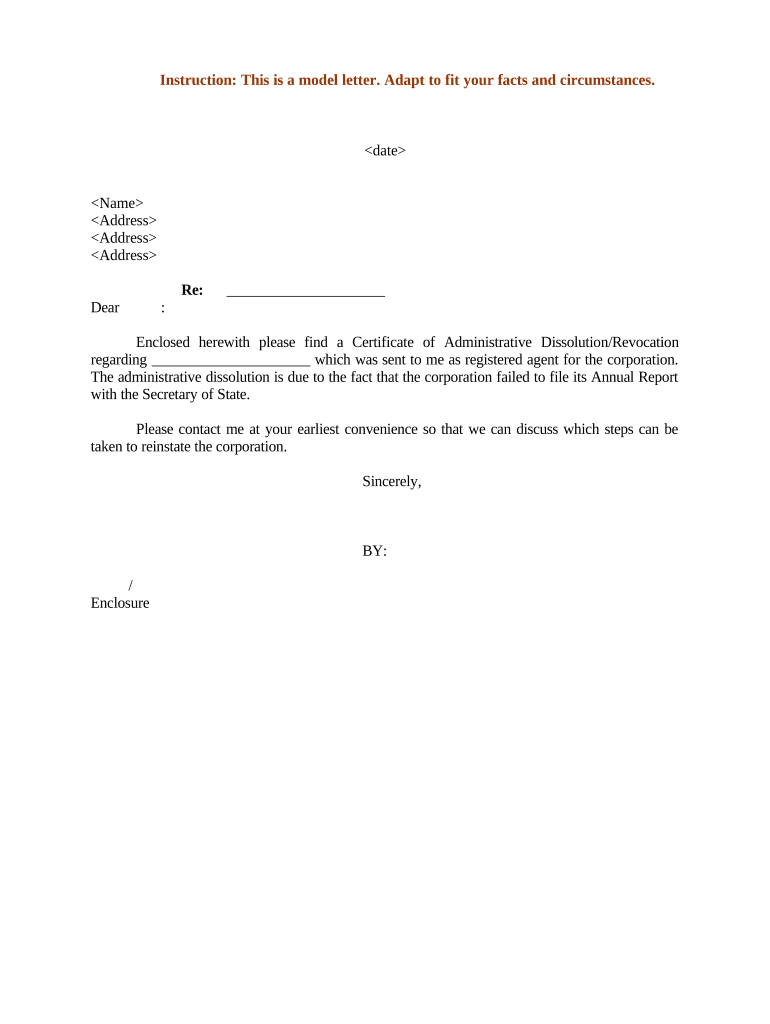
A Letter of Dissolution is a formal written notice used to end a business relationship or to document the voluntary winding up of a company, partnership, or other legal entity. It notifies partners, creditors, vendors, banking institutions, and government agencies that the entity will cease operations, outlines the effective date of dissolution, and summarizes how remaining assets and liabilities will be handled. The letter complements state filing requirements and internal corporate records, and it often triggers tasks such as closing accounts, filing final tax returns, and notifying licensing authorities.

Why a Clear Letter of Dissolution Matters

A precise Letter of Dissolution creates a written record that helps protect officers and members from ongoing liability, provides notice to statutory stakeholders, and documents steps taken to wind up affairs in a defensible way.

Why a Clear Letter of Dissolution Matters

Who Typically Prepares and Receives This Letter

Send the letter alongside state filings, final tax submissions, and any required creditor notices to complete the dissolution process.

  • Business owners and partners who must document voluntary termination and asset disposition.
  • Company counsel or corporate secretaries preparing legal wind-up documents and notifications.
  • Banks, creditors, and licensing agencies that require official notice to close accounts or surrender licenses.

Representative Signers and Roles

Corporate Officer

A chief executive officer or corporate officer usually signs for corporations; the signer should be authorized by corporate bylaws or a board resolution to execute dissolution documents and represent the entity in closing actions.

Managing Member

For LLCs, a managing member or an authorized manager signs the letter. Ensure the operating agreement authorizes that person to wind up company affairs and to provide legal notice to external parties.

Essential Parts of a Professional Letter of Dissolution

A robust letter contains clear identifying details, an effective date, a concise statement of dissolution, instructions for claim submission, contact information for the winding-up agent, and signature blocks for authorized signers.

Heading

Document title and the entity’s legal name to avoid ambiguity.
Effective Date

State when the dissolution takes effect to set statutory and contractual timelines.

Reason

Briefly note voluntary dissolution or reason required by internal governance.

Claims Process

Provide creditor submission instructions and a deadline for submitting claims.

Contact Agent

Name, address, and phone of the person responsible for winding up affairs.

Signature Block

Authorized signer’s printed name, title, signature, and date.

Step-by-Step: Preparing and Sending the Letter

Follow these sequential steps to prepare a compliant and actionable Letter of Dissolution and coordinate follow-up filings.

  • 01
    1. Confirm Authority: Verify governing documents and record authorizing dissolution.
  • 02
    2. Draft Letter: Include entity details, effective date, and claims process.
  • 03
    3. Obtain Signatures: Have authorized officer/member sign and date the letter.
  • 04
    4. Distribute: Send to creditors, banks, vendors, and file required state notices.

How the Dissolution Notice Moves Through Stakeholders

This flow outlines typical routing and confirmation steps after the letter is issued.

  • Prepare: Assemble documentation and authorize signers for the letter.
  • Sign: Authorized party signs and dates the notice.
  • Send: Deliver to banks, creditors, and government agencies.
  • Acknowledge: Track confirmations and resolve outstanding obligations.

Typical Digital Workflow Settings

Configuring a reliable electronic workflow helps ensure signatures are captured, authenticated, and archived correctly.

Field Configuration
Signature Field Required; signer must date signature
Authentication Email link or SMS code for signer verification
Attachments Include resolution or final ledger as PDF
Audit Trail Enable IP, timestamp, and action log capture

Digital Submission and eSignature Considerations

Maintain a tamper-evident record and retain a downloadable copy for state filings and future audits.

  • File Formats: PDF or DOCX recommended for preservation
  • Authentication: Email verification or multi-factor authentication
  • Storage: Encrypted archival with access controls

Common Preparation Pitfalls to Avoid

  • Using an informal or unsigned notice that fails to specify an effective date, which can create ambiguity about when obligations end.
  • Not confirming signatory authority under bylaws or operating agreements, producing invalid or challengeable notices.
  • Failing to notify creditors or close accounts, which can lead to ongoing liability or unexpected collection actions.
  • Omitting required attachments, such as dissolution resolutions or final financial statements, causing administrative rejections.

Risks and Consequences of Incorrect or Incomplete Letters

Creditor Claims: Extended liability exposure
Tax Penalties: Penalties for late or missing filings
Licensing Issues: Failure to cancel licenses
Bank Holds: Account freezes or returned payments
State Rejection: Administrative rejection of filings
Legal Challenges: Potential member or creditor litigation

Security and Compliance Controls to Preserve Evidence

Encryption: TLS 1.2/1.3 in transit; AES-256 at rest
Audit Trail: Complete action log and timestamps
Authentication: Email, SMS, or stronger MFA options
BAA Available: HIPAA BAA can be executed where required
Standards: SOC 2 Type II and ISO 27001
Retention: Secure archival and exportable records

Key Dates and Timing Expectations

Track statutory and administrative deadlines to avoid penalties and ensure all parties receive timely notice.

Effective Date:

Set in the letter; starts creditor claim timelines

State Filing:

File required dissolution forms per state rules

Final Tax Returns:

Complete final federal and state tax filings

Claims Deadline:

Specify a deadline for creditor claims

Document Retention:

Retain records per regulatory timelines

Typical Dissolution Milestones

A milestone timeline helps coordinate internal approvals, external notices, and statutory filings.

01

Authorize Dissolution

Board or member vote recorded and documented

02

Draft and Sign Notice

Prepare letter and secure authorized signatures

03

File State Forms

Submit Articles of Dissolution with Secretary of State

04

Wind Up Affairs

Notify creditors, distribute assets, close accounts

Real-World Scenarios Where a Letter of Dissolution Was Used

These concise examples illustrate common dissolution contexts and practical follow-up steps.

Optica Ventures

A small investment LLC closed after member vote

  • Letter stated effective date and claims process
  • The firm filed dissolution with the state and provided creditor notice, simplifying final distributions and tax reporting.

Martin Properties

A real-estate holding LLC transferred titles before winding up

  • Letter notified tenants and mortgagee
  • The company recorded deed transfers and filed Articles of Dissolution while preserving tenant security deposit records for state compliance.

Practical Tips for Accurate and Efficient Completion

Follow these best practices to minimize delays and protect stakeholders during the dissolution process.

Verify Names
Use the exact legal entity name from state records to avoid rejection or challenges.
Set Clear Deadlines
Provide a firm claims submission date and contact to streamline winding-up tasks.
Keep Records
Retain signed letters, audit trails, and attachments in encrypted archives.
Coordinate Filings
Align state dissolution filings, final tax returns, and creditor notices to reduce exposure.

Typical eSignature Vendor Comparison for Dissolution Workflows

Basic vendor pricing and capability markers to consider for executing and archiving signed dissolution letters and related filings.

signNow DocuSign Adobe Sign PandaDoc HelloSign
Starting Price $8/user/mo $15/user/mo $14/user/mo $19/user/mo $15/user/mo
Free Trial 7-day free trial, no credit card Varies by vendor Varies by vendor Varies by vendor Varies by vendor
Bulk Send Yes Yes Yes Yes Varies
Audit Trail Yes Yes Yes Yes Yes
Envelope Cap No cap 100 envelopes/user/year Varies Varies Varies

Frequently Asked Questions About Letters of Dissolution

Answers to common questions about validity, signatures, required attachments, and next steps after issuing a Letter of Dissolution.


Need help? Contact support

be ready to get more
Join over 28 million airSlate SignNow users