Establishing secure connection…Loading editor…Preparing document…

Letter Requesting Verification of Employment

This template is fully customizable. Edit the text, fill out the fields, and send it for signature. Give it a try!
Letter Requesting Verification of Employment

What this letter is and when it’s used

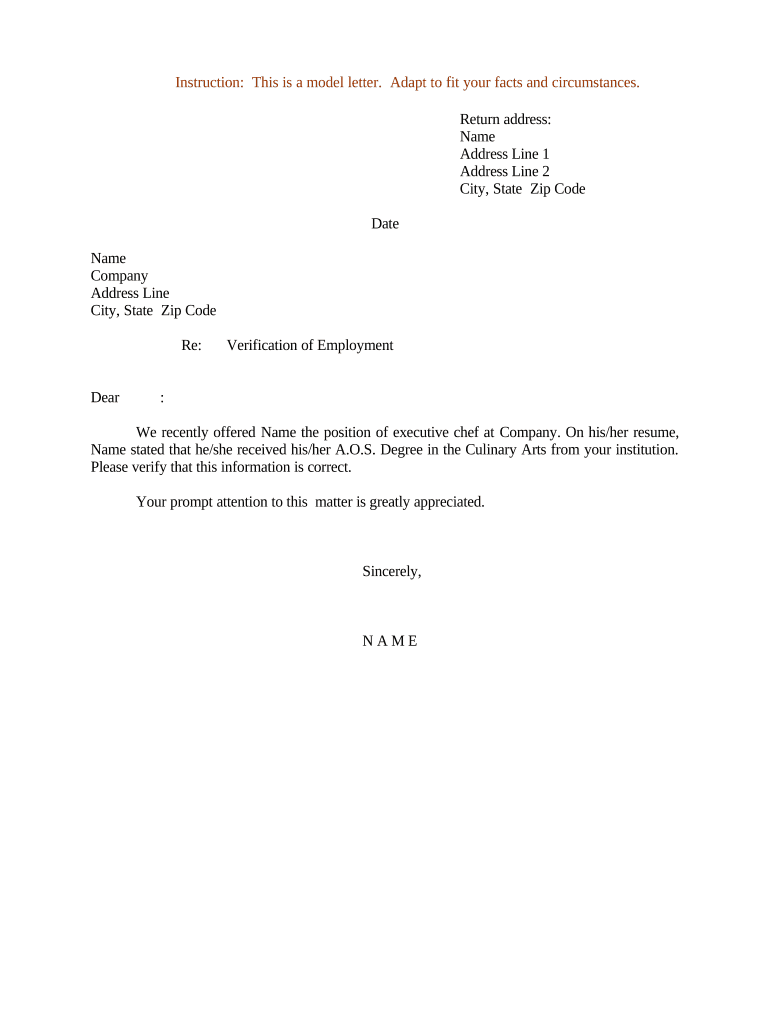
A Letter Requesting Verification of Employment is a written request sent by a third party—such as a lender, landlord, or prospective employer—to confirm an individual’s job details with a current or former employer. Typical verifications include employment dates, job title, salary or hourly pay, and eligibility for rehire. The letter may be accompanied by a signed release from the employee. Employers respond on company letterhead, by completing a form, or by returning a signed, dated statement that confirms the requested facts.

Why a clear, compliant verification letter matters

A concise verification letter reduces delays for credit, housing, immigration, and background checks while protecting employee privacy. When executed properly it meets ESIGN and UETA standards for electronic records and signatures and supports auditable attribution and retention for future disputes.

Why a clear, compliant verification letter matters

Who commonly requests and who provides employment verification

Employers, HR departments, and authorized representatives provide verification; responses should follow company policy and applicable privacy laws.

  • Lenders confirming income and employment to underwrite loans or refinance applications.
  • Landlords checking income stability and tenancy risk for lease approvals.
  • Prospective employers or background-screening firms validating prior work history and dates.

Core components every professional verification letter should include

A professional letter balances clarity for the requester with privacy protections for the employee. Include only verifiable facts, identify the requester, and document signer authority and contact details.

Employer ID

Company name and official department or HR contact that can be reached for follow-up, on letterhead when possible.
Employee Identity

Full legal name and, when available, employee ID or last four of SSN to ensure accurate matching.

Employment Dates

Precise start and end dates in MM/DD/YYYY format or month/year ranges to avoid ambiguity.

Position Title

Official job title as recorded in personnel files; include any recent promotions or changes.

Compensation

Salary or hourly wage details, pay frequency, and whether amounts are base pay only or include bonuses.

Signer Authority

Name, title, signature, and direct contact information for the HR representative certifying the information.

Essential information fields to capture

Employee name: Full legal name
Employer name: Legal business name
Dates employed: MM/DD/YYYY or month/year
Job title: Official title
Compensation: Salary or hourly rate
HR contact: Name and phone or email

Step-by-step: completing a verification letter

Follow these steps to prepare a concise, accurate verification response that can be retained and audited.

  • 01
    Confirm requester: Verify requestor identity and reason for request.
  • 02
    Verify consent: Confirm employee release or legal basis for disclosure.
  • 03
    Provide facts only: State verifiable employment facts without opinions.
  • 04
    Sign and date: HR signatory signs, dates, and provides contact details.

How to set up an online verification workflow

Configure a consistent digital process to collect, verify, and store responses while preserving audit trails and access controls.

Field Configuration
Request form Use a standardized template with required fields marked.
Authentication Require HR sign-in or multi-factor for response authorization.
Audit trail Enable timestamped logs of each action and signer identity.
Storage Save signed letter in a secure, access-controlled repository.

Where to send or upload the completed verification

Choose delivery methods that protect privacy and provide an auditable record of transmission.

  • Return to requester: Send on company letterhead to the named contact or secure portal.
  • Secure upload: Upload to lender or HR portal with encryption.
  • Email (when allowed): Send to a verified business address; avoid personal emails.
  • Retention copy: Store a signed copy in the employee’s HR file.

Digital signing and sharing: technical considerations

Ensure the platform supports secure storage, exportable signed copies, and retention controls to meet company policy and legal obligations.

  • Formats: PDF and DOCX accepted
  • Authentication: Email plus optional SMS/KBA
  • Audit data: IP, timestamp, and action log

Typical timelines and response expectations

There is no single statutory deadline for employment verification responses; set and communicate an internal SLAs to requesters.

Standard employer SLA:

5–10 business days is common for routine verifications.

Time-sensitive requests:

Lenders may request responses within 48–72 hours for pending closings.

Immigration or government:

Allow additional time for official agencies with formal request channels.

Follow-up timing:

If no response in 7–10 days, request clarification or resend.

Retention after response:

Keep a copy per company retention policy and legal requirements.

Common pitfalls to avoid

  • Providing subjective opinions about employee performance rather than factual employment data.
  • Disclosing salary or other data without documented employee consent or lawful basis.
  • Using inconsistent formats that make dates or compensation ambiguous for third-party systems.
  • Failing to record who authorized and sent the verification, which complicates disputes.

Risks and potential consequences of incorrect responses

Legal exposure: Defamation or negligent misrepresentation
Privacy breach: HIPAA or state privacy complaints
Loan delays: Mortgage or lease applications delayed
Employment disputes: Claimed inaccurate history
Regulatory risk: Agency inquiries for government matters
Reputational harm: Loss of trust with partners

Real-world examples of verification use

Below are two common scenarios that illustrate how verification letters are used and delivered in practice.

Mortgage underwriting example

A lender requests employment and income verification for loan approval, with urgency for a scheduled closing

  • Request includes pay frequency and base salary
  • The employer returns a signed letter on letterhead within three business days and stores a copy in the HR file to document the response and audit trail.

Tenant screening example

A property manager requests proof of steady employment and income for lease approval

  • Requester asks for gross monthly income and employer contact
  • HR provides a concise confirmation of title, dates employed, and monthly income estimate, improving application turnaround time while protecting additional private details.

Common eSignature pricing and feature comparison for verification workflows

Compare starting prices and core features for providers commonly used to sign and deliver employment verification letters; signNow is listed first per table convention.

signNow DocuSign Adobe Sign PandaDoc HelloSign
Starting Price $8/user/mo $15/user/mo $14/user/mo $19/user/mo $15/user/mo
Free Trial 7-day free trial Varies by plan Varies by plan Varies by plan Varies by plan
Bulk Send Yes Yes Yes Yes No
Audit Trail Yes Yes Yes Yes Yes
HIPAA Compliant Yes Yes Yes No No

Frequently asked questions about verification letters

Answers to common questions about format, consent, electronic signatures, and how to correct errors when responding to verification requests.


Need help? Contact support

be ready to get more
Join over 28 million airSlate SignNow users