Establishing secure connection…Loading editor…Preparing document…

Foreclosure Notice

This template is fully customizable. Edit the text, fill out the fields, and send it for signature. Give it a try!
Foreclosure Notice

What a Foreclosure Notice Is and when it matters

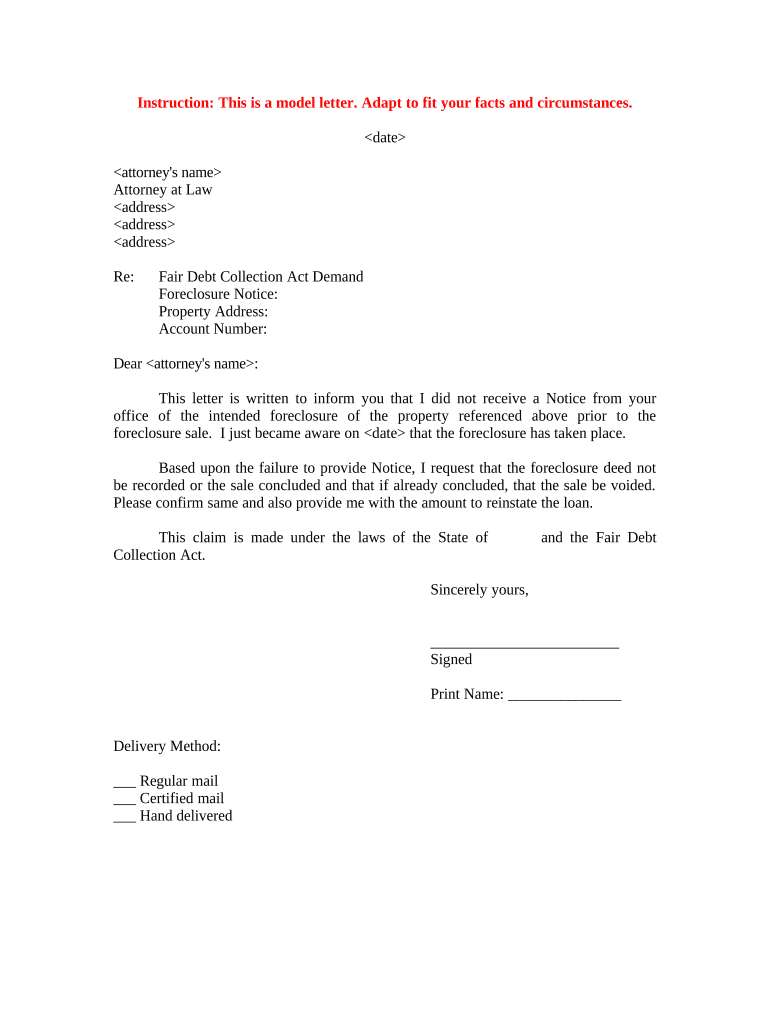
The Foreclosure Notice is a formal written document a lender, loan servicer, or trustee issues to notify a borrower that the mortgage loan is in default and that foreclosure proceedings may follow. It typically states the event(s) of default, the amount required to cure, any deadline to cure or redeem, and the intended next steps such as recording or sale. Foreclosure notice requirements are governed by state statute and local recording rules; in some jurisdictions delivery and electronic options are restricted, so accuracy and compliance are essential to preserve legal rights.

Why a clear Foreclosure Notice matters legally and operationally

A correct Foreclosure Notice documents the default, starts statutory cure and sale timelines, preserves lien priority, and creates a dated record for courts or trustees. Precise notices reduce litigation risk, support investor reporting, and ensure the lender follows state-mandated procedures for service and recording.

Why a clear Foreclosure Notice matters legally and operationally

Who prepares and who receives a Foreclosure Notice

Lenders, servicers, trustees and their outside counsel prepare Foreclosure Notices to initiate the statutory notice process and protect interests.

  • Mortgage lenders and servicers — draft and send notices to document default and preserve lien priority.
  • Trustees and title agents — record notices with the county recorder and manage sale logistics on behalf of beneficiaries.
  • Borrowers and borrower counsel — receive notices and use them to evaluate cure options, seek loss mitigation, or contest validity.

Specific roles and distribution can vary by state, loan program, and investor rules; servicer policies often add procedural steps or templates.

Core elements to include in a professional Foreclosure Notice

A properly drafted foreclosure notice combines legal precision with clear claims data so recipients and recording officials can identify rights, amounts, and deadlines without ambiguity.

Parties

Identify the lender/servicer, named borrower(s), trustee (if applicable), and any beneficiary or assignee, using full legal names and corporate designations to avoid ambiguity.
Loan identifiers

Include loan number, mortgage deed book/reference, original principal, and assignment references so title searches and payment histories match the notice.

Default description

State the nature of the default (missed payments, insurance lapse, tax advances), relevant dates, and the specific payments or acts required to cure.

Amount due

Provide the exact amount required to reinstate or cure, itemizing principal, interest, fees, and advances and indicating the calculation date.

Cure and sale details

Specify the deadline to cure, the intended sale date or recording action (if known), and instructions for making payment or contacting the servicer.

Service language

Include statutory notice text required by the governing jurisdiction and a statement of how service was or will be made (mail, publication, posted, personal).

Required information to make the notice enforceable

Loan number: Unique loan identifier
Borrower name: Full legal name(s)
Property address: Street, city, state, ZIP
Default date: Date of first missed payment
Amount due: Total to cure on notice date
Notice date: Date notice is issued

Step-by-step: preparing and delivering a Foreclosure Notice

Follow these sequential steps to complete and deliver a compliant Foreclosure Notice and reduce the likelihood of procedural challenges.

  • 01
    1. Collect records: Locate note, mortgage, payment history, assignments, and insurance/tax advances.
  • 02
    2. Compute cure: Calculate principal, interest, fees, escrow advances, and reinstatement totals.
  • 03
    3. Draft notice: Describe default, include statutory language, list amounts, and set cure deadline.
  • 04
    4. Serve and record: Serve borrower per statute and record notice where required by county rules.

Configuring an online workflow to create and deliver the notice

Set up a repeatable digital workflow that ensures consistent fields, authentication, and audit trail for every Foreclosure Notice.

Field Configuration
Authentication Email link or SMS code; stronger ID for restricted notices
Signature type Typed or drawn signature; use digital signature if jurisdiction requires
Record retention Automatic archival and exportable audit trail for compliance
Notifications Automatic recipient and internal alerts on delivery and completion

Typical path from draft to recorded notice

A standard sequence moves from document preparation to service and then to recording or sale; each step must meet statutory timing and form requirements.

  • Prepare document: Populate fields, include required statutory language, and verify totals.
  • Add recipients: Enter borrower, co-borrower, and any interested parties for service.
  • Deliver notice: Serve by the method required in the governing jurisdiction.
  • Record or publish: Record notice at the county recorder or complete publication steps where applicable.

Technical considerations for electronic completion and delivery

Choose platforms that support secure storage, audit trails, and configurable authentication to meet statutory and investor requirements.

  • Integrations: CRM, loan servicing, and title systems for automated data population
  • Formats: PDF or PDF/A for recording; editable DOCX for internal review
  • Authentication: Email, SMS, or stronger ID verification per state rules

Confirm the platform supports exportable audit trails, secure at-rest encryption, and any required notarization or RON workflows in the target jurisdiction.

Common timelines, deadlines, and what they mean

Timelines for notices and sale vary considerably by state; use this overview to map typical deadlines and identify where local law controls.

Notice of default timing:

Often issued after 30 days of missed payments; statute varies by jurisdiction

Cure period:

Commonly 30–120 days to cure, depending on state and loan terms

Pre-sale publication:

Publication or posting periods commonly 21–45 days before sale

Foreclosure sale date:

Set by trustee or court in accordance with statutory notice period

Redemption period:

Some states allow redemption after sale; length varies by statute

Common mistakes to avoid when preparing a Foreclosure Notice

  • Using an incorrect borrower name or outdated loan number, which can invalidate service and delay enforcement.
  • Failing to include statutorily required language or omitting required cure instructions, leading to procedural challenges in court.
  • Miscomputing amounts due by excluding advances or incorrectly applying interest, which creates grounds for borrower dispute.
  • Improper service or proof of publication that does not meet statute or county practice, risking a voidable sale.

Risks and consequences of an incorrect or defective notice

Loss of priority: Lien priority may be jeopardized
Voidable sale: Sale can be set aside
Statutory fines: Civil penalties or statutory damages
Increased litigation: Higher legal costs and delays
Investor non-compliance: Repurchase or indemnity risks
Reputational harm: Regulatory scrutiny and complaints

eSignature vendor comparison for sending and signing foreclosure notices

Platform cost and capabilities matter for high-volume notices, bulk send, and compliance. The table shows starting prices and key features for common eSignature vendors.

signNow DocuSign Adobe Sign PandaDoc HelloSign
Starting Price $8/user/mo $15/user/mo $14/user/mo $19/user/mo $15/user/mo
Free Trial 7-day free trial Varies Varies Varies Varies
Bulk Send Yes Yes Yes Yes No
Audit Trail Yes Yes Yes Yes Yes
HIPAA Compliant Yes Yes Yes No No
Envelope Cap No cap 100 envelopes/user/yr Varies Varies Varies

Frequently asked questions about Foreclosure Notices

Answers to common questions on e-signing, service, corrections, notarization, and state differences when preparing Foreclosure Notices.


Need help? Contact support

be ready to get more
Join over 28 million airSlate SignNow users