Establishing secure connection…Loading editor…Preparing document…

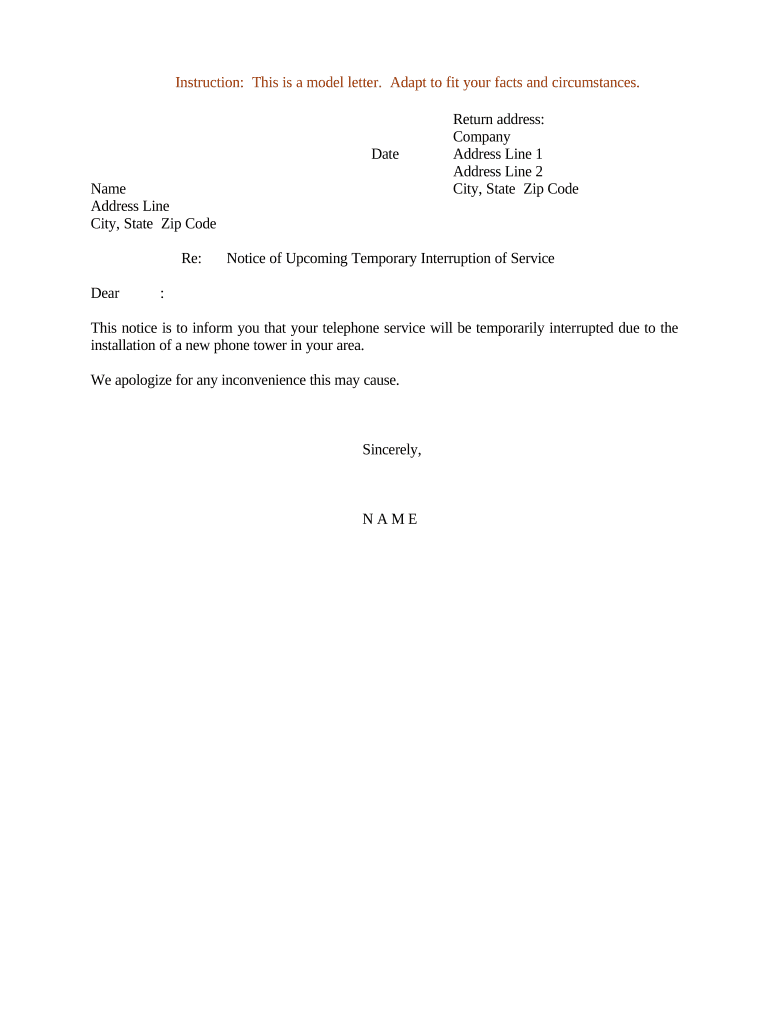
Notice of Upcoming Temporary Interruption of Service

This template is fully customizable. Edit the text, fill out the fields, and send it for signature. Give it a try!
Notice of Upcoming Temporary Interruption of Service

What the Notice of Upcoming Temporary Interruption of Service Is

A Notice of Upcoming Temporary Interruption of Service is a written communication issued by a service provider to inform affected users, customers, or stakeholders that a planned or unavoidable service outage will occur. The notice identifies the services affected, the scheduled start and end times, the expected impact on availability or functionality, and contact information for support. It is used to set expectations, enable contingency planning, and document the provider's proactive communications. Notices can be distributed by email, portal announcement, postal mail, posted notices, or via third-party vendor platforms.

Why Issuing a Clear Notice Matters

Issuing a timely, accurate notice reduces user disruption, limits disputes, and supports regulatory or contractual compliance where advance notice is required. A well-drafted notice preserves trust, documents the provider's efforts, and helps recipients plan around the outage window to avoid operational or financial harm.

Why Issuing a Clear Notice Matters

Who Typically Prepares and Receives This Notice

Service operations, customer success, legal, and facilities teams are common senders; customers, tenants, partners, and regulators can be recipients.

  • Internal operations teams coordinating maintenance, change windows, and rollback plans.
  • Customer success and account managers communicating impacts to named accounts and SLAs.
  • Regulatory or compliance contacts, when statutory notice obligations apply to service interruptions.

Tailor recipients and distribution lists to contractual obligations, regulatory requirements, and the scale of impact.

Who Signs or Authorizes the Notice

Service Provider — Operations

The operations lead or designated change manager typically approves and signs the notice. Their role includes validating the outage scope, confirming scheduled times, and attesting that contingency and rollback plans are in place before distribution.

Customer Representative

For notices issued by third-party providers to enterprise customers, an account or legal representative may countersign or acknowledge receipt to confirm service-level communications and coordination for mission-critical systems.

Essential Fields to Include

Service Name: Exact product or service identifier
Start Date/Time: MM/DD/YYYY HH:MM timezone
End Date/Time: MM/DD/YYYY HH:MM timezone
Expected Impact: Availability or degraded performance
Support Contact: Phone or email for questions
Authorized By: Name, title, and signature

Step-by-Step: Completing the Notice

Follow these sequential steps to create a complete and accurate notice that meets common contractual and operational expectations.

  • 01
    Identify Services: List service names and affected modules clearly.
  • 02
    Set Times: Enter precise start and end times with timezone.
  • 03
    Describe Impact: Explain what users can and cannot do.
  • 04
    Provide Contacts: Include support lines and escalation details.

Where to Send or File the Notice

Notices should reach all obligated recipients through documented channels to satisfy contract terms and reduce confusion.

  • Customer Email Lists: Send to account contacts and operational distribution lists.
  • Service Status Page: Post an entry to the public status page and update during the event.
  • Contract Holders: Deliver to designated legal or compliance contacts per agreement.
  • Regulatory Filings: File with regulators only when statute or order requires notice.

How to Configure an Online Notice Workflow

Configure digital delivery settings and authorizations before sending to ensure consistent distribution and auditability.

Field Configuration
Delivery Method Email, status page, portal announcement
Authentication Account-based or tokenized links
Update Frequency Initial notice, hourly updates during event
Audit Trail Keep timestamps and message copies

Digital Delivery and eSubmission Requirements

Ensure the chosen platform supports clear delivery, audit logs, and the file formats you need before distribution.

  • File Formats: PDF, DOCX, or HTML supported
  • Integrations: CRM and status page integrations
  • Authentication: Email link or token options

Verify that the platform retains copies, records recipient delivery, and meets any regulatory encryption or access requirements.

Timelines and Recommended Notice Windows

Timely notice reduces disruption; consider contractual and customer-facing expectations when setting distribution deadlines.

Immediate Notices:

For emergency outages, notify affected parties as soon as practicable.

Planned Maintenance:

Provide at least 48–72 hours advance notice when feasible.

Large-Scale Changes:

For major upgrades, issue notice 7–30 days in advance depending on impact.

Regulatory Deadlines:

Follow contract or statute-specific timing when applicable.

Follow-Up Updates:

Send progress and completion messages at agreed intervals.

Key Milestones from Planning to Completion

A clear milestone sequence helps teams coordinate pre-work, execution, and post-event validation.

01

Plan Approval

Obtain operations and risk approval before scheduling the window.

02

Pre-Notice

Draft notice and circulate for legal and account review.

03

Distribution

Send notices via all chosen channels at the scheduled time.

04

Post-Event Report

Publish outage resolution details and any remediation actions.

Common Mistakes to Avoid

  • Providing vague time windows without timezone makes coordination across regions difficult and increases escalations.
  • Failing to list impacted subsystems leads recipients to underestimate the outage scope and may breach SLAs.
  • Omitting clear support contacts or escalation paths delays response and frustrates affected users.
  • Not preserving delivery receipts or audit logs reduces evidence of compliance with contractual or regulatory notice obligations.

Consequences of an Inaccurate or Missing Notice

Contractual Breach: Possible damages or service credits
Regulatory Exposure: Fines or enforcement actions
Customer Loss: Reputational damage and churn
Operational Disruption: Extended incident response times
Refunds: Required customer compensation
Legal Liability: Potential litigation risk

Industry Examples of Notices in Practice

These short examples show how different organizations frame and use the notice to meet operational and contractual needs.

Managed Hosting Provider

A hosting provider scheduled a two-hour maintenance window, communicated details 72 hours prior with rollback plans

  • Notice emphasized backup availability and read-only access during the window
  • The provider tracked deliveries, posted a status update during the event, and issued a concise post-event summary to customers.

University IT Department

An academic IT team announced network maintenance over a long weekend to minimize class impact

  • The notice listed affected dorms, labs, and remote-access services
  • They included student-facing instructions, helpdesk hours, and links to faculty contingency resources to reduce disruption.

eSignature Pricing Comparison for Notice Distribution

Compare common vendor pricing and feature availability for electronic notices and signed acknowledgements; signNow is listed first per platform comparison conventions.

signNow DocuSign Adobe Sign PandaDoc HelloSign
Starting Price $8/user/mo $15/user/mo $14/user/mo $19/user/mo $15/user/mo
Free Trial 7-day free trial No No Yes, limited Yes, limited
Bulk Send Yes Yes Yes Yes No
Audit Trail Yes Yes Yes Yes Yes
HIPAA Compliant Yes Yes Yes No No

Frequently Asked Questions

Answers to common questions about creating, distributing, and storing a Notice of Upcoming Temporary Interruption of Service.


Need help? Contact support

be ready to get more
Join over 28 million airSlate SignNow users