Header
Date and sender contact information at the top so the recipient can confirm identity and log the notice accurately.
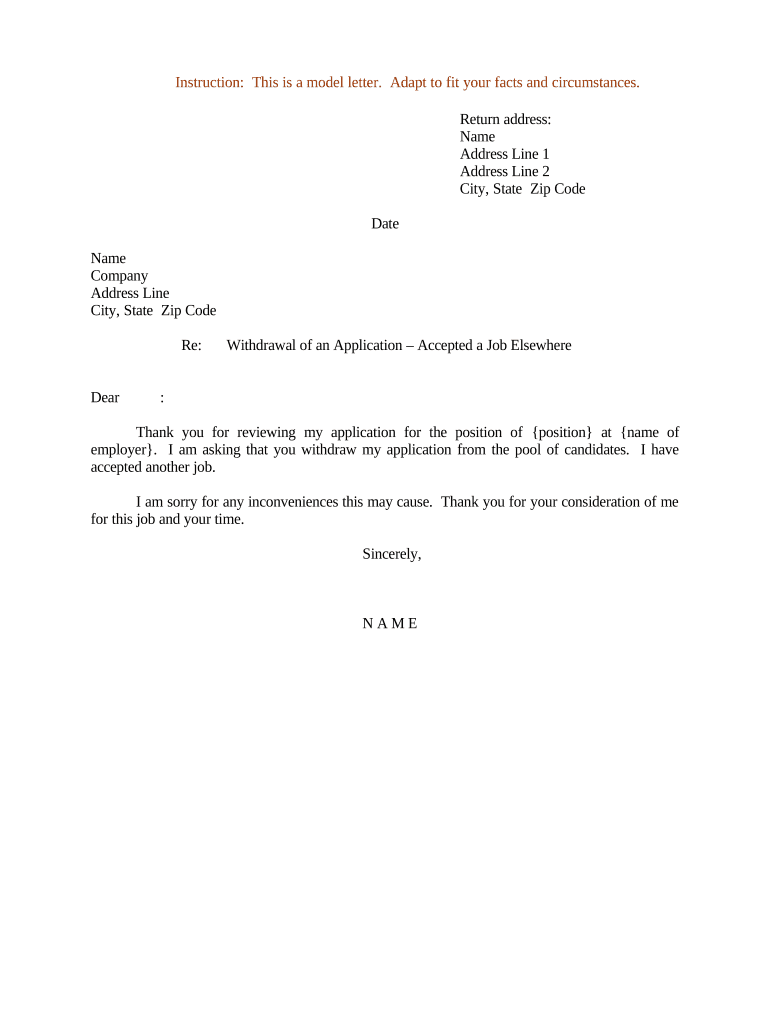
A clear, dated Letter of Withdrawal creates an auditable record of intent, reduces ambiguity, and helps avoid administrative or legal disputes. It documents who withdrew, what was withdrawn, and when the withdrawal takes effect, supporting compliance and recordkeeping obligations.

Common senders include applicants, contractors, students, and authorized representatives who need to cancel or abandon a pending submission.
The recipient varies by context — HR, registrar, procurement office, court clerk, or government agency — and each may have specific receipt or filing rules.
| Field | Configuration |
|---|---|
| Template | Pre-fill reference fields and recipient routing. |
| Signature | Require signer field and date stamp. |
| Authentication | Enable email, SMS, or stronger signer verification. |
| Delivery receipt | Auto-send acknowledgment PDF to sender and recipient. |
Confirm the recipient accepts electronic delivery and determine required authentication and file formats before you send.
Ensure accessibility and retention practices match applicable rules — store signed copies in a secure record system and keep audit trails intact.
| signNow | DocuSign | Adobe Sign | PandaDoc | HelloSign | |
|---|---|---|---|---|---|
| Starting Price | $8/user/mo | $15/user/mo | $14/user/mo | $19/user/mo | $15/user/mo |
| Free Trial | 7-day free trial | Varies by plan | Varies by plan | Yes, limited | Yes, limited |
| Bulk Send | Yes | Yes | Yes | Yes | No |
| Audit Trail | Yes | Yes | Yes | Yes | Yes |
| HIPAA Compliant | Yes | Yes | Yes | No | No |
Date and sender contact information at the top so the recipient can confirm identity and log the notice accurately.
Name, title, department, and full mailing or portal address to avoid misrouting or processing delays.
Application ID, contract number, or file reference that unequivocally identifies the item being withdrawn.
A concise sentence declaring 'I withdraw' followed by the item and the date it was originally submitted.
State whether the withdrawal is effective immediately or specify a future MM/DD/YYYY effective date.
Signed by the authorized person; include printed name, title, date, and method of verification if electronic.
Photocopy of ID or other verification documentation when the recipient requires identity confirmation for acceptance.
A copy of the original application, offer, or filing referenced so the recipient can match records accurately.
If an agent submits the withdrawal, include a valid POA to show authority to act on the sender’s behalf.
A self-addressed receipt or explicit request for written confirmation of receipt and processing status.
An applicant declines a pending job offer submitted on 07/01/2026 and requests withdrawal
A bidder withdraws a procurement bid submitted to a municipal agency before the bid opening date
The individual who submitted the original application or offer must sign. If the applicant is an entity, an authorized officer must sign and include title and contact details.
A person with a valid power of attorney, agent designation, or counsel may sign on behalf of the principal if authority is documented and attached.
If effective immediately, state this and keep proof of delivery.
Employers often update records within 7–10 business days after receipt.
Government agencies typically acknowledge within 30 days, unless rules specify otherwise.
Court-related withdrawals may require local rules; check clerk deadlines.
File any corrective tax reporting by the statutory deadline to avoid penalties.
Draft, include references, and attach supporting documents.
Deliver via the accepted channel with proof of delivery.
Obtain written confirmation or portal receipt.
Store acknowledgment and audit trail per retention policy.