Establishing secure connection…Loading editor…Preparing document…

Letter Proposing Partnership in Business

This template is fully customizable. Edit the text, fill out the fields, and send it for signature. Give it a try!
Letter Proposing Partnership in Business

What the Letter Proposing Partnership in Business Is

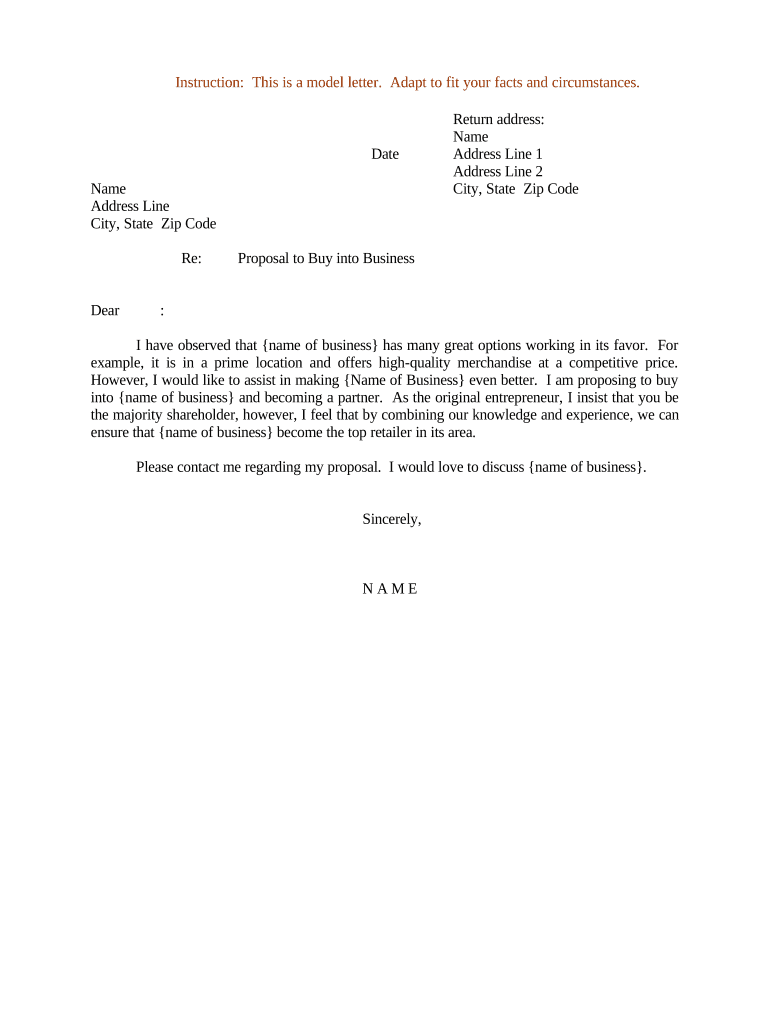
A Letter Proposing Partnership in Business is a written communication that outlines an initial offer to form a commercial partnership or joint venture between two or more parties. It summarizes the proposed business purpose, contributions (capital, services, IP), allocation of profits or equity, proposed term, and any exclusivity or confidentiality expectations. The letter initiates negotiations, creates a dated record of the offer, and can be used to frame later definitive agreements. In the United States such letters are typically nonbinding unless they include clear binding language and satisfy contract-formation elements under state law.

Why a Formal Partnership Proposal Matters

A concise, well‑drafted proposal clarifies expectations, reduces misunderstandings, and preserves a written record of the offer and key terms. It helps align negotiating parties and provides evidence of intent should questions arise later.

Why a Formal Partnership Proposal Matters

Who Typically Sends and Receives These Letters

Parties involved vary by deal size and industry; the letter is useful to both founders and executives.

  • Small business owners seeking a strategic partner for growth or market entry.
  • Corporate development or M&A teams proposing joint ventures or co‑development arrangements.
  • Outside counsel or in‑house lawyers reviewing and formalizing initial business terms.

Essential Sections to Include in the Letter Proposing Partnership in Business

A professional proposal organizes key terms so recipients can assess the offer quickly; include clear headings and concise, specific language to minimize ambiguity.

Opening

State the sender, recipient, date, and a one‑sentence summary of the proposed partnership purpose to set immediate context for the reader.
Parties

Identify each entity by full legal name, business type (LLC, corporation), and state of formation so signatory authority and tax identity are clear.

Scope

Describe the business purpose, geographic scope, products or services involved, and main obligations each party will assume in measurable terms.

Contributions

Specify capital, assets, personnel, IP, or services each party will contribute, including timelines and any in‑kind valuation methodology used.

Economic Terms

Outline profit sharing, equity percentages, payment schedules, cost allocation, and any milestone‑based payments or earn‑outs in clear numeric terms.

Signatures

Provide a signature block for authorized signers with printed name, title, date, and a line for witness or notarization if required by the parties.

Step‑by‑Step: How to Prepare and Send the Letter

Follow these sequential steps to prepare a clear, complete proposal and minimize negotiation friction.

  • 01
    Draft Terms: Write concise terms covering scope, contributions, economics, and timelines.
  • 02
    Internal Review: Have legal and finance review for compliance and tax implications.
  • 03
    Send to Recipient: Transmit via agreed channel—email, registered mail, or secure eSignature platform.
  • 04
    Record Retention: Save the executed copy and audit trail in your records repository.

How to Customize and Complete the Letter Online

Configure a digital workflow to reduce manual steps and maintain a verifiable audit trail when sending the proposal for signature.

Field Configuration
Authentication Use email plus optional SMS or KBA for higher assurance.
Field Types Use text, date, numeric, and conditional fields to collect structured inputs.
Template Save the proposal as a reusable template to ensure consistent language.
Notifications Enable reminders and completion alerts for senders and recipients.

Where to Send or File the Letter

A partnership proposal is normally exchanged between the prospective parties and retained by both; route copies to appropriate internal stakeholders.

  • Primary Recipient: Send to an authorized representative of the proposed partner organization.
  • Legal Counsel: Cc in‑house or outside counsel for review and note‑taking.
  • Company Records: Archive the executed letter with corporate minute books or contract management systems.
  • Optional Notary: If requested, notarize or use RON to support signature authenticity.

Digital Signing and eSubmission Considerations

Use an eSignature workflow that captures signer attribution, timestamps, and a tamper‑evident audit trail to support enforceability under ESIGN and UETA.

  • File Formats: PDF, DOCX supported for signature.
  • Integrations: Connectors available for CRM and document systems.
  • Authentication: Email, SMS, KBA, or advanced methods.

Typical Timelines and Response Deadlines to Include

Define explicit timeframes in the letter—both for recipient response and for interim obligations—to avoid confusion during negotiations.

Response Requested:

Request reply within 7–14 calendar days to keep momentum.

Exclusivity Window:

If needed, propose a 30–90 day exclusivity period in writing.

Due Diligence Period:

Suggest a 30–60 day due diligence timeline tied to milestones.

Negotiation Target:

Set an anticipated date for definitive agreement negotiation.

Execution Deadline:

State the date by which the parties expect signatures, if applicable.

Common Mistakes to Avoid When Preparing the Letter

  • Leaving key economic terms vague — ambiguous revenue or equity splits lead to disputes and renegotiation delays.
  • Using informal or trade names rather than legal entity names, which can cause execution or banking problems.
  • Failing to state whether the letter is intended to be binding or nonbinding, creating unintended contractual obligations.
  • Not capturing signer authority or failing to verify that the signer has power to bind the entity.

Risks and Consequences of an Incorrect or Incomplete Letter

Ambiguity Risk: May result in litigation
Tax Risk: Unexpected tax treatment
Liability Exposure: Third‑party claims possible
Unintended Partnership: De facto partnership formation
Invalid Signature: Challenge to enforceability
Confidentiality Breach: Sensitive data disclosure

eSignature Pricing and Feature Snapshot for Partnership Letters

This comparison summarizes common pricing and feature criteria for eSignature vendors relevant to sending and archiving partnership proposals; signNow appears first by vendor column convention.

signNow DocuSign Adobe Sign PandaDoc HelloSign
Starting Price $8/user/mo $15/user/mo $14/user/mo $19/user/mo $15/user/mo
Free Trial 7‑day free trial, no card Varies by vendor Varies by vendor Varies by vendor Varies by vendor
Bulk Send Yes (Business Premium) Varies by plan Varies by plan Varies by plan Varies by plan
Audit Trail Yes Yes Yes Yes Yes
HIPAA Compliant Yes (BAA available) Yes Yes No No
Envelope Cap No envelope cap 100 envelopes/user/year limit Varies by plan Varies by plan Varies by plan

Real‑world Examples of Using Digital Workflows for Partnership Documents

These short examples show how organizations used secure eSignature workflows to exchange partnership or contractual documents efficiently.

Martin Properties — Tim Martin, Founder

Martin Properties moved partnership documents online to avoid in‑person signatures and speed approvals.

  • The team processed agreements on mobile and desktop.
  • "I can process and execute all of these documents online with 100% compliance and built‑in security. Whether on mobile or working offline, I can get forms back to their necessary parties efficiently."

Xerox — Kodi‑Marie Evans, Director

Xerox integrated electronic signing with enterprise systems to route agreements for approval quickly.

  • Integration with backend systems automated recordkeeping.
  • "airSlate SignNow provides us with the flexibility needed to get the right signatures on the right documents, in the right formats, based on our integration with NetSuite."

FAQs and Troubleshooting for the Letter Proposing Partnership in Business

Answers to common questions about validity, signing, and practical issues when preparing or exchanging a partnership proposal letter.


Need help? Contact support

be ready to get more
Join over 28 million airSlate SignNow users