Establishing secure connection…Loading editor…Preparing document…

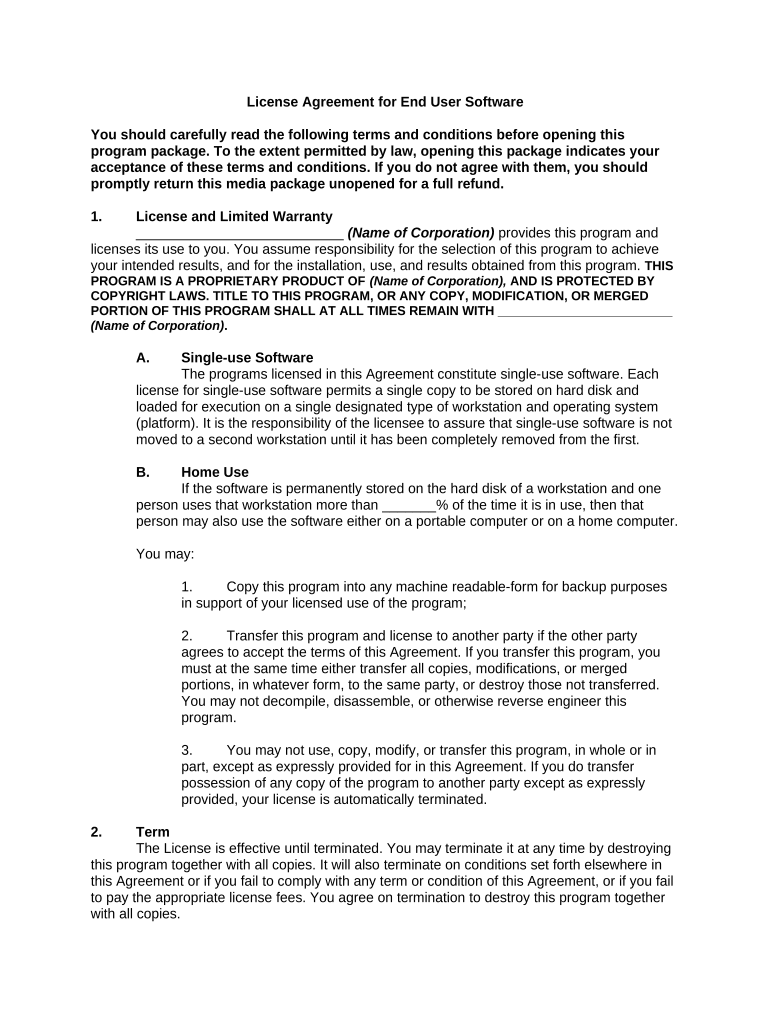
End User License Agreement

This template is fully customizable. Edit the text, fill out the fields, and send it for signature. Give it a try!
End User License Agreement

What an End User License Agreement Is and When It Applies

An End User License Agreement (EULA) is a contract that grants a user limited rights to use software or a digital product while retaining ownership, typically covering permitted uses, restrictions, support, updates, warranty disclaimers, and liability limits. EULAs define the relationship between the licensor and licensee, specify license scope (per-user, per-device, enterprise), and set the governing law and dispute-resolution process. For electronic distribution and signing in the United States, EULAs are enforceable when executed under ESIGN (15 U.S.C. ch. 96) or a state UETA framework, subject to statutory exceptions and consumer-disclosure rules.

Why a Clear, Executable EULA Matters

A well-drafted EULA clarifies rights, reduces ambiguity about permitted use and updates, and protects intellectual property while allocating risk. When executed properly under ESIGN (15 U.S.C. §7001) or UETA, electronic execution provides legal parity with handwritten agreements for most commercial transactions.

Why a Clear, Executable EULA Matters

Who Typically Prepares and Signs a EULA

Organizations that create or distribute software and their end users rely on EULAs to define permitted use and liabilities.

  • Software vendors and SaaS product teams preparing license terms for customers and resellers.
  • IT and procurement teams reviewing enterprise license scope and compliance obligations.
  • End users and administrators accepting terms during installation or onboarding.

Core Clauses to Include in a Professional EULA

A complete EULA covers license grant, permitted uses, restrictions, IP ownership, term and termination, and limitation of liability. Each clause should be concise and unambiguous.

License Grant

Define type (nonexclusive, revocable), scope (user/device), geographic limits, and any usage caps to avoid ambiguity about permitted actions.
Restrictions

List prohibited activities (reverse engineering, redistribution, sublicensing, unauthorized copying) with clear examples and consequences for breach.

Updates & Support

Describe maintenance, update delivery, and support levels, including whether updates are mandatory and how they affect prior functionality.

Intellectual Property

Affirm licensor ownership of code, trademarks, and documentation; state that the agreement conveys a license only, not ownership.

Warranties & Disclaimers

State express warranties, disclaim implied warranties, and define remedies, including any repair, replacement, or refund policies.

Limitation of Liability

Cap damages consistently with applicable law and specify exclusions (consequential damages) while noting that some jurisdictions limit caps.

Step-by-Step: Creating and Executing an EULA

Follow these steps to prepare, distribute, and obtain enforceable acceptance of an EULA.

  • 01
    Draft Terms: Document license scope, restrictions, and liability language clearly.
  • 02
    Internal Review: Have legal and product teams verify accuracy and regulatory compliance.
  • 03
    Set Signing Workflow: Configure signer order, authentication level, and required fields in your e-sign platform.
  • 04
    Execute and Archive: Collect signatures, capture audit trail, and store the executed agreement securely.

How Electronic Execution Works for a EULA

Electronic execution follows a predictable flow that preserves evidence of assent and auditability required by ESIGN and UETA.

  • Upload Document: Prepare final EULA and upload in PDF or DOCX format.
  • Place Fields: Insert signature, name, date, and checkbox fields for consent disclosures.
  • Authenticate Signer: Choose authentication (email link, SMS code, KBA) consistent with risk level.
  • Capture Audit Trail: Record timestamps, IP addresses, and actions to prove intent and attribution.

Recommended Workflow Settings for Online EULA Completion

Configure workflow settings to balance signer convenience with the level of authentication needed for enforceability.

Field Configuration
Signer Authentication Email + optional SMS OTP for higher-risk signings
Consent Disclosure Include ESIGN consumer disclosure where consumer-facing
Document Versioning Enable version lock to prevent post-signing edits
Audit Trail Retain detailed event log with timestamps

Technical Requirements for Digital Execution

Verify your e-sign solution supports required formats, integrations, and security standards before sending the EULA.

  • File Formats: PDF, DOCX supported
  • Integrations: CRM, ERP, cloud storage
  • Security: TLS in transit, AES-256 at rest

eSignature Pricing and Feature Snapshot

Compare starting prices and key capabilities relevant to executing EULAs electronically; signNow is listed first for clarity.

signNow DocuSign Adobe Sign PandaDoc HelloSign
Starting Price $8/user/mo $15/user/mo $14/user/mo $19/user/mo $15/user/mo
Free Trial 7-day free trial Varies Varies Varies Varies
Bulk Send Yes Yes Yes Yes No
Audit Trail Yes Yes Yes Yes Yes
HIPAA Compliant Yes Yes Yes No No

Minimum Security and Compliance Data to Record

Encryption: TLS 1.2/1.3; AES-256
Audit Trail: Timestamp, IP, action log
Certifications: SOC 2 Type II available
HIPAA: BAA required for PHI
21 CFR Part 11: Compliant controls available
Accessibility: WCAG 2.0 Level AA

Primary Risks if a EULA Is Drafted or Executed Incorrectly

Unenforceable Terms: Invalid or ambiguous clauses
Consumer Claims: Failure of required disclosures
Data Breach Liability: Regulatory fines and remediation
Contractual Disputes: Increased litigation risk
Regulatory Noncompliance: Sector-specific penalties
Operational Disruption: Service interruptions and reputation harm

Common Preparation Mistakes to Avoid

  • Using vague license language that fails to specify permitted actions, which creates interpretive risk and possible litigation over scope.
  • Omitting consumer electronic-disclosure language when required, undermining ESIGN-based enforceability for consumer-facing agreements.
  • Mismatched or abbreviated party names that prevent clear attribution and can render a signature ineffective.
  • Failure to capture a durable audit trail (timestamps, IP, action log), reducing admissible evidence of assent in disputes.

Real-World Examples of Digital Signature Use

Organizations across sectors use eSignature workflows to collect and track license acceptances remotely and at scale.

Optica Ventures

The interface is simple and easy-to-use for our team; more importantly, it is just as easy for our customers.

  • They used digital execution for license acceptance across devices.
  • This reduced turnaround time and provided an auditable trail that simplified compliance and customer onboarding.

Xerox

airSlate SignNow provides us with the flexibility needed to get the right signatures on the right documents, in the right formats.

  • Integration with backend systems automated recordkeeping.
  • The result was fewer manual steps in procurement and clearer evidence of consent for distributed license agreements.

Frequently Asked Questions About EULAs and Electronic Execution

Answers to common legal and operational questions about preparing, signing, and storing EULAs electronically.


Need help? Contact support

be ready to get more
Join over 28 million airSlate SignNow users