Establishing secure connection…Loading editor…Preparing document…

Louisiana Affidavit

This template is fully customizable. Edit the text, fill out the fields, and send it for signature. Give it a try!
Louisiana Affidavit

What a Louisiana Affidavit Is and When It’s Used

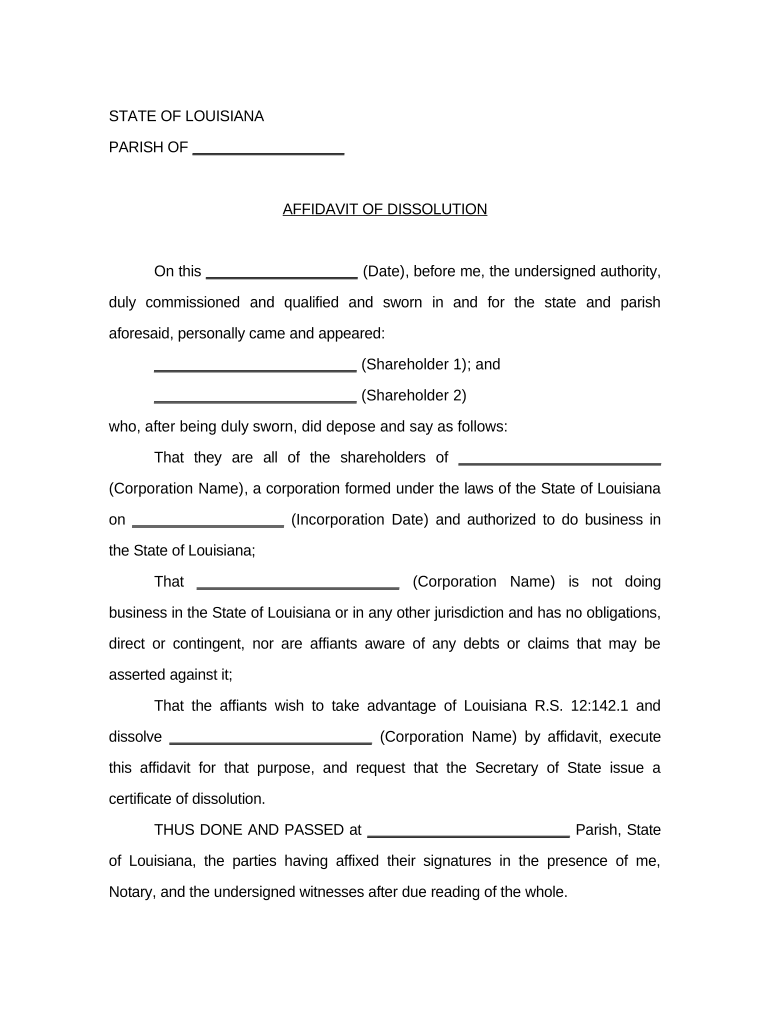
A Louisiana Affidavit is a sworn written statement made under oath and signed before a notary public or other official empowered to administer oaths in Louisiana. It records facts, identities, or circumstances for use in legal, administrative, or business processes such as property matters, court filings, identity verification, and statutory declarations. Because Louisiana follows civil-law traditions, some affidavits also integrate notarial formalities unique to the state; accuracy and proper authentication determine whether the affidavit will be accepted by courts and third parties.

Why a Proper Louisiana Affidavit Matters

A correctly completed affidavit creates a sworn record that can support legal claims, satisfy government or commercial requirements, and reduce disputes by documenting facts under penalty of perjury.

Why a Proper Louisiana Affidavit Matters

Typical parties who complete or rely on Louisiana Affidavits

Match the affidavit type and authentication (notary, witnesses) to the recipient’s requirements before finalizing.

  • Private citizens and parties providing sworn statements in disputes, title transfers, or identity confirmations.
  • Attorneys and paralegals preparing sworn declarations or exhibits for court and administrative use.
  • Businesses, lenders, and title companies requiring sworn attestations for transactions and records.

Step-by-step: Completing a Louisiana Affidavit

Follow these steps in order to prepare a legally effective affidavit for Louisiana use; confirm any recipient-specific requirements first.

  • 01
    Draft: Write concise factual statements; avoid opinions unless stated as such.
  • 02
    Verify Identity: Confirm affiant identity with ID before notarization.
  • 03
    Sign in Notary Presence: Affiant signs only when the notary is present or via approved RON.
  • 04
    Record and Retain: Keep original notarized affidavit and provide copies as needed.

How affidavit authentication and delivery typically flow

This sequence outlines authentication, signature, and forwarding steps commonly used for affidavits in Louisiana transactions.

  • Prepare: Create the affidavit draft with required facts and attachments.
  • Authenticate: Affiant presents ID; notary performs identity verification.
  • Notarize: Notary completes acknowledgment, signs, and applies seal.
  • Distribute: Send notarized originals or certified copies to the recipient.

Configuring a digital affidavit workflow

Set up fields and signer order in your e-signature platform to mirror the physical notarization and witness requirements.

Field Configuration
Signature Field Place for affiant signature; lock until authentication completes.
Notary Block Reserved block for notary signature, seal, and date.
Witness Fields Add witness name and signature fields when required.
Attachments Include exhibits or ID scans as read-only attachments.

Technical considerations for eSigning and eNotarization

Ensure the solution meets ESIGN/UETA standards and any Louisiana-specific notarial requirements before relying on e-signed affidavits.

  • Authentication: Email, SMS, or KBA plus ID credential checks.
  • Notarization Support: Platform must support RON or produce paper-ready notarization data.
  • Export Formats: PDF/A with embedded audit trail recommended.

Key security and compliance features to expect for digital affidavits

Encryption: TLS 1.2/1.3 in transit, AES-256 at rest
Audit Trail: Comprehensive timestamps, IP addresses, and actions
HIPAA Support: HIPAA-compliant with BAA available
ESIGN/UETA: Recognizes electronic signatures as legally binding
21 CFR Part 11: Supports controls for FDA-regulated records
Certifications: SOC 2 Type II and ISO 27001 available

Key legal risks when an affidavit is incorrect or incomplete

Perjury Exposure: Criminal penalties may apply
Notary Fraud: Fines or professional discipline possible
Evidentiary Rejection: Court may refuse the affidavit
Civil Liability: Damages or indemnity claims possible
Administrative Delay: Processing and filing may be delayed
Tax Consequences: Incorrect facts can trigger audits

Common mistakes to avoid when preparing a Louisiana Affidavit

  • Signing before notarization or failing to appear with the notary, which invalidates the sworn acknowledgment.
  • Using inconsistent names or addresses, causing identity mismatches and potential rejection by recipients.
  • Including hearsay or speculative statements instead of verifiable facts, weakening evidentiary value in court.
  • Failing to attach or label exhibits and supporting documents, making factual claims difficult to verify.

Practical tips for accurate and efficient affidavit preparation

Adopt these practices to reduce errors, speed acceptance, and preserve the affidavit’s evidentiary value.

Use clear factual language
Write short, numbered paragraphs focused on verifiable facts. Avoid legal conclusions unless provided by counsel; factual clarity improves reliability and speeds review by courts and third parties.
Verify identity thoroughly
Confirm the affiant’s government ID and record the document used. Proper identity proofing prevents later disputes and supports notarization or remote identity checks.
Follow notarization rules
Do not sign until the notary or authorized officer is present. For RON, ensure the platform meets state RON standards and that audio-video recording and identity proofing are retained.
Keep originals and indexed copies
Store originals securely and maintain indexed scanned copies with audit trails. This supports retrieval for legal proceedings and regulatory inspections.

Timing considerations and deadlines for affidavit-related filings

Affidavit timelines depend on the recipient and the underlying procedure; plan for notarization and any required filing windows.

Immediate Use:

Provide notarized affidavit when required by closing or hearing date.

Court Filings:

Meet local court filing deadlines; some orders require affidavits by a specific hearing date.

Title and Recording:

Record or attach affidavit as directed by county recorder within transaction timelines.

RON Availability:

Use RON only where authorized by state law and recipient accepts remote notarization.

Retention Start:

Retention begins on notarization date or filing date, whichever is later.

Typical eSignature vendor comparison for managing affidavits

Comparison of common eSignature plans and capabilities relevant to affidavits and notarization workflows; signNow is listed first by design.

signNow DocuSign Adobe Sign PandaDoc HelloSign
Starting Price $8/user/mo $15/user/mo $14/user/mo $19/user/mo $15/user/mo
Free Trial 7-day free trial Varies by plan Varies by plan Varies by plan Varies by plan
Bulk Send Yes Yes Yes Yes Yes
Audit Trail Yes Yes Yes Yes Yes
HIPAA Compliant Yes Yes Yes No No

Frequently asked questions about Louisiana Affidavits

Answers to common questions about validity, notarization, eSigning, and what to do when issues arise.


Need help? Contact support

be ready to get more
Join over 28 million airSlate SignNow users