Establishing secure connection…Loading editor…Preparing document…

Louisiana Matrimonial Agreement

This template is fully customizable. Edit the text, fill out the fields, and send it for signature. Give it a try!
Louisiana Matrimonial Agreement

What a Louisiana Matrimonial Agreement Is and why it matters

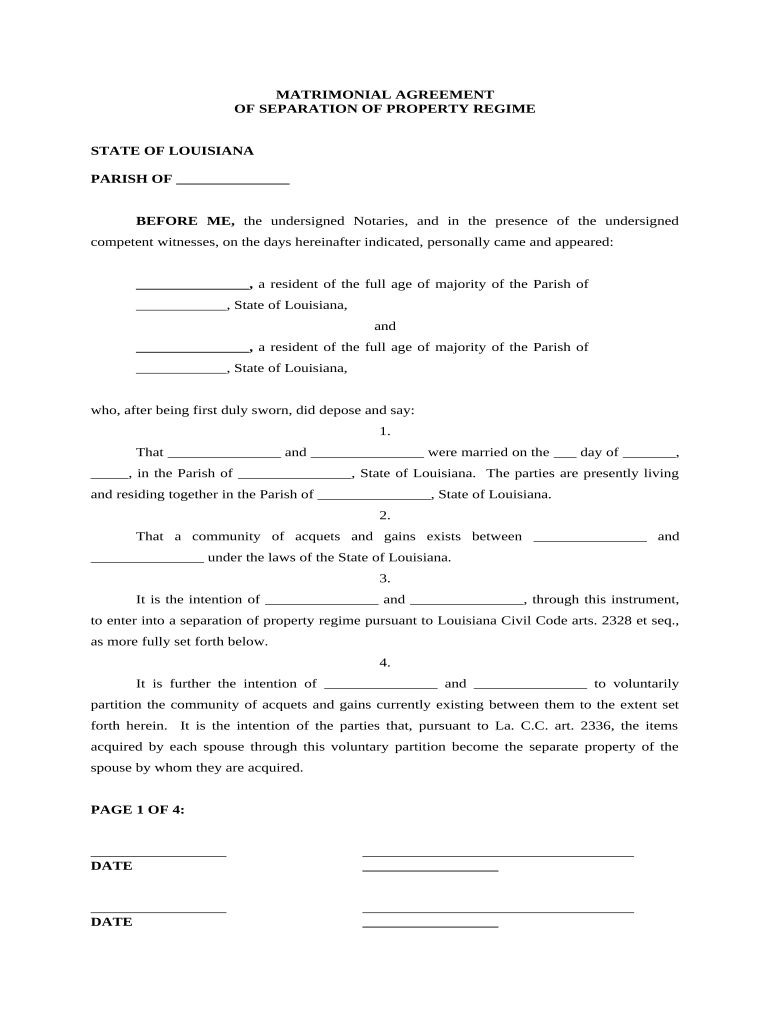
A Louisiana Matrimonial Agreement is a written contract between two persons that defines the parties' matrimonial regime, property rights, debt allocation, and related obligations before or during marriage. Rooted in Louisiana's civil-law tradition, these agreements can establish separate property, community arrangements, and inheritance-related provisions. Properly executed, they clarify financial expectations, protect premarital assets, and reduce later litigation. Execution formalities vary by parish; many agreements in Louisiana are signed before a notary and witnessed. Electronic completion is possible but contingent on state formalities and applicable federal e-signature law.

Key reasons couples use a Louisiana Matrimonial Agreement

A clear agreement protects premarital assets, allocates debts, and documents intentions for inheritance and support. It reduces uncertainty and lowers the chance of contested litigation.

Key reasons couples use a Louisiana Matrimonial Agreement

Who typically prepares or signs a matrimonial agreement

Matrimonial agreements are used by people entering marriage, spouses seeking to change regimes, and parties with significant separate assets or family obligations.

  • Couples with substantial assets or businesses — Use to protect premarital equity and clarify management rights.
  • Spouses facing unequal debt or inheritance situations — Allocate responsibility and protect heirs' expectations.
  • Families blending children and estates — Define inheritance rights and avoid later disputes.

Attorneys, notaries, and sometimes financial advisors assist with drafting and ensuring compliance with Louisiana formalities.

Primary elements to include in a professional agreement

A complete Louisiana Matrimonial Agreement combines factual recitals, clear property regime language, schedules of assets, and execution terms so the parties, notaries, and courts can readily determine intent and enforceability.

Parties

Full legal names, marital status, dates of birth, and residency details for both parties so identity and capacity are clear.
Recitals

Background facts that explain why the agreement is being signed, the parties' intent, and any prior agreements or relevant family circumstances.

Property Regime

Explicit statement selecting the matrimonial regime (separate property, community, or modified regimes) and rules for classification of future property.

Asset Schedules

Detailed lists or exhibits describing separate assets, bank accounts, real property, and business interests with sufficient detail for identification.

Support & Waivers

Any spousal support waivers or obligations, including duration, conditions, and whether the parties understand legal consequences.

Execution Clauses

Signature blocks, notary acknowledgment, witness lines (if applicable), effective date, and amendment/revocation procedures.

Step-by-step: drafting to final execution

Use this sequence to draft, review, and finalize a compliant matrimonial agreement in Louisiana.

  • 01
    Draft: Prepare a complete draft listing parties, assets, and chosen regime.
  • 02
    Legal Review: Have counsel or a notary verify clarity and compliance with Louisiana law.
  • 03
    Signing: Execute before required witnesses and the notary, or follow approved electronic notarization steps.
  • 04
    Retain: Store the original signed document with counsel and a certified copy with each party.

Typical workflow for executing and storing the agreement

The practical flow moves from document preparation to signature, authentication, and secure storage. Each step leaves a clear record.

  • Prepare Document: Create final PDF or Word document with all schedules attached.
  • Authentication: Confirm identities using ID checks or remote online notarization where allowed.
  • Execution: Parties sign and required notary/witness formalities are completed.
  • Record & Store: Retain originals and share certified copies with parties and counsel.

How to configure an online signing workflow

Configure these fields to preserve legal formality while enabling e-signature completion where permitted.

Field Configuration
Signature Field Assign to each party; require date and printed name fields.
Notary Block Include acknowledgment area and notarization date for the parish notary.
Witness Fields Add two witness signature lines when Louisiana formalities require them.
Attachments Attach asset schedules as separate files and mark them as exhibits.

Technical considerations for digital completion and e-notarization

Use a platform that supports PDF, Word DOCX uploads, secure audit trails, and optional remote notarization where state law permits.

  • File Formats: PDF and DOCX accepted; preserve original exhibits.
  • Authentication: SMS, knowledge-based checks, or ID verification for signer attribution.
  • Integrations: Connectors for document storage and case management systems.

Confirm the chosen provider supports audit trails and any HIPAA or regulatory controls required for attached supporting documents.

Essential data points to include on the first page

Party Names: Full legal names
Effective Date: MM/DD/YYYY format
Residency: Parish and state
Regime Chosen: Separate or community
Asset Summary: Short exhibit reference
Notary Block: Parish notary details

Common mistakes to avoid when preparing the agreement

  • Failing to list assets in detail creates ambiguity and invites disputes during enforcement or estate administration.
  • Skipping independent counsel risks a later claim of duress, lack of disclosure, or unconscionability in court.
  • Omitting required notarization or witness signatures in Louisiana can render execution formalities defective.
  • Using vague or open-ended waiver language can permit a court to invalidate specific provisions.

Key risks and legal consequences of an incorrect agreement

Unenforceable Provision: Court may strike clause
Execution Defect: Agreement could be voided
Tax Exposure: Unclear allocations create IRS risk
Probate Complication: Estate plans may be contested
Litigation Costs: High attorney fees possible
Loss of Rights: Inadvertent waiver of protections

Key timing considerations and deadlines

Timing affects enforceability and notice to third parties; observe execution timing and retention responsibilities.

When to Sign:

Sign before marriage for prenups, or during for postnups; earlier reduces duress claims

Effective Date:

Specify effective date; it governs when rights and obligations start

Notarization Timing:

Complete notarization at signing or as required by parish practice

Recordkeeping:

Provide copies to both parties and retain originals with counsel

Amendments:

Amendments require the same execution and notarization formalities

Milestones from draft to enforceability

The following milestones outline the typical lifecycle and what each stage requires to progress toward enforceability.

01

Draft Complete

All schedules attached and regime chosen; ready for review

02

Attorney Review

Independent review recommended to document informed consent

03

Signing & Notarization

Parties sign before required witnesses and the notary

04

Safe Storage

Original retained by counsel; certified copies distributed

Practical tips for accurate, efficient completion

Adopt these practices to reduce errors, ensure enforceability, and simplify future reference.

Use clear exhibits
Attach itemized asset schedules with identifiers to avoid ambiguity; reference exhibits in the main text to ensure consistency across documents and later transactions.
Document independent counsel
Record that each party had the chance to obtain independent legal advice; a signed acknowledgment reduces risk of later claims of coercion or lack of disclosure.
Preserve audit trails
When using electronic workflows, retain audit logs showing signer identity, timestamps, and IP addresses to support attribution and authenticity.
Match IDs to names
Verify government IDs at signing; ensure the names on the agreement exactly match official identification documents to prevent identity disputes.

Representative eSignature vendor pricing and feature snapshot

Compare starting prices and core capabilities for common eSignature solutions used to execute legal agreements. Provider features and plan limits vary.

signNow DocuSign Adobe Sign PandaDoc HelloSign
Starting Price $8/user/mo $15/user/mo $14/user/mo $19/user/mo $15/user/mo
Free Trial 7-day free trial Varies by plan Varies by plan Varies by plan Varies by plan
Bulk Send Yes (Premium) Varies by plan Varies by plan Varies by plan Varies by plan
Audit Trail Yes Yes Yes Yes Yes
HIPAA Compliant Yes Yes Yes No No

Typical use cases and outcomes

Real-world scenarios show how agreements address asset protection, blended-family planning, and business interests.

High-net-worth Prenuptial

A couple drafted a prenup listing business interests and separate bank accounts

  • The agreement specified management and valuation rules
  • Clear schedules and independent counsel reduced later estate disputes and simplified succession planning.

Postnuptial for Inheritance

Spouses executed a postnuptial to preserve a family farm for children from a prior marriage

  • The document allocated farm proceeds and set stewardship rules
  • The explicit exhibit and notarization supported the testator's intent during later probate.

Frequently asked questions about Louisiana Matrimonial Agreements

Answers to common legal and technical questions for drafting, signing, and enforcing matrimonial agreements in Louisiana.


Need help? Contact support

be ready to get more
Join over 28 million airSlate SignNow users