Establishing secure connection…Loading editor…Preparing document…

Return of Notary and Order to Fix Fees

This template is fully customizable. Edit the text, fill out the fields, and send it for signature. Give it a try!
Return of Notary and Order to Fix Fees

What the Return of Notary and Order to Fix Fees Is

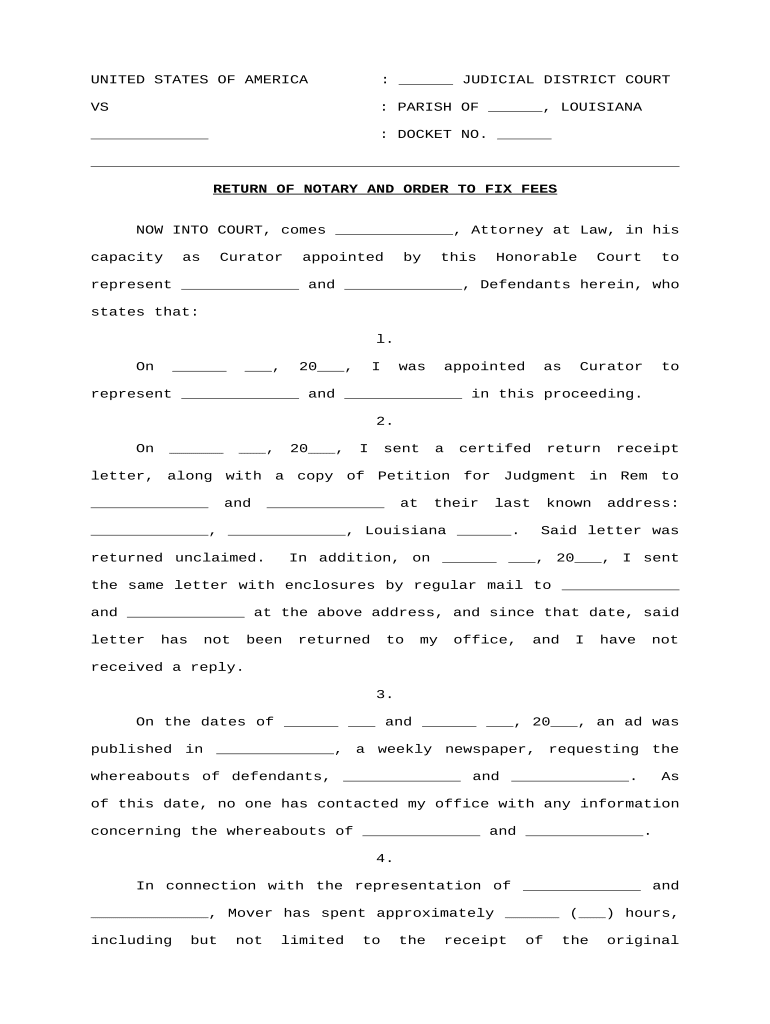
The Return of Notary and Order to Fix Fees is a formal U.S. document used to report, reconcile, and authorize correction of fees related to notarization services. It records the notarial act(s), identifies charged fees that require adjustment, and establishes an order directing how and to whom corrected fees should be disbursed. Agencies, courts, and recording offices often use this form to ensure fee lists match statutory limits, to document refunds or surcharges, and to create an auditable trail for financial and compliance records. Proper completion supports accurate accounting and preserves evidence for future review.

Why a Clear Return and Fee Order Matters

Using a Return of Notary and Order to Fix Fees clarifies fee discrepancies, documents authorized adjustments, and creates a record for audit and compliance. It reduces disputes with customers or agencies by providing an official order that aligns collected amounts with applicable statutory limits and accounting records.

Why a Clear Return and Fee Order Matters

Primary Users and Stakeholders

Typical users who prepare, approve, or receive a Return of Notary and Order to Fix Fees are listed below for clarity.

  • County recording clerks responsible for recording documents and reconciling notary fees.
  • Court clerks issuing fee corrections or orders tied to court filings and judgments.
  • Notaries and signers receiving refunds or adjustments and verifying corrected fee records.

Representative Roles Who Complete or Approve the Form

County Recorder

The County Recorder oversees recording operations, verifies statutory fee caps, initiates Returns of Notary and Orders to Fix Fees when discrepancies appear, coordinates refunds and ledger adjustments, and maintains official recording and accounting ledgers for audit and public records access.

Court Clerk

A Court Clerk processes filings, verifies court-authorized adjustments, secures required endorsements, and updates case and financial records; the clerk also communicates corrective orders to treasury or recording departments for disbursement and reconciliation.

Essential Components of a Professional Return and Fee Order

Core components of a professional Return of Notary and Order to Fix Fees ensure legal clarity, traceability, and consistent accounting across agencies and recording offices.

Document ID

Assign a unique identifier and filing number to link the return to the original record or case file; include recording date, book/page reference, or instrument number where applicable.
Notarial Act

Describe the notarial act(s) with date, time, signer's full name, identification type presented, notary name, commission state, and commission expiration to establish the event being corrected.

Fee Itemization

List each fee charged, the statutory fee limit where applicable, the amount collected, the disputed amount, and the specific correction requested (refund, surcharge, or transfer).

Order Instruction

Specify the authorized corrective action, identify the refund or payment recipient, indicate payment method or ledger account, and state whether county or court treasury should process the adjustment.

Authorization

Include printed names, titles, dates, and signatures of approving officials; add clerk or judicial endorsements where jurisdictional rules require them for enforceability.

Audit Trail

Attach supporting documentation such as receipts, notary journal excerpts, and a concise narrative explaining the discrepancy and reason for the corrective order for audit and review.

Step-by-Step: How to Complete and Submit the Return

Follow these steps to complete and submit the Return of Notary and Order to Fix Fees accurately and in proper sequence.

  • 01
    Prepare form: Gather original notary record, receipt, and supporting documents.
  • 02
    Itemize fees: List each charge and indicate required corrections.
  • 03
    Obtain approvals: Secure signatures from authorized clerk or judge.
  • 04
    File and record: Submit to recording office and retain a copy.

Configuring an Online Workflow for This Return

Set up a digital workflow that captures all required fields, approver roles, and evidence attachments to streamline processing.

Field Configuration
Form Template PDF with fillable fields and versioning
Signer Authentication Email verification; add KBA for high-risk cases
Notary Evidence Attach notary journal excerpts and AV record
Approval Workflow Role-based routing with clerk sign-off required

Process Flow: From Discrepancy to Corrected Entry

This flow outlines discovery, authorization, payment adjustment, and record retention steps for correcting notary fee errors.

  • Discovery: Identify discrepancy through audit or complaint.
  • Authorization: Issue an official order authorizing fee correction.
  • Adjustment: Process refund or charge as directed.
  • Recordkeeping: Update ledgers and attach supporting documents.

Digital and Platform Considerations

Choose a platform that supports fillable PDFs, secure storage, and audit trails for evidence and compliance.

  • File formats: PDF and DOCX accepted formats
  • Integrations: Works with NetSuite, Salesforce, Google Workspace
  • Security: AES-256 at rest, TLS in transit

Typical Processing Milestones and Expectations

Processing timelines vary by office; plan for administrative review, approval, payment processing, and record updates in sequence.

Discovery and Submission:

Submit the return promptly after a discrepancy is identified.

Administrative Review:

Clerk examines documents and may request supplemental materials.

Authorization Period:

Authorized official signs and issues the corrective order.

Adjustment Processing:

Treasury or accounting posts refund or allocation in ledgers.

Record Update:

Recording office annotates the instrument and files the order.

Practical Best Practices to Reduce Risk and Delay

Follow these best practices to reduce errors, ensure statutory compliance, and create a defensible audit trail for fee corrections.

Verify applicable statutory fee limits
Before issuing corrections, confirm current state statutes and local ordinances, compare collected amounts to permitted fees, and document calculations with citations and signed authorization to reduce audit challenges.
Attach complete notary journal and proof
Include notary journal excerpts, ID verification notes, receipts, and AV recordings for RON sessions. Corroborating evidence materially reduces rejection risk and accelerates clerk processing.
Use consistent signer names and dates
Enter names exactly as on government-issued IDs, use MM/DD/YYYY for dates, and cross-check against original instruments to avoid identity or attribution issues.
Preserve detailed audit trail and approvals
Record preparer, approver, timestamps, IP addresses for electronic signatures, and ledger postings so audits and disputes can be resolved with complete documentation.

Common Mistakes to Avoid When Preparing the Return

  • Incomplete notary details such as missing commission number, expiration date, or incorrect signer name lead to processing delays and potential rejection by recording or auditing authorities.
  • Failing to itemize fees precisely or omitting statutory citations can prevent clerks from applying the correct adjustment and increase dispute resolution time.
  • Using inconsistent dates, differing signatory names, or mismatched payment records undermines attribution and can void a corrective order without further evidence.
  • Not attaching supporting receipts, journal entries, or AV records for RON sessions frequently triggers requests for supplemental documentation and slows final accounting.

Penalties and Risks from Incorrect or Incomplete Returns

Processing Delays: Delayed refunds and reconciliations.
Accounting Errors: Misstated revenue, audit triggers.
Statutory Noncompliance: Violation of fee caps.
Fraud Allegations: Potential criminal investigation.
Penalty Exposure: Administrative fines possible.
Record Rejection: Recorder may reject filing.

Essential Data Elements and Security Notes

Full Signer Name: Enter name as on ID.
Notary Commission: Include number and state.
Identification Type: Record type and number.
Fee Amounts: Itemize fees in USD.
Notarization Date: Use MM/DD/YYYY format.
Clerk/Agency ID: Include approving official ID.

Practical Examples of Common Corrections

Real-world scenarios show how agencies correct notary fee errors and document authoritative fee adjustments for reconciliation and audit readiness.

County Recorder

A county recorder identified inconsistent notary charges across recorded deeds after an internal audit and opened corrective action.

  • Ordered refunds and ledger adjustments to match statutes.
  • The recorder issued a Return of Notary and Order to Fix Fees, documented supporting receipts and notary journal entries, and completed reconciliations within the fiscal quarter to close the audit finding and update accounting records.

Court Clerk

A court clerk found that a filing had been charged an incorrect notary surcharge due to a data-entry error and prepared an order for correction.

  • Directed treasury to reallocate the overpayment.
  • The clerk attached certified copies, obtained judicial approval where required, and recorded the order with the official case file so the accounting team could process the refund and reconcile case-level fees.

Comparing eSignature Pricing and Capabilities for This Workflow

A concise vendor comparison for eSignature solutions relevant to completing and distributing Returns of Notary and Order to Fix Fees.

signNow DocuSign Adobe Sign PandaDoc HelloSign
Starting Price $8/user/mo $15/user/mo $14/user/mo $19/user/mo $15/user/mo
Free Trial 7-day free trial Varies by vendor Varies by vendor Varies by vendor Varies by vendor
Bulk Send Yes Yes Yes Yes Limited
Audit Trail Yes Yes Yes Yes Yes
HIPAA Compliant Yes Yes Yes No No
Envelope Cap No cap 100 envelopes/user/year Varies by plan Varies by plan Varies by plan

Frequently Asked Questions and Troubleshooting

Answers to common questions about validity, notarization, evidence, and retention when preparing a Return of Notary and Order to Fix Fees.


Need help? Contact support

be ready to get more
Join over 28 million airSlate SignNow users