Establishing secure connection… Loading editor… Preparing document…
Navigation

Fill and Sign the Manufacturer Exclusive Form
Fill and Sign the Manufacturer Exclusive Form

How it works

Open the document and fill out all its fields.
Apply your legally-binding eSignature.
Save and invite other recipients to sign it.

Rate template

4.8
36 votes
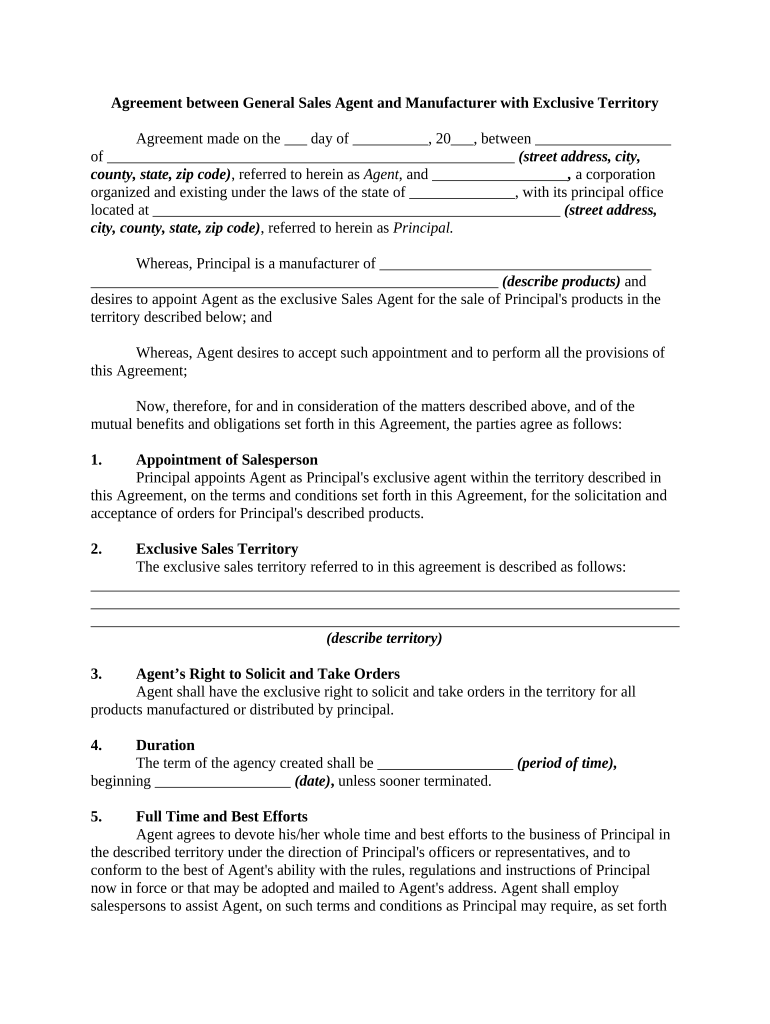
Agreement between General Sales Agent and Manufacturer with Exclusive Territory Agreement made on the ___ day of __________, 20___, between __________________ of ______________________________________________________ (street address, city, county, state, zip code) , referred to herein as Agent, and __________________ , a corporation organized and existing under the laws of the state of ______________, with its principal office located at ______________________________________________________ (street address, city, county, state, zip code) , referred to herein as Principal. Whereas, Principal is a manufacturer of ____________________________________ ______________________________________________________ (describe products) and desires to appoint Agent as the exclusive Sales Agent for the sale of Principal's products in the territory described below; and Whereas, Agent desires to accept such appointment and to perform all the provisions of this Agreement; Now, therefore, for and in consideration of the matters described above, and of the mutual benefits and obligations set forth in this Agreement, the parties agree as follows: 1. Appointment of Salesperson Principal appoints Agent as Principal's exclusive agent within the territory described in this Agreement, on the terms and conditions set forth in this Agreement, for the solicitation and acceptance of orders for Principal's described products. 2. Exclusive Sales Territory The exclusive sales territory referred to in this agreement is described as follows: ______________________________________________________________________________ ______________________________________________________________________________ ______________________________________________________________________________ (describe territory) 3. Agent’s Right to Solicit and Take Orders Agent shall have the exclusive right to solicit and take orders in the territory for all products manufactured or distributed by principal. 4. Duration The term of the agency created shall be __________________ ( period of time) , beginning __________________ (date) , unless sooner terminated. 5. Full Time and Best Efforts Agent agrees to devote his/her whole time and best efforts to the business of Principal in the described territory under the direction of Principal's officers or representatives, and to conform to the best of Agent's ability with the rules, regulations and instructions of Principal now in force or that may be adopted and mailed to Agent's address. Agent shall employ salespersons to assist Agent, on such terms and conditions as Principal may require, as set forth in this Agreement. 6. Nondisclosure of the Affairs of Principal Agent agrees to keep confidential such information as Principal may acquire from Principal regarding Principal's business affairs and customers. Agent will not, in whole or in part, now or at any time, disclose such information. 7. Commissions A. Agent, during the term of the an Agreement, shall receive a commission from the sale of Principal's products sold for use in Agent's territory, whether sold by Agent or by Principal, or others, except as provided in this Agreement. B. Agent's commission on sales made pursuant to this Agreement shall be as follows: ______________________________________________________________________________ ______________________________________________________________________________ ______________________________________________________________________________ (Describe Commission Terms if not Dealt with below) 8. Sales Subject to Commissions This Agreement shall apply to business procured from customers by Agent in his/her territory as well as to all business procured by representatives of Agent in Agent’s territory, including business procured from customers previously worked within six months from the date of any termination of this Agreement. 9. Payment of Commissions A. Any commission to be received under this Agreement shall not be credited to Agent's account on Principal's books until the purchaser has made settlement in full with Principal, either by cash or acceptable notes. If settlement is made wholly or in part by purchaser's notes, Principal may withhold payment of the commission in whole or in part until the notes are paid. B. Agent's account may be charged with the amount of any commission previously paid to agent or credited to Agent's account for the unpaid part of the purchase price of the products, or the unpaid part of any note given in payment. 10. Sales in or from other Territories A. Agent agrees not to enter the territory of any other sales agent of Principal for the purpose of selling Principal's product, or to endeavor, directly or indirectly, to make sales of Principal's product for use outside of Agent's territory. Should a purchaser call on Agent voluntarily and purchase Principal's product for use outside of Agent's territory, Agent shall receive commissions as follows: ______________________________________________ _____________________________________________________________________ (describe) B. Agent further agrees that, when any other authorized sales agent of Principal sells Principal's product for use in Agent's territory, Agent's account shall be credited with the regular commission, less the commission paid Agent making the sale. 11. Disputes on Commissions Principal shall have the right to determine, in any dispute arising between Agent and any other sales agent of Principal, the right to commission on any sale, and Agent shall abide by and be bound by Principal's decision. 12. Limitation on Commission Claims Agent waives all claim for commission on sales of Principal's product, whether made by Agent or others, and all other claims of any nature whatever, if the claim is not made within ________________ (e.g., one year) from the date of termination of this Agreement. 13. Agent not to Share Commissions Under no circumstances, without permission of Principal, may Agent give any part of Agent's commission to any assistant, local agent or other person to assist Agent in making a sale. 14. Contents of Orders A. All orders for Principal's product shall be taken on printed forms furnished by Principal, and all such orders shall be sent to Principal immediately after being signed by purchasers. The orders shall contain all conditions and agreements of every nature whatsoever between the parties to the sale, it being agreed that Principal shall not be responsible for promises or conditions not specified on the orders. Principal's product shall not be sold for more or less than the list price established by Principal. B. If Principal is compelled to make any concessions to customers or incur any expense by reason of a violation of these requirements, the amount of the expense may be charged to Agent's account. 15. Acceptance of Orders by Principal Orders taken by Agent shall not be binding until accepted by Principal. Principal reserves the right to reject any order when, in the judgment of Principal, the product ordered may not be suitable to the business of the customer. 16. Agent not to Compete Agent, having agreed to devote Agent's whole time to Principal's business, shall not purchase or deal in Principal’s product on Agent's own account in any way during the continuance of this Agreement. Agent will not engage, directly or indirectly, either for Agent or as employee of any other party, in manufacturing, buying, selling or dealing in Principal’s product, in the territory described, for a period of __________________ (state period of time) , after the termination of the Agency created by this Agreement, without the written consent of Principal. 17. Compromise and Collection of Accounts Principal shall have full control of and discretion as to the collection, adjustment or compromise of any or all accounts for Principal's products sold by Agent. If Principal requests Agent to make any collection, or to obtain possession of Principal's product or other property, whether the request relates to a sale made by Agent or any agent that preceded Agent in the territory, Agent shall do so promptly. 18. Remittals by Agent A gent agrees to remit __________________ (e.g., daily, weekly or monthly) to Principal, in the manner prescribed by Principal or to deposit __________________ (e.g., daily, weekly or monthly) in a bank or other financial institution designated by Principal's, all money, checks and drafts received by Agent for Principal, including any received for repair parts and supplies sold. In no event will Agent use any money collected for Principal to defray the expenses of the agency, or for any other purpose, or deposit the funds in any bank or other financial institution to Agent's own credit. 19. Expenses of Agent All expenses for traveling, entertainment, office, clerical, office and equipment maintenance, and general selling expenses that may be incurred by Agent in connection with this Agreement will be borne wholly by Agent. In no case shall Principal be responsible or liable for such expenses. 20. Accounting on Termination A. Agent authorizes Principal, on termination of the agency created by this Agreement, to pay any outstanding indebtedness, including amounts due Agent and Agent's employees incurred in the management of the agency, and to charge the amount to Agent's account. Principal shall not be bound to pay any such indebtedness, unless Principal shall elect to do so. Payment of part of Agent's indebtedness by Principal shall not raise any obligation on Principal's part to pay the whole of the indebtedness. An assignment of Agent's account, or any part of it, shall not be binding on Principal unless accepted in writing by Principal. B. On termination of this Agreement, Principal shall proceed in the customary manner to collect notes and open accounts for purchases of Principal's product sold by Agent and shall charge against Agent's account the commission previously credited on such amounts of notes and accounts as are uncollected. Principal also shall charge Agent's account with Agent's proportion of any collection expense. This provision shall continue in force until a final account can be stated; no money shall be due agent under this Agreement after its termination until the final account can be stated. 21. Objections to Accounting and Limitations Agent agrees that all objections to statements of account rendered by Principal are waived, unless written notice is given by Agent and unless such notice reaches Principal within ________days after rendition of the statement by Principal. 22. Surety Bond of Agent Agent agrees to furnish Principal with a fidelity bond of $_________________ , to be issued by a responsible surety company and conditioned on the faithful performance of Agent's duties in the agency created by this Agreement. All premiums on such bond shall be paid by Agent. 23. Examination of Agent’s Accounts Agent agrees that officers or authorized representatives of Principal shall have, on demand, access to and the right to examine and make copies of all books of accounts, vouchers and papers of Agent, in order to ascertain whether the business of Agent is being conducted in a manner satisfactory to Principal. 24. Insurance Premiums and Taxes Principal shall insure against loss by fire all products delivered on consignment to Agent, charging the premium paid for the insurance to Agent's account. Agent shall pay all personal property taxes levied on consigned products, or shall pay such tax as may be levied in lieu of a personal property tax. 25. Compliance with Laws Agent agrees, for the benefit of Agent's employees and subagents, to comply in all respects with the workers' compensation laws of any state or states of which Agent's territory may be a part, and to pay the premiums and other costs and expenses incident to such coverage. 26. Customer List and Sales Calls A. Agent agrees to keep a list of probable purchasers, and also a list of users, of Principal's products in Agent's territory. Both lists shall show the name, nature and address of each business concern listed. The user's list shall also show the style and factory number of Principal's product in use. B. Agent agrees to send to Principal, on the form furnished by Principal, a list of all persons called on by Agent or Agent's employees in connection with Principal's business. The list shall show the name, nature and address of each business concern called on, and the object and results of the call. 27. Employment of Subagents Agent agrees not to employ any person until Agent has supplied Principal with full particulars regarding such person, on the form furnished by Principal, giving the person's name, record, previous occupation, etc., and until Principal's assent to such employment has been received. 28. Arbitration of Disputes Any dispute under this Agreement shall be required to be resolved by binding arbitration of the parties hereto. If the parties cannot agree on an arbitrator, each party shall select one arbitrator and both arbitrators shall then select a third. The third arbitrator so selected shall arbitrate said dispute. The arbitration shall be governed by the rules of the American Arbitration Association then in force and effect. 29. Modification and Termination Principal at any time may alter and change the boundaries and territory covered by this Agency Agreement. The agency created by this Agreement may be terminated by either party by written notice mailed or delivered to the last known address of the other party. This Agreement covers all Agreements between Agent and Principal relating to the employment of Agent for the handling of Principal's product. 30. Governing Law The enforcement and interpretation of this Agreement shall be governed by the laws of __________________ (Name of State) . WITNESS our signatures as of the day and date first above stated. __________________ , INC. ________________________ By_______________________ Agent (Name and Office in Corporation)

Valuable advice on finishing your ‘Manufacturer Exclusive’ online

Are you fed up with the inconvenience of handling documents? Look no further than airSlate SignNow, the premier electronic signature solution for individuals and enterprises. Say farewell to the lengthy process of printing and scanning papers. With airSlate SignNow, you can effortlessly complete and sign documents online. Utilize the extensive features bundled within this user-friendly and cost-effective platform and transform your method of document management. Whether you need to approve forms or gather eSignatures, airSlate SignNow manages everything efficiently, with just a few clicks.

Follow this detailed guide:

  1. Access your account or sign up for a complimentary trial with our service.
  2. Click +Create to upload a document from your device, cloud storage, or our form repository.
  3. Open your ‘Manufacturer Exclusive’ in the editor.
  4. Click Me (Fill Out Now) to finalize the document on your end.
  5. Insert and designate fillable fields for others (if required).
  6. Proceed with the Send Invite settings to obtain eSignatures from additional parties.
  7. Download, print your version or convert it into a reusable template.

No need to worry if you need to collaborate with others on your Manufacturer Exclusive or send it for notarization—our platform provides all you need to achieve such objectives. Sign up with airSlate SignNow today and enhance your document management to new levels!

Here is a list of the most common customer questions. If you can’t find an answer to your question, please don’t hesitate to reach out to us.

Need help? Contact Support

The best way to complete and sign your manufacturer exclusive form

Save time on document management with airSlate SignNow and get your manufacturer exclusive form eSigned quickly from anywhere with our fully compliant eSignature tool.

How to Sign a PDF Online How to Sign a PDF Online

How to complete and sign forms online

Previously, coping with paperwork took lots of time and effort. But with airSlate SignNow, document management is easy and fast. Our robust and easy-to-use eSignature solution allows you to easily fill out and eSign your manufacturer exclusive form online from any internet-connected device.

Follow the step-by-step guide to eSign your manufacturer exclusive form template online:

  • 1.Register for a free trial with airSlate SignNow or log in to your account with password credentials or SSO authorization option.
  • 2.Click Upload or Create and add a form for eSigning from your device, the cloud, or our form library.
  • 3.Click on the document name to open it in the editor and use the left-side toolbar to complete all the blank areas properly.
  • 4.Place the My Signature field where you need to eSign your form. Type your name, draw, or upload an image of your regular signature.
  • 5.Click Save and Close to accomplish modifying your completed document.

As soon as your manufacturer exclusive form template is ready, download it to your device, export it to the cloud, or invite other parties to eSign it. With airSlate SignNow, the eSigning process only requires a couple of clicks. Use our powerful eSignature solution wherever you are to deal with your paperwork efficiently!

How to Sign a PDF Using Google Chrome How to Sign a PDF Using Google Chrome

How to complete and sign paperwork in Google Chrome

Completing and signing paperwork is easy with the airSlate SignNow extension for Google Chrome. Adding it to your browser is a quick and beneficial way to manage your forms online. Sign your manufacturer exclusive form sample with a legally-binding eSignature in just a few clicks without switching between programs and tabs.

Follow the step-by-step guide to eSign your manufacturer exclusive form in Google Chrome:

  • 1.Navigate to the Chrome Web Store, locate the airSlate SignNow extension for Chrome, and install it to your browser.
  • 2.Right-click on the link to a form you need to sign and select Open in airSlate SignNow.
  • 3.Log in to your account using your credentials or Google/Facebook sign-in buttons. If you don’t have one, sign up for a free trial.
  • 4.Use the Edit & Sign toolbar on the left to fill out your template, then drag and drop the My Signature option.
  • 5.Add an image of your handwritten signature, draw it, or simply type in your full name to eSign.
  • 6.Make sure all information is correct and click Save and Close to finish editing your form.

Now, you can save your manufacturer exclusive form template to your device or cloud storage, send the copy to other people, or invite them to eSign your form via an email request or a secure Signing Link. The airSlate SignNow extension for Google Chrome improves your document processes with minimum time and effort. Try airSlate SignNow today!

How to Sign a PDF in Gmail How to Sign a PDF in Gmail How to Sign a PDF in Gmail

How to fill out and sign paperwork in Gmail

When you receive an email containing the manufacturer exclusive form for approval, there’s no need to print and scan a document or save and re-upload it to a different tool. There’s a better solution if you use Gmail. Try the airSlate SignNow add-on to quickly eSign any paperwork right from your inbox.

Follow the step-by-step guide to eSign your manufacturer exclusive form in Gmail:

  • 1.Navigate to the Google Workplace Marketplace and find a airSlate SignNow add-on for Gmail.
  • 2.Install the program with a corresponding button and grant the tool access to your Google account.
  • 3.Open an email with an attached file that needs signing and utilize the S symbol on the right sidebar to launch the add-on.
  • 4.Log in to your airSlate SignNow account. Opt for Send to Sign to forward the document to other people for approval or click Upload to open it in the editor.
  • 5.Put the My Signature option where you need to eSign: type, draw, or upload your signature.

This eSigning process saves efforts and only takes a couple of clicks. Utilize the airSlate SignNow add-on for Gmail to update your manufacturer exclusive form with fillable fields, sign documents legally, and invite other individuals to eSign them al without leaving your mailbox. Improve your signature workflows now!

How to Sign a PDF on a Mobile Device How to Sign a PDF on a Mobile Device How to Sign a PDF on a Mobile Device

How to complete and sign documents in a mobile browser

Need to quickly complete and sign your manufacturer exclusive form on a smartphone while doing your work on the go? airSlate SignNow can help without the need to set up additional software programs. Open our airSlate SignNow tool from any browser on your mobile device and create legally-binding electronic signatures on the go, 24/7.

Follow the step-by-step guidelines to eSign your manufacturer exclusive form in a browser:

  • 1.Open any browser on your device and go to the www.signnow.com
  • 2.Register for an account with a free trial or log in with your password credentials or SSO authentication.
  • 3.Click Upload or Create and add a file that needs to be completed from a cloud, your device, or our form library with ready-made templates.
  • 4.Open the form and complete the blank fields with tools from Edit & Sign menu on the left.
  • 5.Put the My Signature area to the form, then enter your name, draw, or add your signature.

In a few simple clicks, your manufacturer exclusive form is completed from wherever you are. As soon as you're done with editing, you can save the file on your device, build a reusable template for it, email it to other individuals, or invite them eSign it. Make your paperwork on the go fast and effective with airSlate SignNow!


How to Sign a PDF on iPhone How to Sign a PDF on iPhone

How to fill out and sign documents on iOS

In today’s business world, tasks must be completed quickly even when you’re away from your computer. Using the airSlate SignNow app, you can organize your paperwork and sign your manufacturer exclusive form with a legally-binding eSignature right on your iPhone or iPad. Install it on your device to close deals and manage documents from just about anywhere 24/7.

Follow the step-by-step guidelines to eSign your manufacturer exclusive form on iOS devices:

  • 1.Go to the App Store, find the airSlate SignNow app by airSlate, and set it up on your device.
  • 2.Launch the application, tap Create to import a form, and choose Myself.
  • 3.Select Signature at the bottom toolbar and simply draw your signature with a finger or stylus to eSign the sample.
  • 4.Tap Done -> Save right after signing the sample.
  • 5.Tap Save or take advantage of the Make Template option to re-use this document in the future.

This process is so easy your manufacturer exclusive form is completed and signed within a couple of taps. The airSlate SignNow app works in the cloud so all the forms on your mobile device remain in your account and are available any time you need them. Use airSlate SignNow for iOS to boost your document management and eSignature workflows!


How to Sign a PDF on Android How to Sign a PDF on Android

How to complete and sign forms on Android

With airSlate SignNow, it’s simple to sign your manufacturer exclusive form on the go. Install its mobile app for Android OS on your device and start boosting eSignature workflows right on your smartphone or tablet.

Follow the step-by-step guidelines to eSign your manufacturer exclusive form on Android:

  • 1.Navigate to Google Play, find the airSlate SignNow app from airSlate, and install it on your device.
  • 2.Log in to your account or register it with a free trial, then upload a file with a ➕ button on the bottom of you screen.
  • 3.Tap on the uploaded file and select Open in Editor from the dropdown menu.
  • 4.Tap on Tools tab -> Signature, then draw or type your name to electronically sign the sample. Fill out blank fields with other tools on the bottom if required.
  • 5.Use the ✔ key, then tap on the Save option to end up with editing.

With a user-friendly interface and full compliance with major eSignature standards, the airSlate SignNow application is the best tool for signing your manufacturer exclusive form. It even works without internet and updates all record adjustments once your internet connection is restored and the tool is synced. Fill out and eSign documents, send them for eSigning, and generate re-usable templates whenever you need and from anywhere with airSlate SignNow.

Sign up and try Manufacturer exclusive form
  • Close deals faster
  • Improve productivity
  • Delight customers
  • Increase revenue
  • Save time & money
  • Reduce payment cycles







