Establishing secure connection…Loading editor…Preparing document…

Minnesota Complaint

This template is fully customizable. Edit the text, fill out the fields, and send it for signature. Give it a try!
Minnesota Complaint

What a Minnesota Complaint Is

The Minnesota Complaint is the initial civil pleading filed to start a lawsuit in Minnesota state court. It names parties, states venue and jurisdiction, sets out the factual allegations and legal causes of action, lists required exhibits, and includes a specific demand for relief or damages. Complaints must comply with Minnesota Rules of Civil Procedure for form and content and be accompanied by any required filing fees and civil cover sheets. Electronic filing and eSignature are increasingly accepted, but specific court rules and service requirements must be followed.

Why a Clear Complaint Matters

Filing a properly drafted Minnesota Complaint formally notifies defendants, preserves legal claims and triggers statutory timelines such as tolling or the start of the statute of limitations. Accurate pleadings also reduce risk of dismissal, sanctions, and procedural delays.

Why a Clear Complaint Matters

Who Typically Prepares a Minnesota Complaint

Typical users include plaintiffs, private and public attorneys, corporate counsel, and self-represented litigants preparing initial pleadings in Minnesota courts.

  • Individual plaintiffs and claimants seeking monetary or injunctive relief in state court.
  • Law firms and solo practitioners drafting civil complaints and coordinating service and filing requirements.
  • In-house counsel or government attorneys asserting contractual, tort, or regulatory claims on behalf of organizations.

Step-by-step: From Draft to Service

Follow these steps to prepare, sign, file, and serve a Minnesota Complaint in compliance with court rules.

  • 01
    Draft: Prepare caption, parties, factual allegations and causes of action in numbered paragraphs.
  • 02
    Attach Exhibits: Include contracts, notices, or documents referenced and label exhibits sequentially.
  • 03
    Sign: Execute signature block; add attorney name, bar number, and contact information.
  • 04
    File & Serve: File with court clerk and serve defendants per state rules for proper service.

Frequently Asked Questions and Common Fixes

Common questions about completing and filing a Minnesota Complaint, including service, signatures, and correcting errors, are addressed below to reduce filing delays and procedural defects.


Need help? Contact support

Core Sections Every Minnesota Complaint Should Include

A professional Minnesota Complaint contains standardized sections that make allegations clear, facilitate judicial review, and support service and discovery processes efficiently.

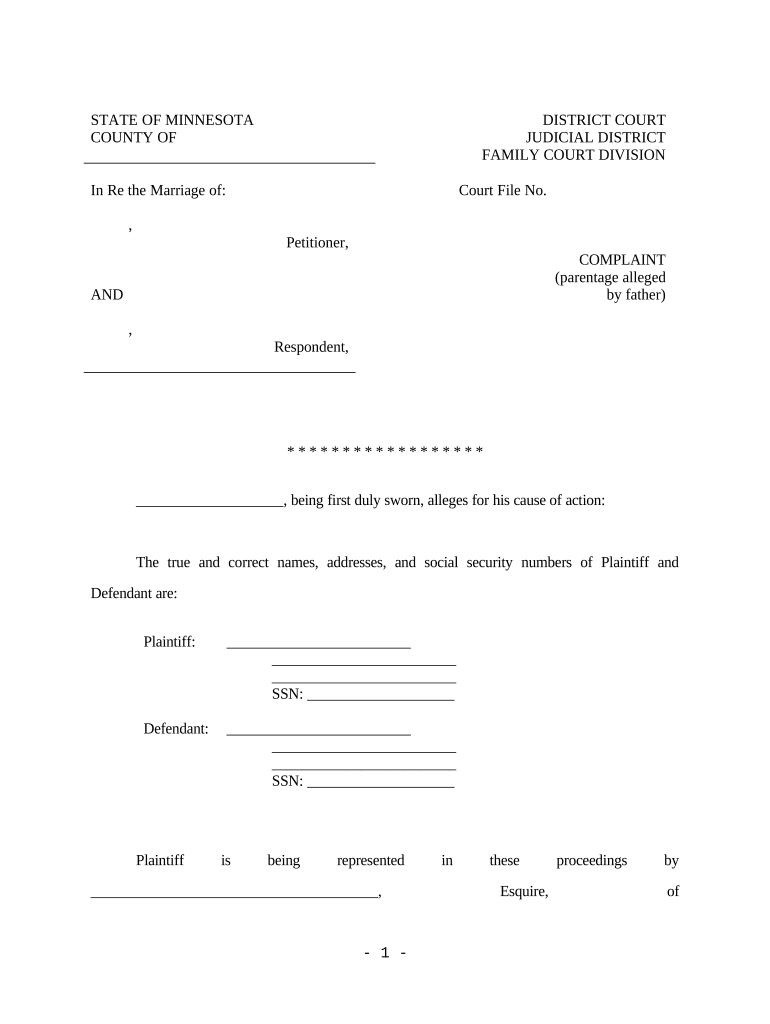
Caption

Include court name, case number (if known), and complete party names; the caption establishes identity of the action and must be consistent across all filings and docket entries.
Parties

Describe each party with full legal name, capacity (individual, corporation, government), and contact or counsel information; clarify which parties are plaintiffs and which are defendants for procedural clarity.

Jurisdiction

State statutory or constitutional grounds for jurisdiction and venue, including monetary thresholds for small claims or district court and any federal diversity or supplemental jurisdictional bases.

Facts

Present chronological, numbered factual allegations that show elements of each cause of action; avoid conclusory language without supporting factual detail to satisfy notice pleading standards.

Causes

Separate counts for each legal theory, with headings naming the cause (for example, breach of contract, negligence) and paragraphs stating specific factual bases for relief.

Prayer

Specify the relief sought, including monetary damages, injunctive relief, declaratory relief, costs, and any statutory interest or attorney fees available by law, with amounts stated when required.

Security and Compliance Considerations

Encryption: TLS 1.2 and 1.3; AES-256 at rest
Certifications: SOC 2 Type II; ISO 27001; PCI DSS
HIPAA: HIPAA compliant; BAA available
eSignature Law: Complies with ESIGN and UETA
21 CFR: 21 CFR Part 11 support available
Accessibility: WCAG 2.0 Level AA conformance

Penalties and Risks of Incorrect Complaints

Dismissal Risk: Failure to state claim
Sanctions: Frivolous pleading penalties
Statute Bars: Claims time-barred
Default Judgment: Unserved defendants risk default
Fee Exposure: Adverse fee awards
Evidence Loss: Delayed discovery harms proof

Common Preparation Pitfalls to Avoid

  • Using incorrect case caption or party name leads to service failures, docket confusion, and potential dismissal if defendants cannot be properly identified.
  • Failing to attach or reference essential exhibits weakens factual assertions and may require filing corrective motions or amendments that delay proceedings.
  • Omitting jurisdictional facts or statutory bases invites motion to dismiss for lack of subject matter jurisdiction or improper venue.
  • Poorly formatted complaints, inconsistent paragraph numbering, or missing page counts can cause administrative rejection by clerk's office.

How eSubmission Works for a Complaint

E-submission streamlines filing: prepare the complaint, add required fields, obtain signatures, and transmit to the court electronically where permitted.

  • Prepare: Finalize complaint PDF and exhibits.
  • Sign: Apply handwritten or e-signature per court rules.
  • Upload: Submit via the court's e-filing portal.
  • Serve: Complete service using accepted methods and retain proof.

Configuring an Online Workflow for the Minnesota Complaint

Configure eSubmission and signer authentication tailored to court requirements and case sensitivity before inviting signatures.

Field Configuration
Signer Role Plaintiff, counsel, defendant as applicable
Authentication Email, SMS code, or higher assurance
Document Type Complaint PDF; exhibits appended as PDF
Retention Set retention per state and HIPAA rules

Technical Requirements and Integration Notes

Confirm the court e-filing portal accepts PDF documents, supports required metadata, and that signer authentication meets jurisdictional standards before submission.

  • Integrations: Salesforce, NetSuite, Microsoft 365, Google Workspace
  • Formats: PDF and DOCX supported for upload
  • Authentication: Email links, SMS codes, KBA where required

Key Deadlines and Timing Considerations

Key deadlines and procedural timing for Minnesota Complaints, including statute of limitations and service timeframes, are summarized below.

Statute of limitations:

Varies by claim; personal injury often two years; verify applicable statute.

Service timeframe:

Service must occur per court rules; many jurisdictions require service within 90 days.

Filing deadlines:

File promptly after drafting to preserve timelines and meet local clerk requirements.

Amendment period:

Amendments allowed under rules; early amendments reduce scheduling disruption.

Appeal timing:

Post-judgment appeal windows vary; consult appellate rules for precise deadlines.

Milestone Timeline from Draft to Response

Sequential milestones from drafting through resolution show key filing and service events and typical court processing phases.

01

Draft Complaint

Prepare detailed facts and counts, attach exhibits.

02

File with Clerk

Submit via e-filing or in-person with filing fee.

03

Serve Defendant

Complete service using permitted methods and file proof.

04

Response Period

Defendant must answer or move within statutory period.

Illustrative Use Cases

Real-world scenarios show how a clear Minnesota Complaint and proper eSubmission reduce delays and preserve remedies across typical use cases.

Small Plaintiff Law Firm

A two-attorney firm files breach of contract complaints statewide and needs consistent pleadings for many clients.

  • E-filing and clear exhibits speed case intake.
  • Using templates that ensure correct captions, party names, and exhibit labeling reduced clerical rejections and allowed timely service, minimizing exposure to dismissal for technical defects while maintaining accurate records for discovery and trial preparation.

Property Manager

A property manager in Minneapolis files collection and eviction-related complaints and coordinates service and documentation for multiple tenants simultaneously.

  • Consistent exhibits and eSignatures streamline filings.
  • Standardized complaint forms with attached lease agreements and clear damage calculations reduced turnaround time, helped ensure proper personal or substituted service, and provided organized exhibits for quick case management and resolution in local housing courts.

Pricing and Feature Snapshot for eSignature Vendors

Compare core pricing and feature differences among eSignature vendors to evaluate suitability for filing and signing Minnesota Complaints.

signNow DocuSign Adobe Sign PandaDoc HelloSign
Starting Price $8/user/mo $15/user/mo $14/user/mo $19/user/mo $15/user/mo
Free Trial 7-day free trial Varies by plan Varies by plan Varies by plan Varies by plan
Bulk Send Yes Yes Yes Yes No
Audit Trail Yes Yes Yes Yes Yes
HIPAA Compliant Yes Yes Yes No No

Representative Users and Their Needs

Civil Plaintiff Attorney

A civil plaintiff attorney prepares multiple Minnesota Complaints per month, ensuring each pleading meets local rule formatting, jurisdictional statements, and proof of service requirements. The attorney coordinates exhibits, e-filing, and client authorization for settlement or damages calculations.

Self-Represented Litigant

A self-represented litigant must carefully follow Minnesota court instruction packets, complete captions and contact details accurately, and consider using a template or limited attorney review to avoid procedural dismissal or service errors.

Best Practices to Improve Accuracy and Efficiency

Practical tips to produce a clear, court-ready Minnesota Complaint and minimize procedural defects during filing and service.

Use numbered paragraphs consistently throughout
Numbered paragraphs improve reference in motions and discovery. Avoid multi-issue paragraphs that obscure facts. Keep each paragraph focused on a single event or set of related facts to simplify legal argument and deposition preparation.
Attach an indexed exhibit binder to complaint
Include a cover index that lists each exhibit with a brief description and exhibit number. Highlight contract sections or pertinent pages and ensure pages are sequentially numbered to ease judicial review and evidence presentation.
Confirm service rules and method early
Determine whether personal service, substituted service, certified mail, or statutory agent delivery applies. Prepare proof of service immediately after delivery and file required affidavits or certificates to establish jurisdiction and avoid default-related issues.
Maintain template and checklist library
Use centrally maintained templates and court checklists that reflect recent rule updates. Train staff on e-filing portal changes, signature options, and exhibit formatting to reduce administrative rejections and preserve litigation timelines.
be ready to get more
Join over 28 million airSlate SignNow users