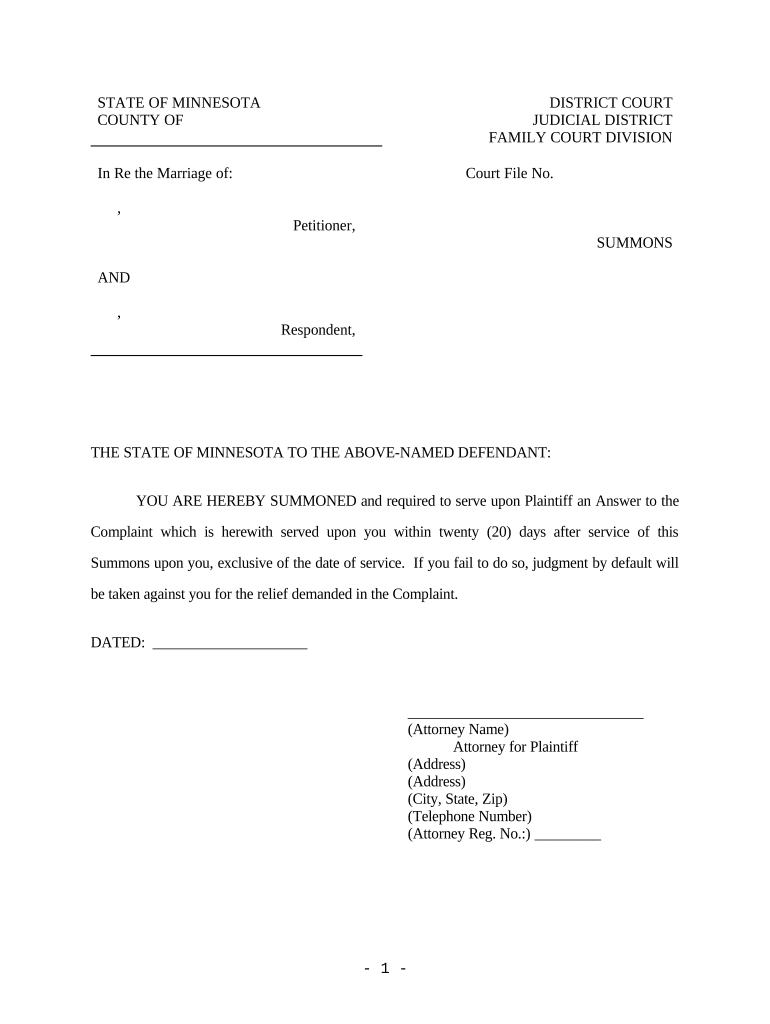
Minnesota Summons and Complaint for Attorney's Fees
What the Minnesota Summons and Complaint for Attorney's Fees Is
Why This Document Matters for Fee Recovery
Use this combined pleading when you expect to recover attorney fees under statute or contract; it preserves fee claims, provides notice, and supports post-judgment enforcement when properly pleaded.
Typical Users and Filing Context
Plaintiffs and their counsel in Minnesota state litigation commonly use this summons and complaint to assert claims and seek recovery of attorney fees.
- Individual plaintiffs pursuing statutory fee-shifting claims (e.g., consumer, employment, civil rights).
- Private businesses enforcing contractual fee provisions against contract breachers or unpaid invoices.
- Attorneys preserving a record to request fees after judgment or settlement negotiations.
Confirm statutory or contractual basis for fees, gather billing and retainer evidence, and align your pleading with local rules before filing.
Step-by-Step: Prepare, File, and Serve the Pleadings
-
01Prepare pleadings: Draft summons, complaint, and fee allegations with statutory or contractual basis.
-
02Confirm jurisdiction: Verify venue and jurisdictional facts before filing in state court.
-
03Service: Arrange proper service per Minnesota Rules of Civil Procedure.
-
04File proof: File affidavit of service and proposed order for fee award if required.
Configure an Electronic Filing and Signing Workflow
| Field | Configuration |
|---|---|
| Signing Order | Set signer sequence: plaintiff first, then defendant for service verification. |
| Authentication | Use email verification or SMS one-time code for signer identity. |
| Notifications | Enable alerts to parties when document is sent, viewed, and signed. |
| Storage Location | Save signed copies to secure cloud folder and court filings archive. |
Online Filing and Signing Workflow Overview
-
Upload document: Prepare PDF or DOCX with fillable fields.
-
Place fields: Add signature, date, and checkbox fields for parties.
-
Authenticate signer: Use email link, SMS code, or advanced options.
-
Audit record: System captures timestamps, IP, and action history.
Platform and Integration Requirements
Ensure platform supports Minnesota filing formats, notarization workflows, and role-based signer authentication requirements and retention.
- Formats: PDF, DOCX supported, include PDF/A archives
- Integrations: Connect to court e-filing and case management
- Notary: Support for RON where state permits
Verify that authentication levels, audit trails, and storage meet court rules and organizational compliance. Ensure any remote notarization follows Minnesota standards, preserves recordings, and that appellate records can be produced in court-acceptable formats.
Key Deadlines and Response Timelines
Service timeframe:
Serve defendant according to Minnesota Rules of Civil Procedure within statutory period.
Answer deadline:
Defendant typically has 20 or 30 days to answer after service depending on method.
Fee motion timing:
File fee petition post-judgment or per statute within the court's scheduling orders.
RON retention:
If notarized remotely, retain audio-video recordings per RON rules.
Appeal period:
Judgment appeals generally start within 30 days of entry; consult local rule.
Penalties and Consequences of Errors
Vendor Comparison: Pricing and Core Capabilities
| signNow | DocuSign | Adobe Sign | PandaDoc | HelloSign | |
|---|---|---|---|---|---|
| Starting Price | $8/user/mo | $15/user/mo | $14/user/mo | $19/user/mo | $15/user/mo |
| Free Trial | 7-day free trial | Varies by vendor | Varies by vendor | Varies by vendor | Varies by vendor |
| Bulk Send | Yes | Varies | Varies | Varies | Varies |
| Audit Trail | Yes | Yes | Yes | Yes | Yes |
| HIPAA Compliant | Yes | Yes | Yes | No | No |
| Envelope Cap | No cap | 100 envelopes/user/year | Varies | Varies | Varies |
Frequently Asked Questions and Practical Answers
-
Can I claim attorney fees?
Yes when statute or contract authorizes fee shifting. State the legal basis in the complaint, quantify or describe the calculation method, and attach supporting billing records. Failure to plead a legal basis risks dismissal of the fee claim.
-
What must be included to prove fees?
Include detailed time entries, billing summaries, retainer agreement, and correspondence showing the fee arrangement. Provide a lodestar calculation or multiplier analysis when seeking enhanced fees, and make exhibits easy to reference in pleading paragraphs.
-
How do I prove service?
File an affidavit of service describing method, date, server, and recipient. If served by mail or publication, attach postal receipts or publisher affidavits. Improper proof may lead to default relief being set aside.
-
Do I need notarization or witnesses?
Generally no for a summons and complaint, but certain affidavits or supporting declarations may require notarization. For substituted service or statutory proof, comply with Minnesota notary rules or remote online notarization standards where allowed.
-
What are common pleading errors?
Vague allegations, failure to cite statutory or contractual fee authority, missing calculation methodology, and omitted billing substantiation are frequent defects. Courts may strike or dismiss fee claims for inadequate factual detail or insufficient legal foundation, increasing litigation costs.
-
Can fees be awarded without motion?
Often a separate post-judgment motion or notice is required to quantify fees; however, some statutory schemes allow fees to be decided at trial or as part of stipulated judgments. Follow local rules for timing and supporting affidavits.