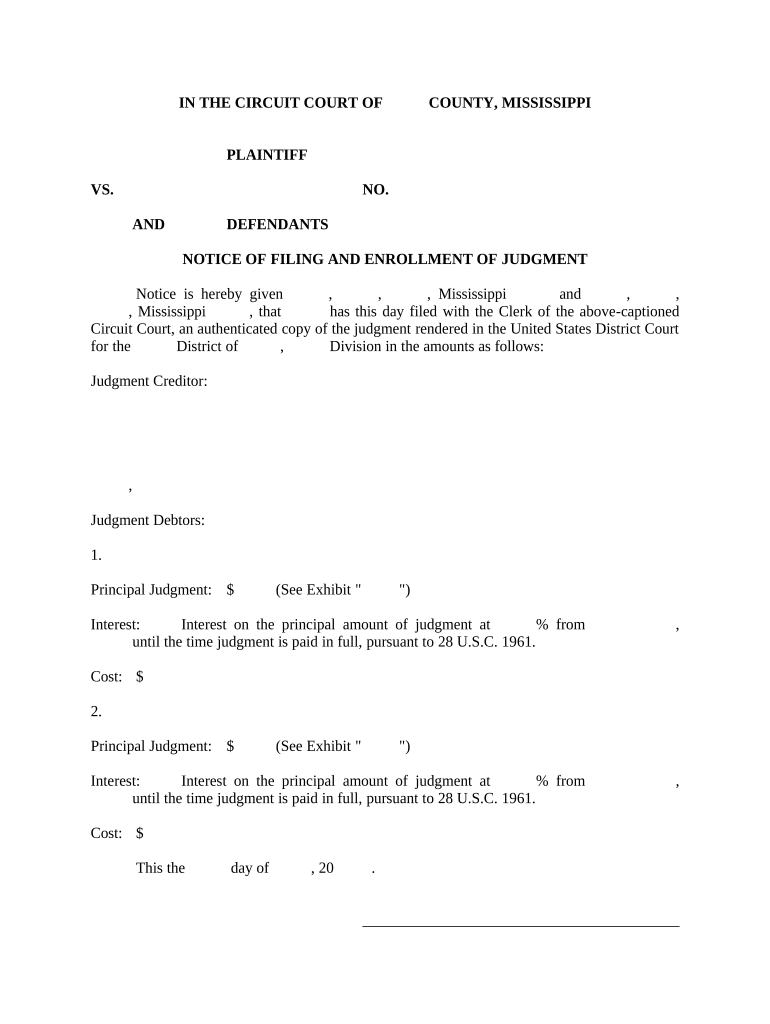
Mississippi Notice of Filing and Enrollment of Judgment
What the Mississippi Notice of Filing and Enrollment of Judgment Is
Why filing and enrolling a judgment matters
Recording the judgment protects enforcement rights by creating public notice and, where applicable, a lien on real property; it also documents priority against other creditors and supports collection steps such as garnishment, levy, or execution.
Who prepares and relies on this notice
Typical filers and users include judgment creditors, plaintiff law firms, collection agencies, and court clerks involved in docketing and recording.
- Judgment creditor attorneys verifying case details and enforcing remedies
- Collections departments tracking lien status and asset searches
- County clerks recording and indexing judgments for public access
Proper preparation reduces rejection risk, preserves lien priority, and speeds later enforcement steps.
Step-by-step: preparing and submitting the notice
-
01Verify Judgment: Confirm final judgment text and signed judge's entry.
-
02Complete Notice: Populate case caption, number, debtor, amount, and date.
-
03Attach Certified Copy: Include the certified or filed judgment copy required by the clerk.
-
04File With Clerk: Submit via clerk's accepted method (paper or e-file) and retain receipt.
How filing and enrollment typically proceeds
-
Prepare Document: Draft notice and attach judgment copy.
-
Clerk Acceptance: Clerk reviews, indexes, and stamps the filing.
-
Recording: Clerk records and assigns an instrument number.
-
Certificate: Obtain proof of filing and certified copy if needed.
Configure your filing workflow
| Field | Configuration |
|---|---|
| Signer Authentication | Email + access code or ID check for attorney signatures |
| Document Type | Notice of Filing and Enrollment of Judgment — PDF/A preferred |
| Retention | Retain filing receipts and certified copies for statutory periods |
| Delivery Method | E-file where available; otherwise clerk office or certified mail |
Penalties and risks of filing errors
Common preparation mistakes to avoid
- Using an abbreviated or incorrect party name that does not match the judgment leads to indexing errors and potential clerk rejection.
- Failing to attach a certified copy of the judgment or the judge's signed entry can cause the clerk to refuse enrollment or delay acceptance.
- Selecting the wrong county for recording — liens generally attach where property is located, so record where debtor owns real property.
- Missing or inconsistent dates and case numbers between the notice and judgment often cause processing delays and may require corrected filings.
Practical tips for accurate and efficient filings
Digital signing and integration considerations
Choose a platform that supports required file formats, signer authentication, and audit trails to preserve enforceability.
- File Formats: PDF, PDF/A, DOCX supported
- Integrations: Salesforce, NetSuite, Google Workspace
- Authentication: Email, SMS code, and advanced options
How organizations typically use the notice
Law Firm Filing
A plaintiff's attorney prepares the notice and attaches the clerk-certified judgment
- Files at the county clerk's office in the debtor's county
- The recorded notice creates public notice and supports subsequent garnishment or lien enforcement by the firm.
Creditor Enforcement
An in-house collections team confirms judgment amounts and debtor identity
- Enrolls the judgment in the county where the debtor owns property
- The enrollment yields an instrument number and evidence used when initiating levy or foreclosure processes.
eSignature vendor comparison for filing and enrollment workflows
| signNow | DocuSign | Adobe Sign | PandaDoc | HelloSign | |
|---|---|---|---|---|---|
| Starting Price | $8/user/mo | $15/user/mo | $14/user/mo | $19/user/mo | $15/user/mo |
| Free Trial | 7-day free trial | Varies by plan | Varies by plan | Varies by plan | Varies by plan |
| Bulk Send | Yes | Yes | Yes | Yes | No |
| Audit Trail | Yes | Yes | Yes | Yes | Yes |
| HIPAA Compliant | Yes | Yes | Yes | No | No |
Frequently asked questions about filing and enrollment
-
Which clerk should I file with?
File with the county clerk or the appropriate circuit/chancery clerk where the judgment was entered or where the debtor holds real property; local rules determine the correct office.
-
Is a notary required for the notice?
Many clerks accept the notice as a filing attached to a certified judgment; notarization may not be required for the notice itself but check local clerk rules for any verification requirements.
-
Can I submit the notice electronically?
Electronic filing availability varies by county; where e-filing is accepted use the clerk's e-filing portal and follow file format and cover sheet requirements.
-
What happens if the clerk rejects the filing?
Clerks typically provide rejection reasons and return instructions; correct the identified errors promptly and re-file to preserve priority and enforcement timing.
-
How do I prove the notice was recorded?
Obtain the stamped receipt, instrument or recording number, and a certified copy from the clerk; retain these for enforcement and retention requirements.
-
Does filing create an automatic lien on all property?
Filing creates a lien only as provided by state law and on property within the recording jurisdiction; confirm lien scope and remedies under Mississippi law before relying on recording alone.