Establishing secure connection…Loading editor…Preparing document…

Mississippi Motion

This template is fully customizable. Edit the text, fill out the fields, and send it for signature. Give it a try!
Mississippi Motion

What a Mississippi Motion Is and when it’s used

A Mississippi Motion is a written request filed with a Mississippi court asking the judge to take a specific action or enter an order. Motions appear in civil and criminal dockets and include requests such as motions to continue, motions to dismiss, motions for summary judgment, and discovery motions. A properly prepared motion states the relief sought, cites the legal basis, sets forth relevant facts, and attaches supporting exhibits. Filings must conform to the Mississippi Rules of Civil Procedure and any local court rules governing format, service, and timing.

Why the Mississippi Motion matters to your case

Filing a motion preserves legal positions, narrows issues before trial, and can resolve disputes without full hearing when the law and evidence support the requested relief.

Why the Mississippi Motion matters to your case

Who prepares and responds to a Mississippi Motion

Motions are prepared by attorneys, self-represented litigants, or parties’ authorized agents; opposing parties must be served and given an opportunity to respond.

  • Civil litigants and their counsel preparing procedural, dispositive, or discovery motions.
  • Criminal defendants, prosecutors, or public defenders for pretrial and post-conviction requests.
  • Court clerks and mediators handling scheduling, service, and docketing logistics.

Accurate preparation and timely service preserve rights and reduce the risk of denial or procedural rejection.

Primary signers and authors

Attorney / Counsel

An attorney licensed in Mississippi ordinarily drafts and signs motions on behalf of a party, certifying service and compliance with local rules; unsigned attorney filings may be rejected by the clerk.

Pro Se Litigant

A self-represented party may draft and sign their own motion but must follow the same filing, service, and formatting rules, including certificate of service requirements.

Essential parts of a professional Mississippi Motion

A motion should be concise, legally grounded, and formatted to the local court’s requirements; include these key components for readability and compliance.

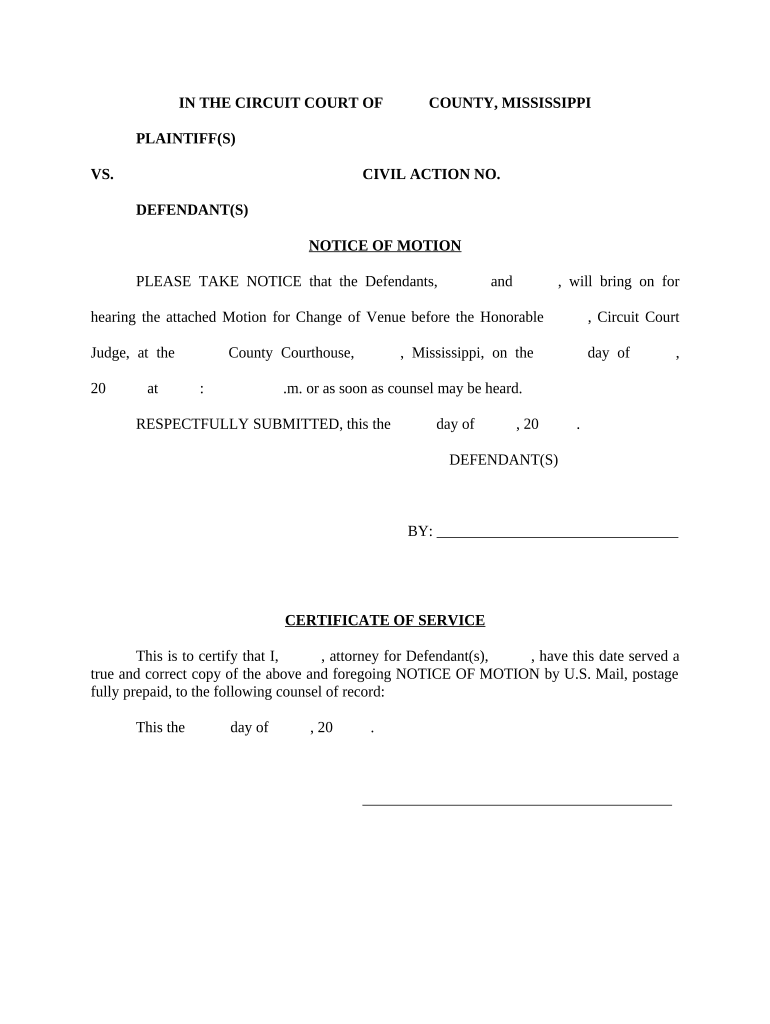
Caption

Top-of-page case caption identifying court, case number, and parties so the clerk and judge can immediately place the motion in the correct file.
Title

A short descriptive title such as 'Motion to Continue Trial' or 'Motion for Summary Judgment' that states the specific relief sought.

Statement of Facts

A brief, factual background describing the events relevant to the motion without argument; cite exhibits if necessary and reference dates and filings.

Argument and Authority

Legal reasoning with citations to statutes, rules, or case law supporting the requested relief, organized in numbered or headed points.

Requested Relief

A clear, numbered list of the precise orders you ask the court to enter, including any proposed deadlines or conditions.

Certificate of Service

A statement showing how and when opposing counsel or parties were served and by what method (mail, electronic service, hand delivery).

Step-by-step: preparing and filing a Mississippi Motion

Follow these sequential steps to prepare, serve, and file a motion that meets procedural requirements and minimizes rejections.

  • 01
    Draft the Motion: State facts, cite authority, and plainly request relief.
  • 02
    Attach Exhibits: Add labeled exhibits and an exhibit index as needed.
  • 03
    Complete Certificate: Document service method, recipient, and date.
  • 04
    File and Serve: Submit to the clerk and serve opposing parties per local rules.

Typical e-filing workflow configuration for a motion

Configure e-filing steps to match court portals and reduce manual errors during submission.

Field Configuration
Document Type Select 'Motion' or closest docket entry
Exhibits Upload separately and mark as exhibits
Service Method Select electronic service or certified mail
Signature Attach electronic signature or notarization scan

Options for electronic signing and court e-filing

Courts and e-filing portals accept various electronic formats and signing methods; match your method to the court's requirements.

  • Accepted Formats: PDF is the standard for e-filing and exhibits
  • Signer Authentication: Email, SMS code, or stronger verification per court rules
  • Integrations: Connectors to systems like Salesforce, NetSuite, Microsoft 365, and Google Workspace ease document transfer

Verify the local court e-filing portal rules for accepted file types, maximum file size, and permitted electronic signature methods before submission.

How electronic submission of a motion typically flows

A clear digital routing process reduces missing attachments and service errors when filing motions with the court.

  • Prepare Document: Assemble motion and exhibits in final PDF
  • Apply Signature: Add e-signature or scanned handwritten signature
  • E-File: Upload to court portal and complete metadata
  • Serve Parties: Use certified mail or electronic service per local rule

Common timing rules and response deadlines

Deadlines vary by motion type and local rules; monitor court orders and rule-based timelines for responses and hearings.

Response Time:

Often 7–30 days depending on motion and local rule

Hearing Notice:

Court sets hearing date or rules on submission without hearing

Service Deadline:

Serve opposing parties before filing or as ordered

Emergency Motions:

File ex parte or emergency motions per local procedures

Extension Motions:

File promptly and show good cause for extensions

Key milestones from filing to resolution

A typical case sequence shows filing, service, response, hearing, and judge’s ruling as discrete milestones.

01

Filing

Clerk accepts or rejects the motion after review of format and fees.

02

Service

Opposing parties receive notice and the certificate of service is added to the file.

03

Response

Opposing party files written response within the applicable deadline.

04

Hearing and Ruling

Court holds hearing or issues a written order resolving the motion.

Common preparation mistakes to avoid

  • Failing to include a complete certificate of service, which can void notice requirements.
  • Omitting or mislabeling exhibits so the judge cannot verify factual claims.
  • Using incorrect case caption or case number that leads the clerk to misfile the motion.
  • Relying on unsupported assertions without citations to statutes or controlling case law.

Consequences of incorrect or untimely motions

Denial of Relief: Judge may deny the motion on procedural or substantive grounds
Sanctions: Court may impose sanctions for frivolous or bad-faith filings
Waiver: Failure to timely object can waive certain defenses or rights
Rejection: Clerk may reject nonconforming e-filings under local rules
Delayed Proceedings: Repeated deficiencies can prolong litigation and increase costs
Service Defect: Improper service can require re-service and restart deadlines

How a Mississippi Motion compares with other common motion types

A brief side-by-side clarifies differences in purpose, timing, and typical standards for relief.

Criteria Mississippi Motion Motion to Dismiss
Primary Purpose request court order challenge legal sufficiency
Typical Timing any stage early pleadings stage
Standard Applied varies by relief sought rule-based legal sufficiency
Hearing Needed often yes frequently yes

eSignature vendor comparison for preparing and signing motions

Compare common e-signature vendors by starting price and core capabilities relevant to legal document workflows; signNow is listed first per page conventions.

signNow DocuSign Adobe Sign PandaDoc HelloSign
Starting Price $8/user/mo $15/user/mo $14/user/mo $19/user/mo $15/user/mo
Free Trial 7-day free trial No No Yes, limited Yes, limited
Bulk Send Yes (Business Premium) Yes Yes Yes No
HIPAA Compliant Yes (BAA available) Yes Yes No No
Envelope Cap No cap 100 envelopes/user/year Varies by plan Varies by plan Varies by plan

Practical examples of motions in real use

These case-style examples show how motions resolve discrete procedural or substantive issues.

Civil Discovery Dispute

A party files a motion to compel production citing discovery responses

  • Court orders a narrowed production after review
  • The motion included an exhibit log and a proposed protective order to protect confidential documents, which streamlined negotiations and limited future disputes.

Motion to Continue

Counsel requests a continuance due to scheduling conflict and pending expert disclosures

  • Judge evaluates prejudice and convenience
  • The motion attached affidavits of counsel and opposing counsel’s availability, resulting in a short continuance with new deadlines entered by the court.

Best practices for efficient and accurate motion drafting

Adopt these practices to reduce clerical rejections and improve the motion’s persuasive impact.

Consolidate Exhibits
Group and label exhibits clearly, reference them in the body, and include a short exhibit index to assist the court and opposing counsel.
Follow Local Rules
Obey page limits, font size, signature requirements, and e-filing conventions set by the local court to avoid rejection.
Use Plain Headings
Organize legal argument under concise headings and cite controlling statutes or binding cases for each point.
Proofread Service
Verify certificate of service details and recipient emails to prevent service defects and related delays.

Document handling, security, and compliance considerations

Encryption: TLS 1.2/1.3 in transit; AES-256 at rest
Audit Trail: Comprehensive signing logs with timestamps and IP addresses
HIPAA: BAA required for protected health information
ESIGN / UETA: Electronic signatures accepted under federal and state law
SOC 2 / ISO: SOC 2 Type II and ISO 27001 available
Accessibility: WCAG 2.0 Level AA compliance for accessibility

Frequently asked questions about Mississippi Motions

Answers to common questions on drafting, service, electronic filing, and signatures for motions in Mississippi courts.


Need help? Contact support

be ready to get more
Join over 28 million airSlate SignNow users