Establishing secure connection…Loading editor…Preparing document…

Motion for Discharge

This template is fully customizable. Edit the text, fill out the fields, and send it for signature. Give it a try!
Motion for Discharge

What a Motion for Discharge Is and when it's used

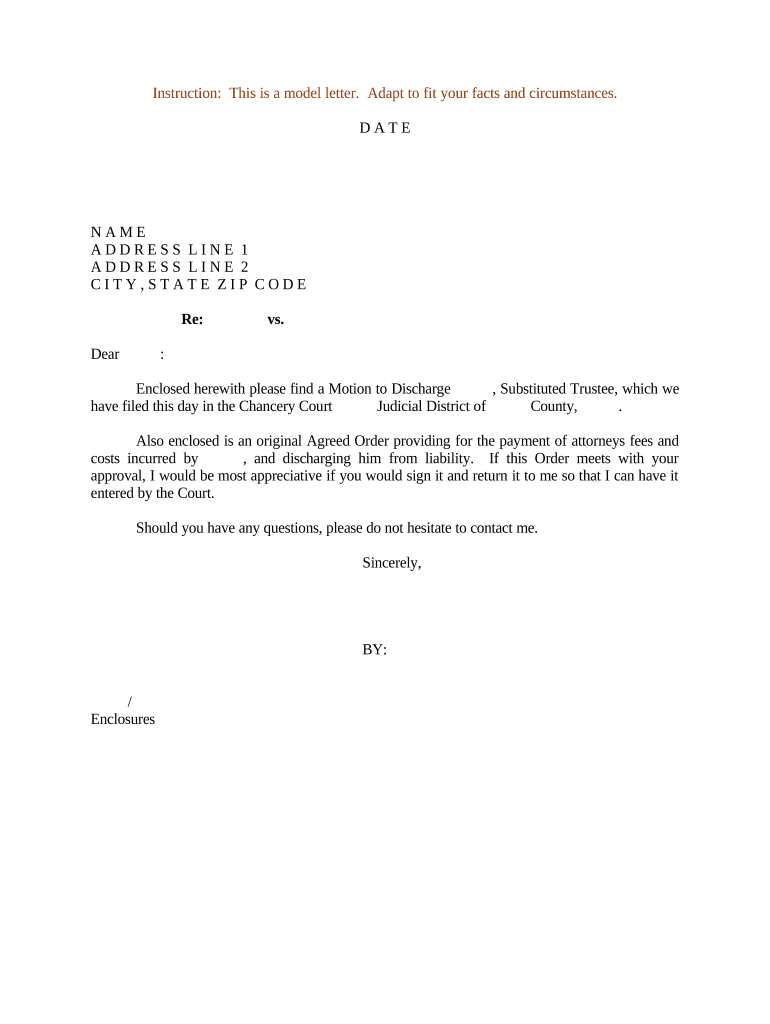
A Motion for Discharge is a court filing that asks a judge to release a party from a legal obligation or to remove a recorded lien, judgment, or claim. Common contexts include bankruptcy discharges, requests to remove a lien after satisfaction, or motions seeking release from court-ordered obligations. The motion explains the legal and factual basis for discharge, attaches supporting evidence, and proposes an order for the court to sign. Local court rules govern form, service, and whether electronic filing or wet-ink originals are required.

Why a clear, properly prepared Motion for Discharge matters

A well-crafted Motion for Discharge helps the court decide promptly, reduces the risk of denial or delay, and creates an enforceable court order removing the obligation or lien. Proper formatting, complete evidence, and rule-compliant service shorten processing time and limit exposure to procedural objections.

Why a clear, properly prepared Motion for Discharge matters

Who prepares and relies on a Motion for Discharge

Several professionals and parties commonly prepare or respond to Motions for Discharge depending on context.

  • Private individuals and debtors seeking relief from personal obligations or lien removal.
  • Bankruptcy attorneys and trustees handling discharge or plan-completion matters.
  • Title companies and real estate closing agents needing lien release documentation.

Identify the appropriate filer and signatory early—court rules and opposing parties determine required service and signatures.

Primary users and signing authorities

Individual Debtor

A consumer filing pro se or through counsel; signs affidavits and proof-of-performance documents. Must ensure the name on the motion matches government ID to avoid jurisdictional or verification issues.

Attorney / Counsel

A licensed practitioner who prepares the motion, certifies service, and signs on behalf of a client. Counsel ensures compliance with local rules, e-filing protocols, and any required notices to creditors or interested parties.

Essential compliance and document controls

ESIGN / UETA: Accepts electronic records and signatures
Audit Trail: Captures timestamps and signer attribution
Encryption: TLS 1.2/1.3 in transit
Data at Rest: AES-256 encrypted storage
HIPAA BAA: Required if PHI is included
Retention Controls: Secure archival and access logging

Consequences of filing an incorrect Motion for Discharge

Rejected Filing: Court clerk may refuse filing
Delay in Relief: Hearing dates postponed
Sanctions Risk: Possible monetary or procedural sanctions
Adverse Judgment: Motion denial may allow enforcement
Recording Errors: Lien may not be removed from records
Tax Consequences: Discharged amounts may affect tax reporting

Common preparation errors to avoid

  • Using inconsistent party names or spellings that cause verification or service failures and court clerk rejections.
  • Failing to attach required evidence such as payoff statements, trustee certificates, or proof of service which leads to continuances.
  • Skipping the local court form or caption rules, producing improper headings or missing case numbers that prevent docketing.
  • Attempting to submit notarized affidavits electronically where the court or statute requires original notarized documents.

Step-by-step: preparing and filing a Motion for Discharge

Follow a clear sequence: identify relief, compile evidence, complete required captions and certificates, serve parties, and submit per local filing rules.

  • 01
    Identify Relief: State exact discharge or removal requested
  • 02
    Assemble Evidence: Attach payoff letters and supporting affidavits
  • 03
    Prepare Caption: Use the court's required case caption format
  • 04
    File and Serve: E-file or file in clerk's office and serve parties

Where the Motion goes and how it moves through the system

A Motion for Discharge is routed through court filing systems and served to interested parties; processing depends on local electronic filing rules and calendar availability.

  • Court E-Filing Portal: Primary method where supported; follows local rules
  • Clerk's Office: Paper filings accepted where e-filing not mandatory
  • Served Parties: Opposing counsel, trustee, and affected creditors
  • Recording Office: County recorder processes lien releases if required

Core sections to include in a professional Motion for Discharge

Include standardized components so the court and opposing parties can readily evaluate the request and schedule disposition.

Caption

Full court caption with case number and party names in the exact form required by the local rules; essential for docketing and clerk acceptance.
Relief Requested

A concise statement of the precise legal remedy sought, for example discharge of debt, vacatur of lien, or entry of an order releasing obligations.

Statement of Facts

Chronological, document-backed facts that support the motion, including dates of payment, settlement, or completion of obligations.

Legal Grounds

Cite the statutory or rule-based authority supporting discharge, applied to the facts in a brief legal argument section.

Supporting Documents

Affidavits, payoff statements, release endorsements, trustee certificates, and any exhibit list needed to substantiate the motion's assertions.

Proposed Order

A clean, self-executing order for the judge to sign that mirrors the relief requested and includes necessary recording language if lien removal is ordered.

Digital workflow settings to streamline submission

Configure e-filing and signing settings before you upload to reduce friction and ensure required authentication and evidence are captured.

Field Configuration
Signer Authentication Email plus SMS code for user verification
Signature Placement Lock signature fields to prevent edits
Document Versioning Enable version history and timestamping
Proof of Service Attach certificate of service and certificate of mailing

Technology and file-format considerations for eSubmission

Use PDF/A or standard PDF formats and verify the court accepts electronic submissions and the signature method chosen.

  • Accepted Formats: PDF, PDF/A, DOCX supported
  • Integration Needs: Connectors for case management systems
  • Authentication: Email, SMS, or stronger KBA

Confirm compatibility with court e-filing portals and preserve an audit trail and signed PDF for the official record; keep native files for internal reference.

Timing considerations and typical deadlines

Deadlines vary by jurisdiction and by the underlying case type; check local rules and scheduling orders before filing to avoid waiver or delay.

Local Rule Check:

Verify court local rules before preparing the motion

Service Deadlines:

Time for service varies by rule and method used

Hearing Scheduling:

Allow time for clerk docketing and available calendars

Recording Window:

Record lien releases per county requirements promptly

Statute Limitations:

Confirm any statute-based timing constraints in the case

Key milestones from filing to order entry

Track milestones to monitor progress and meet service and recording obligations after the court grants relief.

01

Prepare Motion

Draft motion and attach supporting exhibits for filing

02

File with Court

E-file or deliver to clerk and obtain a docket number

03

Serve Interested Parties

Complete service and file proof of service with the court

04

Order Entry

Clerk or judge signs order; record order where required

Frequently asked questions about Motions for Discharge

Answers to common questions about signatures, e-filing, supporting documents, and correcting errors after submission.


Need help? Contact support

eSignature vendor pricing and capability comparison for filing and signing

Compare common vendor starting prices and key capabilities relevant to preparing and signing Motions for Discharge; signNow is listed first per platform comparisons.

signNow DocuSign Adobe Sign PandaDoc HelloSign
Starting Price $8/user/mo $15/user/mo $14/user/mo $19/user/mo $15/user/mo
Free Trial Yes, 7-day free trial Varies Varies Varies Varies
Bulk Send Yes Yes Yes Yes Yes
Audit Trail Yes Yes Yes Yes Yes
HIPAA Compliant Yes Yes Yes No No
be ready to get more
Join over 28 million airSlate SignNow users