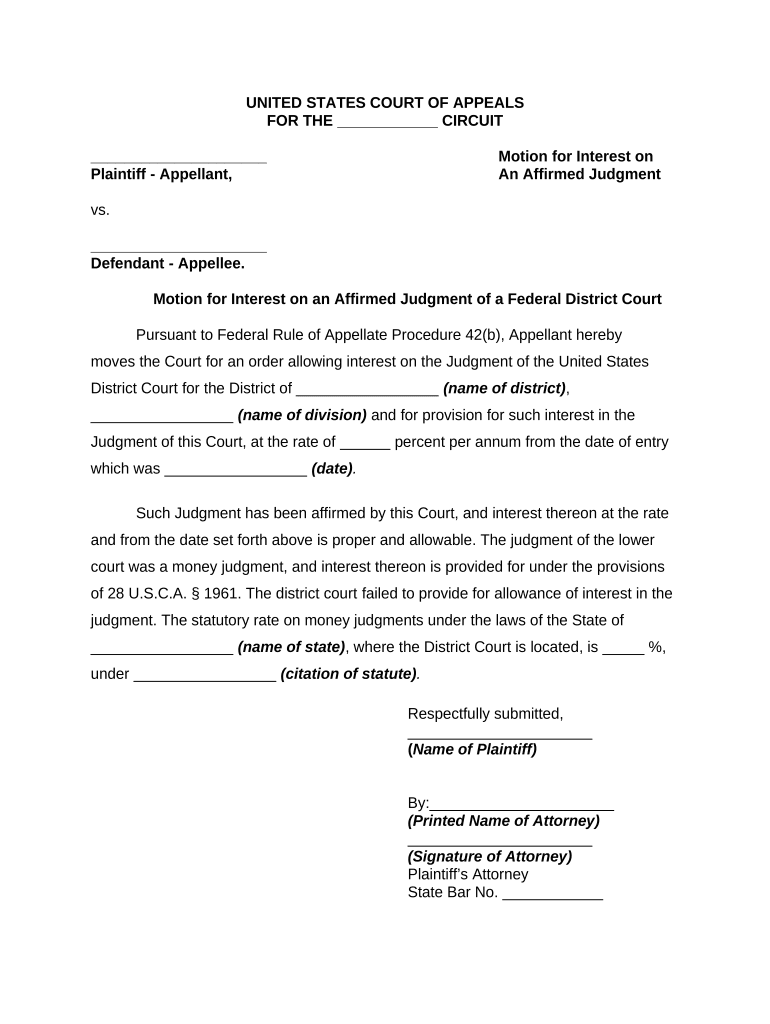
Motion Federal Court
What a Motion in Federal Court Is and When It’s Used
Why a Clear, Compliant Motion Matters
A well-prepared Motion Federal Court focuses the court on the relief requested, reduces the risk of dismissal or denial for procedural defects, and preserves arguments for appeal when necessary. Accuracy in citations, exhibits, and service increases the likelihood that the court will address substantive issues rather than procedural shortcomings.
Who Prepares and Files Federal Court Motions
Federal motions are prepared by attorneys and by self-represented litigants; paralegals, law clerks, and counsel support drafting, proofing, and filing tasks.
- Private litigators and law firms handling civil or criminal matters in federal court, drafting motions and supporting papers for judges.
- In-house counsel for corporations who file motions in fee-shifting, discovery, or enforcement matters on behalf of the entity.
- Pro se litigants who must follow the same procedural and formatting requirements without attorney representation.
Primary Signers and Filing Agents
Attorney
An attorney of record signs certificates of service, and filings are entered under that attorney’s ECF account; attorneys are responsible for ensuring accurate captions, exhibits, and compliance with local rules before submission.
Pro Se Litigant
A self-represented party prepares and signs their own motion and must follow the same formatting and service rules; courts will generally hold pro se litigants to procedural standards but often provide local resources for unrepresented parties.
Penalties and Risks of an Improper Motion
Common Preparation Pitfalls to Avoid
- Using an incorrect caption or case number, which can cause the clerk to reject or misfile the motion and delay proceedings.
- Failing to attach or index exhibits correctly, leading to incomplete records and arguments the court cannot evaluate.
- Missing local rule formatting (font size, spacing, signature block), which prompts clerks to return the filing or strike portions of the motion.
- Incorrect or untimely service on opposing parties, creating procedural defenses and possible grounds for denial.
Step-by-Step: Prepare and File a Federal Court Motion
-
01Draft Motion: State relief requested with supporting legal argument
-
02Assemble Exhibits: Tab, paginate, and reference exhibits in the motion
-
03Confer Opposing Counsel: Meet-and-confer if local rules require prior attempt
-
04File and Serve: Submit via ECF and effect service per rules
Typical Electronic Filing and Service Flow
-
Prepare Document: Finalize PDF with bookmarks and exhibit attachments
-
ECF Upload: Upload via the court’s CM/ECF portal using your account
-
Automatic Docketing: Clerk’s system generates docket entry and notifications
-
Service: ECF or alternative service methods per local rule
Recommended Workflow Settings for Motion Preparation
| Setting | Recommended Value |
|---|---|
| Document Format | PDF/A with searchable text |
| Authentication | ECF account plus email verification |
| Service Method | ECF service where available |
| Retention Policy | Preserve originals for minimum retention period |
Technical Requirements and Integration Notes
Confirm that eSignature and file-management tools integrate with your document workflow and court filing system.
- Supported Formats: PDF, DOCX for drafting; courts accept PDF filings
- Integrations: Salesforce, NetSuite, Microsoft 365, Google Workspace
- Authentication: Email, SMS codes, or court ECF credentials
eSignature Pricing and Feature Snapshot Relevant to Court Documents
| signNow | DocuSign | Adobe Sign | PandaDoc | HelloSign | |
|---|---|---|---|---|---|
| Starting Price | $8/user/mo | $15/user/mo | $14/user/mo | $19/user/mo | $15/user/mo |
| Free Trial | 7-day free trial | Varies by offer | Varies by offer | Varies by offer | Varies by offer |
| Bulk Send | Yes | Yes | Yes | Yes | Yes |
| Audit Trail | Yes | Yes | Yes | Yes | Yes |
| HIPAA Compliant | Yes | Yes | Yes | No | No |
| Envelope Cap | No cap | 100 envelopes/user/year | Varies by plan | Varies by plan | Varies by plan |
Examples of Streamlined Document Workflows
Optica Ventures
Optica reduced external review cycles by standardizing templates and approvals.
- The interface made document exchange simple across teams.
- This cut time spent on manual PDF assembly and produced consistent exhibit labeling for court filings, improving internal auditability and reducing rework.
Martin Properties
Martin Properties centralized filings and signatures for litigation and transactional matters.
- Mobile signing allowed executives to sign quickly.
- Executing documents online ensured continuity during travel, minimized paper loss, and maintained a reliable audit trail for later review.
Key Milestones When Filing a Motion Federal Court
Draft Completion
Motion, exhibits, and proposed order finalized
Service Deadline
Serve opposing parties per local rule before filing when required
Filing via ECF
Submit motion and proposed order to the court docket
Opposition and Reply
Monitor response deadlines and prepare any reply brief
Practical Tips for Accurate and Efficient Motion Preparation
Frequently Asked Questions About Motion Federal Court Preparation
-
Can I e-sign a motion?
Yes. Electronic signatures are generally accepted under federal rules and ESIGN/UETA frameworks when the signature method provides intent, attribution, and an audit trail; verify the court’s local ECF signature practices for attorney signatures.
-
Does a motion require notarization?
Most motions do not require notarization, but affidavits and sworn declarations attached to motions generally require a notarized signature or a jurisdictionally permitted remote notarization.
-
How is service of the motion handled?
Service is typically effected via the court’s ECF system for registered parties; where ECF does not effect service, follow the method specified by local rules such as email, mail, or personal service.
-
What happens if the clerk rejects my filing?
The clerk will often provide a deficiency notice; correct the identified issue promptly and refile. Persistent procedural errors can delay proceedings or prompt judicial sanctions.
-
Can I amend a motion after filing?
Amendments usually require leave of court or follow-up filings per the rules; file a corrected or supplemental motion if permitted and serve all parties as required.
-
How do I seal sensitive exhibits?
File a motion to seal with a narrowly tailored proposed order and supporting justification per local rules; courts balance public access against privacy or security interests.